ToolMage
Sign in

Best 1 Sound Design AI tools for Productivity

Popular Sound Design AI tools in Productivity include Vertate, helping you work more efficiently.

Vertate
Freemium

Vertate

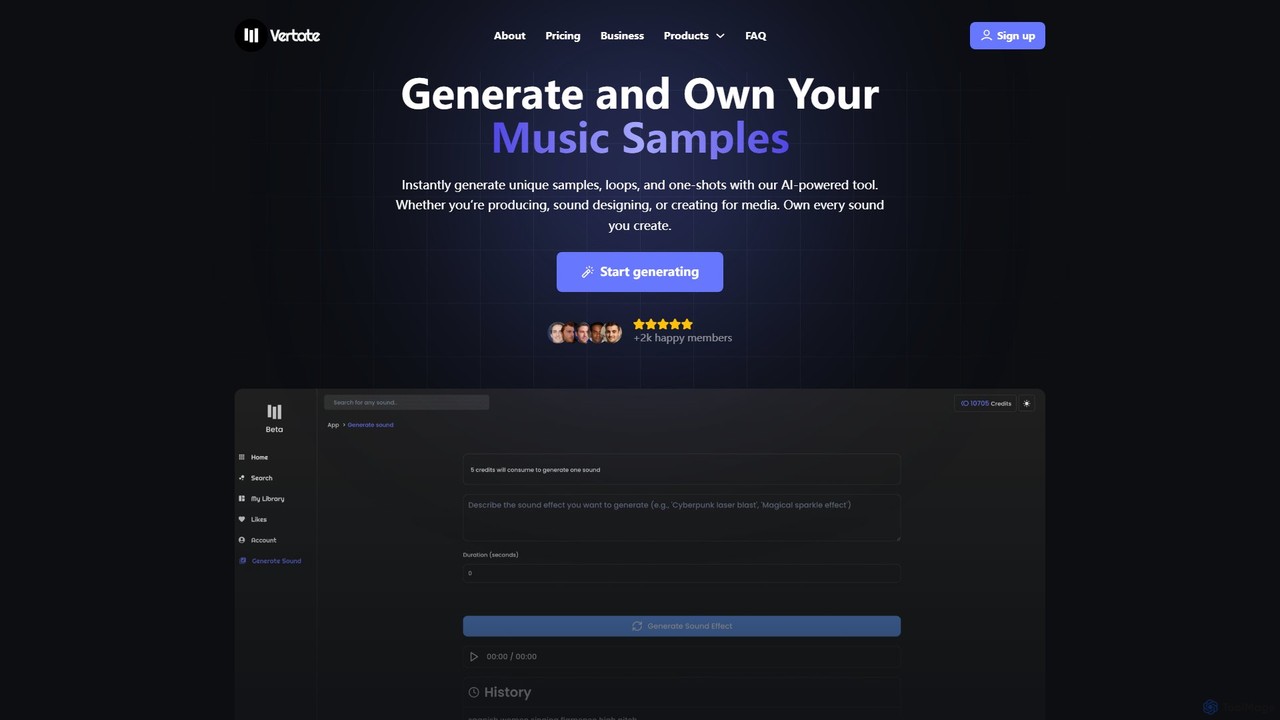
Vertate is an AI-powered sound platform for instantly generating unique, 100% royalty-free music samples, loops, and one-shots. Designed for music producers, filmmakers, content creators, and developers, it allows users to own every sound they create, eliminating sample clearance issues. It also offers a robust API for business integrations.

Api
Visits 7.5KFavorites 127Likes 126

About Sound Design

Sound Design tools are AI-powered applications that leverage advanced algorithms to create, manipulate, and enhance audio elements for various media. These tools utilize machine learning to generate unique soundscapes, effects, and musical components, significantly streamlining the audio production workflow. They empower creators to achieve professional-grade sound without extensive manual effort, opening new creative possibilities in film, gaming, and music production.

Core Features

  • AI-Powered Sound Generation: Automatically creates original sound effects, ambient textures, or musical motifs based on user input or context.
  • Intelligent Audio Enhancement: Applies smart noise reduction, equalization, and mastering to improve audio quality with minimal manual intervention.
  • Adaptive Audio Synthesis: Generates dynamic soundscapes and music that respond in real-time to interactive content, such as video games or virtual reality.
  • Voice Synthesis & Manipulation: Creates realistic synthetic voices or alters existing vocal tracks for various narrative and creative purposes.

Use Cases

These tools are indispensable for professionals in media production, including film, television, video games, and podcasting. They are also valuable for music producers and content creators seeking innovative ways to enhance their audio projects or automate repetitive tasks.

How to Choose

When selecting AI sound design tools, consider the sophistication of the AI model for generation and enhancement, the breadth and quality of its sound library, integration capabilities with existing digital audio workstations (DAWs), and its real-time processing performance. Evaluate the specific types of audio elements you need to create or modify, such as sound effects, music, or voice, and choose a tool that excels in those areas.

Sound Design use cases

1

Generating Dynamic Game Soundtracks

Game developers utilize AI sound design tools to automatically compose adaptive background music and sound effects that respond to in-game events, player actions, or environmental changes. This allows for a more immersive and dynamic audio experience without requiring extensive manual composition for every scenario, saving hundreds of hours in development time and ensuring a cohesive auditory world.

2

Automating Podcast Audio Enhancement

Podcasters and content creators leverage AI sound design tools to automatically clean up audio, remove background noise, equalize voices, and master their episodes. This process significantly reduces post-production time, allowing creators to achieve broadcast-quality audio with minimal technical expertise, ensuring a professional listening experience for their audience and increasing content output.

3

Creating Realistic Foley Sound Effects

Filmmakers and animators use AI sound design tools to generate realistic Foley sound effects (e.g., footsteps, rustling clothes, breaking glass) that perfectly synchronize with on-screen actions. By simply describing the desired sound or providing a video clip, the AI can produce a variety of authentic audio assets, drastically cutting down the time and cost associated with traditional Foley recording sessions.

4

Composing Unique Music for Advertisements

Marketing agencies and advertisers employ AI sound design tools to quickly generate custom musical scores and jingles for commercials and promotional content. By inputting parameters like mood, genre, and desired length, the AI can produce multiple unique tracks, allowing for rapid iteration and selection of the perfect audio branding that resonates with target audiences, without the need for expensive licensing or bespoke composition.

5

Enhancing Virtual Reality Experiences

VR/AR developers utilize AI sound design to create highly immersive and responsive audio environments for virtual reality experiences. The AI can dynamically adjust spatial audio, ambient sounds, and interactive sound effects based on the user's gaze, movement, and interaction within the virtual world. This results in a more believable and engaging VR experience, enhancing the sense of presence and realism for users.

6

Prototyping Audio for Film and Animation

Film and animation pre-production teams use AI sound design tools to rapidly prototype audio for storyboards and animatics. By quickly generating placeholder sound effects, ambient tracks, and temporary scores based on visual cues or script descriptions, they can test the emotional impact and pacing of scenes early in the production pipeline. This iterative process allows for efficient feedback and refinement before committing to final audio production, saving significant resources.

Sound Design FAQ

What are AI Sound Design tools?

AI Sound Design tools are software applications that use artificial intelligence, particularly machine learning, to assist in the creation, manipulation, and enhancement of audio. They can generate original sounds, apply intelligent effects, clean up audio, and even compose music based on user inputs or predefined parameters. These tools aim to automate complex audio tasks, accelerate workflows, and unlock new creative possibilities for sound professionals and content creators.

How do AI Sound Design tools differ from traditional audio software?

The primary difference lies in their approach: traditional audio software relies heavily on manual editing, mixing, and mastering by a human operator, offering precise control over every parameter. AI Sound Design tools, conversely, leverage machine learning to automate these processes, generate new content, and adapt sounds intelligently. While traditional tools require explicit instructions for every change, AI tools can interpret high-level commands or analyze existing audio to suggest and apply enhancements, often creating results that would be time-consuming or impossible to achieve manually.

What are the key features to look for in AI Sound Design software?

When choosing AI sound design software, prioritize tools with robust AI-powered generation capabilities for creating diverse sound effects, music, or ambient textures. Look for intelligent audio enhancement features like advanced noise reduction, automatic mixing, and mastering. Integration with your existing Digital Audio Workstation (DAW) is crucial for a seamless workflow. Consider the breadth and quality of its built-in sound library, real-time processing performance, and the intuitiveness of its user interface. Finally, evaluate its adaptability for specific use cases, such as game audio, film scoring, or podcast production.

Can AI Sound Design tools replace human sound engineers?

AI Sound Design tools are powerful assistants, not replacements, for human sound engineers. While AI can automate repetitive tasks, generate creative starting points, and enhance audio quality efficiently, the nuanced artistic vision, emotional understanding, and critical decision-making of a human engineer remain indispensable. AI tools augment human capabilities, allowing engineers to focus on higher-level creative direction and problem-solving, ultimately leading to more innovative and polished audio productions rather than replacing their role entirely.

Who benefits most from using AI Sound Design tools?

A wide range of professionals and enthusiasts benefit from AI Sound Design tools. This includes game developers seeking dynamic audio, filmmakers and animators needing realistic Foley or rapid prototyping, music producers looking for unique generative elements or efficient mixing, podcasters and content creators aiming for broadcast-quality audio with less effort, and marketing agencies requiring custom jingles or scores. Essentially, anyone involved in audio production who wants to streamline workflows, enhance creativity, or achieve professional results more efficiently will find these tools invaluable.