ToolMage
Sign in

Best 1 Speaking AI tools for Productivity

Popular Speaking AI tools in Productivity include AITalk, helping you work more efficiently.

AITalk
Freemium

AITalk

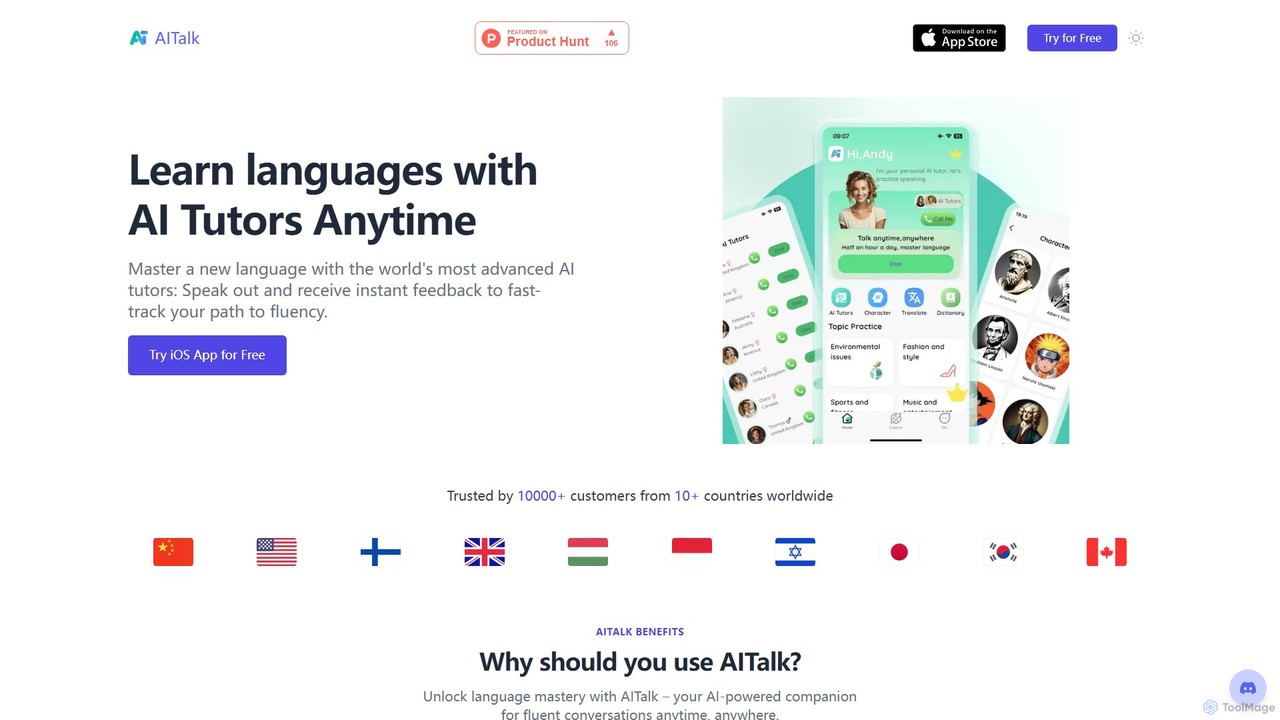
AITalk is an AI-powered language learning app that helps you master new languages through conversation. Practice speaking with advanced AI tutors anytime, anywhere, and receive instant feedback to accelerate your journey to fluency. It also includes tools for IELTS preparation and writing assistance.

Language Learning
Visits 5.6KFavorites 168Likes 153

About Speaking

AI Speaking tools are a class of software that converts written text into natural-sounding, human-like speech. Leveraging advanced text-to-speech (TTS) and voice synthesis technologies, these tools can generate high-quality audio in various languages, accents, and emotional tones. Their primary value lies in automating audio content creation, enhancing accessibility for digital content, and providing scalable voice solutions for applications. This makes them a powerful asset within the Productivity category for creators and developers seeking to streamline voice production workflows.

Core Features

  • Text-to-Speech (TTS) Synthesis: Converts text input into high-fidelity spoken audio with natural intonation.
  • Voice Cloning: Creates a digital replica of a specific voice from a small audio sample for consistent branding or personalization.
  • Multi-Language & Accent Support: Generates speech in dozens of languages and regional accents, enabling global content delivery.
  • Prosody & Style Control: Allows fine-tuning of speech characteristics like pitch, speed, volume, and emotional tone (e.g., happy, sad, angry).
  • API Access: Provides programmatic access for developers to integrate real-time voice generation into their own applications and services.

Use Cases

These tools are widely used by content creators for generating voiceovers for videos, podcasts, and e-learning modules. In marketing, they produce audio for advertisements and corporate presentations. Developers also integrate them into applications to create voice assistants, IVR systems, and accessibility features that read on-screen text aloud for visually impaired users.

How to Choose

When selecting an AI Speaking tool, evaluate the naturalness and quality of the generated voices. Consider the breadth of the language and accent library to ensure it meets your target audience's needs. Assess the level of customization available for voice characteristics. For developers, the quality of API documentation and integration support is crucial, while all users should compare pricing models, which are often based on character count or subscription tiers.

Speaking use cases

1

Generate Voiceovers for Video Content

A content creator produces educational videos for YouTube. Instead of spending hours recording and editing their own voice, which may lack consistency, they use an AI Speaking tool. They paste the video script into the tool, select a professional and clear-sounding voice, and adjust the pacing to match the on-screen visuals. The tool generates a high-quality audio file in minutes. This process not only saves significant production time but also allows them to easily produce versions of the video in different languages, like Spanish or German, by simply selecting a different voice, thus expanding their international audience reach.

2

Create Audiobooks from Digital Texts

An independent author wants to convert their published e-book into an audiobook to reach a wider audience. Hiring a professional voice actor and a recording studio is costly and time-consuming. Instead, they use an AI Speaking platform. They upload their manuscript chapter by chapter, choose a voice that matches the book's tone (e.g., a warm, narrative voice for fiction), and generate the audio files. The platform's advanced features allow them to correct pronunciations of specific names or terms, ensuring accuracy. The result is a professionally produced audiobook created at a fraction of the traditional cost and time.

3

Develop Interactive Voice Response (IVR) Systems

A software development team is building a customer service IVR for a large e-commerce company. They need the system to provide dynamic, natural-sounding responses, such as order status updates and personalized greetings. Using an AI Speaking tool's API, they can generate these voice prompts in real-time. When a customer calls, the system queries the database for their order information, constructs a text response like "Hello Jane, your order 12345 has shipped and will arrive tomorrow," and sends it to the API. The API instantly returns a high-quality audio stream, creating a smooth and professional customer experience that is far superior to traditional, robotic IVR systems.

4

Enhance E-Learning Content Accessibility

An instructional designer at a university is creating an online course. To comply with accessibility standards and cater to diverse learning styles, they need to provide an audio version of all text-based materials. Manually recording everything would be impractical. They use an AI Speaking tool to convert lecture notes, readings, and quiz questions into audio files. They choose a calm and articulate voice to ensure clarity. Students can now listen to the course materials while commuting or exercising, and it provides a crucial alternative for students with visual impairments or reading disabilities like dyslexia. This enhances the overall learning experience and inclusivity of the course.

5

Prototype Character Voices for Games and Animation

An indie game development studio is in the early stages of creating a new role-playing game with many characters. Before committing to hiring expensive voice actors, the writers and designers need to hear how the dialogue sounds. They use an AI Speaking tool with a wide range of voice styles. They can quickly generate lines for a gruff warrior, a wise old wizard, and a cheerful shopkeeper by adjusting the pitch, speed, and emotional tone. This allows the team to iterate on the script and character personalities rapidly, test dialogue in-game, and create a much more compelling casting brief when they are finally ready to hire human actors.

6

Automate Public Announcements and Broadcasts

A public transit authority needs to provide real-time, clear announcements across its network of train stations and buses. Manually recording every possible delay, route change, or safety message is impossible. They integrate an AI Speaking API into their central control system. When there's a service update, the system automatically generates a text message (e.g., "Attention passengers, the 3:15 PM train to Central Station is delayed by 10 minutes.") and sends it to the API. The API converts this to a clear, standardized voice announcement that is broadcast instantly across the relevant stations. This ensures timely, consistent, and multilingual communication with passengers, improving safety and customer satisfaction.

Speaking FAQ

What are AI Speaking tools?

AI Speaking tools, also known as advanced Text-to-Speech (TTS) or voice synthesis software, are applications that use artificial intelligence to convert written text into audible, human-like speech. Unlike traditional robotic-sounding TTS, these tools leverage deep learning to produce voices with natural intonation, emotion, and rhythm. Key features often include a wide variety of voices, multi-language support, voice cloning capabilities, and the ability to control speech characteristics like pitch and speed. They are primarily used to automate the creation of audio content for videos, podcasts, accessibility, and applications.

How to choose the right AI Speaking tool?

Choosing the right AI Speaking tool depends on your specific needs. Consider the following factors:

  • Voice Quality and Naturalness: Listen to samples. Does the voice sound human-like and engaging, or robotic? This is the most critical factor for most use cases.
  • Language and Accent Variety: Ensure the tool supports the languages and regional accents of your target audience.
  • Customization Options: Check if you can control pitch, speed, pauses, and emotional tone to match your content's context.
  • Voice Cloning: If you need a consistent, branded voice or want to use your own, look for a tool with high-quality voice cloning capabilities.
  • API Access and Documentation: For developers, a well-documented, reliable API is essential for integrating the service into applications.
  • Pricing Model: Compare costs, which can be based on a monthly subscription, pay-per-character, or tiered plans. Choose one that aligns with your expected usage.
What's the difference between AI Speaking tools and standard Text-to-Speech (TTS)?

The primary difference lies in the quality and naturalness of the output. Standard TTS systems often sound robotic and monotonous because they rely on older, concatenative synthesis methods, which piece together pre-recorded sound fragments. AI Speaking tools, on the other hand, use neural networks and deep learning (generative synthesis). This allows them to generate speech from scratch, modeling human speech patterns, including subtle variations in pitch, rhythm, and stress. As a result, AI voices are significantly more human-like, expressive, and capable of conveying emotion, making them suitable for a much wider range of applications like audiobooks and character voiceovers.

Is it legal and ethical to use AI voice cloning?

The legality and ethics of AI voice cloning are complex and evolving. Generally, it is legal and ethical to clone your own voice or the voice of someone who has given you explicit, informed consent for a specific purpose. However, using voice cloning to impersonate someone without their permission for malicious purposes, such as creating deepfake audio, spreading misinformation, or committing fraud, is illegal in many jurisdictions and widely considered unethical. Reputable AI Speaking tools have strict policies requiring users to affirm they have the necessary rights and consent before cloning a voice. Always prioritize transparency and consent when using this technology.

Can AI Speaking tools convey emotions?

Yes, many advanced AI Speaking tools can convey a range of emotions. They achieve this through features that allow users to control prosody—the patterns of stress, intonation, and rhythm in speech. Users can often select a general emotional style (e.g., 'happy,' 'sad,' 'angry,' 'excited') or fine-tune specific parameters like pitch variation and speaking rate. While they may not yet capture the full nuance of human emotional expression, modern AI voices can effectively add an emotional layer to audio content, making it more engaging and contextually appropriate for storytelling, marketing, and character dialogue.