
ToolMage
Sign in

Best 1 Speech Recognition AI tools for Productivity

Popular Speech Recognition AI tools in Productivity include Audio2Text AI, helping you work more efficiently.

Audio2Text AI
Freemium

Audio2Text AI

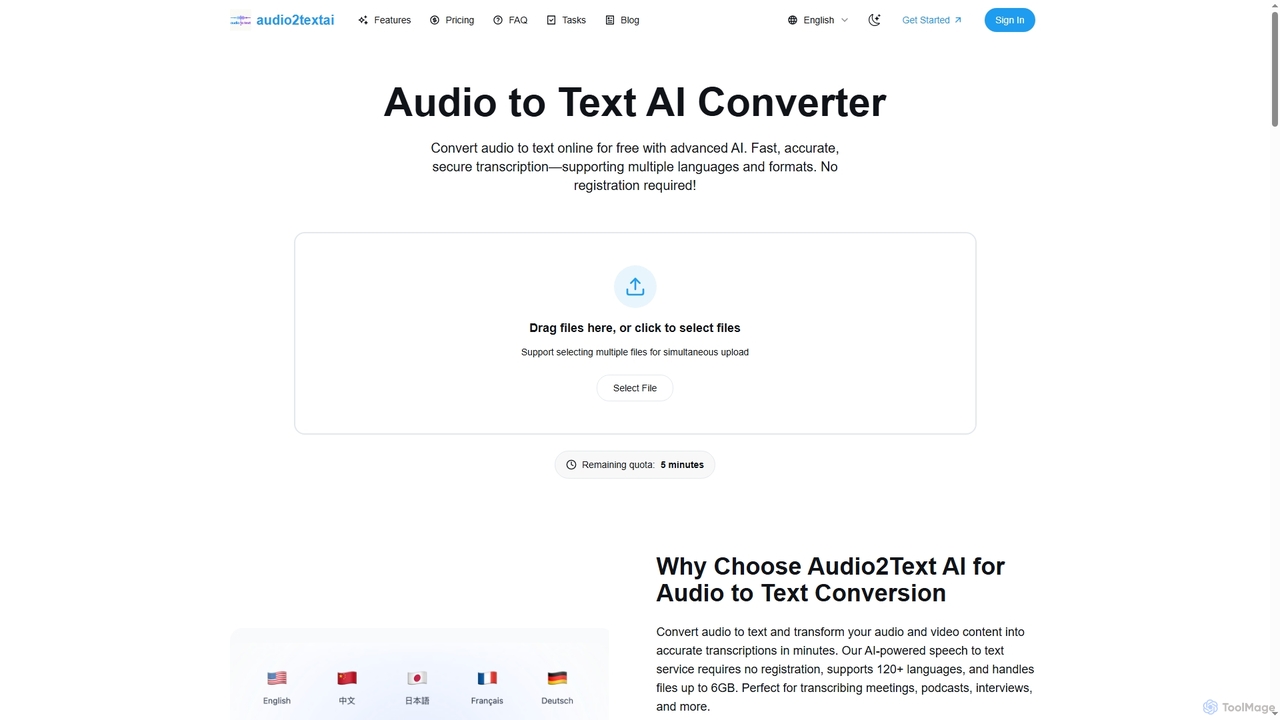
Audio2Text AI is an advanced online AI converter that transforms audio and video files into accurate text transcriptions quickly and securely. Supporting over 120 languages and 21 media formats, it offers enterprise-grade accuracy with speaker identification and timestamps, all without requiring registration for a free 5-minute trial.

Meeting Management
Visits 4.7KFavorites 116Likes 128

About Speech Recognition

Speech Recognition tools are a class of AI software that automatically convert spoken language into written text. These tools utilize advanced machine learning models to analyze audio signals and identify words and sentences, a process also known as Automatic Speech Recognition (ASR). Their primary value lies in automating transcription, enabling voice-controlled interfaces, and making audio or video content searchable, significantly boosting productivity. Many modern systems also offer features like speaker identification and support for multiple languages and dialects.

Core Features

  • Real-time Transcription: Instantly converts live audio streams, such as meetings or broadcasts, into text.
  • Speaker Diarization: Identifies and labels different speakers within a single audio recording.
  • Custom Vocabulary: Allows users to add specific industry jargon, names, or acronyms to improve recognition accuracy.
  • Timestamping: Aligns each transcribed word with its precise timing in the original audio or video file.
  • Multi-language Support: Recognizes and transcribes speech from a wide variety of languages and accents.

Use Cases

These tools are widely used across industries. Journalists and researchers use them to transcribe interviews, while businesses leverage them to create minutes from meetings. In media production, they are essential for generating subtitles and captions. Developers also integrate speech recognition APIs to build voice-activated applications and services for enhanced accessibility and user experience.

How to Choose

When selecting a Speech Recognition tool, evaluate its accuracy, particularly for specific accents or in noisy environments. Consider the range of supported languages and dialects you require. Assess whether you need real-time processing or batch transcription of pre-recorded files. Finally, check for API availability for integration into your existing workflows and review the provider's data privacy and security policies.

Speech Recognition use cases

1

Automating Meeting Minutes and Action Items

For project managers and team leads, manually taking notes during meetings is time-consuming and prone to errors. By using a speech recognition tool, they can record the entire meeting and receive a full, searchable transcript afterward. Advanced tools with speaker diarization automatically identify who said what, making it easy to assign action items and recall key decisions. This process transforms a one-hour meeting from hours of follow-up work into a few minutes of review, ensuring accuracy and accountability.

2

Generating Accessible Video Subtitles and Captions

Content creators and marketing teams need to make their video content accessible and engaging for a wider audience, including those who are deaf or hard of hearing, or watch videos on mute. A speech recognition tool can automatically transcribe the audio from a video file and generate a time-stamped transcript. This transcript can then be easily converted into standard subtitle formats like SRT or VTT and uploaded alongside the video. This not only improves accessibility but also boosts video SEO by making the content indexable by search engines.

3

Transcribing Research Interviews for Qualitative Analysis

Academic researchers, journalists, and market analysts often conduct hours of interviews that must be transcribed for analysis. Manual transcription is incredibly slow and costly. By uploading audio recordings to a speech recognition service, they can receive a text version in a fraction of the time. This allows them to quickly search for keywords, identify themes, and quote participants accurately in their reports or articles. The time saved can be redirected towards higher-value tasks like data analysis and interpretation, accelerating the entire research lifecycle.

4

Hands-Free Dictation for Professional Documentation

Professionals like doctors, lawyers, and authors often need to produce large volumes of text-based reports, notes, or manuscripts. Typing can be a bottleneck. Speech recognition software allows them to dictate their thoughts directly into a document, email, or specialized software (like an Electronic Health Record system). This hands-free method can be significantly faster than typing and allows for a more natural flow of thought. Custom vocabularies are particularly useful here, enabling the tool to accurately recognize complex medical or legal terminology.

5

Analyzing Customer Support Calls for Insights

For call center managers and quality assurance teams, manually listening to support calls is inefficient for identifying trends. By using a speech recognition tool to transcribe all incoming and outgoing calls, companies can create a searchable database of customer interactions. This text data can then be analyzed to spot recurring issues, measure customer sentiment, check for agent script compliance, and identify training opportunities. This data-driven approach helps businesses improve customer service, reduce churn, and enhance product development based on direct feedback.

6

Developing Voice-Controlled Applications and Devices

Software developers and hardware engineers use speech recognition APIs to build voice-enabled products. This includes creating voice user interfaces (VUIs) for mobile apps, smart home devices, in-car infotainment systems, and accessibility software for users with disabilities. By integrating a powerful ASR engine, developers can focus on their core application logic instead of building complex speech processing technology from scratch. This enables faster development of innovative, hands-free experiences that make technology more intuitive and accessible for everyone.

Speech Recognition FAQ

What are Speech Recognition tools?

Speech Recognition tools, also known as Automatic Speech Recognition (ASR) software, are applications that convert human speech into written text. They use artificial intelligence and machine learning to process audio, identify phonetic sounds, and assemble them into words and sentences. Key features often include real-time transcription, speaker identification, and support for various languages and dialects. They are widely used to automate transcription, enable voice commands, and make audio content searchable.

How to choose the right Speech Recognition tool?

To choose the right tool, consider these factors:

  • Accuracy: Check its performance with your specific accent, industry jargon, or in noisy conditions. Look for tools with custom vocabulary features.
  • Language Support: Ensure it supports all the languages and dialects you need to process.
  • Real-time vs. Batch: Decide if you need instant transcription for live events or if you'll be processing pre-recorded files.
  • Integration (API): If you need to build it into your own software, check for a well-documented and robust API.
  • Security and Privacy: Understand how your audio data is stored, processed, and protected, especially for sensitive information.
What's the difference between Speech Recognition and Voice Recognition?

Although often used interchangeably, they refer to different technologies. Speech Recognition focuses on understanding what is being said—it converts spoken words into text. Its goal is transcription. Voice Recognition (or Speaker Recognition) focuses on identifying who is speaking by analyzing unique vocal characteristics like pitch and tone. Its goal is authentication or identification. Many advanced systems combine both; for example, a meeting transcription tool uses speech recognition to write down the words and voice recognition to label who said them.

Who can benefit from using Speech Recognition software?

A wide range of users can benefit from speech recognition software. Content creators use it for subtitling videos. Businesses and professionals use it to transcribe meetings and dictate reports, saving significant time. Researchers and journalists accelerate their analysis by quickly converting interview audio to text. Developers integrate it into apps to create hands-free user experiences. Additionally, it is a crucial assistive technology for individuals with physical disabilities, enabling them to interact with computers and communicate more easily.

How accurate are modern Speech Recognition systems?

Modern speech recognition systems have become highly accurate, often achieving over 95% accuracy in ideal conditions (e.g., clear audio, minimal background noise, common accents). This is comparable to human transcription accuracy. However, performance can decrease with heavy background noise, strong or multiple accents, fast speech, or highly specialized terminology. Many leading tools address this by offering features like custom vocabularies, which allow users to teach the system specific terms, and acoustic model adaptation for noisy environments, significantly improving accuracy in real-world scenarios.