
ToolMage
Sign in

Best 1 Survey & Form Builder AI tools for Productivity

Popular Survey & Form Builder AI tools in Productivity include SurveyMars, helping you work more efficiently.

SurveyMars
Free

SurveyMars

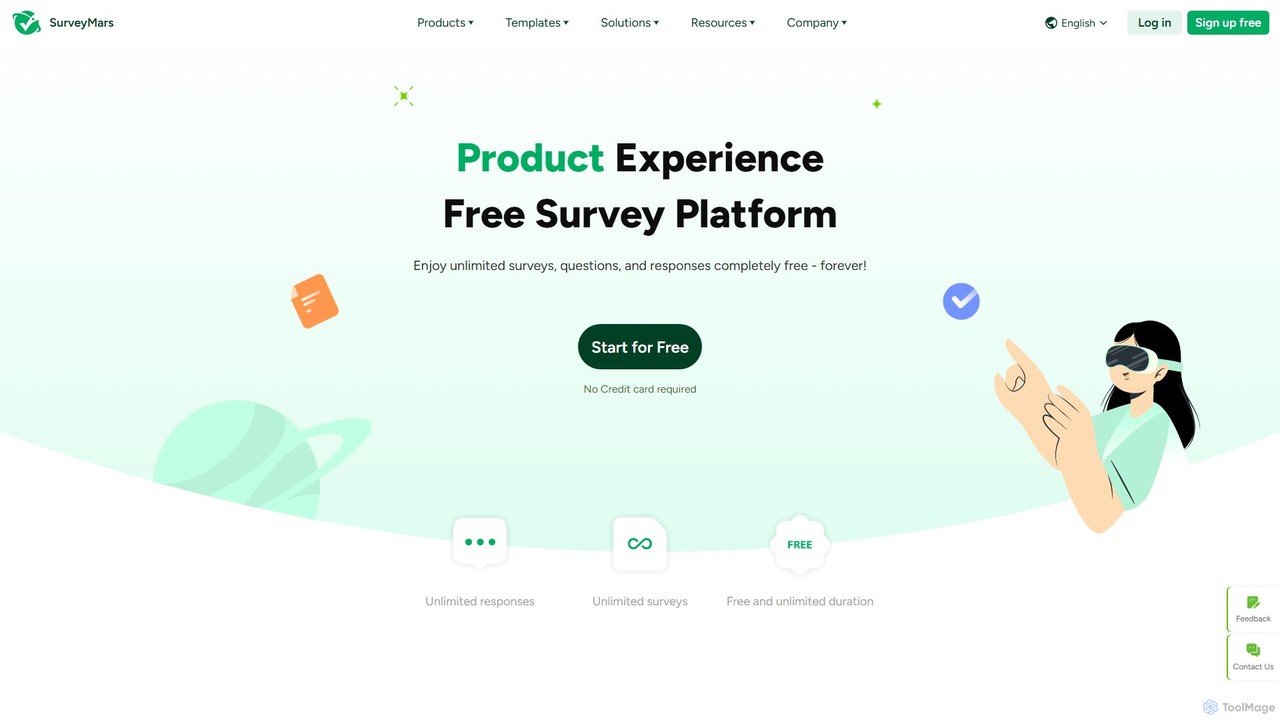
SurveyMars is a powerful, AI-driven survey platform that is completely free. It allows users to create unlimited surveys, polls, quizzes, and forms with unlimited questions and responses. Featuring AI-powered question generation, advanced data analysis, and seamless integrations, it's designed for market research, customer feedback, and employee engagement.

Customer Support
Visits 995.4KFavorites 127Likes 148

About Survey & Form Builder

AI Survey & Form Builders are tools that leverage artificial intelligence to automate and enhance the process of creating, distributing, and analyzing data collection forms. These platforms use Natural Language Processing (NLP) to generate relevant questions from simple prompts and analyze open-ended text responses for sentiment and key themes. Their primary value lies in transforming raw qualitative data into structured, actionable insights, significantly reducing manual analysis time. As a specialized category within Productivity, they focus specifically on optimizing data gathering and interpretation workflows.

Core Features

  • AI Question Generation: Automatically creates contextually relevant and unbiased survey questions based on a topic or goal.
  • Automated Response Analysis: Uses NLP to perform sentiment analysis, topic modeling, and keyword extraction on text answers.
  • Conversational Interface: Presents forms as interactive, chatbot-like conversations to improve engagement and completion rates.
  • Predictive Analytics: Forecasts survey performance, such as estimated completion time and potential drop-off points, allowing for pre-launch optimization.

Use Cases

These tools are widely used by market researchers for product feedback, HR departments for employee engagement surveys, and marketing teams for lead qualification and customer satisfaction analysis. They enable organizations to quickly process large volumes of qualitative feedback from sources like support tickets or reviews, identifying trends that would be missed by manual review.

How to Choose

When selecting an AI Survey & Form Builder, evaluate the sophistication of its text analysis features—does it offer sentiment, topic, and intent analysis? Consider its integration capabilities with your existing CRM or data analytics platforms. Also, assess the user interface, whether you need a traditional form or a more engaging conversational format, and ensure the tool complies with data privacy regulations like GDPR.

Survey & Form Builder use cases

1

Analyze Customer Feedback at Scale

A product manager for a SaaS company needs to understand user sentiment about a newly launched feature. Instead of manually reading hundreds of open-ended survey responses, they use an AI form builder. The tool automatically collects feedback and applies NLP to categorize comments into themes like 'Usability Issues,' 'Feature Requests,' and 'Positive Feedback.' It also assigns a sentiment score to each comment. This allows the product manager to quickly identify the most critical issues and popular requests in under an hour, a task that would have taken days manually, enabling faster product iteration cycles.

2

Automate Lead Qualification with Conversational Forms

A marketing team wants to improve their lead generation process. Their static website form has a high drop-off rate. They replace it with an AI-powered conversational form. This form engages visitors with questions like a sales representative would. Based on a visitor's answers (e.g., company size, budget), the AI dynamically asks relevant follow-up questions. It instantly qualifies leads and, for high-value prospects, automatically schedules a demo with a sales rep via calendar integration. This approach increases lead conversion rates by 30% and ensures the sales team only spends time on well-qualified leads.

3

Generate Employee Engagement Survey Questions

An HR manager is tasked with creating a comprehensive employee engagement survey but is unsure which questions will yield the most insightful results. Using an AI survey builder, they simply input the goal: 'Measure employee satisfaction with work-life balance and management.' The AI generates a list of 20 questions covering various facets of the topic, from workload perception to feedback culture. It also suggests different question formats (e.g., Likert scale, open-ended) to gather both quantitative and qualitative data. This saves the manager hours of research and ensures the survey is well-structured and covers all critical areas from the start.

4

Streamline Academic Research Data Analysis

A university researcher is conducting a study involving interviews and qualitative surveys with hundreds of participants. The manual process of transcribing and coding text data is extremely time-consuming. By using an AI form builder, the researcher collects responses digitally. The AI platform then automatically transcribes audio responses and analyzes all text data, identifying recurring themes and patterns across the entire dataset. It generates a summary report with key insights and illustrative quotes, allowing the researcher to move from data collection to interpretation much faster and with greater accuracy, accelerating the publication timeline.

5

Improve Event Registration and Post-Event Feedback

An event organizer uses an AI form builder for a tech conference. For registration, a conversational form helps attendees choose sessions and workshops based on their interests, improving the user experience. After the event, a feedback survey is sent out. The AI analyzes all open-ended comments about speakers, venue, and content. It generates a dashboard highlighting the most praised speakers and common complaints, such as 'Wi-Fi was unreliable' or 'More networking time needed.' This provides clear, actionable data to improve the next year's conference, ensuring a better experience for future attendees.

6

Create Dynamic Onboarding and Training Quizzes

A corporate training department needs to create engaging quizzes to assess new hires' understanding of company policies. They use an AI form builder to create a dynamic quiz. The AI helps generate questions and, more importantly, creates adaptive paths. If an employee answers a question about data security incorrectly, the form automatically presents them with a follow-up video explaining the policy and then asks a related question to verify understanding. This personalized learning path ensures that each new hire addresses their specific knowledge gaps, making the onboarding process more effective and efficient than a one-size-fits-all quiz.

Survey & Form Builder FAQ

What is an AI Survey & Form Builder?

An AI Survey & Form Builder is a software tool that uses artificial intelligence to enhance the creation and analysis of online forms and surveys. Unlike traditional builders, they incorporate features like AI-powered question generation, automated analysis of open-ended text responses (e.g., sentiment analysis), and conversational interfaces that adapt to user input. The primary goal is to save time, reduce human bias in question design, and extract deeper, actionable insights from qualitative data that is often difficult to analyze at scale.

How is an AI form builder different from a standard one like Google Forms?

The key difference lies in the intelligence layer for creation and analysis. While standard builders like Google Forms are excellent for manual data collection, AI form builders add automation and insight generation. Key differentiators include:

  • Automated Analysis: AI tools can automatically analyze text responses for themes and sentiment, whereas standard tools require manual export and analysis.
  • Smart Question Generation: AI can suggest or create entire surveys based on a goal, which standard tools cannot.
  • Dynamic Interaction: Many AI builders offer conversational or adaptive experiences, changing questions based on previous answers, creating a more personalized and engaging flow than a static form.
  • Predictive Features: Some AI tools can predict completion rates or identify confusing questions before you even launch the survey.

How do I choose the right AI Survey & Form Builder?

Choosing the right tool depends on your specific needs. Consider these factors:

  • Analysis Depth: Do you need basic sentiment analysis, or more advanced topic modeling and intent recognition? Match the tool's capabilities to your analysis goals.
  • User Interface: Do you want a traditional form layout or a more engaging, conversational (chatbot-style) interface? Choose based on your audience and goals.
  • Integration: Check if the tool integrates with your existing software stack, such as your CRM, email marketing platform, or data warehouse.
  • Customization and Logic: Evaluate how easily you can customize the look and feel, and how powerful its conditional logic features are for creating complex, adaptive surveys.
  • Pricing: Compare pricing models. Some charge per response, while others have tiered subscription plans based on features and user seats.

What are the main benefits of using AI in surveys?

Using AI in surveys offers several significant benefits over traditional methods. Firstly, it provides deeper insights by automatically analyzing qualitative data, uncovering themes and sentiments that are impossible to find manually in large datasets. Secondly, it saves a substantial amount of time by automating question creation and data analysis. Thirdly, AI-powered conversational forms can increase respondent engagement and completion rates by making the experience more interactive and personalized. Finally, it can help reduce bias by generating neutral, well-phrased questions, leading to more reliable data.

Who can benefit from using AI Survey & Form Builders?

A wide range of professionals and organizations can benefit from these tools. Marketers use them for lead qualification and analyzing customer feedback. Product Managers leverage them to gather user insights and prioritize feature development. HR Departments use them for employee engagement surveys and analyzing anonymous feedback. Researchers in academia and business can accelerate their data analysis process for qualitative studies. Essentially, anyone who needs to collect and understand feedback from a large group of people, especially when that feedback includes open-ended text, will find significant value in AI-powered form builders.