ToolMage
Sign in

Best 1 Text Extraction AI tools for Productivity

Popular Text Extraction AI tools in Productivity include Imagetotext.me, helping you work more efficiently.

Imagetotext.me
Free

Imagetotext.me

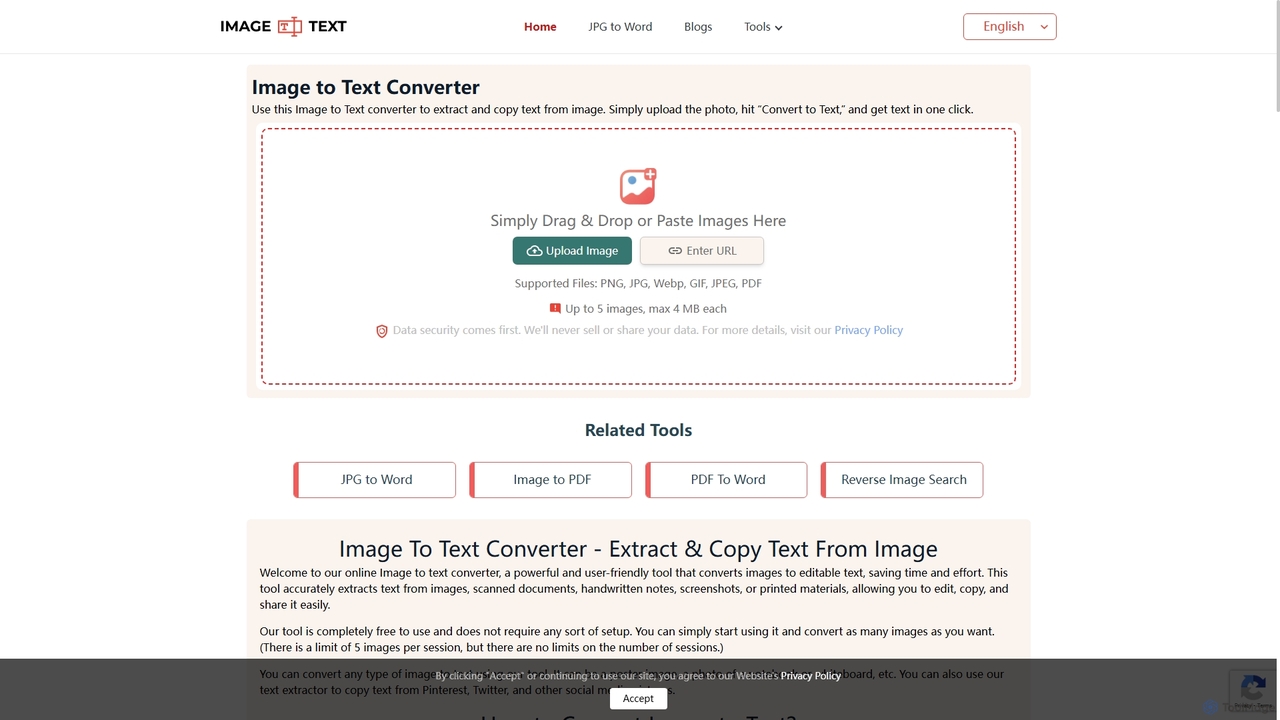
A free online OCR tool that accurately extracts text from images, scanned documents, and handwritten notes. It supports multiple languages and file formats, and includes additional converters for JPG to Word and Image to PDF, all without requiring registration.

Study Tools
Visits 373.6KFavorites 103Likes 111

About Text Extraction

Text Extraction tools are AI-powered solutions designed to automatically identify, locate, and extract specific pieces of information from unstructured text data. These tools leverage advanced Natural Language Processing (NLP) and machine learning algorithms to understand context and patterns, transforming raw text into structured, actionable insights. They are invaluable for automating data entry, enriching databases, and gaining deep understanding from large volumes of documents, significantly boosting productivity in data-intensive tasks.

Core Features

  • Entity Recognition (NER): Automatically identifies and categorizes key information like names, organizations, locations, and dates.
  • Keyword and Phrase Extraction: Pinpoints the most relevant terms and concepts within a document.
  • Sentiment Analysis: Determines the emotional tone (positive, negative, neutral) expressed in text.
  • Pattern-Based Extraction: Extracts data conforming to specific patterns, such as invoice numbers or email addresses.
  • Data Structuring: Converts unstructured text into organized formats like JSON or CSV for easier analysis.

Use Cases

Text extraction is widely used in industries requiring efficient processing of large document volumes. Legal professionals use it to quickly find relevant clauses in contracts, while financial analysts extract key figures from reports. Customer service departments analyze feedback to identify common issues, and researchers process academic papers for specific data points.

How to Choose

When selecting a text extraction tool, consider its accuracy across different text types and languages, the specific types of data it can extract (e.g., entities, sentiment, custom patterns), and its integration capabilities with your existing systems. Evaluate its scalability for handling large data volumes, customization options for domain-specific training, and the output formats it supports to ensure compatibility with your workflows.

Featured tool rankings

Text Extraction use cases

1

Automate Customer Feedback Analysis

Marketing teams and product managers can utilize text extraction tools to automatically analyze thousands of customer reviews, social media comments, and survey responses. By extracting key entities like product features, common issues, and sentiment, they can quickly identify prevalent trends, prioritize improvements, and understand customer satisfaction levels without manual review, saving significant time and providing data-driven insights.

2

Streamline Legal Document Review

Legal professionals, such as paralegals and lawyers, can leverage text extraction to efficiently review vast quantities of legal documents, including contracts, case files, and discovery materials. The tools can automatically identify and extract critical information like party names, dates, clauses, and specific legal terms, significantly reducing the time spent on manual review and ensuring higher accuracy in legal research and due diligence processes.

3

Enhance Market Research and Competitive Analysis

Market researchers and business intelligence analysts can employ text extraction tools to monitor industry trends and competitor activities. By automatically extracting product mentions, company news, and sentiment from online articles, social media, and financial reports, they can gain real-time insights into market dynamics, identify emerging opportunities, and assess competitive positioning more effectively than manual data collection.

4

Automate Data Entry from Invoices and Receipts

Accounting departments and small business owners frequently deal with large volumes of invoices, receipts, and other financial documents. Text extraction tools can automate the tedious process of data entry by accurately extracting key information such as vendor names, dates, itemized lists, and total amounts. This not only saves countless hours but also significantly reduces human error, ensuring financial records are precise and up-to-date for auditing and reporting.

5

Extract Key Information from Healthcare Records

Healthcare providers and medical researchers can use text extraction to process vast amounts of unstructured clinical notes, patient histories, and research papers. These tools can identify and extract critical data points such as diagnoses, medications, symptoms, and treatment outcomes, facilitating faster data analysis for patient care, epidemiological studies, and drug discovery, while maintaining patient privacy and data security.

6

Categorize and Tag Content for Knowledge Management

Content managers and knowledge base administrators can employ text extraction tools to automatically categorize and tag articles, documents, and web pages. By extracting keywords, topics, and entities, these tools help organize vast content libraries, improve searchability, and ensure consistent metadata application. This streamlines content management, making it easier for users to find relevant information and enhancing the overall efficiency of knowledge retrieval systems.

Text Extraction FAQ

What are AI Text Extraction tools?

AI Text Extraction tools are software applications that use artificial intelligence, particularly Natural Language Processing (NLP) and machine learning, to automatically identify and pull out specific, relevant information from unstructured text data. This goes beyond simple keyword searches by understanding the context and meaning of the text, enabling the extraction of entities, sentiments, patterns, and other structured data points from documents, emails, web pages, and more.

How does AI Text Extraction differ from simple keyword search?

While simple keyword search only matches exact words or phrases, AI Text Extraction uses advanced NLP to understand the semantic meaning and context of the text. This allows it to identify and extract information even if the exact keywords aren't present, or if they appear in different forms. For example, it can recognize that "NYC" and "New York City" refer to the same entity, or extract a date regardless of its format, providing much deeper and more accurate insights than a basic search.

What are the main benefits of using AI Text Extraction tools?

The primary benefits of AI Text Extraction tools include significant time savings by automating manual data entry and review, vastly improved accuracy by reducing human error, and the ability to process massive volumes of text data quickly. They also enable deeper insights through structured data analysis, enhance decision-making with readily available information, and improve compliance by ensuring consistent data capture across various documents and platforms.

Which types of information can AI Text Extraction tools typically extract?

AI Text Extraction tools are versatile and can extract a wide range of information. Commonly extracted types include named entities (people, organizations, locations), dates and times, contact information (email addresses, phone numbers), financial figures, product names, and technical specifications. Many tools also offer sentiment analysis to gauge emotional tone, keyword/phrase extraction for topic identification, and the ability to define custom patterns for domain-specific data points like invoice numbers or medical codes.

How to choose the best AI Text Extraction tool for my specific needs?

To choose the best AI Text Extraction tool, first define your specific extraction needs: what types of data do you need to extract, and from what kind of documents? Evaluate the tool's accuracy and language support for your target content. Consider its integration capabilities with your existing software, scalability for future data volumes, and customization options for domain-specific training. Finally, compare pricing models and ease of use to ensure it fits your budget and technical expertise.