Productivity Best in category 1 results Typing AI Tool

Popular AI tools in the Typing field of Productivity include Type-A-Holic, etc., helping you quickly improve efficiency.

Free
Type-A-Holic

Type-A-Holic

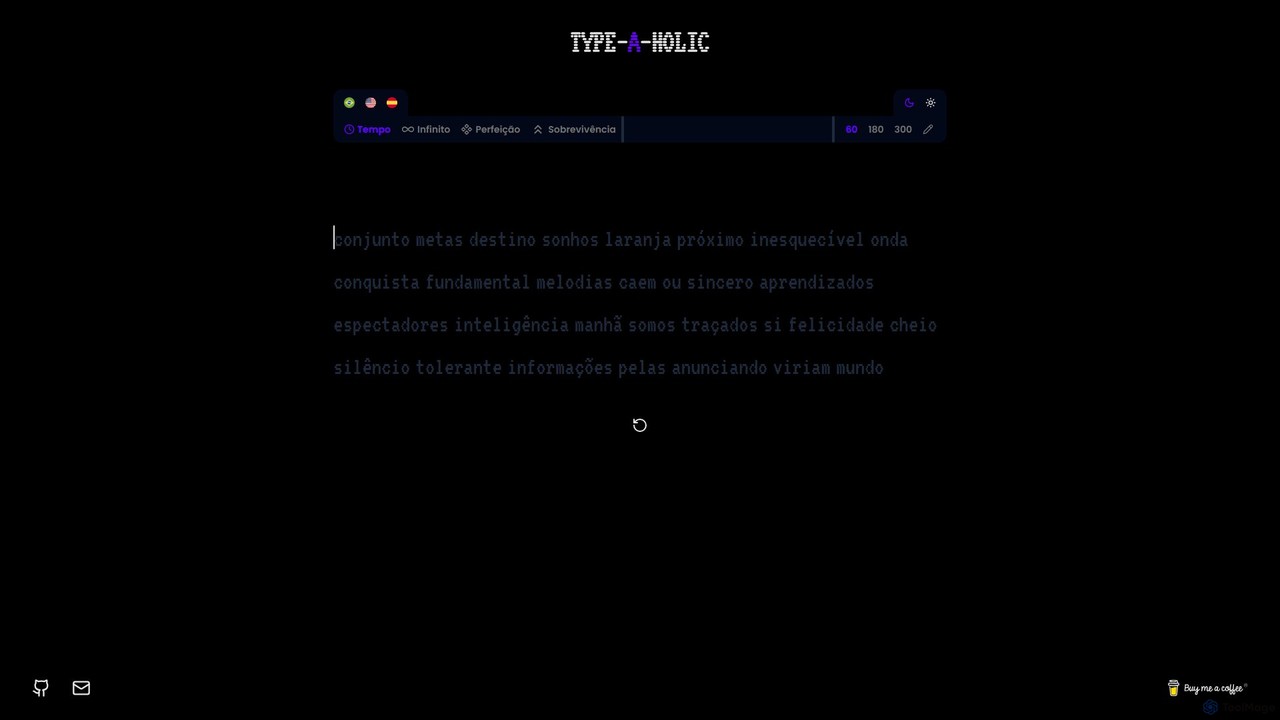
Type-A-Holic is an AI-powered online typing tutor designed to enhance your typing speed and accuracy. It offers multiple …

2.5K

About Typing

AI Typing tools are applications that enhance the speed, accuracy, and quality of text input. They utilize artificial intelligence, particularly Natural Language Processing (NLP), to offer features like predictive text, contextual auto-correction, and real-time grammar suggestions. These tools help users write more efficiently and clearly in various contexts, from drafting emails to writing code. By understanding context and user intent, they significantly reduce keystrokes and cognitive load, directly improving writing productivity.

Core Features

  • Predictive Text & Autocompletion: Suggests words, phrases, or code blocks as you type, based on context.
  • Contextual Grammar & Style Correction: Identifies and corrects complex grammatical errors and suggests stylistic improvements.
  • Text Expansion (Snippets): Expands short abbreviations into longer, pre-defined blocks of text or code.
  • AI-Powered Rephrasing: Offers alternative ways to phrase sentences to improve clarity, tone, or conciseness.
  • Intelligent Auto-Correction: Fixes spelling mistakes by understanding the intended meaning, not just dictionary matching.

Use Cases

AI Typing tools are widely used by professionals who write extensively, including software developers for code autocompletion, customer support agents using text expansion for quick replies, and content creators drafting articles. They are also valuable for non-native speakers seeking to improve their writing accuracy and fluency in a foreign language.

How to Choose

When selecting an AI Typing tool, consider its integration capabilities with your primary applications (e.g., IDEs, browsers, email clients). Evaluate the accuracy and relevance of its suggestions for your specific domain (e.g., technical writing vs. creative writing). Also, assess the level of customization available for snippets and dictionaries, and consider the privacy policy regarding your typed data.

TypingUse Cases

1

Accelerating Professional Email and Report Writing

A business professional frequently drafts detailed reports and responds to numerous emails daily. By using an AI Typing tool, they can leverage text expansion to insert common phrases, company information, or email templates with a short command. The tool's predictive text suggests relevant industry-specific terminology, reducing research time. Furthermore, real-time grammar and tone suggestions ensure all communications are clear, concise, and maintain a professional standard, effectively cutting drafting time by up to 40%.

2

Enhancing Coding Speed and Accuracy for Developers

A software developer uses an AI Typing tool integrated into their code editor (IDE). The tool provides intelligent code autocompletion that understands the programming language's syntax and the project's context. It suggests entire functions, class names, and variables, drastically reducing manual typing. It also catches potential syntax errors and bugs in real-time, preventing them before compilation. This not only speeds up the development cycle but also improves code quality and reduces debugging time.

3

Streamlining Customer Support Responses

A customer support agent handles dozens of similar inquiries daily. With an AI Typing tool, they can create and use snippets for frequently asked questions, standard greetings, and closing remarks. By typing a short alias like 'refund', the tool automatically expands it into a full, polite paragraph explaining the refund process. The AI can also suggest rephrasing options to adjust the tone for a frustrated customer, helping to de-escalate situations and ensure consistent, high-quality service while significantly increasing response throughput.

4

Assisting Non-Native Speakers in Business Communication

An employee who is not a native English speaker needs to communicate with international clients. An AI Typing tool acts as their real-time writing assistant. It corrects grammatical mistakes and awkward phrasing that they might not notice. The rephrasing feature helps them adapt their sentences to sound more natural and professional. This builds their confidence, improves the clarity of their communication, and ensures that language barriers do not hinder professional relationships or business opportunities.

5

Drafting High-Quality Content for Marketers

A content marketer is tasked with writing blog posts, social media updates, and ad copy. An AI Typing tool helps them overcome writer's block by suggesting sentence completions and rephrasing ideas. The style and tone suggestions allow them to easily switch between a formal tone for a whitepaper and a casual tone for a tweet. By automating the tedious parts of writing, such as correcting typos and grammar, the marketer can focus more on creativity, strategy, and crafting a compelling message that resonates with the target audience.

6

Improving Academic Writing for Students and Researchers

A university student is writing a thesis that requires precise and formal language. An AI Typing tool helps them maintain academic integrity by checking for complex grammatical errors and suggesting more appropriate academic vocabulary. The rephrasing tool can help structure complex arguments more clearly. It also assists in avoiding plagiarism by offering different ways to express ideas from source materials. This allows the student to focus on the research and analysis, confident that their final submission will be polished and professional.

TypingFrequently Asked Questions