ToolMage
Sign in

Best 1 Virtual Assistants for Productivity

Popular Virtual Assistants in Productivity include Laburen, helping you work more efficiently.

Laburen
Freemium

Laburen

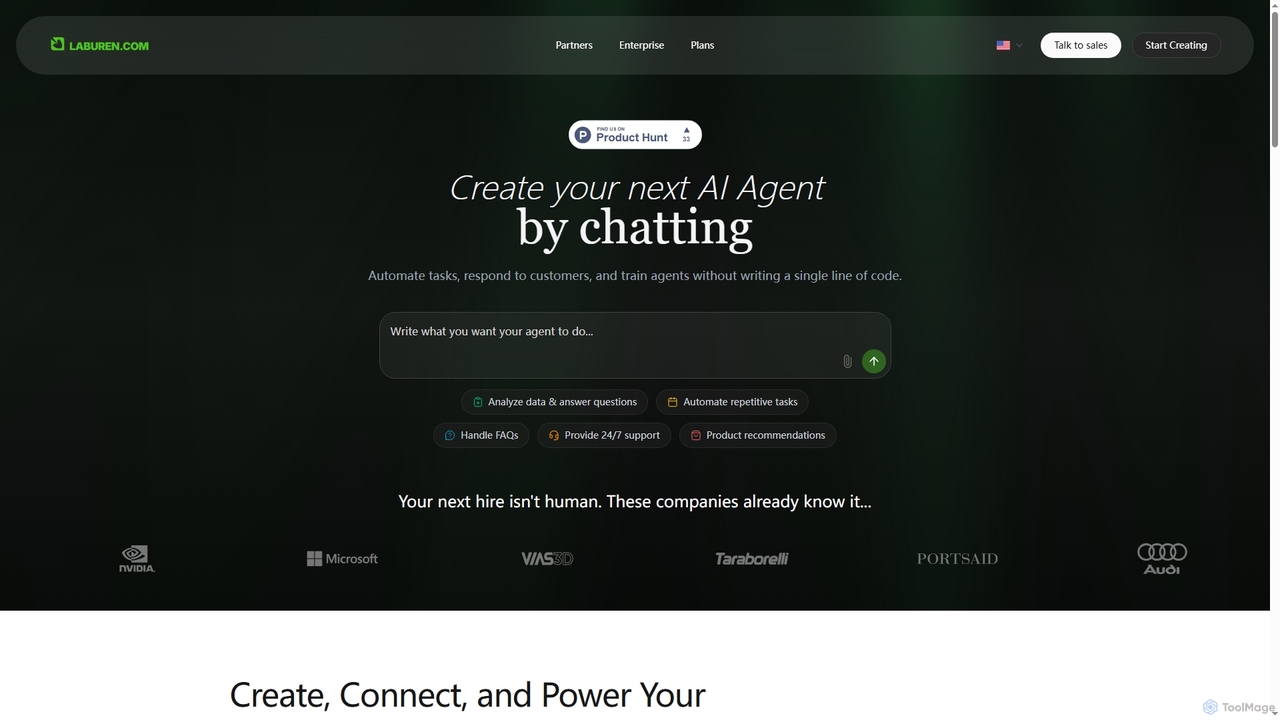
Laburen is a no-code AI agent platform that empowers businesses to automate tasks, customer support, sales, and administration. It allows users to create and train AI employees through a simple chat interface, integrating seamlessly with existing business tools to boost productivity and scale operations.

3D
Visits 19.2KFavorites 128Likes 128

About Virtual Assistants

Virtual Assistants are AI-powered tools designed to automate routine tasks, manage information, and facilitate communication, significantly enhancing personal and professional productivity. Leveraging advanced natural language processing (NLP) and machine learning, these intelligent assistants can understand user commands, retrieve data, schedule appointments, and even generate content. They serve as a digital extension, streamlining workflows and allowing users to focus on higher-value activities within the broader productivity landscape.

Core Features

  • Natural Language Understanding: Interprets spoken or typed commands and questions with high accuracy.
  • Task Automation: Automates repetitive actions like scheduling meetings, sending reminders, and managing emails.
  • Information Retrieval: Quickly accesses and synthesizes data from various sources to answer queries.
  • Personalized Interaction: Adapts responses and suggestions based on user preferences and past interactions.
  • Multi-platform Integration: Seamlessly connects with calendars, email clients, CRM systems, and other business applications.

Use Cases

Virtual Assistants are indispensable across various sectors, from individual professionals managing daily schedules to large enterprises automating customer service. They are particularly valuable for roles requiring extensive administrative support, data synthesis, or rapid information access, such as executive assistants, sales teams, and customer support agents.

How to Choose

When selecting a Virtual Assistant, evaluate its core functionalities, integration capabilities with your existing tools, and its natural language processing accuracy. Consider the level of customization offered, data security protocols, and whether it supports the specific languages and platforms essential for your operational needs. Scalability and pricing models are also crucial for long-term adoption.

Virtual Assistants use cases

1

Automating Customer Service Inquiries

Customer support teams utilize virtual assistants to handle a high volume of routine inquiries, such as checking order status, providing FAQs, or guiding users through basic troubleshooting steps. This frees human agents to focus on complex issues, significantly reducing response times and improving overall customer satisfaction by providing instant, 24/7 support.

2

Streamlining Executive Scheduling and Communication

Executives and managers deploy virtual assistants to manage complex calendars, schedule meetings across multiple time zones, and draft routine email responses. The assistant can identify optimal meeting times, send invitations, and follow up, ensuring efficient time management and reducing administrative burden for high-level personnel.

3

Personalized Learning and Information Retrieval

Students and researchers use virtual assistants to quickly find information, summarize articles, or even create study guides on specific topics. By processing vast amounts of data and presenting key insights, these tools accelerate learning, aid in research, and help organize complex information efficiently for academic or professional development.

4

Enhancing Sales Lead Qualification and Follow-up

Sales professionals leverage virtual assistants to pre-qualify leads by asking initial questions, gathering contact information, and scheduling introductory calls. The assistant can also automate follow-up emails and reminders, ensuring no potential lead is missed and streamlining the sales pipeline for greater conversion rates.

5

Content Creation and Idea Generation Support

Content creators and marketers employ virtual assistants to brainstorm ideas, generate outlines for articles or social media posts, and even draft initial content snippets. By providing quick access to relevant information and creative prompts, these tools accelerate the content production process and help overcome creative blocks.

6

Managing Personal Productivity and Daily Tasks

Individuals use virtual assistants to set reminders, manage to-do lists, organize notes, and even control smart home devices. This personal productivity enhancement helps users stay organized, meet deadlines, and efficiently manage their daily routines, leading to a more balanced and productive lifestyle.

Virtual Assistants FAQ

What are Virtual Assistants?

Virtual Assistants are AI-powered software programs or services designed to perform tasks or provide services for an individual based on commands or questions. They utilize natural language processing (NLP) to understand human input, automate routine administrative tasks like scheduling, email management, and information retrieval, thereby boosting efficiency and productivity.

How do Virtual Assistants differ from traditional chatbots?

While both interact conversationally, Virtual Assistants are generally more advanced than traditional rule-based chatbots. Virtual Assistants use AI and machine learning to understand context, learn from interactions, and perform complex, multi-step tasks. Traditional chatbots often follow predefined scripts and keywords, limiting their ability to handle nuanced or unexpected queries, making VAs more versatile for dynamic productivity needs.

What tasks can Virtual Assistants automate?

Virtual Assistants can automate a wide range of tasks, including:

  • Scheduling and Calendar Management: Booking meetings, sending reminders.
  • Email Management: Drafting responses, filtering important messages.
  • Information Retrieval: Answering questions, summarizing documents.
  • Data Entry: Updating CRM records, logging expenses.
  • Task Management: Creating to-do lists, setting deadlines.
This automation frees up significant human time.

How to choose the right Virtual Assistant for my needs?

To choose the right Virtual Assistant, consider its core functionalities (e.g., scheduling, data analysis, content generation), its integration capabilities with your existing software ecosystem (e.g., Google Workspace, Microsoft 365), and its natural language understanding accuracy. Also, evaluate data security features, customization options, and the pricing model to ensure it aligns with your budget and specific operational requirements.

What are the main benefits of using Virtual Assistants in a business setting?

In a business setting, Virtual Assistants offer several key benefits:

  • Increased Efficiency: Automate repetitive tasks, saving time and resources.
  • 24/7 Availability: Provide continuous support and information access.
  • Cost Reduction: Lower operational costs compared to hiring additional human staff for routine tasks.
  • Improved Data Management: Quickly process and retrieve vast amounts of information.
  • Enhanced Employee Focus: Allow human employees to concentrate on strategic, complex work.