
ToolMage
Sign in

Best 1 Virtual Collaboration AI tools for Productivity

Popular Virtual Collaboration AI tools in Productivity include Elevux, helping you work more efficiently.

Elevux

Elevux

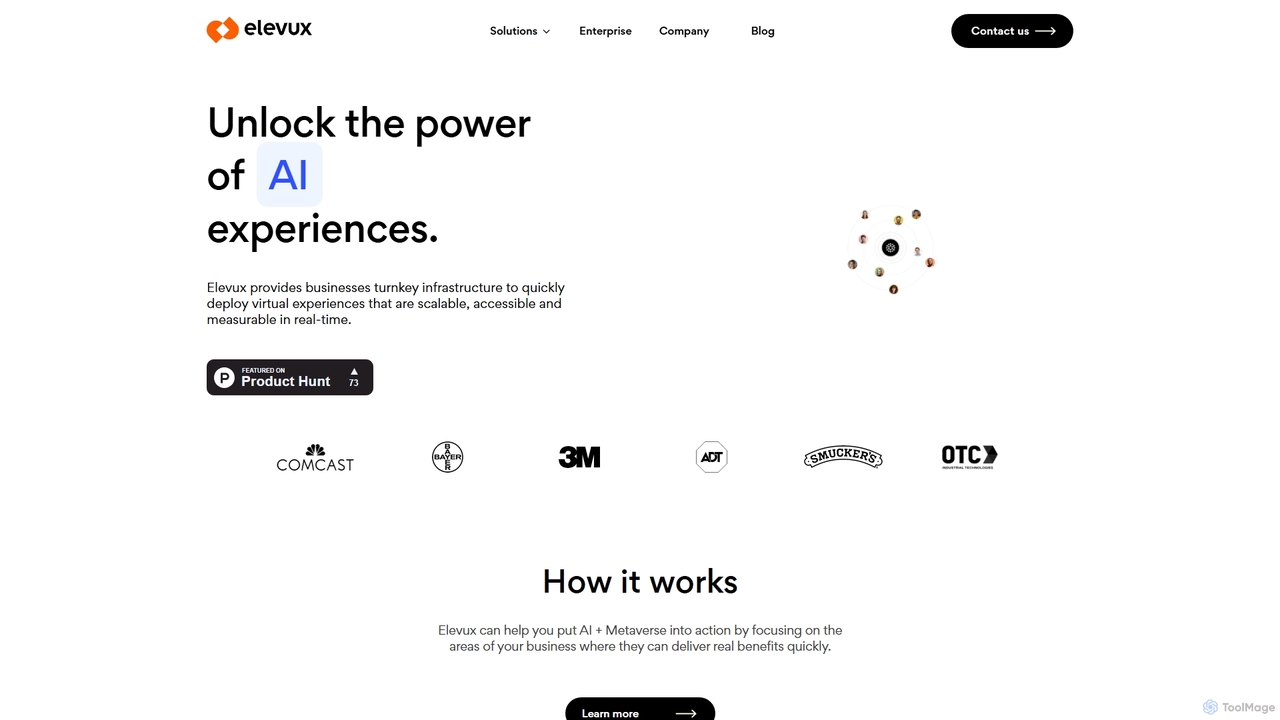
Elevux is a pioneering AI and Metaverse-powered platform for enterprise sales enablement and employee training. It provides businesses with a turnkey solution to create scalable, immersive, and measurable virtual experiences. By leveraging virtual reality and AI, Elevux helps sales teams engage customers more effectively and enables companies to train their workforce in highly interactive and realistic simulated environments, driving performance and reducing costs.

Corporate Training
Visits 6.5KFavorites 153Likes 131

About Virtual Collaboration

Virtual Collaboration tools are AI-powered solutions designed to enhance productivity and streamline interactions for distributed teams. These tools leverage artificial intelligence to facilitate seamless communication, intelligent meeting management, and efficient task coordination across different locations and time zones. They empower remote workforces to achieve higher levels of engagement and output, transforming how teams connect and create together.

Core Features

  • Intelligent Meeting Summarization: Automatically transcribes and summarizes meeting discussions, highlighting key decisions, action items, and participants.
  • Real-time Language Translation: Provides instant translation for multi-lingual teams, breaking down communication barriers during live discussions and in shared documents.
  • AI-driven Brainstorming & Idea Generation: Assists teams in generating creative ideas, organizing thoughts, and identifying patterns from discussions or inputs.
  • Automated Task Assignment & Follow-up: Integrates with project management tools to automatically assign tasks based on meeting outcomes and send reminders.
  • Sentiment Analysis for Team Engagement: Monitors communication for sentiment, providing insights into team morale and potential areas of conflict or disengagement.

Applicable Scenarios

Remote-first companies use these tools to maintain high levels of team cohesion and productivity, ensuring all team members, regardless of location, are aligned and engaged. Global project teams leverage AI for real-time translation and intelligent documentation, overcoming language barriers and time zone challenges. Hybrid work environments benefit from streamlined meeting processes and equitable participation for both in-office and remote attendees.

How to Choose

When selecting Virtual Collaboration tools, consider the specific needs of your team, such as the size and distribution of your workforce, the complexity of your projects, and your existing tech stack. Evaluate features like AI-driven summarization, language support, integration capabilities with other productivity platforms, and data security protocols. User-friendliness and scalability are also crucial for long-term adoption and effectiveness.

Virtual Collaboration use cases

1

Streamlining Global Team Meetings

For multinational corporations with distributed teams, AI virtual collaboration tools automatically transcribe meetings, translate discussions in real-time, and summarize key decisions. This ensures all participants, regardless of their native language or time zone, receive accurate information and action items, significantly reducing follow-up time and miscommunication.

2

Enhancing Hybrid Workshop Productivity

In hybrid work settings, facilitators use AI tools to ensure equitable participation from both in-person and remote attendees during brainstorming sessions. The AI can capture all ideas, organize them thematically, and even suggest connections, making the workshop more inclusive and productive by leveraging collective intelligence.

3

Automating Project Stand-up Summaries

Project managers in agile teams utilize virtual collaboration AI to automatically generate concise summaries of daily stand-up meetings. The AI identifies individual updates, blockers, and next steps, then distributes these summaries to the team, saving time on manual note-taking and ensuring everyone is up-to-date without needing to re-watch recordings.

4

Facilitating Cross-functional Idea Generation

Product development teams often struggle with disparate ideas from different departments. AI collaboration platforms can ingest diverse inputs, identify common themes, and suggest novel combinations or solutions, helping teams to innovate faster and more effectively by synthesizing complex information.

5

Onboarding Remote Employees Efficiently

HR departments use virtual collaboration tools to create interactive and personalized onboarding experiences for new remote hires. AI can guide new employees through training modules, answer common questions, and connect them with relevant team members or resources, ensuring a smooth and engaging integration into the company culture.

6

Improving Client Communication and Documentation

Consulting firms leverage AI collaboration tools to manage client meetings. The AI can record, transcribe, and summarize client discussions, automatically extracting action items and key agreements. This ensures accurate documentation, reduces the risk of misunderstandings, and allows consultants to focus on client engagement rather than extensive note-taking.

Virtual Collaboration FAQ

What are Virtual Collaboration tools?

Virtual Collaboration tools are AI-powered platforms designed to enhance teamwork and productivity for remote and distributed teams. They go beyond basic communication by using AI to automate tasks like meeting summarization, real-time translation, and intelligent task management, making remote interactions more efficient and effective.

How do Virtual Collaboration tools differ from standard video conferencing?

While standard video conferencing primarily provides a platform for visual and audio communication, Virtual Collaboration tools integrate AI to offer advanced functionalities. These include AI-driven meeting summaries, automated action item extraction, real-time language translation, and intelligent brainstorming assistance, transforming passive meetings into highly productive sessions.

What are the key benefits of using AI for virtual collaboration?

The main benefits include increased efficiency through automation of administrative tasks (like note-taking), improved communication across language barriers, enhanced decision-making with AI-generated insights, and greater team engagement by ensuring equitable participation. These tools help distributed teams overcome common challenges of remote work.

Who can benefit most from Virtual Collaboration tools?

Virtual Collaboration tools are particularly beneficial for remote-first companies, hybrid teams, global organizations with multilingual workforces, and project teams requiring efficient cross-functional coordination. Anyone looking to optimize remote meetings, streamline communication, and boost overall team productivity will find these tools valuable.

What features should I look for in a Virtual Collaboration tool?

When choosing a Virtual Collaboration tool, prioritize features such as intelligent meeting summarization, real-time translation capabilities, integration with existing project management and communication platforms, and robust security measures. Also consider AI-driven brainstorming features, sentiment analysis, and user-friendly interfaces for broad team adoption.