New
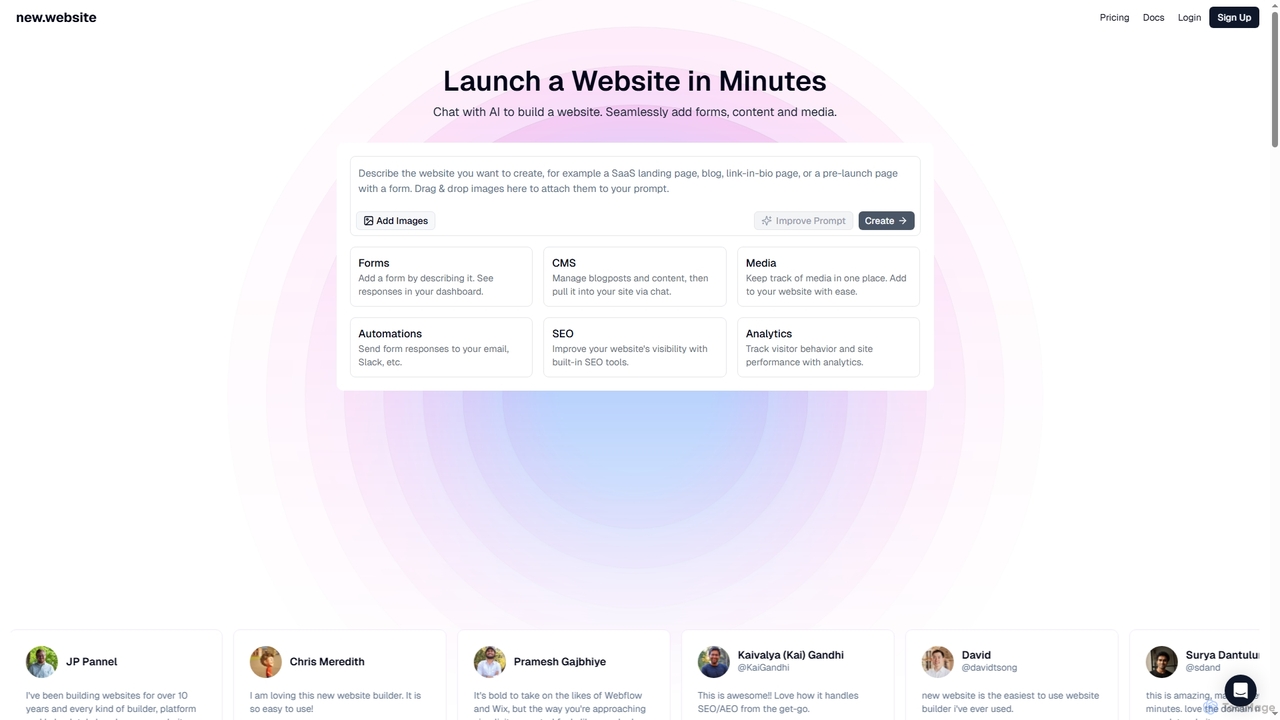
New is an AI-powered website builder that enables users to launch professional websites in minutes through simple chat …
New is an AI-powered website builder that enables users to launch professional websites in minutes through simple chat commands. It integrates essential features like forms, content management, media libraries, SEO tools, and analytics into one seamless platform, making website creation accessible and efficient for businesses and individuals alike.
About Web Development Tools
AI Web Development Tools are a class of software that leverages artificial intelligence to automate and accelerate the creation, testing, and deployment of websites and web applications. These tools utilize machine learning models and large language models (LLMs) to generate code, design user interfaces from text prompts, and identify bugs automatically. They empower developers to build functionalities faster, reduce repetitive tasks, and enable non-technical users to create functional web pages. This approach significantly enhances the productivity of experienced developers and lowers the barrier to entry for web creation.
Core Features
- AI Code Generation: Creates HTML, CSS, JavaScript, and backend code snippets or entire components from natural language descriptions.
- UI/UX Design Automation: Generates wireframes, mockups, and complete layouts based on textual prompts or simple sketches.
- Automated Testing & Debugging: Intelligently identifies potential bugs, suggests code fixes, and generates relevant test cases to ensure code quality.
- Design-to-Code Conversion: Analyzes design files from platforms like Figma or Sketch and converts them into production-ready code.
- Intelligent Deployment: Automates deployment pipelines and suggests performance optimizations for web applications.
Use Cases
These tools are ideal for rapid prototyping of new ideas, building minimum viable products (MVPs) for startups, and automating the creation of marketing landing pages. They are also used by development teams to generate boilerplate code, refactor existing codebases for better performance, and accelerate the creation of internal tools.
How to Choose
When selecting an AI Web Development Tool, consider your technical skill level—some tools are for professional developers while others are no-code platforms. Evaluate the supported technology stack to ensure it matches your project's needs (e.g., React, Python, Node.js). Assess its integration capabilities with your existing workflow, such as GitHub or VS Code, and review the quality and maintainability of the generated code.
Web Development ToolsUse Cases
Rapid Prototyping for Startups
A product manager at a startup needs to create an interactive prototype for an investor demo within a tight deadline. Instead of waiting weeks for the engineering team, they use an AI web development tool. By providing a detailed text description of the desired landing page and user dashboard, the tool generates a functional web application with responsive HTML, CSS, and basic JavaScript interactivity in just a few hours. This allows the team to gather early feedback and present a tangible product concept, significantly accelerating the validation process.
Automating Frontend Component Creation
A frontend developer is tasked with building a complex data table component with features like sorting, filtering, and pagination. This task would typically take a full day of coding. Using an AI code generation tool, the developer writes a detailed prompt: "Create a React component for a data table using Material-UI. It should accept an array of objects as props, and include client-side sorting for each column, a text-based filter input, and pagination." The AI generates the complete component code, including state management and event handlers, which the developer can then refine and integrate, reducing development time by over 70%.
Converting Figma Designs to Production Code
A UI/UX design team finalizes a high-fidelity website redesign in Figma. The handover to the development team often involves manual interpretation and coding, which can lead to inconsistencies. By using an AI design-to-code tool, the team can directly convert the Figma file into clean, structured HTML and CSS code. The AI analyzes the layout, component hierarchy, and styling properties (colors, fonts, spacing) to generate code that closely matches the design. This process eliminates ambiguity, ensures pixel-perfect implementation, and frees up developers to focus on implementing logic and functionality rather than styling.
AI-Powered Website Building for Small Businesses
A small business owner, like a local bakery owner, needs a professional website but lacks the budget for a web developer and the time to learn a complex CMS. They use an AI website builder. The owner simply answers a series of questions about their business, such as name, services, location, and desired aesthetic (e.g., "warm and rustic"). The AI then generates a complete, multi-page website with relevant text, stock images, a contact form, and an embedded map. The owner can then make minor adjustments using a simple visual editor, launching a professional online presence in under an hour.
Automated Code Review and Refactoring
A software development team integrates an AI tool into their GitHub pull request workflow. When a developer submits new code, the AI automatically scans it for potential bugs, security vulnerabilities (like SQL injection), and deviations from coding standards. It provides instant feedback directly in the pull request, suggesting specific improvements and even generating refactored code snippets. This automates a significant portion of the manual code review process, allowing senior developers to focus on architectural and logical issues, while ensuring a consistent level of code quality across the team.
Generating Backend API Endpoints
A backend developer needs to create a set of RESTful API endpoints for a new 'user profile' feature. This includes endpoints for creating, reading, updating, and deleting (CRUD) user data. Instead of writing the boilerplate code manually, the developer uses an AI tool. They define the data schema for the user profile in JSON format and specify the required endpoints. The AI generates the complete controller and model code in their chosen framework (e.g., Node.js with Express), including data validation, database interactions, and proper HTTP status code responses. This accelerates the API development process, allowing the developer to focus on more complex business logic.