
ToolMage
Sign in

Best 1 Website Builders AI tools for Productivity

Popular Website Builders AI tools in Productivity include PageRoaster.AI, helping you work more efficiently.

PageRoaster.AI
Freemium

PageRoaster.AI

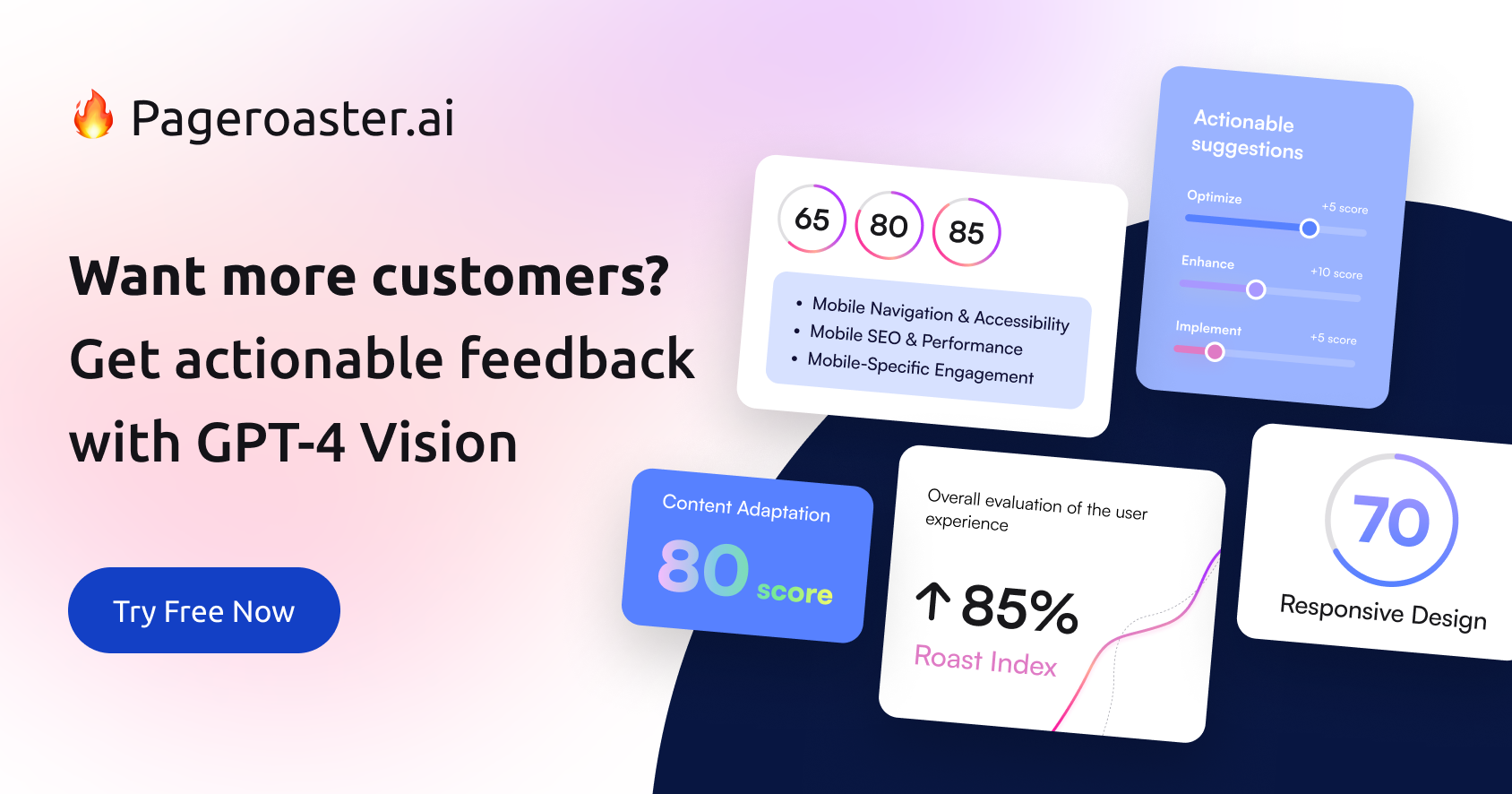
PageRoaster.AI is an AI-powered tool that analyzes and 'roasts' your landing pages to uncover conversion-killing flaws. It provides actionable recommendations and a unique 'Roast Index' score to help you optimize your pages, improve user experience, and turn more visitors into customers.

Conversion Rate Optimization
Visits 7.2KFavorites 113Likes 117

About Website Builders

Website builders are AI-powered tools that enable users to create professional websites quickly and efficiently without coding. Leveraging intuitive drag-and-drop interfaces and intelligent design suggestions, these platforms streamline the entire web development process, from initial design to final publication. They empower individuals and businesses to establish a strong online presence, making web creation accessible to everyone, and significantly boosting productivity in digital content management by automating complex tasks.

Core Features

  • Drag-and-Drop Interface: Visually assemble website elements like text, images, and forms with ease, requiring no coding skills.
  • Pre-designed Templates: Access a wide library of customizable, industry-specific templates for rapid site deployment.
  • AI Design Assistance: Receive intelligent recommendations for layouts, color schemes, and content placement to enhance visual appeal.
  • SEO Tools: Built-in features to optimize website content, meta descriptions, and structure for improved search engine visibility.
  • E-commerce Integration: Easily add online store functionalities, product catalogs, and secure payment gateways for selling products or services.

Use Cases

Website builders are ideal for small business owners launching online stores, freelancers showcasing professional portfolios, and event organizers creating dedicated registration pages. They also serve content creators establishing personal blogs and marketing teams designing high-converting landing pages, offering a versatile solution for diverse web presence needs.

How to Choose

When selecting a website builder, consider your technical skill level, the desired level of customization, and specific features like e-commerce or blogging. Evaluate scalability for future growth, the overall pricing structure, template variety, mobile responsiveness, and the quality of customer support to find the best fit for your project's unique requirements.

Website Builders use cases

1

Creating a Small Business Online Store

Small business owners can utilize website builders to rapidly set up an e-commerce platform. By selecting a suitable template, adding product listings, integrating payment gateways, and customizing branding, they can launch their online shop within days, reaching a broader customer base without needing a developer. This significantly reduces time-to-market and operational costs, enabling quick revenue generation.

2

Building a Professional Portfolio Website

Freelancers, artists, and designers can use website builders to create visually appealing online portfolios. They can easily upload high-resolution images, videos, and project descriptions, arranging them in a gallery format with customizable layouts. This allows them to effectively showcase their work to potential clients, establish credibility, and secure new opportunities with a professional and easily updatable digital presence.

3

Launching an Event Registration Page

Event organizers can quickly design and deploy dedicated landing pages for conferences, workshops, or webinars. These pages can include event details, speaker bios, registration forms, and secure payment options, all customized to match event branding. Website builders simplify the process of collecting attendee information and managing registrations, ensuring a smooth and efficient event setup and promotion.

4

Developing a Personal Blog or Content Hub

Content creators and writers can leverage website builders to establish a personal blog or a comprehensive content hub. With integrated blogging tools, they can publish articles, categorize posts, manage comments, and optimize for SEO with ease. This provides a platform to share insights, build an audience, and establish thought leadership in their niche, all within a user-friendly environment.

5

Designing a Marketing Landing Page

Marketing professionals can use website builders to create highly focused landing pages for specific campaigns. These pages are designed to capture leads, promote a product, or drive sign-ups, often featuring clear calls-to-action and minimal distractions. Rapid deployment and A/B testing capabilities allow for quick optimization and improved campaign performance, directly contributing to marketing ROI.

6

Establishing a Community Forum or Membership Site

Individuals or organizations looking to foster online communities can use advanced website builders to create forums or membership-based platforms. These tools allow for user registration, content gating, discussion boards, and private member areas, often with integrated subscription management. This facilitates engagement, knowledge sharing, and the creation of exclusive online spaces for specific groups, building loyalty and value.

Website Builders FAQ

What are AI-powered Website Builders?

AI-powered website builders are platforms that use artificial intelligence to assist in the creation and optimization of websites. They go beyond traditional drag-and-drop by offering intelligent design suggestions, content generation, layout recommendations, and even automated SEO enhancements, making web design faster and more intuitive for users with varying technical skills. This significantly reduces the complexity and time involved in launching a professional online presence.

How do I choose the best Website Builder for my needs?

To choose the best website builder, consider your primary goal (e.g., e-commerce, blog, portfolio), your technical proficiency, budget, and desired level of customization. Look for key features like template variety, integrated SEO tools, mobile responsiveness, scalability for future growth, and reliable customer support. Utilizing a free trial can also help you evaluate the user experience and feature set before committing.

What is the difference between a Website Builder and a traditional CMS (e.g., WordPress)?

Website builders offer a more guided, no-code experience with drag-and-drop interfaces and pre-designed templates, ideal for quick setup and ease of use for beginners. Traditional CMS platforms like WordPress provide greater flexibility, extensive customization options through plugins and themes, and full control over hosting, but often require more technical knowledge, maintenance, and a steeper learning curve. Website builders prioritize simplicity and speed, while CMS platforms prioritize power and control.

What core features should I look for in a Website Builder?

Essential features in a website builder include an intuitive drag-and-drop editor for easy customization, a wide selection of responsive templates for various purposes, and integrated SEO tools to improve search engine visibility. Also look for e-commerce capabilities if you plan to sell online, blogging functionality for content marketing, custom domain support, and reliable customer support. AI-powered builders may also offer smart design assistants and content generation tools.

Can I really build a professional website without any coding using these tools?

Yes, absolutely. Modern website builders are specifically designed to allow users to create professional, fully functional websites without writing a single line of code. They handle the technical complexities of hosting, security, and responsiveness, enabling you to focus solely on content and design through their user-friendly interfaces. This democratization of web design empowers individuals and small businesses to establish a strong online presence independently.