
ToolMage
Sign in

Best 1 Workflow Optimization AI tools for Productivity

Popular Workflow Optimization AI tools in Productivity include Tubentum, helping you work more efficiently.

Tubentum
Freemium

Tubentum

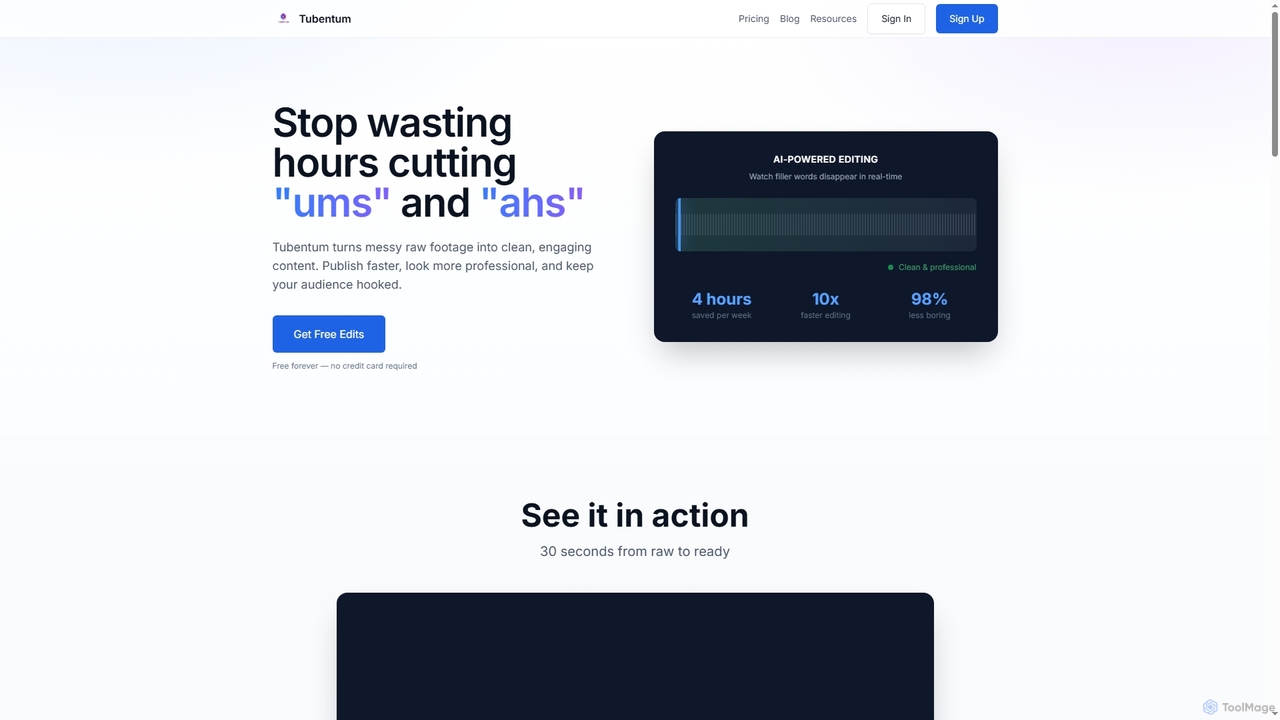
Tubentum is an AI-powered video editing tool that automatically removes filler words like "ums," "ahs," and silences from your raw footage by editing text. It helps content creators, podcasters, and educators produce clean, engaging, and professional video content faster, boosting viewer retention and algorithm performance.

3D
Visits 8.6KFavorites 158Likes 137

About Workflow Optimization

Workflow Optimization tools are AI-powered solutions designed to streamline and automate business processes. They leverage artificial intelligence to analyze, predict, and execute tasks, significantly reducing manual effort and operational bottlenecks. These tools enhance overall efficiency, minimize errors, and free up human resources for more strategic initiatives. By integrating disparate systems, they create cohesive and intelligent operational pipelines, transforming how work flows within an organization.

Core Features

  • Task Automation: Automatically execute repetitive, rule-based tasks across various applications and systems.
  • Process Orchestration: Design, manage, and execute complex multi-step workflows with intelligent routing and conditional logic.
  • Intelligent Data Routing: Automatically direct information and documents to the correct departments, systems, or personnel.
  • Performance Analytics: Monitor workflow efficiency, identify bottlenecks, and provide data-driven insights for continuous improvement.
  • System Integration: Connect disparate software, platforms, and databases for seamless data exchange and synchronized operations.

Applicable Scenarios

Workflow Optimization tools are invaluable for organizations seeking to enhance operational agility and reduce manual overhead. They are widely adopted in finance for automating invoice processing, in HR for streamlining onboarding and offboarding, and in IT for efficient incident management. Marketing teams use them to automate content approval, while customer service departments optimize ticket routing and response workflows.

How to Choose

When selecting a Workflow Optimization tool, prioritize its integration capabilities with your existing software ecosystem to ensure seamless data flow. Evaluate the scope and complexity of tasks it can automate, looking for flexibility to adapt to unique business processes. Consider its scalability to grow with your organization's needs and assess the level of customization options available to tailor workflows effectively.

Workflow Optimization use cases

1

Automated Customer Onboarding

SaaS companies and service providers can automate the entire customer onboarding journey. By integrating with CRM and billing systems, the tool automatically sends welcome emails, sets up user accounts, provisions resources, and updates customer records upon sign-up. This ensures a consistent, efficient, and personalized onboarding experience, significantly reducing manual administrative tasks and accelerating time-to-value for new customers.

2

Streamlined Content Approval Workflows

Marketing teams and content agencies often face bottlenecks in getting content approved by multiple stakeholders. Workflow Optimization tools can automate the routing of content drafts (blogs, social media posts, ad copy) to editors, legal teams, and managers for review. It collects feedback, tracks approval status, and triggers the next step automatically, accelerating content publication cycles and ensuring compliance with brand guidelines and legal requirements.

3

Automated Invoice Processing

Finance departments and small business owners can significantly reduce manual effort in invoice processing. Workflow Optimization tools use OCR to extract data from incoming invoices, automatically match them with purchase orders, route them for approval based on predefined rules, initiate payments, and update accounting software. This automation minimizes data entry errors, accelerates payment cycles, and provides real-time visibility into financial obligations, improving overall financial accuracy and control.

4

Efficient IT Incident Management

IT support teams and help desks can optimize their incident response and resolution processes. Workflow Optimization tools automatically categorize incoming support tickets based on keywords or urgency, assign them to the most appropriate technicians, trigger diagnostic scripts, and send automated status updates to affected users. This leads to faster incident resolution times, more efficient allocation of IT resources, and improved user satisfaction by keeping them informed throughout the process.

5

Optimized Sales Lead Nurturing

Sales and marketing teams can enhance their lead nurturing strategies. Workflow Optimization tools automatically send personalized follow-up emails based on lead behavior (e.g., website visits, content downloads), schedule calls for sales representatives, update CRM records with engagement data, and notify sales reps of 'hot' leads. This ensures consistent communication, reduces manual follow-up efforts, and ultimately increases lead conversion rates by engaging prospects at the right time with relevant information.

6

Automated HR Onboarding and Offboarding

HR departments can significantly streamline employee lifecycle events. Workflow Optimization tools automate tasks such as sending offer letters, collecting digital signatures, provisioning/revoking system access, assigning mandatory training, and updating payroll information for new hires or departing employees. This ensures compliance, reduces the administrative burden on HR staff, and provides a smoother, more consistent experience for employees during critical transition periods, minimizing errors and improving efficiency.

Workflow Optimization FAQ

What are Workflow Optimization tools?

Workflow Optimization tools are AI-powered solutions designed to streamline and automate business processes. They leverage artificial intelligence to analyze, predict, and execute tasks, significantly reducing manual effort and operational bottlenecks. These tools enhance overall efficiency, minimize errors, and free up human resources for more strategic initiatives. Common use cases include automating data entry, managing content approvals, and orchestrating complex multi-step processes across various departments.

How do Workflow Optimization tools use AI?

Workflow Optimization tools leverage AI in several ways to enhance process efficiency. AI is used for pattern recognition to identify bottlenecks and suggest improvements in existing workflows. It enables predictive analytics to foresee potential issues before they occur. Intelligent routing uses AI to direct tasks and data to the most appropriate resources. Furthermore, AI-powered natural language processing can understand and automate tasks based on unstructured text, and machine learning algorithms continuously adapt and optimize processes over time, making workflows more intelligent and responsive.

What's the difference between Workflow Optimization and general Productivity tools?

While both aim to improve efficiency, Workflow Optimization tools focus on systemic processes and automation across multiple steps or systems, often for teams or organizations. They are designed to redesign *how work flows* by integrating disparate applications, automating complex sequences, and providing oversight of entire operational pipelines. General Productivity tools, conversely, typically focus on *individual tasks* and manual efficiency, such as note-taking, simple task lists, or calendar management, without necessarily automating cross-system processes or providing deep process orchestration capabilities.

Who benefits most from Workflow Optimization tools?

Businesses of all sizes, particularly those with repetitive tasks, complex approval processes, or multiple integrated systems, benefit significantly. This includes departments like Marketing (for content approval), HR (for onboarding/offboarding), Finance (for invoice processing), IT (for incident management), and Operations (for supply chain or project management). Any organization looking to reduce manual errors, accelerate operational cycles, and free up employee time for higher-value work will find these tools invaluable.

What should I look for when choosing a Workflow Optimization tool?

When selecting a Workflow Optimization tool, consider its integration capabilities with your existing software ecosystem to ensure seamless data flow. Evaluate the scope and complexity of tasks it can automate, looking for flexibility to adapt to unique business processes. Ease of use, including low-code/no-code options, is crucial for broader adoption. Also, assess its scalability to grow with your organization's needs, robust security features to protect sensitive data, and comprehensive reporting/analytics to monitor performance and identify areas for further improvement. Finally, consider the pricing model and vendor support.