ToolMage
Sign in

Best 1 Workflow Templates AI tools for Productivity

Popular Workflow Templates AI tools in Productivity include itirupati, helping you work more efficiently.

itirupati
Freemium

itirupati

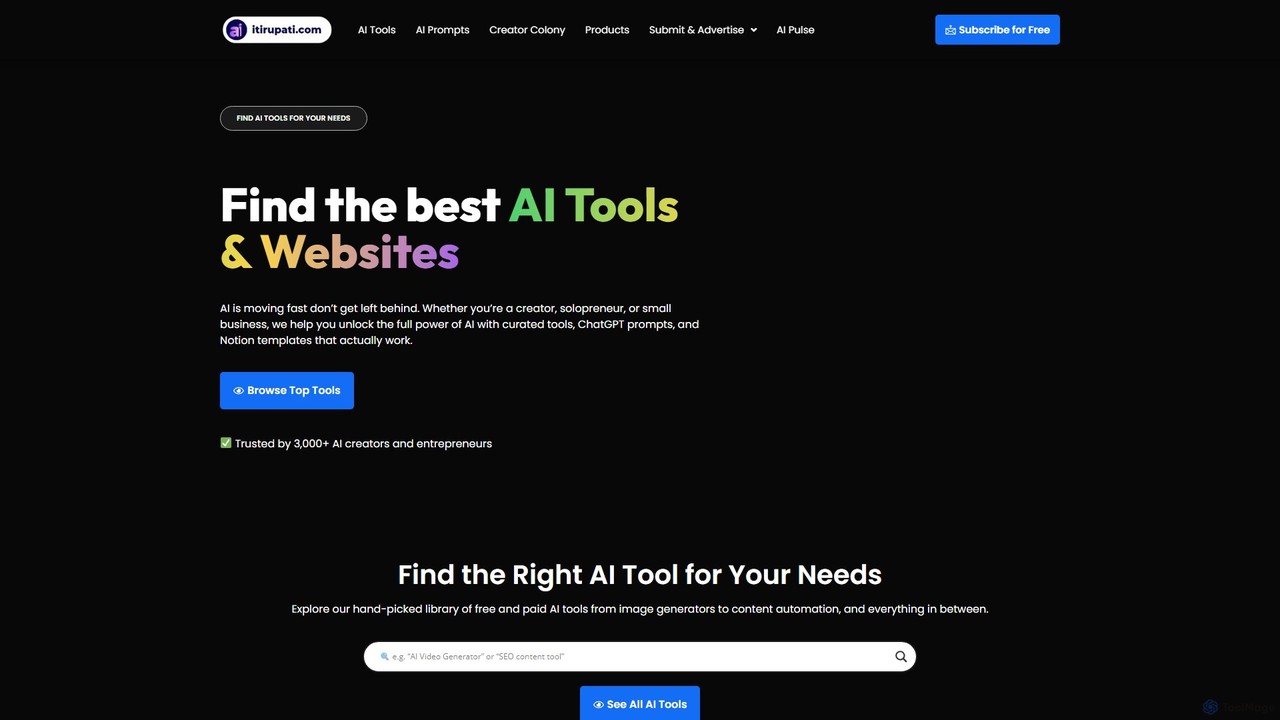
Itirupati.com is a comprehensive AI resource hub and directory for creators, entrepreneurs, and businesses. It offers a curated library of top AI tools, ready-to-use ChatGPT prompts, and productivity-boosting Notion templates. The platform helps users discover the best AI solutions for various needs, from content creation and image generation to marketing and data analysis. It also provides AI news and educational content to keep users updated on the latest trends, empowering them to leverage AI for growth and innovation.

Industry News
Visits 28.1KFavorites 177Likes 159

About Workflow Templates

Workflow Templates are pre-designed, structured frameworks that guide users through a series of steps or tasks to achieve a specific outcome, often integrating AI tools for automation and enhancement. These templates provide a repeatable blueprint for complex processes, leveraging AI to streamline operations like content generation, data analysis, or decision support. They empower individuals and teams to standardize best practices, reduce manual effort, ensure consistency across various projects, and accelerate task completion within the broader productivity landscape.

Core Features

  • Pre-built Structures: Offer ready-to-use sequences of tasks, decision points, and conditional logic for common business and creative processes, saving significant setup time.
  • AI Integration Points: Provide designated steps where AI tools can be seamlessly plugged in for automated content creation, intelligent data processing, predictive analysis, or even AI-driven decision support.
  • Customization & Flexibility: Allow users to easily modify, add, or remove steps, adjust parameters, and define custom logic to perfectly fit unique project requirements and evolving needs.
  • Automation Capabilities: Facilitate the automated execution of repetitive and rule-based tasks, significantly reducing manual intervention, minimizing human error, and speeding up overall workflow completion.
  • Collaboration & Sharing: Support seamless team collaboration by enabling multiple users to follow, contribute to, and share standardized workflows, ensuring alignment, transparency, and efficient handoffs.
  • Performance Tracking: Many templates include mechanisms to track progress, identify bottlenecks, and analyze the efficiency of the workflow, providing data for continuous improvement.

Applicable Scenarios

Workflow Templates are invaluable for standardizing and optimizing repetitive business processes across diverse sectors. They are widely adopted in project management for task sequencing, content marketing for editorial pipelines, customer service for standardized inquiry resolution, and data operations for automated processing and reporting. By providing clear, step-by-step guidance, these templates ensure consistency, reduce errors, and accelerate task completion, making complex operations manageable and efficient.

How to Choose

When selecting a Workflow Template tool, consider its customization flexibility to adapt to your unique operational needs and evolving project demands. Evaluate the depth of its AI integration capabilities, ensuring it can seamlessly connect with the AI tools you plan to use for automation and intelligent task execution. Assess the platform's ease of use for your team, its compatibility with your existing software ecosystem, and the range of pre-built, industry-specific templates available. Finally, review the pricing model and scalability options to ensure it aligns with your budget and future growth.

Workflow Templates use cases

1

Content Creation Pipeline Automation

For content marketing teams, this template streamlines the entire content lifecycle. It guides users from AI-powered topic ideation and keyword research to drafting blog posts or social media updates using AI writing assistants, then through human review, AI image generation for visuals, and finally, automated scheduling and publishing. This ensures consistent brand voice, accelerates content output, and reduces manual oversight.

2

Customer Onboarding & Support Workflow

SaaS companies or service providers can use this template to standardize the new customer journey. It includes steps like automated welcome emails, guided product setup tutorials, AI chatbot integration for instant FAQ resolution, and personalized follow-ups based on user engagement data. This ensures a smooth, efficient, and personalized onboarding experience, reducing churn and improving customer satisfaction.

3

Marketing Campaign Launch Management

Marketing teams utilize this template to manage the complex process of launching a new campaign. Steps include defining target audiences (potentially with AI market analysis), generating diverse ad copy and visual assets using AI tools, setting up A/B tests, scheduling across multiple platforms, and integrating performance tracking. This ensures all campaign elements are aligned, executed efficiently, and optimized for impact.

4

Automated Data Processing & Reporting

Business analysts and data teams can implement this template to standardize routine data tasks. It covers steps from automated data extraction and cleaning, AI-driven anomaly detection and pattern recognition, to generating insightful reports and dashboards. This ensures data quality, accelerates analysis cycles, and provides timely, accurate information for strategic decision-making without extensive manual intervention.

5

Project Task Management & Handoffs

For cross-functional teams, this template provides a clear structure for managing project tasks, dependencies, and handoffs. It defines sequential or parallel tasks, assigns responsibilities, sets deadlines, and includes checkpoints for review and approval. AI can assist in prioritizing tasks, predicting potential delays, or suggesting resource allocation, ensuring projects stay on track and communication remains clear.

6

Personalized Learning Path Creation

Educators or corporate trainers can use this template to design adaptive learning experiences. It outlines modules, quizzes, and interactive exercises, with AI potentially recommending resources based on learner progress or generating personalized feedback. This ensures a structured yet flexible learning journey, catering to individual needs and optimizing knowledge acquisition.

Workflow Templates FAQ

What are AI-powered Workflow Templates?

AI-powered Workflow Templates are structured frameworks that guide users through a series of tasks, integrating artificial intelligence to automate, enhance, or optimize specific steps. Unlike traditional templates, they leverage AI for tasks like content generation, data analysis, decision support, or intelligent automation, making processes more efficient, consistent, and adaptable. They serve as a blueprint for repeatable operations, ensuring best practices are followed while reducing manual effort and human error across various productivity tasks.

How do Workflow Templates differ from general task management tools?

While both help organize work, Workflow Templates focus on standardizing and automating sequences of tasks for repeatable processes, often with predefined logic and AI integration. General task management tools, like Trello or Asana, offer flexible lists for individual tasks and project tracking but typically lack the inherent structured flow, conditional logic, and deep AI automation capabilities found in dedicated workflow templates. Templates provide a prescriptive path, whereas task managers offer a more open-ended organizational structure.

What are the key benefits of using AI-powered Workflow Templates?

The primary benefits include significant efficiency gains through automation, ensuring consistency in output and process execution, and reducing human error. AI integration allows for intelligent task execution, such as generating content, analyzing data, or making recommendations, which further accelerates workflows. They also promote scalability, allowing organizations to replicate successful processes easily, and improve collaboration by providing clear, shared operational blueprints for teams.

How can I choose the best Workflow Template tool for my specific needs?

To choose the best tool, first identify your most frequent and complex repeatable processes. Look for a tool that offers high customization flexibility to adapt templates to your unique requirements. Evaluate its AI integration capabilities – can it connect with the AI services you need (e.g., LLMs, image generators)? Consider ease of use for your team, integration with your existing software stack, and the availability of pre-built templates relevant to your industry or function. Finally, assess the pricing, scalability, and support options.

Can Workflow Templates be customized for specific industries or roles?

Yes, absolutely. Most robust Workflow Template tools offer extensive customization options. Users can modify existing templates, create entirely new ones from scratch, or adapt industry-specific templates to suit their precise needs. This flexibility allows businesses to tailor workflows for unique roles (e.g., marketing, HR, finance) or specific industries (e.g., healthcare, e-commerce, education), ensuring that the templates align perfectly with their operational nuances and regulatory requirements. Many platforms also provide a library of industry-specific templates as a starting point.