ToolMage
Sign in

Best 3 Workflow Automation AI tools for Project Management

Popular Workflow Automation AI tools in Project Management include workstreams.ai, Infrasity, and Enqufy, helping you work more efficiently.

Infrasity
Freemium

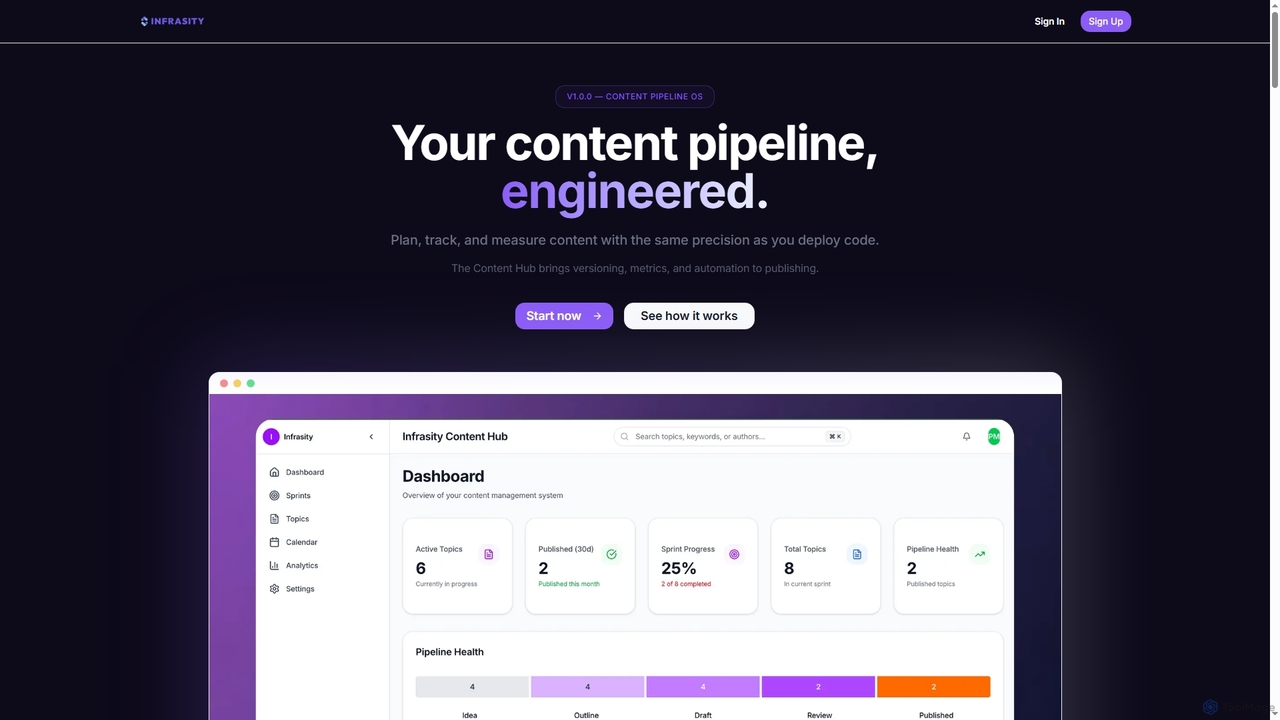
Infrasity

Infrasity is an AI-powered content pipeline operating system designed for technical teams to plan, track, and measure content with engineering precision. It integrates versioning, metrics, and automation to streamline the entire publishing workflow, from topic ideation to performance analysis, ensuring consistent delivery and optimized SEO outcomes.

Content Performance
Visits 6.5KFavorites 136Likes 132
Enqufy
Freemium

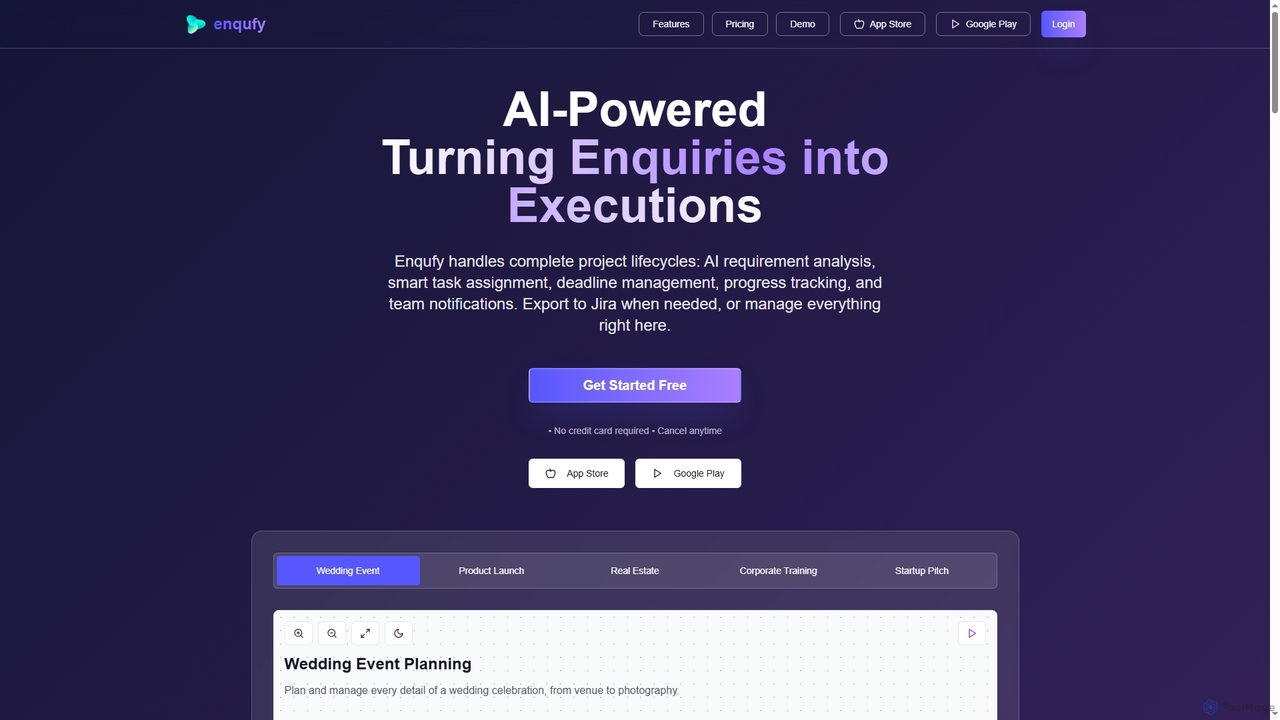
Enqufy

Enqufy is an AI-powered workflow automation platform designed to transform enquiries into structured, actionable project lifecycles. It streamlines task assignment, deadline management, and team collaboration, offering real-time progress tracking and performance analytics for businesses of all sizes. Available on web and mobile, it enhances efficiency and productivity across diverse industries.

Planning
Visits 6.4KFavorites 161Likes 147
workstreams.ai
Freemium

workstreams.ai

workstreams.ai is an intuitive task and workflow management app that enhances team productivity with powerful AI features. It seamlessly integrates with Slack and Microsoft Teams, allowing you to create, manage, and automate tasks using Kanban boards, AI-powered task generation, and detailed time tracking.

Team Management
Visits 16.6KFavorites 137Likes 142

About Workflow Automation

Workflow Automation tools are AI-powered solutions designed to streamline and optimize repetitive business processes by automating tasks and decision-making. These tools leverage machine learning and natural language processing to understand process flows, identify bottlenecks, and execute actions without manual intervention. They enhance operational efficiency, reduce human error, and free up resources for more strategic work, making them invaluable for organizations seeking to scale and improve productivity within project management and beyond.

Core Features

  • Intelligent Task Routing: Automatically assigns tasks to the right team members based on predefined rules or AI-driven insights.
  • Automated Data Extraction: Extracts relevant information from documents, emails, and forms, reducing manual data entry.
  • Process Orchestration: Manages complex, multi-step workflows across different systems and departments.
  • Predictive Analytics: Identifies potential delays or inefficiencies in a workflow before they occur.
  • Integration Capabilities: Seamlessly connects with existing CRM, ERP, project management, and communication platforms.

Applicable Scenarios

Workflow Automation tools are widely adopted across various sectors. For instance, HR departments use them to automate onboarding processes, from document collection to system access provisioning. Customer service teams deploy them for intelligent ticket routing and automated initial responses, ensuring faster resolution times. Finance departments benefit from automating invoice processing and expense report approvals, significantly reducing cycle times and errors.

How to Choose

When selecting a Workflow Automation tool, consider its integration capabilities with your existing tech stack to ensure seamless data flow. Evaluate the level of AI intelligence offered, such as predictive analytics or natural language understanding, to match your automation complexity needs. Assess the ease of use and customization options, especially for non-technical users, and compare pricing models based on the scale of your operations and the number of workflows you plan to automate.

Workflow Automation use cases

1

Automate Customer Service Ticket Routing

Customer service teams can use Workflow Automation tools to intelligently route incoming support tickets to the most appropriate agent or department. By analyzing ticket content, keywords, and customer history using AI, the system automatically categorizes issues and assigns them, reducing manual triage time by up to 70% and ensuring customers reach the right expert faster, leading to improved satisfaction and quicker resolution.

2

Streamline Employee Onboarding Processes

HR departments can significantly improve efficiency by automating employee onboarding. Workflow Automation tools can trigger a series of tasks upon a new hire's acceptance, such as sending welcome emails, initiating background checks, provisioning IT access, and assigning initial training modules. This ensures a consistent, compliant, and positive onboarding experience, reducing HR's administrative burden by 50% and accelerating time-to-productivity for new employees.

3

Automate Invoice Processing and Approval

Finance departments can leverage Workflow Automation to handle invoice processing from receipt to payment. AI-powered tools can automatically extract data from invoices, validate against purchase orders, route for approval based on amount or vendor, and initiate payment. This reduces manual data entry errors, accelerates the approval cycle by 60%, and provides real-time visibility into financial obligations, ensuring compliance and improving cash flow management.

4

Manage IT Incident Response Workflows

IT operations teams can use Workflow Automation to streamline incident response. When a system alert is triggered, the AI can automatically create a ticket, notify the on-call engineer, gather relevant diagnostic data from various systems, and even suggest initial troubleshooting steps. This reduces mean time to resolution (MTTR) by 40%, minimizes service disruptions, and ensures a consistent, documented response to critical IT issues.

5

Automate Lead Nurturing and Follow-up

Marketing and sales teams can use Workflow Automation to automate lead nurturing sequences. Based on a lead's engagement (e.g., website visits, email opens), the AI can trigger personalized email campaigns, assign follow-up tasks to sales reps, or update CRM records. This ensures timely and relevant communication, improving lead conversion rates by 25% and allowing sales teams to focus on high-value interactions rather than manual follow-ups.

6

Automate Content Approval Workflows

Content creation teams, especially in regulated industries, can use Workflow Automation to manage content approval processes. An AI-powered system can automatically route content drafts to legal, compliance, and marketing managers for review, track feedback, and ensure all necessary approvals are obtained before publication. This reduces approval cycle times by 30%, minimizes compliance risks, and ensures brand consistency across all published materials.

Workflow Automation FAQ

What are Workflow Automation tools?

Workflow Automation tools are AI-powered software solutions that automate repetitive tasks and decision-making within business processes. They leverage technologies like machine learning, natural language processing, and robotic process automation (RPA) to execute predefined or intelligently determined actions, such as data entry, email responses, task assignments, and system integrations. Their primary goal is to enhance efficiency, reduce manual effort, and minimize errors across various operational workflows.

How do Workflow Automation tools differ from traditional automation or RPA?

While traditional automation and Robotic Process Automation (RPA) primarily focus on automating rule-based, repetitive tasks, Workflow Automation tools, especially those with AI, go a step further. They can handle more complex, dynamic processes by understanding context, making intelligent decisions, and adapting to changing conditions. AI-powered workflow automation can learn from data, predict outcomes, and optimize processes autonomously, whereas RPA typically requires explicit, rigid instructions for every step.

What are the main benefits of implementing AI-powered Workflow Automation?

Implementing AI-powered Workflow Automation offers several key benefits. It significantly increases operational efficiency by automating mundane tasks, allowing employees to focus on higher-value activities. It reduces human error, leading to improved data accuracy and compliance. Furthermore, these tools provide better visibility into process performance, enable faster decision-making through predictive insights, and offer greater scalability to handle growing workloads without proportional increases in staffing. This ultimately drives cost savings and enhances overall business agility.

Who can benefit most from Workflow Automation tools?

Workflow Automation tools are highly beneficial for a wide range of users and organizations. Businesses with repetitive, high-volume tasks, such as customer service, HR, finance, and IT departments, can achieve significant efficiency gains. Project managers can automate task assignments and progress updates. Small businesses can scale operations without extensive hiring, while large enterprises can streamline complex cross-departmental processes. Essentially, any entity looking to reduce manual effort, improve accuracy, and accelerate process completion can benefit.

What are common challenges when implementing Workflow Automation?

Implementing Workflow Automation can present several challenges. One common hurdle is resistance to change from employees accustomed to manual processes. Data quality and integration with legacy systems can also be complex, requiring careful planning. Over-automating or automating inefficient processes without prior optimization can lead to amplified problems. Additionally, selecting the right tool that aligns with specific business needs and ensuring proper governance and security measures are in place are critical for successful implementation and long-term benefits.