ToolMage
Sign in

Best 1 Ai Management AI tools for Productivity

Popular Ai Management AI tools in Productivity include SupernovaAI, helping you work more efficiently.

SupernovaAI
Paid

SupernovaAI

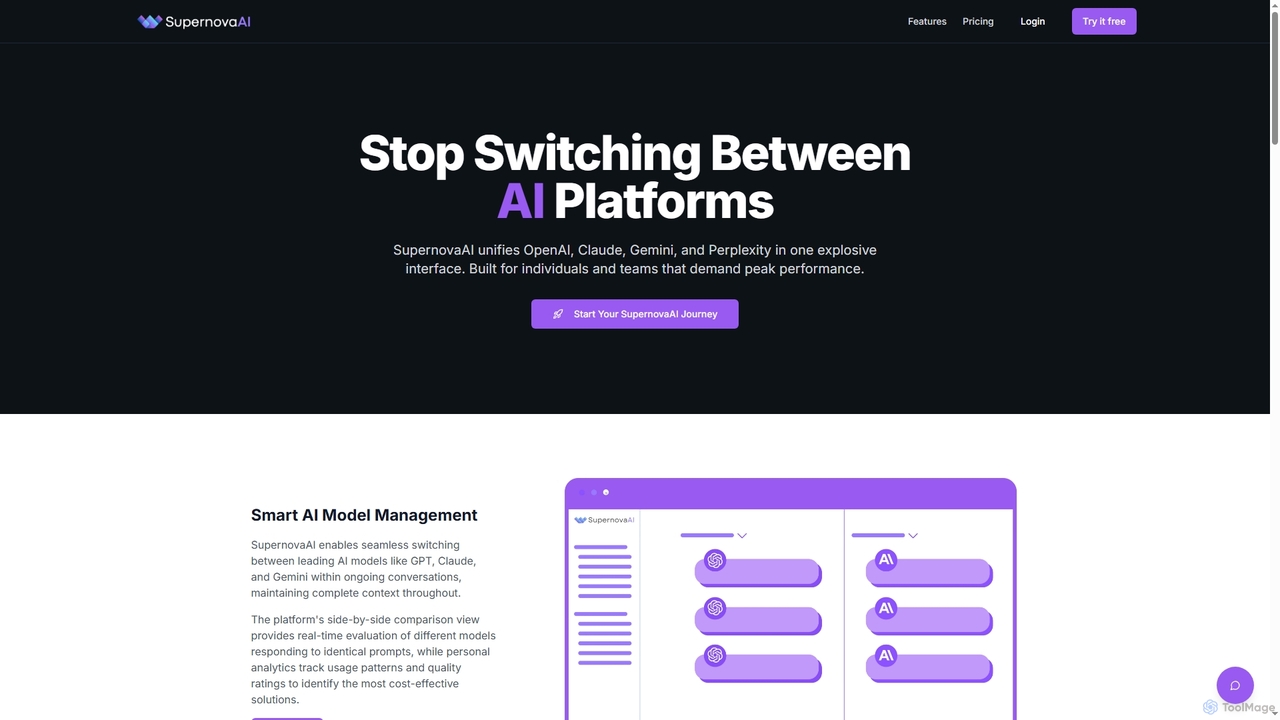
SupernovaAI is a unified platform that integrates leading AI models like OpenAI, Claude, Gemini, and Perplexity into a single, powerful interface. It enables seamless model switching, context retention, side-by-side response comparison, and cost optimization, designed for individuals and teams seeking peak AI performance and streamlined workflows.

Cost Optimization
Visits 5.6KFavorites 135Likes 137

About Ai Management

AI Management tools are platforms designed to centralize, monitor, and optimize the use of various AI models and services within an organization. They act as a unified control layer, allowing teams to access different large language models (LLMs) like those from OpenAI, Google, or Anthropic through a single interface. This approach streamlines workflows, controls escalating costs, and ensures consistent and secure application of AI technology. By providing features for prompt management, usage analytics, and collaboration, these tools empower businesses to scale their AI adoption efficiently and responsibly.

Core Features

  • Unified Model Access: Connect to and switch between multiple AI models from various providers without changing code or interfaces.
  • Prompt Management & Library: Create, save, share, and version-control effective prompts across teams to ensure output quality and consistency.
  • Cost & Usage Analytics: Track API calls, token consumption, and spending in real-time, often with project- or user-level breakdowns.
  • Team Collaboration: Share resources like prompts, chat histories, and workflows within a secure, centralized environment.
  • Security & Governance: Implement access controls, audit logs, and data policies to manage AI usage securely and ensure compliance.

Applicable Scenarios

These tools are particularly valuable for technology companies, marketing agencies, and large enterprises. For instance, a development team can use an AI Management platform to test and deploy applications using different LLMs, while a marketing department can maintain a library of on-brand prompts for content creation. IT departments also use them to enforce security policies and monitor enterprise-wide AI expenditure.

Selection Criteria

When choosing an AI Management tool, consider the range of supported AI models and providers. Evaluate its integration capabilities, including API access and compatibility with existing software. Scrutinize the analytics and cost-control features to ensure they meet your budgeting needs. Finally, assess the platform's security protocols, team management features, and overall ease of use for your specific team structure.

Ai Management use cases

1

Centralized Prompt Engineering for Marketing Teams

A marketing team uses an AI Management platform to build a shared library of high-performing prompts for various tasks like generating ad copy, social media posts, and blog outlines. Team members can access, refine, and reuse these prompts, ensuring all AI-generated content consistently adheres to the brand's voice and style. This eliminates redundant work, accelerates content creation, and allows for systematic A/B testing of different prompt variations to optimize campaign performance across multiple channels.

2

Controlling Costs for AI Application Development

A software development team building an AI-powered feature uses an AI Management tool to monitor API expenses. The platform provides a real-time dashboard showing token usage and costs associated with different models (e.g., GPT-4 vs. Claude 3). Developers can set budget alerts to get notified when spending approaches a certain threshold. This granular visibility helps the team make data-driven decisions on which model offers the best cost-performance ratio for their specific use case, preventing unexpected budget overruns during development and testing phases.

3

Evaluating and A/B Testing Different AI Models

A data science team needs to select the best LLM for a text summarization task. Using an AI Management platform, they can send the same set of documents to multiple models (e.g., from Google, OpenAI, and Anthropic) with a single API call. The platform aggregates the results, allowing the team to easily compare the quality of summaries, response latency, and cost per summary. This streamlined process for model evaluation accelerates decision-making and ensures the most effective and efficient model is chosen for production.

4

Secure AI Integration for Customer Support

A company integrates an AI Management tool with its CRM to assist support agents. The tool acts as a secure gateway, automatically redacting personally identifiable information (PII) before sending a customer query to an external LLM for a draft response. This ensures that sensitive customer data never leaves the company's secure environment. Agents receive AI-suggested replies directly within their CRM interface, improving response times while maintaining strict data privacy and compliance with regulations like GDPR.

5

Automating Content Creation and Review Workflows

A content agency uses an AI Management platform to build an automated workflow. First, a prompt is sent to Model A to generate a blog post outline. The outline is then automatically passed to Model B, which writes the full article section by section. Finally, the completed article is sent to Model C for proofreading and tone checking. This entire chain is orchestrated within the platform, significantly reducing manual handoffs and allowing the content team to focus on strategy and final edits, boosting overall production capacity.

6

Enterprise-Wide AI Governance and Compliance

An IT administrator in a large corporation uses an AI Management platform to enforce company-wide AI usage policies. They can set role-based access controls, defining which teams can use specific AI models or features. The platform's audit logs provide a complete record of all AI interactions, which is crucial for compliance checks. This centralized governance ensures that all departments use AI services securely and in line with corporate standards and regulatory requirements, mitigating risks associated with shadow IT and data leakage.

Ai Management FAQ

What are AI Management tools?

AI Management tools are centralized platforms that help organizations control, monitor, and optimize their use of multiple AI models and services. Instead of teams using various AI APIs separately, these tools provide a single gateway to access different models, manage prompts, track costs, and collaborate. Their primary goal is to enhance productivity, ensure security and compliance, and provide clear visibility into AI-related expenditures and usage across the business.

How to choose the right AI Management platform?

Choosing the right platform depends on your specific needs. Consider these key factors:

  • Model Support: Does it support the specific LLMs and AI services (e.g., OpenAI, Anthropic, Cohere, open-source models) your team uses or plans to use?
  • Cost Management: How detailed are its analytics? Does it offer budget alerts, cost allocation by project, and tools to optimize spending?
  • Collaboration Features: Does it include a shared prompt library, version control, and ways for team members to review and share AI-generated results?
  • Security and Compliance: What are its data handling policies? Does it offer features like PII redaction, role-based access control, and audit logs?
  • Integration: How easily can it be integrated into your existing workflows and applications via API or SDKs?
What's the difference between an AI Management tool and using an AI model's API directly?

Using an API directly gives you raw access to a single AI model. This is suitable for simple applications or individual developers. An AI Management tool, however, acts as a layer on top of multiple APIs. It adds crucial business-level functionality that direct API use lacks, such as:

  • Centralized Access: Use many different models from one place.
  • Cost Tracking: Monitor spending across all models and users.
  • Collaboration: Share prompts and workflows with a team.
  • Governance: Enforce security and usage policies.

In essence, direct API use is like buying raw ingredients, while an AI Management tool is like having a fully equipped kitchen with management staff.

Who are the primary users of AI Management tools?

AI Management tools cater to a range of users within an organization. Key user groups include:

  • Developers & Engineers: Who need to experiment with, integrate, and monitor various AI models in their applications without managing multiple API keys and endpoints.
  • Marketing & Content Teams: Who use the platform to collaborate on prompt creation, ensure brand consistency, and streamline content generation workflows.
  • IT & Operations Managers: Who are responsible for governance, security, and cost control, using the tool to enforce policies and track enterprise-wide AI usage.
  • Data Scientists & Analysts: Who use the platform to evaluate and compare the performance of different models for specific analytical tasks.
What are the key benefits of using an AI Management platform?

The primary benefits of adopting an AI Management platform are centered around efficiency, control, and scalability. Key advantages include:

  • Cost Savings: By monitoring usage and identifying inefficiencies, companies can significantly reduce their spending on AI services.
  • Increased Productivity: Shared resources like prompt libraries and automated workflows allow teams to produce results faster and more consistently.
  • Reduced Risk: Centralized governance, security controls, and audit trails help mitigate risks related to data privacy and compliance.
  • Better Decision-Making: Unified analytics provide clear insights into model performance and cost, enabling data-driven choices for AI implementation.
  • Future-Proofing: A model-agnostic platform makes it easy to adopt new and better AI models as they become available without re-architecting applications.