
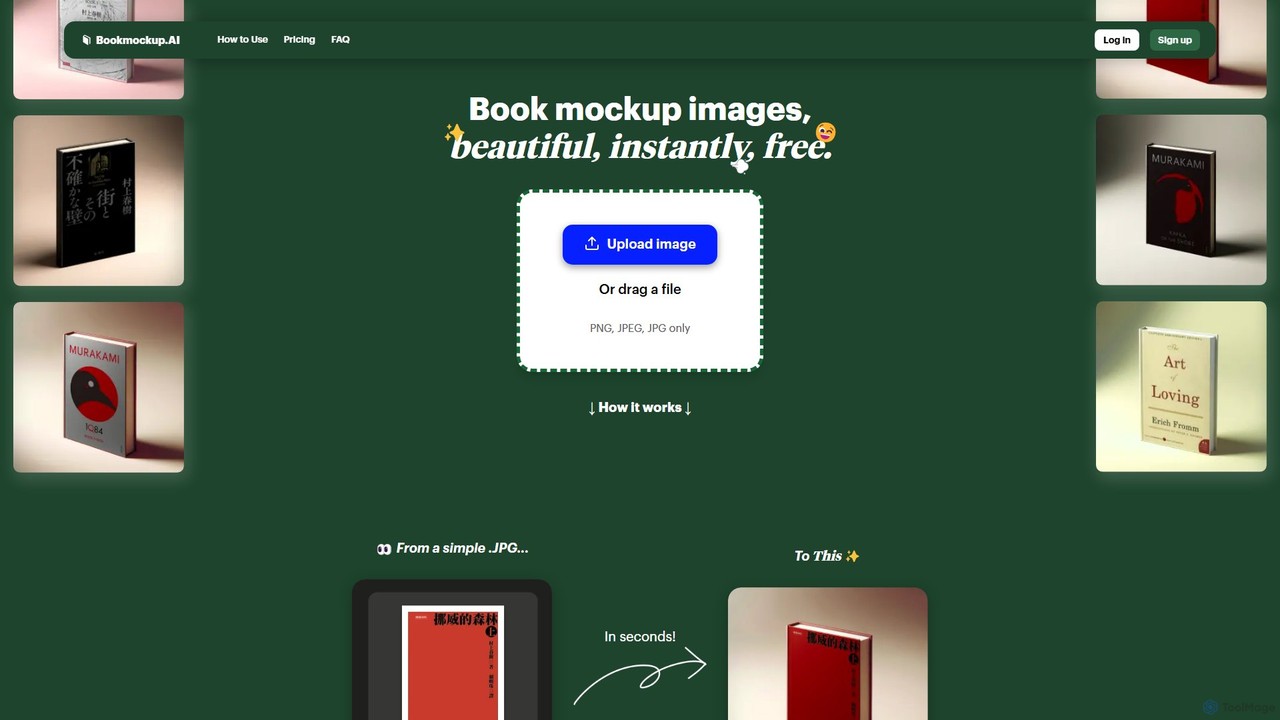
Productivity Best in category 1 results Authoring AI Tool

Popular AI tools in the Authoring field of Productivity include Book mockup AI, etc., helping you quickly improve efficiency.

Book mockup AI

Book mockup AI

An AI-powered tool that instantly generates beautiful, high-quality book mockup images from a simple book cover file. It's …

2.7K

About Authoring

AI Authoring tools are specialized applications designed for creating structured, interactive, and multimedia-rich content. As a key part of the Productivity suite, these tools leverage AI to streamline the development of materials like e-learning courses, technical documentation, and interactive guides. They go beyond simple text editors by managing content hierarchy, embedding interactive elements, and automating content generation. This enables creators to build complex, engaging learning and support materials more efficiently.

Core Features

  • Structured Content Design: Organize content into modules, lessons, and topics with a clear hierarchy.
  • Interactive Element Integration: Add quizzes, simulations, branching scenarios, and interactive videos.
  • AI-Powered Content Assistance: Automatically generate drafts, summaries, quiz questions, and image suggestions.
  • Multi-Format Publishing: Export content to various standards like SCORM, xAPI, HTML5, and PDF for different platforms.
  • Collaborative Workflows: Support real-time co-authoring, version control, and review cycles for teams.

Use Cases

These tools are widely used in corporate training for developing employee onboarding and compliance courses. They are also essential for technical writers creating software documentation and user manuals, and for educators designing digital curriculum and online courseware. Any scenario requiring structured, instructional content benefits from an authoring tool.

How to Choose

When selecting an AI Authoring tool, evaluate the range of supported interactive elements and assessment types. Consider its publishing options and compatibility with your Learning Management System (LMS). Assess the maturity and practical utility of its AI features, and check for robust collaboration capabilities if you work in a team. Finally, consider the learning curve and available user support.

AuthoringUse Cases

1

Develop Corporate Compliance Training Courses

An instructional designer in a large corporation is tasked with creating a mandatory annual compliance course for all employees. Using an AI authoring tool, they can structure the course into modules like 'Data Privacy' and 'Workplace Safety'. The AI assists by generating draft text for each section, suggesting relevant case studies, and creating a set of quiz questions to test understanding. The designer then adds interactive scenarios and publishes the final course as a SCORM package, ready for deployment on the company's Learning Management System (LMS).

2

Create Interactive Software Documentation

A technical writer is creating a user guide for a new software application. Instead of a static PDF, they use an authoring tool to build an interactive online help center. They create step-by-step tutorials with embedded screenshots and short video clips. A key feature is the creation of software simulations, where users can practice tasks in a safe, guided environment. The entire help center is published as a responsive HTML5 website, ensuring it's accessible on desktop and mobile devices.

3

Design Digital Curriculum for K-12 Education

A curriculum developer for an online school designs a middle school science module. Using an authoring tool, they combine text-based lessons with interactive diagrams, educational videos, and virtual lab simulations. The AI features help adapt the reading level of the text for different student abilities and suggest engaging activities. At the end of each lesson, a short, auto-graded quiz provides immediate feedback to students. The entire module is exported in a format compatible with the school's chosen educational platform.

4

Build a Centralized Product Knowledge Base

A product support team needs a single source of truth for all product information. They use an authoring tool to collaboratively create and maintain a knowledge base. Team members can work on different articles simultaneously, and a review workflow ensures accuracy. The tool's AI helps to identify outdated content and suggests linking related articles for better navigation. The final knowledge base is published online and includes a powerful search function, helping both support agents and customers find answers quickly.

5

Generate API Documentation for Developers

A software company releases a new API and needs to provide clear, comprehensive documentation for external developers. The development team uses an authoring tool that integrates with their codebase. The tool can automatically generate documentation from code comments and structure it into logical sections like 'Authentication', 'Endpoints', and 'Error Codes'. AI features help rewrite technical jargon into clearer language and generate code examples in multiple programming languages (e.g., Python, JavaScript). The final documentation is published to a dedicated developer portal.

6

Localize Training Materials for Global Teams

A multinational company needs to adapt its sales training program for teams in Japan and Germany. The L&D team uses an AI authoring tool with built-in translation features. After creating the master course in English, the tool's AI generates initial translations for all text and audio scripts. A local subject matter expert then reviews and refines the content for cultural nuances. The tool also allows for easy replacement of images and videos to ensure they are culturally appropriate for each region, significantly speeding up the localization process.

AuthoringFrequently Asked Questions