ToolMage
Sign in

Best 1 Billing AI tools for Productivity

Popular Billing AI tools in Productivity include ZeeInvoices, helping you work more efficiently.

ZeeInvoices
Free

ZeeInvoices

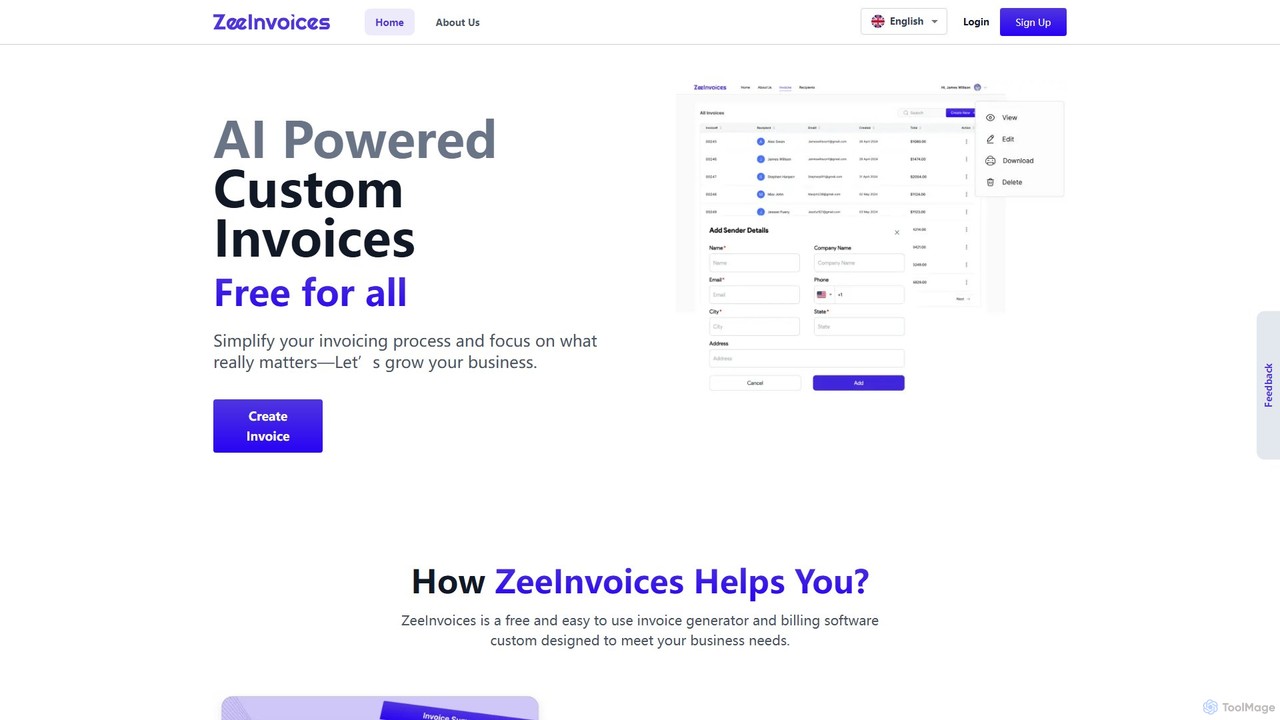
ZeeInvoices is a free, AI-powered invoice generator designed to simplify billing for freelancers, small businesses, and e-commerce. It automates invoice creation, offers customizable templates, and provides robust tracking to help you get paid faster and focus on growing your business.

Freelance Tools
Visits 4.1KFavorites 132Likes 125

About Billing

AI Billing tools are a class of software that automates and optimizes the invoicing and payment collection process. These tools leverage machine learning and data analysis to handle tasks like generating recurring invoices, managing subscriptions, and predicting payment timeliness. Their primary value lies in reducing manual administrative work, accelerating cash flow, and providing clearer financial insights. By automating dunning processes and expense tracking, they help businesses maintain healthy accounts receivable and improve overall financial productivity.

Core Features

  • Automated Invoice Generation: Automatically create and send customized invoices based on subscription cycles, project milestones, or usage data.
  • Intelligent Dunning Management: Proactively manage overdue payments with automated, personalized reminders to reduce churn and late payments.
  • Subscription & Recurring Billing: Efficiently manage complex subscription plans, including prorations, upgrades, downgrades, and trials.
  • Payment Analytics & Forecasting: Use historical data to predict revenue, cash flow, and identify customers at risk of non-payment.
  • Expense & Receipt Recognition: Automatically scan and categorize expenses from receipts for accurate client rebilling and project costing.

Use Cases

These tools are particularly valuable for SaaS companies, subscription-based services, digital agencies, consulting firms, and freelancers. They streamline billing for any business model that involves recurring revenue or complex, project-based invoicing, helping to ensure timely and accurate payment collection.

How to Choose

When selecting an AI Billing tool, consider its integration capabilities with your existing accounting software (like Xero or QuickBooks) and CRM. Evaluate its support for different billing models (e.g., metered, tiered, flat-rate). Also, assess the sophistication of its analytics, dunning features, and its ability to handle multiple currencies and tax regulations if you operate globally.

Featured tool rankings

Billing use cases

1

Automating SaaS Subscription Billing

A SaaS company manager uses an AI Billing tool to manage thousands of customer subscriptions across different pricing tiers. The system automatically handles monthly recurring charges, calculates prorated amounts for mid-cycle upgrades, and processes payments via an integrated gateway. When a payment fails, the intelligent dunning feature initiates a sequence of customized email reminders, significantly reducing involuntary churn and freeing up the finance team from manual follow-ups.

2

Streamlining Invoicing for Freelancers

A freelance consultant uses an AI Billing tool to track billable hours and expenses for multiple client projects. The tool automatically generates professional invoices from timesheet data and attached receipts. It sends the invoices on a pre-set schedule and follows up with automated payment reminders. This ensures timely payments, reduces administrative overhead, and allows the freelancer to focus on client work rather than chasing payments.

3

Managing Complex Billing for Digital Agencies

A digital marketing agency handles various billing models: monthly retainers, project-based fees, and usage-based charges for ad spend. An AI Billing tool centralizes these diverse streams. It automatically invoices retainer clients, generates final invoices upon project completion with all expenses itemized, and pulls ad spend data via API for accurate usage billing. This provides a unified view of revenue and simplifies complex financial reporting.

4

Automating Accounts Receivable Follow-up

A finance department in a mid-sized company uses an AI Billing tool to improve its accounts receivable (AR) process. The AI analyzes payment histories to predict which invoices are at high risk of being paid late. It then automatically schedules and sends a series of personalized reminders, escalating the tone and channel (email, SMS) as the due date passes. This proactive approach reduces the average Days Sales Outstanding (DSO) and allows the AR team to focus on the most critical accounts.

5

Handling Multi-Currency Invoicing for Global Clients

A software development firm works with clients across North America, Europe, and Asia. Their AI Billing platform automatically generates invoices in the client's local currency (USD, EUR, JPY). It fetches real-time exchange rates to ensure accurate conversions and applies the correct regional sales taxes (like VAT). This simplifies international transactions, improves the client experience, and ensures tax compliance without manual calculations.

6

Automating Expense Re-billing for Consulting Firms

A management consulting firm needs to accurately bill clients for project-related expenses like travel and software. Consultants use a mobile app to snap photos of receipts. The AI Billing tool's OCR technology extracts key data (vendor, amount, date), automatically categorizes the expense, and assigns it to the correct client project. When the monthly invoice is generated, all these pass-through costs are automatically itemized, ensuring transparency and accurate cost recovery.

Billing FAQ

What are AI Billing tools?

AI Billing tools are software applications that use artificial intelligence to automate and enhance the entire billing lifecycle. They go beyond simple invoice creation by using machine learning for tasks like predicting payment delays, optimizing dunning communications, and automatically categorizing expenses. Their main purpose is to reduce manual errors, accelerate cash flow, and provide businesses with smarter financial insights to improve their accounts receivable management.

How to choose the right AI Billing tool?

To choose the right tool, consider these factors:

  • Integration: Ensure it seamlessly connects with your existing accounting software (e.g., QuickBooks, Xero), CRM, and payment gateways.
  • Billing Models: Verify it supports your specific needs, such as subscription, usage-based (metered), project-based, or hybrid models.
  • Automation Depth: Evaluate the sophistication of its AI features. Does it offer predictive analytics for payments, or just basic reminder sequences?
  • Scalability: Choose a platform that can grow with your business, handling more customers, transactions, and currencies as you expand.
  • Compliance & Security: Confirm it adheres to security standards like PCI DSS for handling payment information and complies with relevant tax regulations.
What's the difference between AI Billing tools and traditional accounting software?

The primary difference lies in their focus. Traditional accounting software (like QuickBooks or Xero) is a system of record, focused on bookkeeping, financial reporting (P&L, balance sheets), and general ledger management. AI Billing tools are operational systems focused on the accounts receivable (AR) process. They automate the tasks of getting paid—from invoice creation and subscription management to dunning and payment collection. They often integrate with and complement accounting software, feeding it accurate revenue data, rather than replacing it.

Who can benefit from using AI Billing tools?

A wide range of businesses can benefit, especially those with recurring revenue or complex invoicing needs. Key users include:

  • SaaS and Subscription Businesses: To automate recurring payments, manage plan changes, and reduce customer churn.
  • Consulting Firms and Agencies: To track billable hours and expenses, and generate detailed project-based invoices.
  • Freelancers and Small Businesses: To save time on administrative tasks, ensure professional invoicing, and get paid faster.
  • Enterprises: To optimize their accounts receivable processes, improve cash flow forecasting, and gain deeper insights into payment behaviors.
Do AI Billing tools support multiple payment gateways?

Yes, most modern AI Billing platforms are designed to be payment-agnostic. They typically offer pre-built integrations with major payment gateways like Stripe, PayPal, Braintree, and Adyen. This allows businesses to offer customers a variety of payment options (credit card, ACH, digital wallets) and process transactions globally. The tool acts as a central hub, initiating payments through the connected gateway and then reconciling the transaction data for reporting and analytics.