ToolMage
Sign in

Best 1 Clipboard Manager AI tools for Productivity

Popular Clipboard Manager AI tools in Productivity include ClipyBoard, helping you work more efficiently.

ClipyBoard
Freemium

ClipyBoard

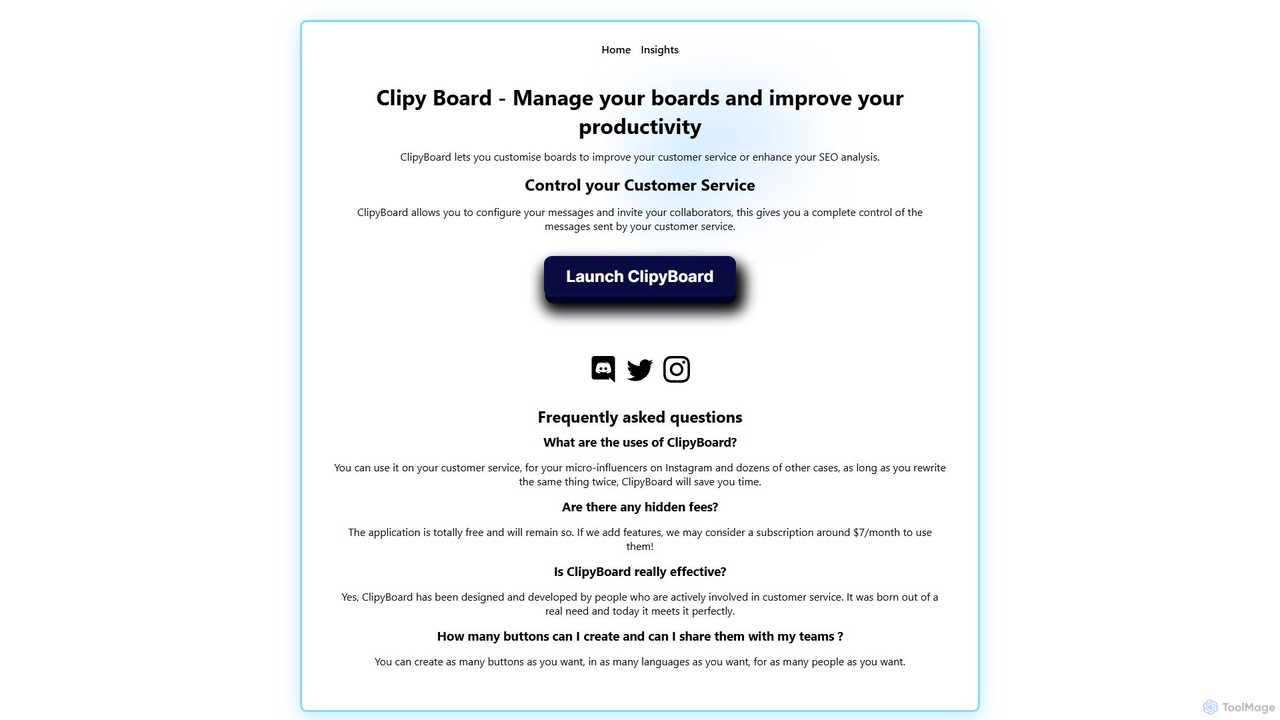
ClipyBoard is a collaborative clipboard manager that boosts productivity by allowing teams to create, manage, and share customizable boards of text snippets. Ideal for customer service, sales, and social media to ensure fast, consistent communication.

Help Desk
Visits 5.4KFavorites 153Likes 145

About Clipboard Manager

Clipboard Manager tools are essential productivity applications designed to extend and enhance the functionality of your operating system's native clipboard. Unlike a standard clipboard that holds only one item at a time, these tools automatically save a history of everything you copy—text, images, and even files. They empower users to quickly access, search, and reuse previously copied content, significantly streamlining workflows and preventing data loss. As a vital component within the broader productivity category, a clipboard manager ensures that no valuable piece of information is ever truly lost after a copy command.

Core Features

  • History Tracking: Automatically records and stores a chronological list of all copied text, images, and files.
  • Search and Filter: Allows users to quickly find specific items within their clipboard history using keywords or content type.
  • Snippets and Favorites: Enables saving frequently used text blocks, code, or images as permanent snippets for instant access.
  • Multi-format Support: Seamlessly handles various data types, including plain text, rich text, images, and file paths.
  • Cross-device Sync: Many tools offer synchronization across multiple devices, making copied content available wherever you work.

Use Cases

Clipboard managers are indispensable for professionals who frequently copy and paste information. Developers use them to manage code snippets and common commands, accelerating coding tasks. Content creators leverage them for organizing research notes, quotes, and image assets. Customer support teams benefit from quick access to canned responses and troubleshooting steps, drastically reducing response times.

How to Choose

When selecting a clipboard manager, consider the depth of its history tracking, the robustness of its search and filtering capabilities, and whether it supports snippets or favorites for recurring content. Evaluate its integration with your operating system and other applications, as well as any cross-device synchronization features. Finally, assess its security measures and privacy policy, especially if handling sensitive information.

Clipboard Manager use cases

1

Streamlining Code Development

Developers use clipboard managers to store and quickly retrieve frequently used code snippets, function calls, or command-line arguments, accelerating coding tasks and reducing repetitive typing.

2

Efficient Content Research & Curation

Researchers and content creators gather information from various sources—web pages, documents, and images—by copying them into the manager, then easily organizing and recalling them for writing or analysis.

3

Accelerating Customer Support Responses

Customer service agents save common answers, troubleshooting steps, or welcome messages as snippets, allowing them to instantly paste accurate and consistent responses to customer inquiries.

4

Seamless Data Transfer Across Applications

Users working with multiple applications can copy data from one program (e.g., a spreadsheet) and paste it into another (e.g., a presentation) without losing intermediate copied items, ensuring smooth workflow.

5

Organizing Design Assets and Elements

Graphic designers and illustrators utilize clipboard managers to temporarily store and reuse design elements, color codes, or image sections, facilitating rapid iteration and consistent branding across projects.

6

Composing Complex Documents with Ease

Writers and editors manage multiple text blocks, quotes, and references while drafting long reports or articles, ensuring that all necessary information is readily available for insertion without constant re-copying.

Clipboard Manager FAQ

What is a Clipboard Manager?

A Clipboard Manager is a software tool that significantly enhances the standard copy-paste function by storing a history of all items you copy. Unlike the native system clipboard, which typically holds only the last copied item, a clipboard manager allows you to access, search, and reuse any previously copied text, images, or files from its history, greatly improving efficiency.

How does a Clipboard Manager improve productivity?

Clipboard managers boost productivity by eliminating the need to re-copy information. They save time by providing instant access to a history of copied items, enabling quick retrieval of text, images, or code snippets. This reduces context switching, prevents accidental data loss, and streamlines repetitive tasks, making workflows smoother and faster for various professional roles.

What are the key features to look for in a Clipboard Manager?

When choosing a clipboard manager, prioritize features like extensive history tracking (how many items it stores), robust search and filtering capabilities, and the ability to save frequently used items as "snippets" or "favorites." Also, consider multi-format support (text, images, files), cross-device synchronization, and keyboard shortcuts for quick access and pasting.

Is a Clipboard Manager different from the system clipboard?

Yes, a clipboard manager is fundamentally different from the system clipboard. The system clipboard is a temporary storage area that typically holds only the single most recent item you copied. A clipboard manager, however, acts as an extended, intelligent layer over the system clipboard, maintaining a comprehensive history of multiple copied items and offering advanced management features like search, snippets, and often cross-device sync.

Can Clipboard Managers handle images and files?

Most modern clipboard managers are designed to handle a variety of data types beyond just plain text. They can typically store and manage copied images, rich text (with formatting), and even file paths or references to files. This multi-format support makes them versatile tools for professionals across different fields, from graphic design to software development.