
ToolMage
Sign in

Best 1 Code Quality AI tools for Productivity

Popular Code Quality AI tools in Productivity include DeepSource, helping you work more efficiently.

DeepSource
Freemium

DeepSource

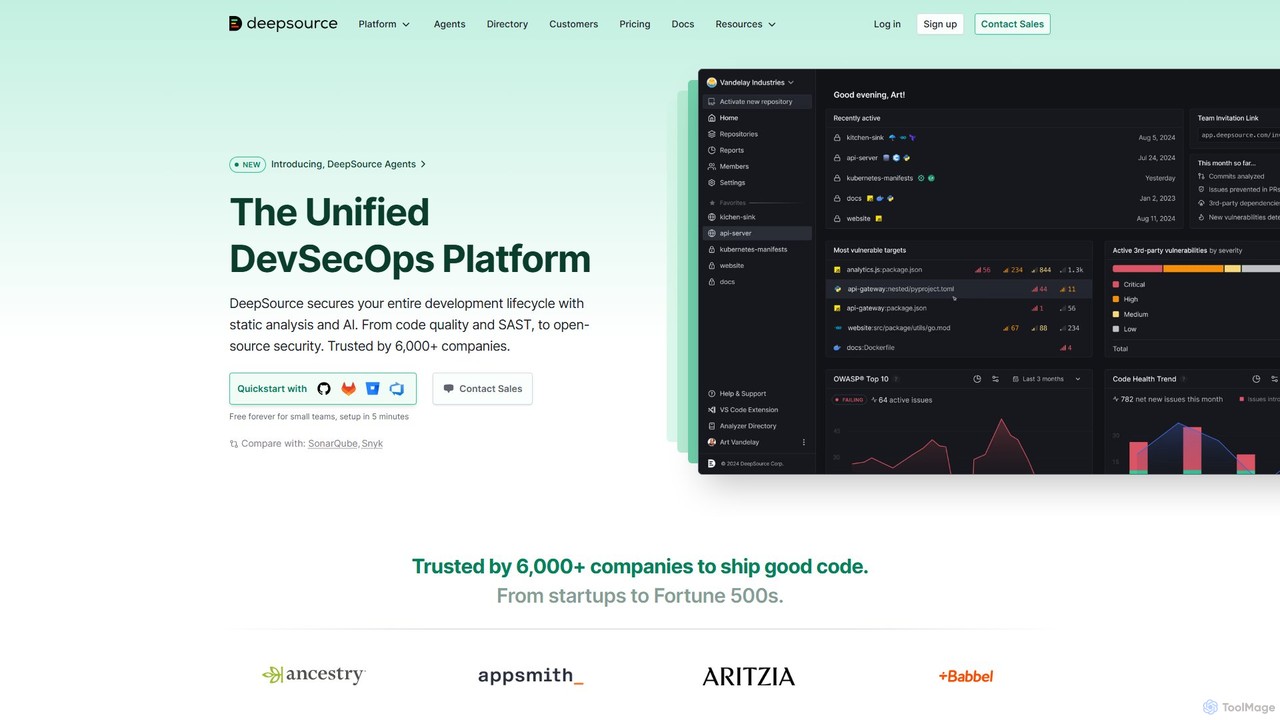
DeepSource is a unified DevSecOps platform that uses static analysis and AI to secure the entire development lifecycle. It helps developers ship clean and secure code by automating code quality checks, security scanning (SAST), and open-source dependency analysis (SCA).

Code Assistant
Visits 83.6KFavorites 119Likes 89

About Code Quality

AI Code Quality tools are specialized applications that automatically analyze source code to detect bugs, security vulnerabilities, and style inconsistencies. They leverage machine learning models trained on vast codebases to understand context and identify complex issues that traditional static analysis tools might miss. This proactive approach helps development teams improve code maintainability, enhance security, and accelerate the development lifecycle by catching problems early. These tools act as an intelligent assistant within the developer's workflow, providing actionable feedback to elevate overall software quality.

Core Features

  • AI-Powered Bug Detection: Identifies complex logical errors and potential runtime issues beyond simple syntax checks.
  • Security Vulnerability Scanning: Proactively finds security flaws like SQL injection, cross-site scripting (XSS), and insecure configurations.
  • Intelligent Refactoring Suggestions: Recommends code improvements to enhance readability, performance, and maintainability.
  • Automated Code Review: Simulates a peer review process by providing instant feedback on pull requests against best practices.
  • Technical Debt Analysis: Quantifies and visualizes technical debt, helping teams prioritize cleanup efforts.

Applicable Scenarios

These tools are essential for software development teams of all sizes, from startups to large enterprises. They are commonly integrated into CI/CD pipelines for automated checks, used by security teams for compliance audits, and leveraged by individual developers to improve their coding habits and ensure code integrity before commits.

Selection Criteria

When selecting a tool, consider its support for your specific programming languages and frameworks. Evaluate its integration capabilities with your version control system (e.g., GitHub, GitLab) and IDE. Also, assess the depth of its analysis, the accuracy of its findings (low false-positive rate), and the clarity of its suggested fixes.

Featured tool rankings

Code Quality use cases

1

Automating Code Reviews in CI/CD Pipelines

A DevOps team integrates an AI Code Quality tool directly into their GitHub Actions workflow. For every new pull request, the tool automatically scans the changed code for bugs, security risks, and style violations. It posts comments directly on the pull request, highlighting specific issues and suggesting fixes. This process blocks the merging of poor-quality code, reduces the manual review burden on senior developers, and ensures a consistent quality standard across the entire engineering organization.

2

Securing Applications Before Deployment

A security engineer is tasked with ensuring a new financial application meets OWASP Top 10 standards. They use an AI Code Quality tool to perform a deep static application security test (SAST) on the entire codebase. The tool identifies a potential SQL injection vulnerability and a misconfigured access control check. By providing the exact line of code and a detailed remediation guide, the tool enables developers to fix critical vulnerabilities before the application is deployed to production, preventing potential data breaches.

3

Modernizing a Legacy Codebase

A software architect is leading a project to modernize a large, aging Java application. They run an AI Code Quality analysis to get a comprehensive overview of its technical debt. The tool identifies overly complex modules, duplicated code blocks, and outdated library dependencies. It generates a prioritized report that helps the team create a data-driven refactoring roadmap, allowing them to systematically improve the codebase's health and make it easier to add new features.

4

Accelerating Developer Onboarding

A software development manager needs to onboard three junior developers onto a complex project. Instead of relying solely on senior engineers for code reviews, they use an AI Code Quality tool as a training aid. The tool provides immediate, objective feedback on the new developers' code, explaining style guide violations and common pitfalls. This real-time coaching helps them learn the team's standards faster and frees up senior developers to focus on more complex architectural tasks.

5

Enhancing Open-Source Project Governance

The maintainer of a popular open-source library needs to manage dozens of contributions from the community. They set up an AI Code Quality tool to automatically scan every incoming pull request. This serves as a first line of defense, filtering out contributions with obvious bugs, security issues, or poor formatting. It allows the maintainer to focus their limited time on reviewing the logic and value of the contribution, improving the overall quality and security of the project.

6

Pre-release Performance Optimization

A performance engineer is preparing for a major product launch and wants to identify potential bottlenecks. They use an AI Code Quality tool that specializes in performance analysis. The tool scans the code and flags inefficient database queries, memory-intensive loops, and suboptimal algorithm implementations. These insights allow the development team to proactively optimize critical code paths, ensuring the application is fast and responsive for users from day one.

Code Quality FAQ

What are AI Code Quality tools?

AI Code Quality tools are applications that use artificial intelligence, particularly machine learning, to automatically analyze source code for errors. Unlike traditional tools that rely on fixed rules, they learn from millions of lines of code to detect complex bugs, security vulnerabilities, and stylistic issues with greater context and accuracy. Their primary goal is to help developers write cleaner, more secure, and more maintainable code with less manual effort.

How do I choose the right AI Code Quality tool?

To choose the right tool, consider several factors. First, ensure it supports your project's programming languages and frameworks. Second, evaluate its integration with your existing workflow, such as GitHub, GitLab, Jenkins, or your IDE. Third, look at the depth of analysis—does it cover just style, or also bugs, security, and performance? Finally, check user reviews or run a trial to assess its accuracy (low false-positive rate) and the actionability of its recommendations.

What's the difference between AI Code Quality tools and traditional linters?

The main difference lies in their underlying technology and capabilities. Traditional linters (like ESLint or Pylint) operate based on a predefined set of rules to check for syntax and style. AI Code Quality tools go further by using machine learning models. This allows them to understand the code's context and logic to find more complex issues, such as potential null pointer exceptions, resource leaks, and novel security vulnerabilities that rule-based systems would typically miss.

What are the key benefits of using AI for code quality?

Using AI for code quality offers several key benefits. It significantly reduces the time spent on manual code reviews, allowing senior developers to focus on architecture. It helps catch subtle bugs and security flaws early in the development cycle, which are cheaper to fix. It also promotes consistent coding standards across a team and serves as an excellent learning tool for junior developers by providing instant, objective feedback. Ultimately, it leads to higher quality software and faster delivery times.

Who should use AI Code Quality tools?

AI Code Quality tools are valuable for a wide range of professionals in software development. Individual developers use them to improve their personal coding skills and catch mistakes before committing. Development teams use them to enforce standards and streamline code reviews. DevOps engineers integrate them into CI/CD pipelines for automated quality gates. Security teams rely on them for continuous static application security testing (SAST) to prevent vulnerabilities from reaching production.