MyColorHub
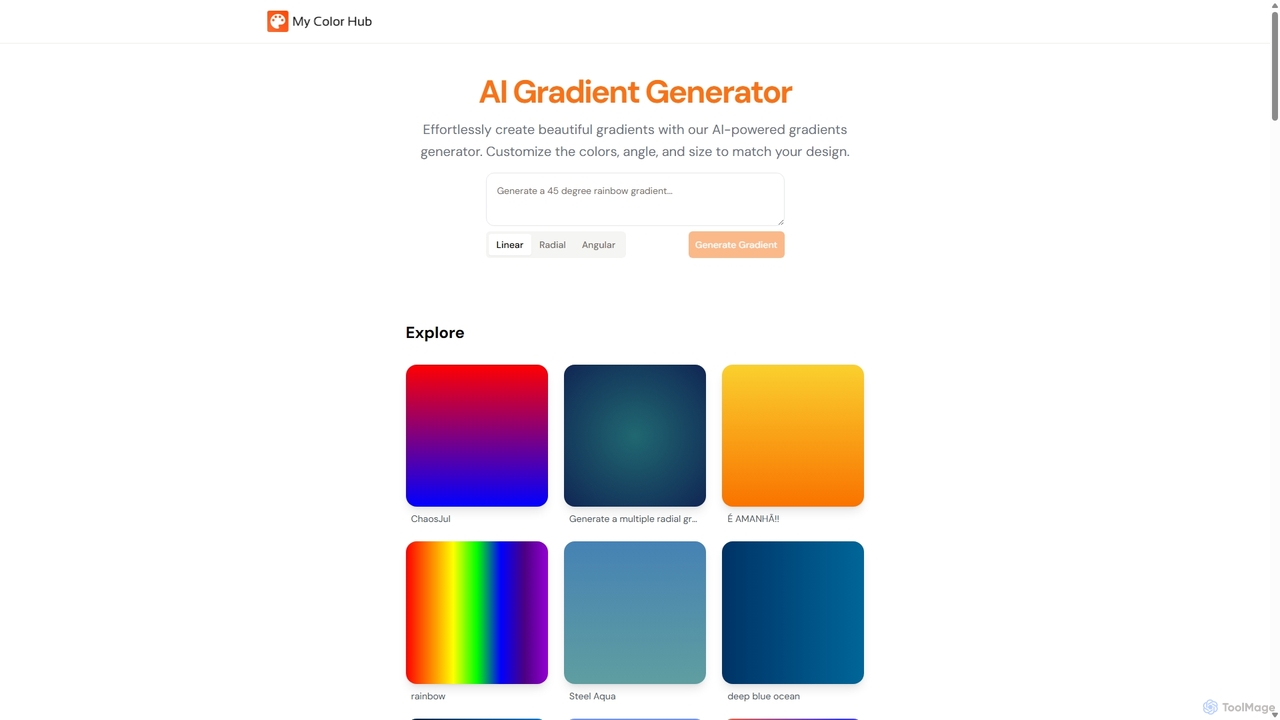
MyColorHub is an AI-powered gradient generator that effortlessly creates beautiful, unique color gradients from simple text prompts. Describe …
MyColorHub is an AI-powered gradient generator that effortlessly creates beautiful, unique color gradients from simple text prompts. Describe a mood, a scene, or a color combination, and the AI will generate stunning linear, radial, or angular gradients. It's an intuitive tool for designers, developers, and content creators to quickly find inspiration and generate custom color schemes for their projects.
About Color Palette
Color Palette AI tools are specialized applications that leverage artificial intelligence to generate, analyze, and optimize color schemes. These tools utilize advanced algorithms to understand color theory, user preferences, and visual harmony, enabling designers, marketers, and content creators to quickly discover and apply aesthetically pleasing and effective color combinations. They streamline the creative process, ensuring visual consistency and impact across various projects.
Core Features
- AI-Powered Generation: Automatically creates diverse color palettes based on keywords, images, or mood inputs.
- Harmony Analysis: Evaluates existing palettes for balance, contrast, and accessibility, suggesting improvements.
- Extraction from Images: Identifies dominant colors and generates palettes directly from uploaded photos or designs.
- Customization & Export: Allows fine-tuning of generated palettes and exports in various formats (HEX, RGB, CMYK, CSS).
- Accessibility Check: Verifies color combinations against accessibility standards (e.g., WCAG) for readability.
Applicable Scenarios
Graphic designers use these tools to quickly find suitable color schemes for branding projects, web layouts, or marketing materials. Web developers integrate AI-generated palettes into their UI/UX design workflows to ensure visual appeal and consistency. Content creators leverage them to maintain a cohesive visual identity across social media posts, videos, and presentations, enhancing brand recognition.
How to Choose
When selecting an AI color palette tool, consider its generation capabilities (e.g., from text, image, or mood), customization options, and export formats. Evaluate its integration with your existing design software and its accessibility features for inclusive design. User interface intuitiveness and the breadth of color theory principles it incorporates are also crucial for efficient workflow.
Color PaletteUse Cases
Rapidly Generate Brand-Consistent Color Schemes
A marketing agency needs to develop a new brand identity for a client. Instead of manually experimenting with colors, their graphic designer uses an AI color palette tool. By inputting keywords related to the brand's values and target audience, the tool generates several unique, harmonious palettes. This accelerates the initial design phase, allowing the team to present diverse options to the client within hours, significantly reducing concept development time.
Extracting Colors for Web Design from Inspiration Images
A web designer is building a new e-commerce site and has a collection of inspirational images that capture the desired aesthetic. They upload these images to an AI color palette tool. The tool analyzes the images, identifies dominant and complementary colors, and generates a cohesive palette. This ensures the website's visual design aligns perfectly with the client's vision, saving time on manual color picking and ensuring visual harmony.
Ensuring Accessibility in Digital Content Design
A content creator is designing infographics and social media posts and needs to ensure they are accessible to all users, including those with visual impairments. They use an AI color palette tool with built-in accessibility checkers. The tool not only suggests harmonious color combinations but also verifies their contrast ratios against WCAG standards. This proactive approach ensures their content is inclusive and readable, avoiding potential redesigns.
Developing Thematic Color Palettes for Events
An event planner is organizing a themed corporate gala and requires a unique color scheme that reflects the event's concept. They input descriptive terms like 'elegant,' 'futuristic,' and 'sophisticated' into an AI color palette generator. The tool provides several distinct palettes, complete with complementary shades. This helps the planner quickly establish a visual theme for invitations, decorations, and digital promotions, ensuring a cohesive event aesthetic.
Optimizing UI/UX Color Schemes for User Engagement
A UI/UX designer is refining a mobile application's interface to improve user engagement and readability. They use an AI color palette tool to analyze the current color scheme and suggest alternatives that enhance visual hierarchy and emotional response. The tool might recommend warmer tones for call-to-action buttons or softer backgrounds for better readability, leading to a more intuitive and pleasant user experience and potentially higher conversion rates.
Creating Seasonal or Campaign-Specific Visual Identities
A retail brand launches seasonal marketing campaigns and needs distinct visual identities for each. Their marketing team utilizes an AI color palette tool to generate unique color schemes for their summer, autumn, and holiday promotions. By inputting seasonal keywords or mood boards, they quickly obtain fresh, relevant palettes for their advertisements, website banners, and in-store displays, maintaining brand freshness and campaign relevance.