ToolMage
Sign in

Best 1 Communication Management AI tools for Productivity

Popular Communication Management AI tools in Productivity include Attrove, helping you work more efficiently.

Attrove
Freemium

Attrove

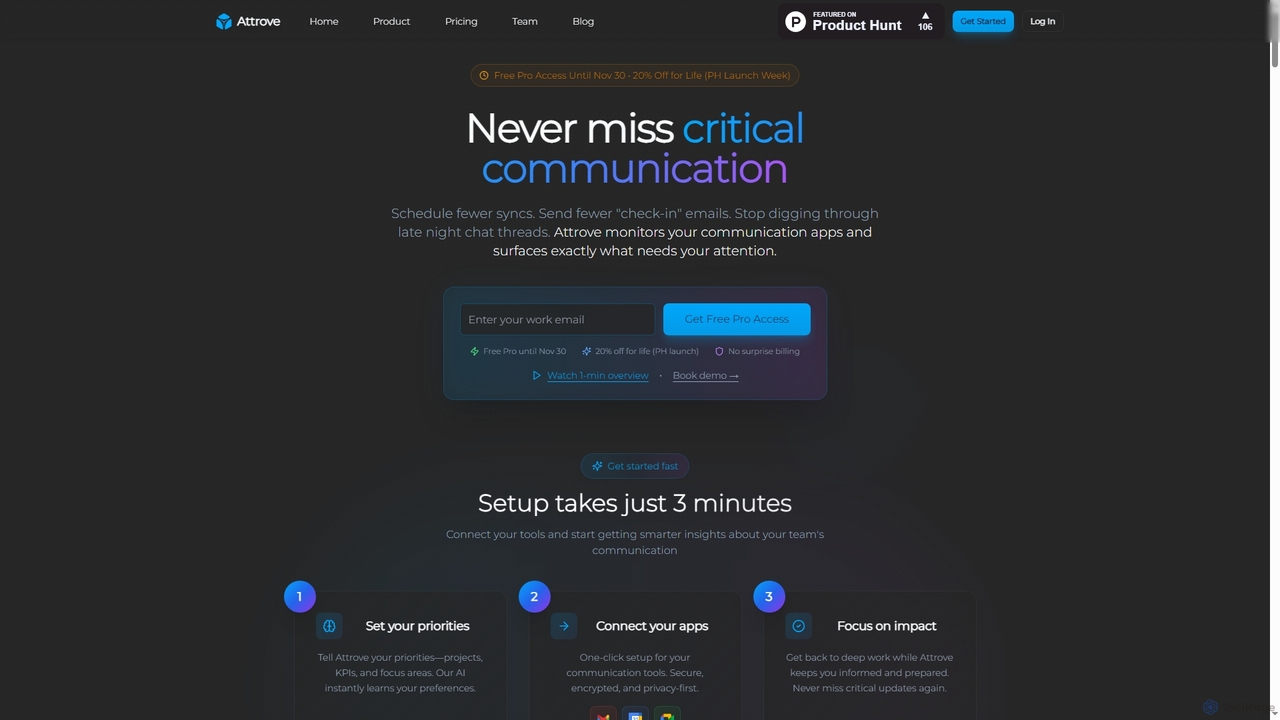
Attrove is an AI-powered communication intelligence platform designed to eliminate noise from work communication. It monitors apps like Slack, Gmail, and Calendar to surface critical updates, reduce meetings, and provide real-time insights, enabling teams to focus on high-impact work.

Workplace Insights
Visits 6KFavorites 112Likes 120

About Communication Management

AI Communication Management tools are a class of software designed to streamline, analyze, and organize conversations across multiple platforms. Leveraging Natural Language Processing (NLP) and machine learning, these tools automatically summarize meetings, prioritize messages in a unified inbox, and extract actionable insights from unstructured text. They help teams and individuals reduce information overload, improve response times, and make data-driven decisions based on their communication patterns. This approach elevates simple messaging into an intelligent system for managing information flow within the broader context of productivity.

Core Features

  • Unified Inbox: Consolidates emails, team chats, and social media messages into a single, prioritized feed.
  • AI Meeting Summaries: Automatically transcribes audio/video calls, generates concise summaries, and identifies action items.
  • Sentiment Analysis: Analyzes text from customer support tickets or team chats to gauge mood and identify urgent issues.
  • Automated Routing & Responses: Intelligently directs incoming queries to the appropriate person or department and provides instant answers to common questions.
  • Cross-Platform Search: Enables users to search for information and files across all connected communication channels simultaneously.

Use Cases

These tools are particularly valuable for customer support teams, project managers, executive assistants, and remote-first companies. For instance, a support team can use them to automatically triage tickets, while a project manager can ensure no decision from a meeting is lost. They are essential for any role that involves managing high volumes of communication from diverse sources.

How to Choose

When selecting a tool, consider the specific platforms you need to integrate (e.g., Slack, Microsoft Teams, Gmail, Zendesk). Evaluate the accuracy of its AI features, such as summarization and sentiment analysis. Also, assess its security protocols for handling sensitive data and choose a pricing model that aligns with your team's size and usage volume.

Communication Management use cases

1

Automate Customer Support Ticket Triage

A customer support manager for an e-commerce company uses an AI Communication Management tool to handle hundreds of daily inquiries from email and live chat. The tool automatically analyzes the content of each incoming message, identifies keywords like 'refund,' 'shipping status,' or 'technical issue,' and assesses the customer's sentiment. Based on this analysis, it routes the ticket to the appropriate support queue—billing, logistics, or technical support—and flags urgent or highly negative messages for immediate attention. This automates the manual sorting process, reducing first-response time by over 40% and ensuring specialists handle the right queries.

2

Generate Actionable Meeting Recaps

A project manager leading a remote team connects their AI Communication Management tool to their video conferencing platform (e.g., Zoom, Google Meet). After a weekly sync meeting, the tool automatically generates a full transcript. More importantly, its AI processes the transcript to create a concise summary highlighting key decisions, open questions, and roadblocks. It also identifies and lists all action items, suggesting assignees based on who spoke about the task. The manager reviews the summary, makes minor edits, and shares it in the team's Slack channel within minutes, ensuring everyone is aligned and accountable without manual note-taking.

3

Centralize Client Communication for an Agency

An account manager at a digital marketing agency uses a communication management tool to create a unified view for each client. The tool integrates with the agency's email, Slack, and project management software (like Asana). For a specific client, 'Client X', the manager can see a single chronological feed of all emails with the client, all internal Slack messages mentioning 'Client X', and all comments on their Asana tasks. This prevents information silos, ensures no client request is missed, and allows any team member to quickly get up to speed on the latest client interactions without searching through multiple applications.

4

Streamline Executive Communication Overload

An executive assistant for a CEO uses a unified inbox tool to manage the executive's high-volume communication. The AI prioritizes emails, Slack DMs, and LinkedIn messages based on sender, keywords, and urgency, placing critical items at the top. It drafts replies to routine inquiries, such as scheduling requests, for the assistant to review and send. The cross-platform search feature allows the assistant to instantly find a specific document mentioned in a call two weeks ago by searching across email attachments and chat history. This system allows the assistant to act as an effective gatekeeper, saving the CEO hours each day and ensuring they only focus on the most strategic conversations.

5

Monitor Team Morale in a Remote Setting

An HR manager in a fully remote company uses a communication tool with sentiment analysis to gauge team well-being. The tool analyzes public Slack channels, aggregating sentiment trends over time without accessing private messages. The manager can view a dashboard showing if overall sentiment is positive, neutral, or declining. If a specific channel, like engineering-updates, shows a consistent drop in positive sentiment, it could indicate project-related stress or frustration. This provides the HR manager with an early, data-driven warning to proactively check in with the team lead, address potential issues, and offer support before they escalate into larger problems.

6

Discover Internal Knowledge Across Platforms

A new software developer joins a company and needs to understand the history of a feature called 'Project Phoenix'. Instead of asking multiple colleagues, they use the company's AI communication management tool. They type 'Project Phoenix history' into the search bar. The tool simultaneously searches across Confluence pages, Google Drive documents, Slack conversations, and Jira tickets. It returns a prioritized list of results, including the original project proposal in Google Drive, key technical decisions discussed in the dev-team Slack channel, and the final documentation on Confluence. This empowers the developer to self-serve information efficiently, reducing onboarding time and interruptions to senior staff.

Communication Management FAQ

What are AI Communication Management tools?

AI Communication Management tools are software applications that use artificial intelligence to help organize, analyze, and streamline conversations from various channels like email, chat, and social media. Unlike simple messaging apps, their primary function is to add a layer of intelligence. They can automatically summarize meetings, prioritize important messages, analyze sentiment, and make information searchable across all platforms. The goal is to reduce information overload and extract valuable insights from communication data.

How to choose the right AI Communication Management tool?

Choosing the right tool depends on your specific needs. Consider the following factors:

  • Integrations: Ensure the tool connects seamlessly with the platforms your team already uses (e.g., Slack, Gmail, Microsoft Teams, Zendesk).
  • Core Features: Identify your primary pain point. Do you need better meeting summaries, a unified inbox, or cross-platform search? Choose a tool that excels in that area.
  • AI Accuracy: Evaluate the quality of the AI outputs. Request a demo or trial to test how accurately it summarizes text or analyzes sentiment.
  • Security and Privacy: Since these tools handle sensitive conversations, verify their data encryption, access control, and compliance certifications.
  • User Interface (UI): The tool should be intuitive and easy for your team to adopt without extensive training.
What's the difference between Communication Management tools and standard chat apps (like Slack)?

Standard chat apps like Slack or Microsoft Teams are the platforms *for* communication; they provide the channels for messaging. AI Communication Management tools work *on top of* or integrate with these platforms. Their focus is not just enabling conversation, but analyzing, organizing, and automating it. For example, a chat app lets you talk to your team. A communication management tool can transcribe that conversation from a call, summarize it, identify action items, and make the key points searchable later alongside relevant emails.

Who can benefit most from using Communication Management tools?

While anyone experiencing information overload can benefit, certain roles see a significant impact. These include:

  • Customer Support Teams: For automatically triaging tickets, analyzing customer sentiment, and providing faster responses.
  • Project Managers: To keep track of decisions made in meetings and chats, ensuring no action item is lost.
  • Executives and their Assistants: To manage a high volume of messages, prioritize what's important, and delegate tasks effectively.
  • Remote Teams: To create a central source of truth and improve asynchronous communication by making past conversations easily discoverable.
How do these tools ensure communication privacy and security?

Reputable AI Communication Management tools prioritize security through several measures. They typically use end-to-end encryption for data in transit and at rest. Access controls are crucial, allowing administrators to define who can see what information. Many tools offer data anonymization features, especially for sentiment analysis, to protect individual privacy. It's important to choose providers who are compliant with data protection regulations like GDPR and SOC 2, as this demonstrates a commitment to robust security practices. Always review a tool's privacy policy and security documentation before implementation.