AirFry.ai
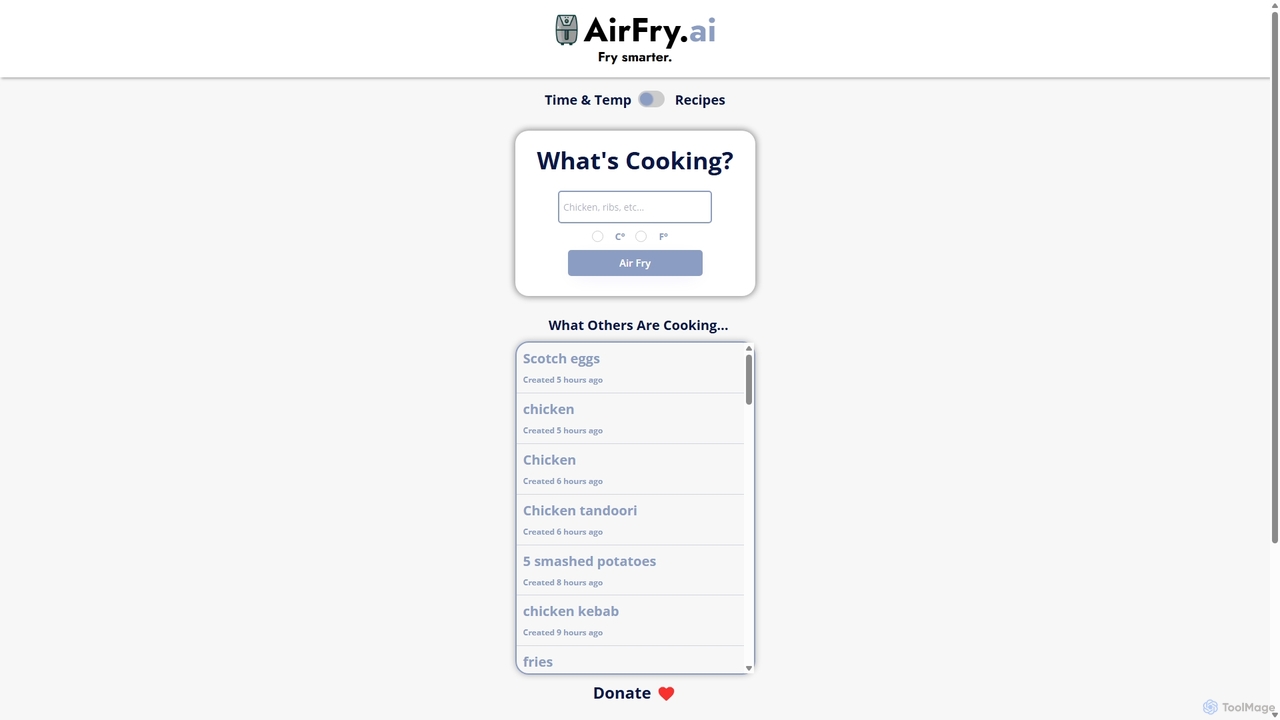
AirFry.ai is a free AI-powered tool that instantly provides optimal cooking times and temperatures for any food in …
AirFry.ai is a free AI-powered tool that instantly provides optimal cooking times and temperatures for any food in your air fryer. Simply type in your ingredient, and the AI generates precise instructions, supporting both Celsius and Fahrenheit. It's the fastest way to get perfect air-fried results every time.
About Home Assistant
Home Assistant tools are AI-powered applications designed to manage personal tasks, organize information, and control smart devices through natural language commands. They leverage technologies like Natural Language Processing (NLP) and machine learning to understand user requests and perform actions proactively. These assistants streamline daily routines by automating tasks, providing timely information, and integrating with various services and smart home ecosystems. Their primary value lies in creating a centralized, voice-activated hub for managing both digital and physical environments, enhancing personal productivity and convenience.
Core Features
- Voice Command Recognition: Accurately interprets spoken language to execute tasks, answer questions, and control devices hands-free.
- Smart Home Integration: Connects with and controls a wide range of compatible devices like lights, thermostats, locks, and cameras.
- Automated Routines & Scenes: Allows users to create custom sequences of actions triggered by a single command, time of day, or sensor data.
- Personalized Information Delivery: Proactively provides updates on traffic, weather, calendar events, and news based on user preferences and habits.
- Third-Party Skill/App Integration: Extends functionality by connecting with services for music streaming, shopping, food delivery, and more.
Use Cases
Home Assistants are widely used by homeowners for automating household tasks, busy professionals for managing schedules and reminders, and families for coordinating activities and shopping lists. They also serve a crucial role in accessibility, enabling individuals with mobility limitations to control their environment more easily. In a typical smart home, a user might create a "Good Morning" routine that simultaneously turns on the lights, adjusts the thermostat, reads the news headlines, and starts the coffee maker.
How to Choose
When selecting a Home Assistant, consider the ecosystem compatibility (e.g., Google, Amazon, Apple) to ensure it works with your existing devices. Evaluate the breadth of its third-party integrations or "skills" to match your favorite services. Privacy controls are also critical; look for options to manage voice recordings and microphone activity. Finally, consider the hardware form factor—whether you need a simple smart speaker, a device with a display for visual feedback, or a mobile app-based assistant.

Home AssistantUse Cases
Automating Morning and Evening Routines
A busy professional uses their Home Assistant to create a seamless start and end to their day. By setting up a "Good Morning" routine, a single voice command like "Hey, start my day" triggers a sequence of actions: the bedroom lights slowly brighten, the thermostat adjusts to a comfortable temperature, their favorite news podcast begins to play, and the smart coffee maker starts brewing. In the evening, a "Good Night" command dims all lights, locks the doors, sets the security alarm, and plays calming ambient sounds, ensuring a secure and relaxing transition to sleep without needing to interact with multiple apps or switches.
Managing a Busy Family Schedule
For a family with multiple children, a Home Assistant acts as a central organizational hub. Parents can use voice commands from anywhere in the house to add events to a shared family calendar, such as "Add soccer practice on Tuesday at 5 PM." The assistant can set reminders for appointments, homework deadlines, and chores. It also simplifies daily logistics; anyone can ask "What's on the calendar today?" to get a summary of the day's activities. Furthermore, creating and managing a shared shopping list becomes effortless—family members simply say "Add milk to the shopping list" as soon as they notice it's running low.
Hands-Free Assistance in the Kitchen
A home cook uses a Home Assistant with a smart display to enhance their cooking experience. While their hands are messy, they can ask the assistant to find a recipe and display it on the screen. They can then use voice commands to navigate the recipe steps, such as "Next step" or "Go back." The assistant is invaluable for multitasking, allowing the cook to set multiple timers simultaneously ("Set a timer for 15 minutes for the chicken" and "Set a 5-minute timer for the vegetables"). They can also ask for measurement conversions ("How many tablespoons in a quarter cup?") or add ingredients to the shopping list on the fly, all without touching a device.
Enhancing Accessibility for Independent Living
For an elderly individual or a person with mobility challenges, a Home Assistant is a powerful tool for maintaining independence. They can use voice commands to perform tasks that might otherwise be difficult, such as turning lights on and off, adjusting the room temperature, or locking the front door. The assistant can be set up to provide medication reminders at specific times. It also serves as a vital communication link, allowing them to easily make hands-free calls to family, friends, or emergency services. This reduces physical strain and provides peace of mind for both the user and their caregivers.
Creating a Centralized Entertainment Hub
A media enthusiast uses their Home Assistant to control their entire entertainment setup with voice commands. Instead of juggling multiple remotes, they can say, "Play the latest episode of my favorite show on the living room TV," and the assistant will turn on the TV, open the correct streaming app, and start playback. They can also manage multi-room audio, requesting, "Play my workout playlist on all speakers," for a synchronized music experience throughout the house. The assistant can provide recommendations, search for content across different services, and control playback functions like volume, pause, and skip, creating a seamless and intuitive media experience.
Proactive Information and Security Management
A homeowner relies on their Home Assistant for proactive updates and security. The assistant is configured to monitor traffic conditions and proactively suggests an earlier departure time for a calendar appointment if congestion is heavy. It can also provide severe weather alerts for the area. For security, the assistant integrates with smart locks and cameras. The user can ask, "Is the front door locked?" or view a live camera feed on a smart display. They can also set up automations, such as having all the lights in the house turn on if the smoke detector is triggered, enhancing both convenience and safety.