
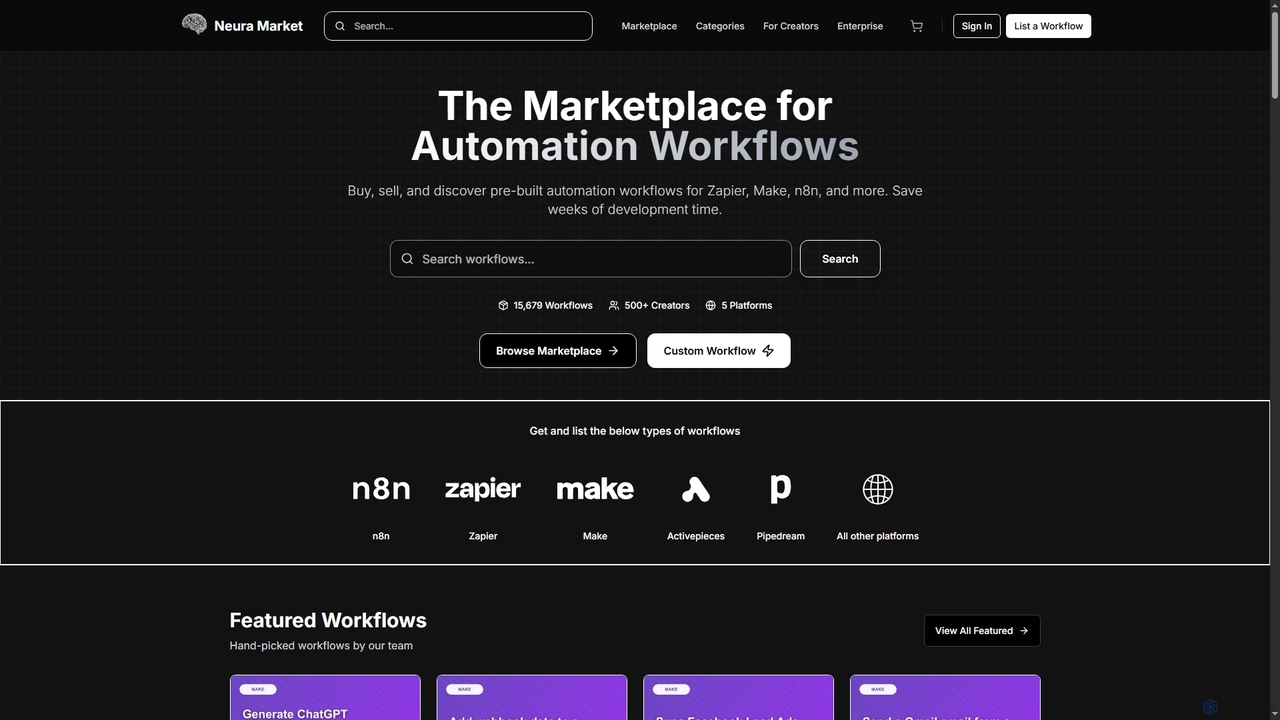
Productivity Best in category 1 results Integration Tools AI Tool

Popular AI tools in the Integration Tools field of Productivity include Neura, etc., helping you quickly improve efficiency.

Neura

Neura

Neura is the leading marketplace for discovering, buying, and selling pre-built automation workflows. It empowers individuals and enterprises …

3.8K

About Integration Tools

AI Integration Tools are platforms designed to connect disparate applications, AI models, and data sources, enabling them to communicate and work together seamlessly. These tools function as a central hub for automating workflows, using visual interfaces and pre-built connectors to eliminate the need for custom coding. By creating automated sequences of actions triggered by specific events, they significantly enhance productivity and operational efficiency. This allows businesses to build complex, cross-platform processes that leverage the power of various specialized AI services.

Core Features

  • Workflow Automation: Visually design multi-step workflows that connect triggers and actions across different applications.
  • Extensive Connector Library: Offers a wide range of pre-built integrations for popular SaaS, databases, and AI APIs.
  • Data Mapping and Transformation: Tools to format, modify, and map data fields between different application APIs.
  • Conditional Logic: Implement rules and branching logic (if/then statements) to create intelligent, dynamic automations.
  • Real-time Monitoring and Logging: Track the execution of workflows, identify errors, and review historical data for debugging.

Use Cases

These tools are widely used in marketing automation to sync lead data between CRMs and email platforms, in e-commerce to automate order fulfillment processes, and in customer support to route tickets and trigger notifications. They are also essential for operations teams to connect internal systems and for developers to rapidly prototype and deploy AI-powered data pipelines.

How to Choose

When selecting an AI Integration Tool, evaluate the breadth and depth of its app connector library to ensure it supports your existing software stack. Consider the complexity of workflows it can handle and whether its user interface (no-code, low-code) matches your team's technical skills. Also, analyze the pricing model—whether it's based on tasks, active workflows, or users—and its scalability to support future growth.

Integration ToolsUse Cases

1

Automate Sales Lead Nurturing

A marketing manager can use an integration tool to connect their website's contact form with their CRM and email marketing platform. When a new lead submits the form, a workflow is automatically triggered. The tool instantly creates a new contact in the CRM (e.g., Salesforce), adds a 'New Lead' tag, and then enrolls the contact into a welcome email sequence in the marketing platform (e.g., Mailchimp). This eliminates manual data entry, ensures immediate follow-up, and improves lead conversion rates without any human intervention.

2

Sync Customer Support Tickets with Project Management

A customer support team lead can set up an automation to bridge their helpdesk software (e.g., Zendesk) and a project management tool (e.g., Jira). A workflow can be configured to watch for new tickets with a 'High Priority' or 'Bug Report' tag. When such a ticket is created, the integration tool automatically creates a new issue in a specific Jira project, copying over the ticket title, description, and reporter's details. This ensures that critical issues are immediately visible to the development team, reducing response times and preventing important reports from getting lost in the support queue.

3

Create an AI-Powered Content Generation Pipeline

A content creator can build a powerful pipeline for generating articles. The process starts when a new topic is added to a row in a spreadsheet (e.g., Google Sheets). This triggers the integration tool to send the topic as a prompt to an AI writing assistant (e.g., OpenAI's GPT). Once the draft is generated, a second action sends the text to an AI grammar checker (e.g., Grammarly API). Finally, the corrected text is automatically saved as a new draft in a content management system (e.g., WordPress) or a document app (e.g., Google Docs), ready for human review. This automates the entire first-draft process.

4

Automate E-commerce Order Fulfillment

An e-commerce store owner using a platform like Shopify can automate their entire order process. When a new order is placed, a workflow triggers multiple actions simultaneously. It can add the customer's details to a mailing list in Mailchimp, send a notification with order details to a team Slack channel, and create a new shipping order in a logistics app like ShipStation. This ensures all relevant teams are notified instantly, reduces manual processing time from minutes to seconds, and minimizes the risk of human error in transferring order information.

5

Streamline Social Media Content Distribution

A social media manager can automate content sharing across multiple platforms. The workflow can be triggered when a new article is published on a company's blog via its RSS feed. The integration tool then automatically creates posts for different social networks. It can shorten the URL, pull the featured image, and post a customized message to Twitter, LinkedIn, and a Facebook Page. This saves hours of manual work each week, ensures consistent brand messaging, and allows for timely content distribution without needing to log into each platform individually.

6

Consolidate Financial Data for Reporting

A finance analyst can automate the process of data aggregation for daily reports. They can set up a scheduled workflow that runs every morning. This workflow connects to multiple payment gateways like Stripe and PayPal, as well as a bank account API. It pulls the previous day's transaction data from each source, standardizes the format, and appends it as a new row in a central Google Sheet or pushes it to a data warehouse like BigQuery. This automation provides a consolidated, up-to-date view of financial performance without the tedious and error-prone task of manually exporting and combining CSV files.

Integration ToolsFrequently Asked Questions