Productivity Best in category 3 results Knowledge Base AI Tool

Popular AI tools in the Knowledge Base field of Productivity include Fibery、huly、Cinnamon AI, etc., helping you quickly improve efficiency.

huly

huly

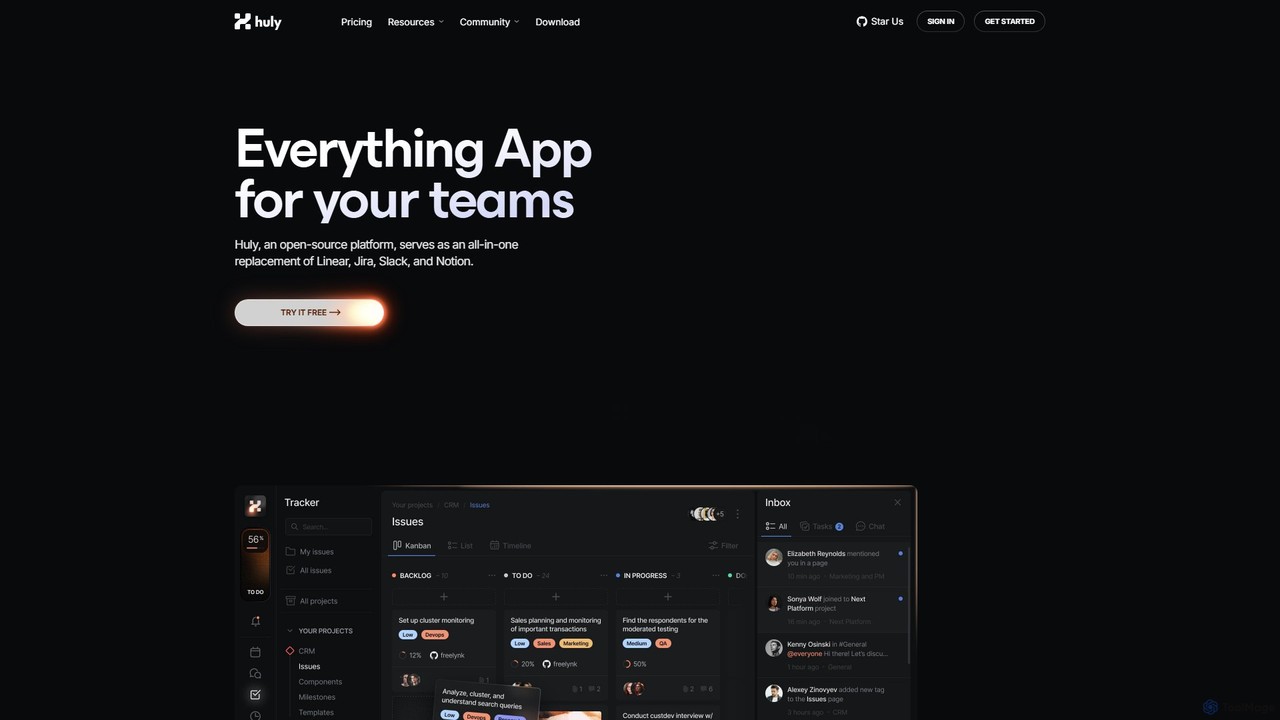
Huly is an open-source, all-in-one productivity platform designed for teams. It integrates project management, team chat, virtual offices, …

91.5K
Cinnamon AI

Cinnamon AI

Cinnamon AI is an enterprise AI solutions provider specializing in Intelligent Document Processing (IDP) and Retrieval-Augmented Generation (RAG). …

20.0K
Fibery

Fibery

Fibery is a highly flexible, all-in-one work management platform designed to replace scattered tools. It integrates project management, …

210.0K

About Knowledge Base

AI Knowledge Base tools are intelligent systems for creating, managing, and retrieving organizational information. They leverage Natural Language Processing (NLP) to understand user queries and search for answers based on meaning, not just keywords. This allows users to ask questions in plain language and receive direct, synthesized answers from various documents. These tools transform static data repositories into dynamic, conversational sources of truth, significantly improving information accessibility for teams and customers.

Core Features

  • Semantic Search: Understands the intent and context behind a query to deliver highly relevant results, even if keywords don't match exactly.
  • AI-Powered Q&A: Provides direct, synthesized answers to natural language questions by pulling information from multiple sources.
  • Automated Content Ingestion: Connects to and automatically syncs with existing data sources like Google Drive, Slack, Notion, and Confluence.
  • Content Organization: Uses AI to automatically tag, categorize, and suggest links between related pieces of information.
  • Access Control & Analytics: Manages user permissions and provides insights into what information is being searched for and where knowledge gaps exist.

Use Cases

AI Knowledge Base tools are crucial for customer support teams to power self-service portals and provide agents with instant answers. They are also widely used internally by HR, IT, and operations teams to create centralized helpdesks and employee wikis. Sales and marketing teams leverage them to quickly access product information, case studies, and competitive intelligence.

How to Choose

When selecting an AI Knowledge Base tool, evaluate its integration capabilities with your existing platforms. Assess the accuracy and speed of its semantic search and Q&A features. Consider the user interface for both content creators and end-users. Finally, review the security protocols, access control options, and the analytics provided to identify knowledge gaps.

Knowledge BaseUse Cases

1

Automating Internal Employee Support

An HR manager uses an AI Knowledge Base to centralize all company policies, benefits information, and onboarding documents. When a new employee asks a question like 'What is our remote work policy?' in the company's Slack channel, the integrated AI bot instantly provides a precise answer by pulling from the knowledge base. This reduces the HR team's repetitive workload by over 60% and ensures employees receive consistent, accurate information 24/7, improving the overall employee experience.

2

Enhancing Customer Self-Service Portals

A SaaS company embeds an AI-powered Q&A widget on its help center. Instead of browsing through long articles, customers can ask specific questions like 'How do I integrate with Salesforce?'. The AI synthesizes information from technical documentation and tutorials to provide a step-by-step answer directly in the widget. This approach deflects up to 40% of incoming support tickets, allowing the support team to focus on more complex issues and improving customer satisfaction with instant resolutions.

3

Accelerating Sales Team Enablement

A sales team connects their AI Knowledge Base to various sources, including CRM data, marketing collateral, and competitive analysis reports. During a client call, a sales representative can quickly ask, 'What are our key differentiators against Competitor X?' The system instantly provides a concise summary with links to relevant case studies and battle cards. This immediate access to critical information helps the sales team handle objections effectively, shorten sales cycles, and close more deals.

4

Streamlining Technical Documentation Access

For a software development team, the AI Knowledge Base ingests all API documentation, coding standards, and architectural decision records. A developer working on a new feature can ask, 'What's the standard procedure for database schema migration?' instead of searching through a complex wiki. The tool provides the exact steps, relevant code snippets, and links to the full documentation, saving significant development time and ensuring adherence to best practices.

5

Centralizing Research and Market Intelligence

A market research firm uploads hundreds of industry reports, academic papers, and news articles into their AI Knowledge Base. An analyst can then query the system with complex questions like, 'Summarize the key trends in renewable energy adoption in Southeast Asia since 2020.' The AI synthesizes information across all documents to provide a concise, data-backed summary with source citations. This transforms weeks of manual research into a task that takes only minutes, dramatically accelerating the delivery of insights to clients.

6

Onboarding and Training New Team Members

A company creates a dedicated onboarding space in its AI Knowledge Base, containing training videos, process documents, and FAQs. New hires are encouraged to ask the AI any questions they have, from 'How do I set up my development environment?' to 'Who is the point of contact for marketing approvals?'. This self-service approach empowers new employees to find information independently, reduces the time senior team members spend on repetitive training, and ensures a consistent and efficient onboarding process for everyone.

Knowledge BaseFrequently Asked Questions