ToolMage
Sign in

Best 1 Memory AI tools for Productivity

Popular Memory AI tools in Productivity include Rewind, helping you work more efficiently.

Rewind
Freemium

Rewind

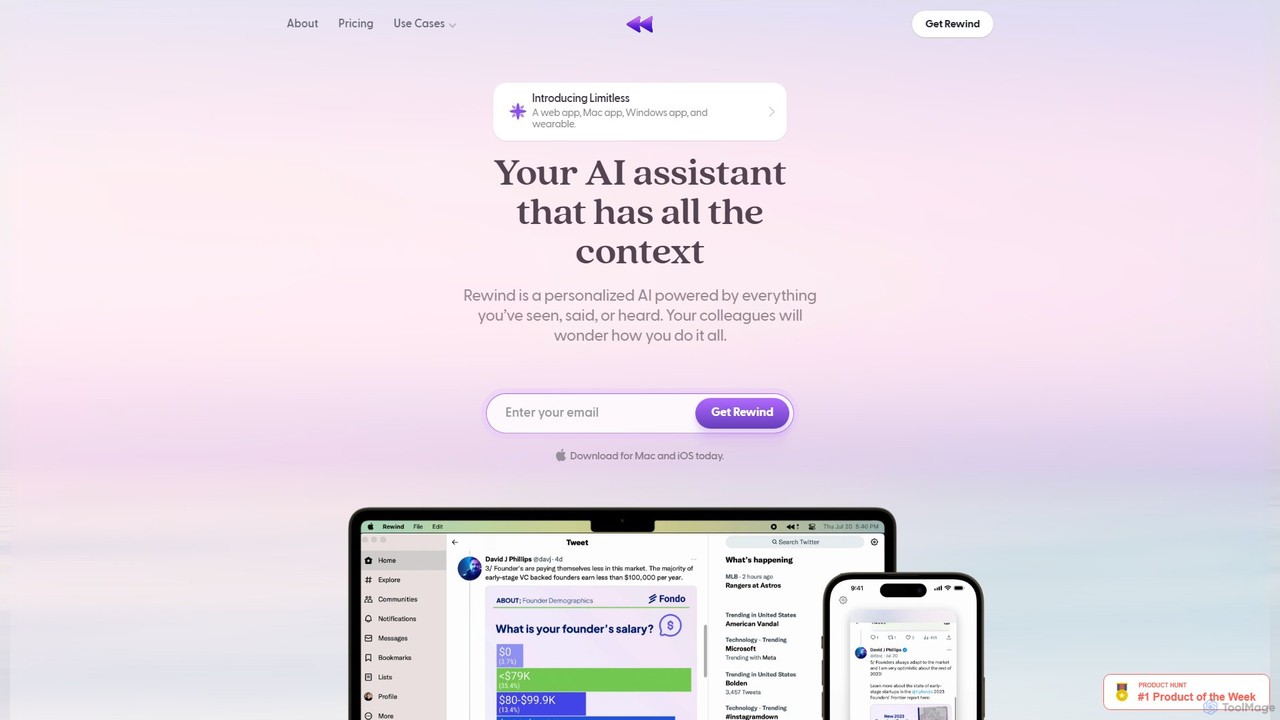
Rewind is a personalized AI assistant that acts as a search engine for your life. It securely captures everything you've seen, said, or heard on your device and makes it instantly searchable. Boost your productivity with automated meeting summaries, a perfect memory of your work, and an AI that understands your personal context, all while keeping your data private and local.

Transcription
Visits 31.5KFavorites 115Likes 94

About Memory

AI Memory tools are a specialized category of AI-powered applications designed to augment human cognitive abilities by intelligently capturing, storing, organizing, and retrieving information. These tools leverage advanced natural language processing (NLP), semantic search, and sometimes knowledge graph technologies to create a persistent, context-aware digital memory. They significantly enhance personal and team productivity by offloading the burden of information recall, making knowledge instantly accessible and interconnected.

Core Features

  • Contextual Capture: Automatically records and indexes information from various sources (notes, meetings, web pages) with semantic understanding.
  • Intelligent Organization: Organizes data not just by tags or folders, but by understanding relationships, concepts, and user intent.
  • Semantic Retrieval: Allows users to find information using natural language queries, surfacing relevant data even if exact keywords aren't present.
  • Proactive Recall: Can proactively suggest relevant information based on current context, tasks, or ongoing conversations.
  • Knowledge Graph Integration: Builds interconnected networks of information, revealing relationships and insights across disparate data points.

Use Cases

Professionals across various fields utilize AI Memory tools to manage their vast information streams. Researchers use them to build comprehensive knowledge bases from articles and experiments, while project managers rely on them to track project details, decisions, and action items across numerous meetings. Content creators leverage these tools to store inspirations, research snippets, and past creative assets, enabling quick retrieval for new projects.

How to Choose

When selecting an AI Memory tool, consider its integration capabilities with your existing workflows (e.g., calendar, communication apps), the breadth of data types it can capture (text, audio, visual), its privacy and security features for sensitive information, and the sophistication of its retrieval mechanisms. Evaluate the learning curve and whether it offers proactive suggestions that genuinely add value to your daily tasks.

Featured tool rankings

Memory use cases

1

Building a Personal Research Knowledge Base

Researchers and students can use AI Memory tools to automatically capture, categorize, and link information from academic papers, web articles, and personal notes. By understanding the semantic relationships between concepts, the tool allows for natural language queries to retrieve specific facts, arguments, or related studies, significantly accelerating literature reviews and thesis writing.

2

Intelligent Meeting Summary and Action Item Tracking

Team leads and project managers leverage these tools to record and transcribe meetings, then intelligently summarize key discussions and identify actionable items. The AI can link these items to relevant documents or past conversations, ensuring that follow-ups are context-rich and easily accessible, reducing the effort required for manual note-taking and task assignment.

3

Enhancing Customer Support with Contextual Recall

Customer service agents can utilize AI Memory tools to instantly access a customer's complete interaction history, past issues, and relevant product information. This contextual recall capability allows agents to provide more personalized and efficient support, reducing resolution times and improving customer satisfaction by having all necessary information at their fingertips.

4

Creative Idea Management and Inspiration Retrieval

Content creators, designers, and marketers use AI Memory tools to store diverse inspirations, from visual mood boards and article snippets to brainstorming sessions. When starting a new project, they can query their digital memory using conceptual terms, and the tool will surface relevant past ideas, assets, or related concepts, fostering innovation and preventing creative blocks.

5

Personalized Learning and Skill Development Tracking

Individuals engaged in continuous learning or skill acquisition can employ AI Memory tools to track their progress, store learning resources, and recall specific concepts. The tool can intelligently connect new information with existing knowledge, create personalized review schedules, or even quiz users on topics, making the learning process more effective and tailored.

6

Augmenting Daily Productivity for Busy Professionals

Busy professionals can use AI Memory tools as a personal assistant to remember tasks, appointments, important details from conversations, and personal preferences. The tool can proactively remind them of upcoming deadlines, surface relevant information before a meeting, or help recall details about a contact, effectively extending their cognitive capacity and reducing mental load.

Memory FAQ

What are AI Memory tools?

AI Memory tools are advanced software applications that use artificial intelligence to help users capture, store, organize, and retrieve information more effectively than traditional methods. They go beyond simple storage by understanding the context and meaning of data, enabling intelligent search and proactive recall. Their core purpose is to augment human memory and cognitive functions.

How do AI Memory tools differ from traditional note-taking apps?

Traditional note-taking apps primarily offer static storage and basic organization (folders, tags). AI Memory tools, however, leverage NLP and semantic understanding to actively process and connect information. They can understand the meaning of your notes, link disparate pieces of data, and allow for natural language queries, providing contextual insights and proactive suggestions that traditional apps cannot.

What are the key features to look for in an AI Memory tool?

When choosing an AI Memory tool, prioritize features like robust contextual capture from various sources (web, documents, audio), intelligent organization that goes beyond manual tagging, and powerful semantic search capabilities. Also, consider proactive recall features, integration with your existing productivity suite, strong privacy controls, and the ability to build a personal knowledge graph for deeper connections.

Who can benefit most from using AI Memory tools?

AI Memory tools are highly beneficial for anyone dealing with a high volume of information or needing to recall complex details regularly. This includes researchers, students, content creators, project managers, customer support agents, and busy professionals. Essentially, anyone looking to reduce cognitive overload, improve knowledge retention, and enhance decision-making through better information access will find these tools invaluable.

How do AI Memory tools enhance productivity?

AI Memory tools enhance productivity by significantly reducing the time and effort spent on information recall and organization. They automate the capture and indexing of data, provide instant access to contextually relevant information, and can even proactively surface insights. This allows users to focus more on creative and strategic tasks, make faster, more informed decisions, and avoid duplicating efforts due to forgotten details.