ToolMage
Sign in

Best 1 Mockup Tools for Productivity

Popular Mockup Tools in Productivity include UI Faces, helping you work more efficiently.

UI Faces
Freemium

UI Faces

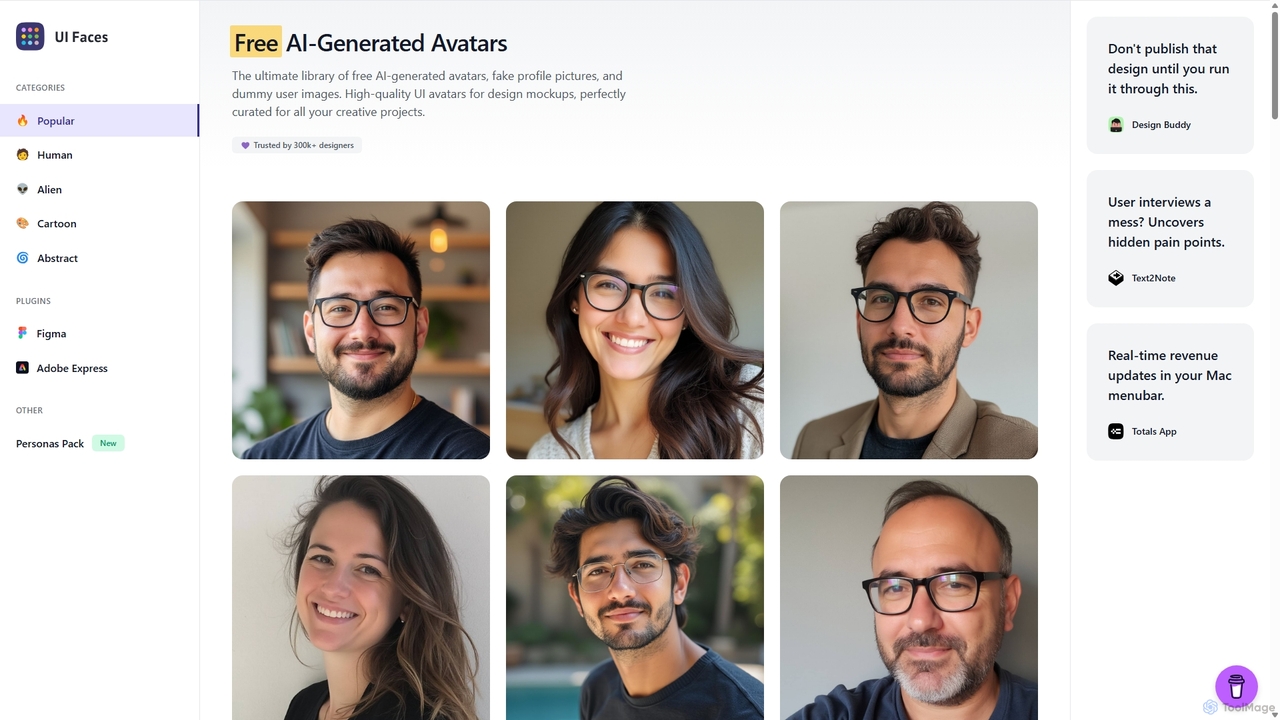
UI Faces is the ultimate library of free, high-quality AI-generated avatars and fake profile pictures for design mockups. It provides designers and developers with a vast collection of dummy user images to enhance the realism of their creative projects, all free for commercial use. It also offers a premium User Personas Pack.

Graphics
Visits 28.4KFavorites 159Likes 163

About Mockup Tools

Mockup Tools are specialized AI-powered applications designed to create static or interactive visual representations of user interfaces, products, or concepts. These tools leverage artificial intelligence to streamline the design process, offering features like automated layout suggestions, smart component libraries, and realistic rendering capabilities. As a vital part of the productivity suite, they empower designers, product managers, and marketers to quickly visualize ideas, gather feedback, and iterate on designs before committing to costly development, significantly enhancing efficiency in the early stages of product development.

Core Features

  • AI-Powered Layout & Suggestions: Automatically generates design layouts and suggests UI elements based on content and user intent.
  • Smart Component Libraries: Provides pre-built, customizable UI components that adhere to design systems, ensuring consistency and accelerating creation.
  • Interactive Mockup Creation: Enables adding clickable areas and basic navigation flows to simulate user experience without coding.
  • Realistic Rendering & Theming: Applies realistic textures, shadows, and branding themes to mockups for a high-fidelity visual representation.
  • Collaborative Design Environment: Facilitates real-time feedback, commenting, and version control among team members.

Use Cases

Mockup Tools are indispensable for UI/UX designers to quickly translate wireframes into high-fidelity visual designs. Product managers utilize them to present new features or product concepts to stakeholders, ensuring alignment before development. Marketing teams leverage these tools to visualize campaign assets, website layouts, or app interfaces for promotional materials, allowing for early feedback and refinement.

How to Choose

When selecting a Mockup Tool, consider its AI capabilities for automation and intelligent suggestions, which can significantly speed up your workflow. Evaluate the breadth and customizability of its component library to ensure it aligns with your design system. Assess its collaboration features for team efficiency and its ability to create interactive elements for user testing. Finally, review its integration options with other design or project management software and its pricing model relative to your budget and team size.

Mockup Tools use cases

1

Rapid UI/UX Prototype Creation

UI/UX designers can quickly transform low-fidelity wireframes into high-fidelity, interactive mockups. By leveraging AI-powered suggestions for layouts and components, designers can visualize user flows and interactions, gather early feedback, and iterate on designs much faster than traditional methods, significantly reducing design cycle time.

2

Product Feature Visualization for Stakeholders

Product managers use mockup tools to create compelling visual representations of upcoming features or entire product concepts. These detailed mockups help communicate complex ideas to non-technical stakeholders, secure buy-in, and align teams on the product vision without requiring extensive development resources.

3

Marketing Campaign Visuals Generation

Marketing professionals can design and visualize various campaign assets, such as landing pages, social media ads, or email templates. Mockup tools allow for quick experimentation with different layouts, imagery, and calls-to-action, enabling marketers to test visual effectiveness before launching campaigns.

4

User Flow Simulation and Testing

Designers can build interactive mockups to simulate user journeys through an application or website. This allows for early-stage usability testing with potential users, identifying pain points and optimizing the user experience before any code is written, leading to more intuitive and user-friendly products.

5

Design System Component Integration

Teams adhering to a strict design system can utilize mockup tools that integrate with their component libraries. This ensures that all mockups are built using approved, consistent UI elements, maintaining brand consistency across all digital products and accelerating the design process by reusing established components.

6

Responsive Design Mockup Generation

Web and app designers can create mockups that demonstrate how a design will adapt across different screen sizes and devices (e.g., desktop, tablet, mobile). AI-powered tools can assist in automatically adjusting layouts and elements, ensuring a seamless and optimized user experience on any platform.

Mockup Tools FAQ

What are Mockup Tools?

Mockup Tools are software applications used to create static or interactive visual models of a design, typically for user interfaces, websites, or applications. They provide a realistic representation of the final product's appearance and functionality, allowing designers and stakeholders to visualize concepts, gather feedback, and make design decisions before development begins. These tools often include libraries of UI components, styling options, and sometimes AI features for faster creation.

How do AI-powered Mockup Tools differ from traditional ones?

AI-powered Mockup Tools enhance traditional design processes by automating repetitive tasks and offering intelligent suggestions. Unlike traditional tools that rely solely on manual placement, AI tools can generate layout options, suggest relevant UI components based on context, and even apply design system rules automatically. This significantly accelerates the mockup creation process, improves consistency, and allows designers to focus more on creative problem-solving rather than tedious adjustments.

What are the key features to look for in a Mockup Tool?

When choosing a Mockup Tool, prioritize features like a comprehensive and customizable UI component library for efficiency and consistency. Look for interactive capabilities that allow you to simulate user flows and gather meaningful feedback. Collaboration features, such as commenting and version control, are crucial for team environments. Additionally, consider AI-driven automation for layout suggestions and design system integration, as well as export options for various formats and integration with other design software.

Who benefits most from using Mockup Tools?

Mockup Tools are highly beneficial for UI/UX designers, product managers, and marketing professionals. Designers use them to visualize and iterate on interfaces quickly. Product managers leverage them to communicate product ideas to stakeholders and development teams effectively. Marketing teams utilize mockups to plan and visualize digital campaign assets. Essentially, anyone involved in the early stages of digital product or content creation benefits from clearly visualizing concepts before committing to development.

What's the difference between a mockup, a wireframe, and a prototype?

A wireframe is a low-fidelity, black-and-white blueprint focusing on layout, content, and functionality, without visual design elements. A mockup is a mid-to-high-fidelity static visual representation that includes colors, typography, imagery, and branding, showing how the final product will look. A prototype is an interactive, high-fidelity simulation of the final product, allowing users to click through and experience the user flow, often used for testing usability and interactions. Mockups bridge the gap between wireframes and prototypes, adding visual detail to the structure.