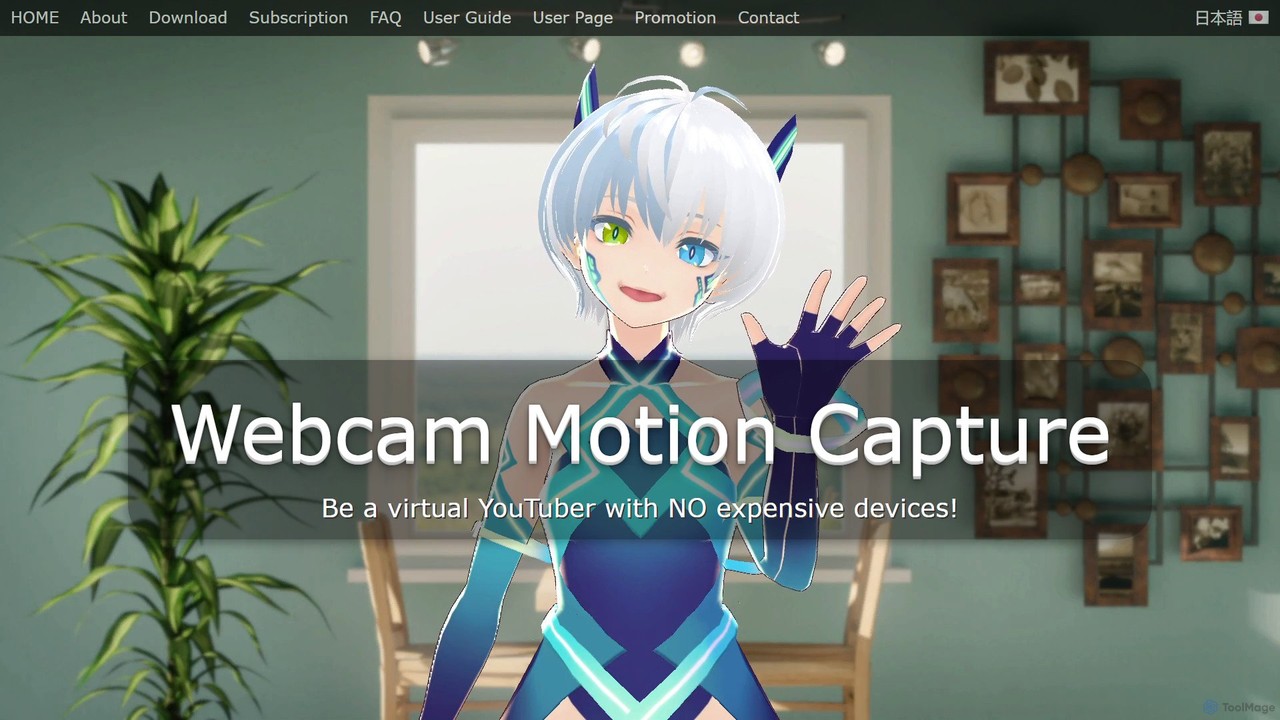
Webcam Motion Capture
An AI-powered application that enables real-time hand, body, and facial motion capture using only a standard webcam. It …
An AI-powered application that enables real-time hand, body, and facial motion capture using only a standard webcam. It allows users to animate 3D VRM avatars for VTubing, live streaming, and video creation without needing expensive, specialized hardware. Supports Windows and macOS.
About Motion Capture
AI Motion Capture tools are a class of software that uses computer vision to extract human movement data from standard video footage. These tools leverage deep learning models to identify key body points and translate them into a 3D skeleton, eliminating the need for specialized suits or markers. This technology significantly lowers the barrier to creating realistic character animations and biomechanical analyses. It provides a fast, accessible, and cost-effective alternative to traditional motion capture systems, making it a powerful asset within the productivity toolkit for creators and analysts.
Core Features
- Markerless Tracking: Captures motion directly from video using only a camera, without requiring physical sensors or suits.
- 3D Pose Estimation: Converts 2D video input into a three-dimensional skeletal animation rig.
- Multi-Person Detection: Identifies and tracks the movements of multiple individuals within a single video frame.
- Data Export Formats: Allows exporting animation data in standard formats like FBX, BVH, or GLB for use in 3D software.
- Real-time Processing: Some tools offer the ability to capture and apply motion to a digital avatar live.
Use Cases
AI Motion Capture is widely used by indie game developers, animators, and VFX artists for rapid character animation and pre-visualization. It's also applied in sports science for biomechanical analysis of athletes, in ergonomics to assess workplace safety, and by VTubers for driving their digital avatars in real-time streams.
How to Choose
When selecting an AI Motion Capture tool, consider the accuracy and smoothness of the captured data, as some may produce jitter. Evaluate the supported video input types (e.g., single camera, pre-recorded). Check the available export formats to ensure compatibility with your existing software (like Blender, Unity, or Unreal Engine). Finally, compare pricing models, which can range from per-second processing fees to monthly subscriptions.

Motion CaptureUse Cases
Creating Character Animations for Indie Games
An indie game developer needs to create realistic animations for their main character but lacks the budget for a traditional mocap studio. Using an AI Motion Capture tool, they record themselves performing actions like walking, running, and jumping with a smartphone camera. The tool processes the video and generates a 3D skeleton animation. The developer then exports this animation as an FBX file and imports it into their game engine, like Unity or Unreal Engine, applying it directly to their character model. This process allows them to produce dozens of high-quality animations in a single day, drastically reducing production time and costs.
Driving VTuber Avatars for Live Streaming
A content creator, also known as a VTuber, wants to stream live with a digital avatar that mirrors their movements in real-time. They set up a webcam and use an AI Motion Capture tool that offers real-time tracking. The software captures their upper body, head, and arm movements and instantly translates them to their 3D avatar in the streaming software. This allows for expressive and engaging interactions with their audience, as the avatar can gesture, nod, and react dynamically to events in the stream. The low latency and accessibility of the AI tool mean they don't need a complex, multi-sensor setup to achieve a professional-looking result.
Analyzing Athletic Performance for Coaching
A sports coach wants to analyze a tennis player's serve to identify areas for improvement. They record the athlete serving from a side-on angle with a high-speed camera. The footage is uploaded to an AI Motion Capture tool specializing in biomechanics. The tool generates a 3D skeletal overlay on the video and provides data on joint angles, velocity, and movement arcs. The coach can then review the data to pinpoint inefficiencies in the player's kinetic chain, such as improper shoulder rotation or timing issues. This data-driven feedback helps the athlete make precise adjustments to their technique, leading to a more powerful and efficient serve.
Rapid Prototyping for VFX Pre-visualization
A VFX supervisor is planning a complex action sequence for a film. Before committing to expensive CGI rendering, they need to visualize the timing and movement of digital characters interacting with live-action actors. Using a simple camera on set, they film a stunt performer acting out the character's part. This video is processed through an AI Motion Capture tool overnight. The next morning, the supervisor has a 3D animation that they can place into a virtual set. This allows the director and cinematographer to review the sequence, make adjustments to camera angles, and approve the action's flow, saving weeks of guesswork and potential rework in post-production.
Assessing Workplace Ergonomics and Safety
An ergonomics consultant is tasked with evaluating the risk of injury for workers on a manufacturing assembly line. They record videos of employees performing repetitive tasks like lifting and reaching. The consultant uploads these videos to an AI Motion Capture tool, which analyzes the movements and quantifies stress on specific joints, such as the lower back and shoulders. The system can flag awkward postures or movements that exceed safety thresholds. Based on this objective data, the consultant can recommend specific changes to the workstation layout or task procedures to reduce physical strain and prevent long-term injuries, creating a safer work environment.
Creating Educational Content for Physical Therapy
A physical therapist wants to create clear, animated instructional videos for patients to follow for their home exercise programs. They use an AI Motion Capture tool to record themselves performing an exercise, such as a proper squat. The tool captures the motion and allows the therapist to apply it to a simple, clean 3D character model. They can then add text overlays and voice-overs to highlight key points, like maintaining a straight back or not letting knees go past the toes. This results in a professional and easy-to-understand educational video that improves patient adherence and ensures exercises are performed correctly and safely at home.