ToolMage
Sign in

Best 1 Multitasking AI tools for Productivity

Popular Multitasking AI tools in Productivity include PolyGPT, helping you work more efficiently.

Free

PolyGPT

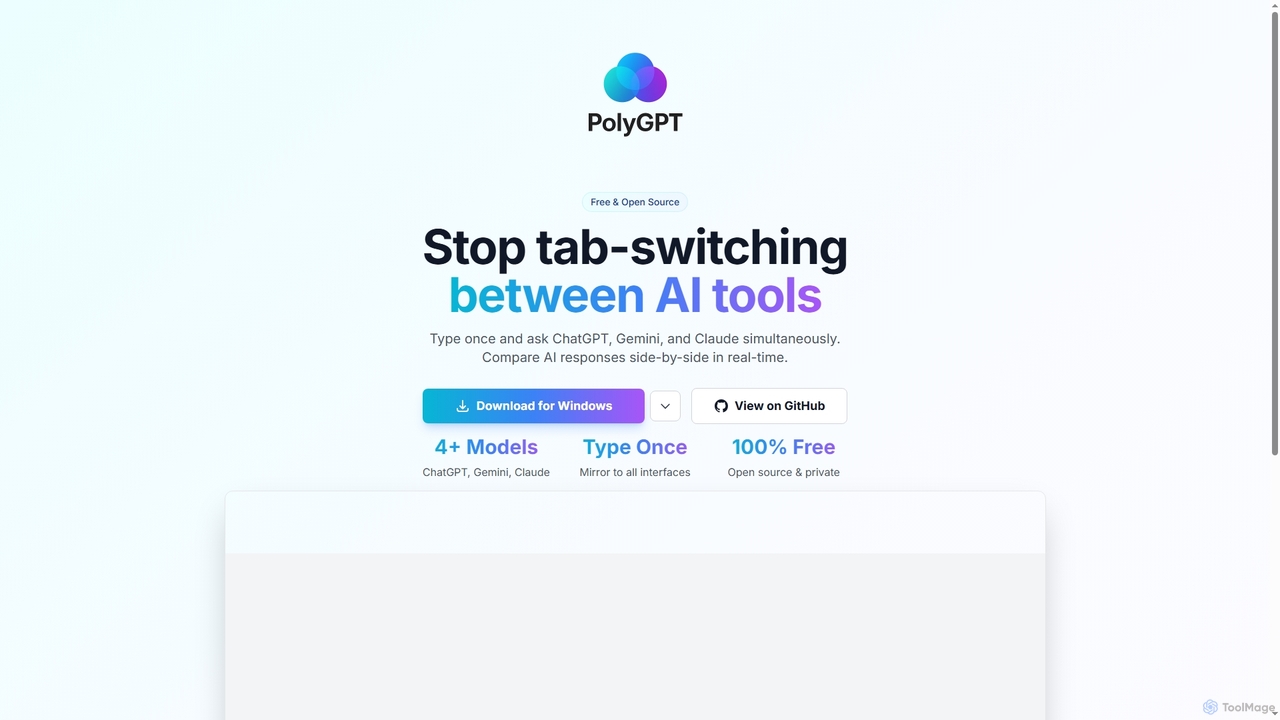
PolyGPT is a free and open-source desktop application that allows users to chat with multiple AI models, including ChatGPT, Gemini, and Claude, simultaneously. It eliminates tab-switching by enabling users to type a prompt once and receive side-by-side, real-time responses from various AIs for easy comparison and enhanced productivity.

Open Source
Visits 4.6KFavorites 117Likes 116

About Multitasking

Multitasking AI tools are designed to streamline and automate the execution of multiple related tasks or workflows concurrently. These tools leverage artificial intelligence to manage diverse operations, from data processing to content generation, often integrating various AI models or services. Their primary value lies in enhancing overall productivity by enabling users to handle complex projects and diverse responsibilities more efficiently, reducing manual effort and context switching.

Core Features

  • Automated Workflow Orchestration: Connects and automates sequences of tasks across different applications or AI models.
  • Simultaneous Task Processing: Executes multiple data analysis, content generation, or communication tasks in parallel.
  • Context Switching Minimization: Centralizes information and actions, reducing the need to jump between various platforms.
  • Intelligent Prioritization: Uses AI to assess task importance and dependencies, optimizing execution order.
  • Cross-Platform Integration: Seamlessly works with a wide range of third-party tools and services.

Applicable Scenarios

Marketing teams can use these tools to simultaneously generate social media posts, email newsletters, and ad copy from a single brief. Project managers can automate the creation of meeting summaries, task assignments, and progress reports across different projects. Developers might leverage them for parallel code generation, testing, and documentation updates.

How to Choose

When selecting a Multitasking AI tool, consider its integration capabilities with your existing tech stack, the breadth of tasks it can automate, and its ability to handle complex, multi-step workflows. Evaluate the flexibility of its customization options, the intuitiveness of its interface for setting up automations, and its scalability to grow with your operational needs.

Featured tool rankings

Multitasking use cases

1

Managing Multiple Client Projects

A project manager overseeing several client projects simultaneously uses AI multitasking tools to track progress across all initiatives. The AI automatically flags conflicting deadlines, suggests optimal resource reallocation based on team availability, and consolidates communication from various project management and communication platforms into a unified dashboard. This enables the manager to switch contexts seamlessly between projects, ensuring no detail is missed and all deadlines are met efficiently.

2

Automating Content Creation & Distribution

A marketing specialist uses a Multitasking AI to simultaneously draft blog posts, generate social media captions, and schedule email campaigns based on a single content brief. This streamlines the entire content lifecycle, ensuring consistent messaging across platforms and significantly reducing manual effort in content adaptation and scheduling.

3

Streamlining Customer Support Workflows

A customer service manager deploys Multitasking AI to handle incoming queries by simultaneously categorizing tickets, drafting personalized responses, and updating CRM records. This allows support agents to focus on complex issues, improving response times and overall customer satisfaction by automating routine interactions.

4

Streamlining Content Production Workflow

A content creator, such as a blogger or social media manager, needs to generate ideas, research topics, write drafts, edit, schedule posts, and engage with audiences across multiple platforms. AI multitasking tools integrate research assistants, writing aids, scheduling platforms, and social media management dashboards. They can suggest trending topics, automate post scheduling across channels, and summarize engagement metrics, allowing the creator to switch between creative and administrative tasks efficiently without losing focus, leading to faster content cycles and consistent output.

5

Synthesizing Information from Diverse Sources

A market researcher or data analyst is tasked with gathering, analyzing, and synthesizing vast amounts of information from various databases, reports, and web sources for a comprehensive report. AI multitasking tools can simultaneously monitor multiple data feeds, extract key insights from unstructured text, summarize lengthy documents, and identify patterns across disparate datasets. This significantly reduces manual data processing time, allowing the analyst to focus on higher-level interpretation and deliver more comprehensive and accurate reports much faster.

6

Accelerating Research & Data Synthesis

A market researcher utilizes Multitasking AI to concurrently analyze multiple data sources, extract key insights, and summarize findings into a comprehensive report. The AI can process vast amounts of text, identify trends, and present them in a structured format, drastically cutting down research time and effort.

7

Handling Concurrent Customer Inquiries

A customer support agent often manages multiple customer chats, emails, and calls simultaneously, requiring quick access to information and personalized responses. AI multitasking tools provide real-time context switching between conversations, instantly retrieve relevant knowledge base articles, and suggest personalized responses based on customer history and inquiry type. They also prioritize urgent inquiries, enabling agents to efficiently handle a higher volume of interactions, leading to improved response times and higher customer satisfaction.

8

Managing Project Communications & Updates

A project lead employs Multitasking AI to automatically generate daily stand-up summaries from team chat logs, update project management boards with task statuses, and send personalized progress reports to stakeholders. This ensures all team members and stakeholders are consistently informed without manual aggregation of updates.

9

Optimizing E-commerce Operations

An e-commerce manager uses Multitasking AI to simultaneously update product descriptions across multiple platforms, generate targeted ad copy for new arrivals, and analyze sales data to suggest pricing adjustments. This integrated approach enhances product visibility, marketing effectiveness, and operational efficiency for online stores.

10

Managing Code, Documentation, and Communication

A software developer often juggles coding tasks, reviewing pull requests, writing documentation, attending meetings, and communicating with team members across different platforms. AI multitasking tools integrate IDEs, version control systems, documentation platforms, and communication apps. They can summarize meeting notes, suggest code improvements, automatically update task statuses based on code commits, and prioritize notifications. This minimizes context switching overhead, streamlines the development workflow, reduces errors, and improves overall team collaboration by keeping the developer focused on high-value tasks.

11

Overseeing Operations, Marketing, and Finance

A small business owner simultaneously manages sales, marketing campaigns, customer relations, inventory, and financial reporting. AI multitasking platforms consolidate data from CRM, accounting software, marketing automation tools, and inventory systems. They can generate summary reports, flag critical issues (e.g., low stock, overdue invoices), automate routine administrative tasks, and provide a unified view of business operations. This allows the owner to make informed decisions across all domains, leading to better operational oversight, proactive problem-solving, and efficient resource allocation.

12

Personalizing Learning & Development Paths

An HR professional implements Multitasking AI to assess employee skill gaps, recommend relevant training modules, and track completion progress across various learning platforms. The AI can simultaneously manage individual learning paths, ensuring continuous professional development tailored to each employee's needs and company goals.

Multitasking FAQ

What are AI Multitasking tools?

AI Multitasking tools are advanced software solutions that use artificial intelligence to help individuals and teams manage and execute multiple tasks or projects simultaneously. Unlike traditional task managers, they actively assist in automating context switching, intelligently prioritizing workloads, and integrating various applications to streamline complex workflows. Their core purpose is to enhance productivity by minimizing manual effort and cognitive load associated with juggling diverse responsibilities.

What are Multitasking AI tools?

Multitasking AI tools are advanced artificial intelligence applications designed to manage and execute multiple distinct but often related tasks or workflows simultaneously. They leverage AI to automate complex sequences, integrate various functions, and minimize the need for manual intervention or context switching, significantly boosting productivity.

How do I choose the best AI Multitasking tool for my needs?

To choose the best AI Multitasking tool, evaluate its integration capabilities with your existing software ecosystem (e.g., CRM, project management, communication apps). Consider the sophistication of its AI for features like intelligent prioritization, context switching, and automation. Assess the user interface for intuitiveness and ease of customization to fit your specific workflows. Look for robust security protocols, scalability to accommodate team growth, and positive user reviews regarding reliability and support. A free trial can also help determine if it aligns with your operational needs.

How do Multitasking AI tools differ from general productivity tools?

While general productivity tools help streamline individual tasks, Multitasking AI tools go further by orchestrating and automating multiple tasks or entire workflows concurrently, often across different platforms. They use AI to make intelligent decisions, prioritize, and adapt, whereas traditional tools typically require more manual input for each step.

What are the main benefits of using AI for multitasking?

The main benefits of using AI for multitasking include significantly improved efficiency and productivity by automating repetitive tasks and intelligent prioritization. Users experience reduced cognitive load and context switching overhead, leading to enhanced focus and fewer errors. AI tools streamline complex workflows by integrating disparate applications, providing a unified view of ongoing tasks and projects. This results in better time management, optimized resource allocation, and the ability to handle a greater volume of work with higher accuracy and less stress.

What are the key benefits of using Multitasking AI for businesses?

Businesses benefit from Multitasking AI by achieving higher operational efficiency, reduced manual labor costs, and faster project completion times. These tools enable teams to handle larger workloads with fewer resources, improve consistency in output, and free up employees to focus on strategic, creative tasks rather than repetitive administrative work.

Can Multitasking AI tools integrate with existing software?

Yes, most Multitasking AI tools are built with robust integration capabilities, allowing them to connect seamlessly with a wide array of existing business software, including CRM systems, project management platforms, communication tools, and other AI services. This ensures a cohesive workflow without disrupting current operational ecosystems.

How do AI Multitasking tools differ from traditional project management software?

AI Multitasking tools differ from traditional project management (PM) software primarily in their active, intelligent assistance. Traditional PM software focuses on organizing tasks, setting deadlines, and tracking progress within a structured project framework. AI multitasking tools, however, go beyond mere organization by actively automating context switching, intelligently prioritizing tasks across various applications, and learning user habits to anticipate needs. They integrate disparate tools to manage the *flow* between tasks, rather than just listing them, offering a more dynamic and adaptive approach to productivity that minimizes manual intervention.

How can I choose the best Multitasking AI tool for my team?

To choose the best tool, evaluate your team's specific workflow needs and the types of tasks you want to automate simultaneously. Consider the tool's integration ecosystem, its flexibility in customizing workflows, the complexity of tasks it can handle, and its scalability. Also, assess the user interface for ease of setup and management, and compare pricing models.

What are the common challenges or limitations of AI Multitasking tools?

While powerful, AI Multitasking tools do have limitations. One challenge is the potential for over-reliance, which might reduce human critical thinking or decision-making skills over time. Initial setup and configuration can be complex, requiring significant time to integrate various applications and customize workflows. Data privacy and security concerns are also paramount, as these tools often access and process sensitive information across multiple platforms. Furthermore, if not properly configured, they can sometimes lead to information overload or create new bottlenecks, requiring continuous monitoring and adaptation to maintain optimal performance.