ToolMage
Sign in

Best 2 Paraphrasing AI tools for Productivity

Popular Paraphrasing AI tools in Productivity include Detect.ai and Cramly.ai, helping you work more efficiently.

Cramly.ai
Freemium

Cramly.ai

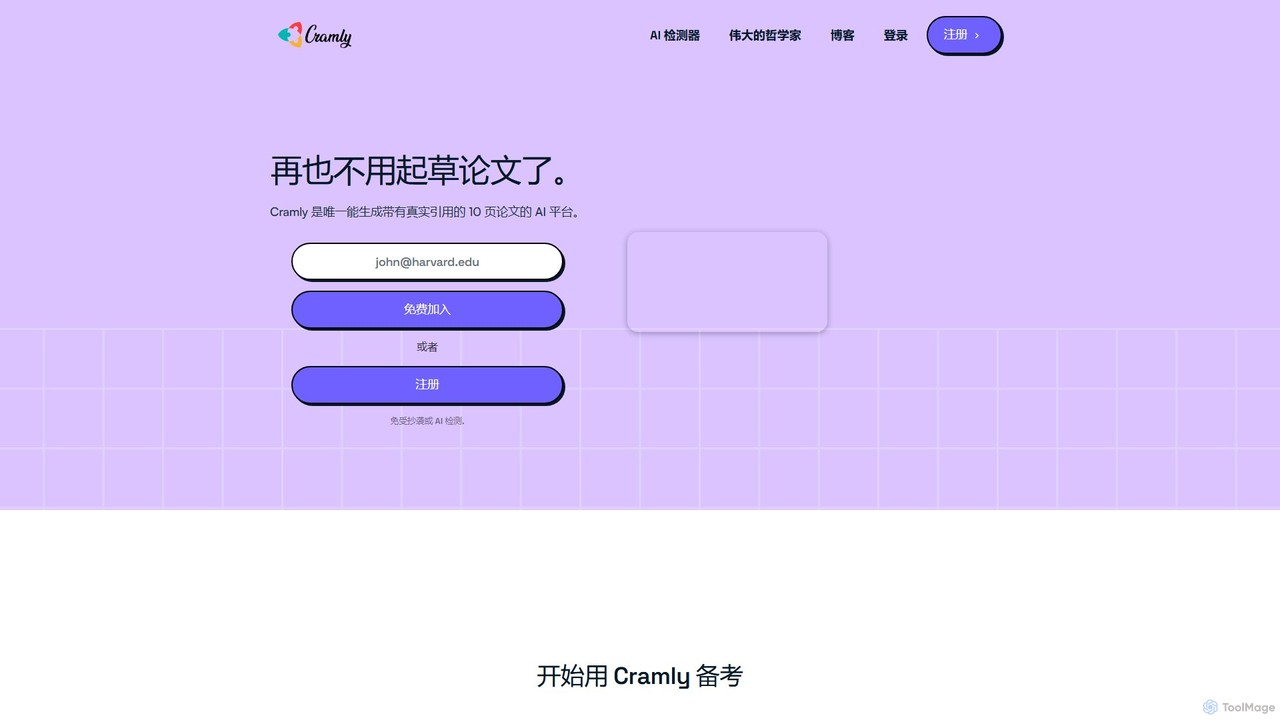
Cramly.ai is a comprehensive AI-powered academic assistant designed for students. It offers a suite of tools including an essay writer, a paraphraser, an AI content detector, and a unique philosopher Q&A feature to help streamline homework, improve writing, and ensure academic integrity.

Academic Assistance
Visits 13.6KFavorites 117Likes 124
Detect.ai
Freemium

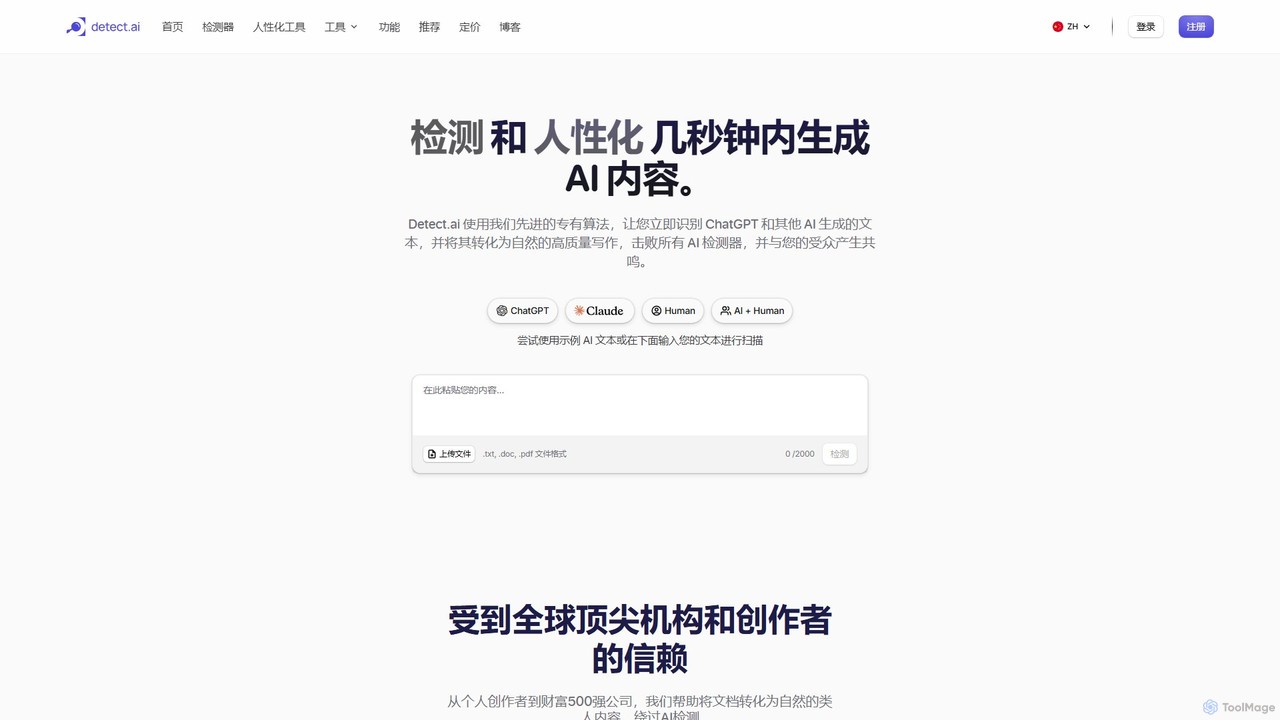
Detect.ai

Detect.ai is a powerful suite featuring an advanced AI detector and content humanizer. It identifies AI-generated text from models like ChatGPT with high accuracy and rewrites it to sound natural and authentic, ensuring it bypasses all AI detection systems while preserving the original meaning and tone.

Paraphrasing
Visits 26.1KFavorites 114Likes 111

About Paraphrasing

AI Paraphrasing tools are applications that use natural language processing to rewrite text while preserving its original meaning. These tools leverage advanced algorithms to understand context, syntax, and semantics, enabling them to replace words, restructure sentences, and adjust tone. This process helps users avoid plagiarism, improve clarity, and adapt content for different audiences or platforms. Unlike simple synonym finders, modern paraphrasing tools can handle complex sentences and offer multiple stylistic variations, from formal to casual.

Core Features

  • Sentence Restructuring: Reorganizes sentence structure and syntax to create unique variations without altering the core message.
  • Tone Adjustment: Modifies the writing style to be more formal, casual, professional, or creative to suit different contexts.
  • Synonym & Phrase Replacement: Intelligently substitutes words and phrases with contextually appropriate alternatives.
  • Clarity Enhancement: Simplifies complex sentences and jargon to make the text more readable and understandable.
  • Plagiarism Prevention: Generates original text from existing content to help users avoid accidental plagiarism in academic and professional writing.

Use Cases

Paraphrasing tools are widely used by students, content creators, marketers, researchers, and business professionals. For example, a student might use it to rephrase source material for an essay, while a marketer could adapt a single blog post into multiple social media updates. They are also valuable for simplifying technical documents for a general audience.

How to Choose

When selecting a paraphrasing tool, consider the quality and accuracy of the output to ensure the original meaning is preserved. Evaluate the range of customization options, such as different rewriting modes and tone controls. Check for integrations with your existing workflow, like browser extensions or Google Docs add-ons. Finally, assess the usage limits and pricing to find a plan that matches your needs.

Featured tool rankings

Paraphrasing use cases

1

Academic Writing and Plagiarism Avoidance

For students and researchers, maintaining academic integrity is crucial. When writing essays or research papers, they often need to incorporate information from various sources without committing plagiarism. A paraphrasing tool allows them to input a sentence or paragraph from a source, and it generates multiple alternative versions. By selecting an 'Academic' or 'Formal' tone, the tool rephrases the content using appropriate vocabulary and sentence structures, ensuring the original idea is credited but expressed uniquely. This significantly reduces the risk of accidental plagiarism and helps refine their own writing style.

2

Repurposing Marketing Content for Different Channels

A content marketer creates a detailed blog post but needs to promote it across various platforms like Twitter, LinkedIn, and an email newsletter. Each channel requires a different tone and length. Instead of rewriting manually, they use a paraphrasing tool. They can shorten key paragraphs for Twitter, adopt a professional tone for LinkedIn, and create a conversational, engaging summary for the newsletter. This allows them to efficiently generate multiple pieces of high-quality, platform-specific content from a single source, maximizing reach and engagement with significantly less effort.

3

Enhancing Clarity in Business Communication

A project manager needs to send a critical update to stakeholders, including both technical and non-technical team members. The initial draft is filled with jargon and complex sentences. To ensure everyone understands the message clearly, the manager uses a paraphrasing tool with a 'Simplify' or 'Clarity' mode. The tool rephrases the technical terms into simpler language and breaks down long sentences into more digestible ones. The result is a clear, concise, and universally understandable message that reduces ambiguity and prevents miscommunication, ensuring the project stays on track.

4

Overcoming Writer's Block and Finding New Phrasings

A copywriter is working on a new ad campaign but feels stuck, repeatedly using the same phrases. To break the creative block, they input their draft sentences into a paraphrasing tool and explore the different variations it suggests. The tool offers alternative vocabulary, sentence structures, and stylistic approaches. This process not only helps them find the perfect wording for the ad but also sparks new creative ideas for the entire campaign. It acts as a brainstorming partner, providing fresh perspectives and helping the writer move past the block to produce compelling copy.

5

Refining Translations to Sound More Natural

An international company uses machine translation to localize its website content. While grammatically correct, the initial translation often sounds stiff or unnatural to native speakers. A localization specialist then uses a paraphrasing tool on the translated text. The tool helps adjust idioms, phrasing, and sentence flow to better match the nuances of the target language. This 'polishing' step transforms a literal translation into fluent, natural-sounding prose that resonates more effectively with the local audience, improving user experience and brand perception.

6

Improving SEO by Creating Content Variations

An SEO specialist needs to create multiple unique descriptions for similar products on an e-commerce site to avoid duplicate content penalties. Manually writing hundreds of descriptions is time-consuming. By using a paraphrasing tool, they can input a base product description and instantly generate several distinct versions. The tool alters sentence structures and swaps keywords with relevant synonyms, creating unique content that search engines favor. This practice helps improve the SEO ranking for each product page while saving a massive amount of time and resources.

Paraphrasing FAQ

What is an AI Paraphrasing tool?

An AI Paraphrasing tool is a software application that uses artificial intelligence, specifically natural language processing (NLP), to rewrite a piece of text in different words while preserving its original meaning. Unlike a simple thesaurus that just replaces individual words, these tools analyze the context of the entire text to restructure sentences, adjust the tone, and provide fluent, coherent alternatives. They are commonly used to improve writing clarity, avoid plagiarism, and repurpose content for various platforms.

How to choose the right AI Paraphrasing tool?

Choosing the right tool depends on your specific needs. Consider the following factors:

  • Accuracy and Meaning Preservation: Test the tool to ensure it accurately retains the core meaning of the original text without introducing errors or awkward phrasing.
  • Customization and Control: Look for tools that offer multiple modes (e.g., formal, creative, simple) and allow you to adjust the level of change or select specific synonyms.
  • Integrations: Check if it offers browser extensions or integrates with writing platforms you use, such as Google Docs or Microsoft Word, for a seamless workflow.
  • Language Support: Ensure it supports all the languages you need to work with.
  • Usage Limits and Price: Compare the free and paid plans. A free plan might be sufficient for occasional use, but heavy users may need a subscription with higher limits and advanced features.
What is the difference between a paraphrasing tool and a summarizer?

The key difference lies in their primary function and output length. A paraphrasing tool aims to rewrite the entire original text, keeping it at a similar length but using different words and sentence structures. Its goal is to create an alternative version of the same content. In contrast, a summarizer aims to condense the original text into a much shorter version, extracting only the most important points and key information. The goal of a summarizer is to provide a brief overview, not a full-length alternative.

Can using a paraphrasing tool be considered plagiarism?

Using a paraphrasing tool can be a gray area and depends heavily on intent and proper citation. If you use it to simply reword someone else's work and present it as your own without attribution, it is plagiarism. However, when used ethically as a writing aid to rephrase your own ideas, simplify complex concepts, or explore different ways to express cited source material (while still providing proper citation), it is a legitimate use. Always check your institution's or organization's academic integrity policies. The key is to use it to enhance your own original work, not to replace it.

Who can benefit from using AI Paraphrasing tools?

A wide range of individuals and professionals can benefit from these tools. Key users include:

  • Students and Academics: To avoid plagiarism, understand complex texts, and improve the clarity of their research papers and essays.
  • Content Creators and Bloggers: To overcome writer's block, repurpose existing content for different platforms, and improve SEO by creating unique article variations.
  • Marketers and SEO Specialists: To quickly generate unique product descriptions, ad copy, and social media posts, avoiding duplicate content issues.
  • Business Professionals: To enhance the clarity and professionalism of emails, reports, and presentations.
  • Non-native Speakers: To improve their writing fluency and ensure their text sounds natural and grammatically correct in a foreign language.