
ToolMage
Sign in

Best 1 Teaching Aids AI tools for Productivity

Popular Teaching Aids AI tools in Productivity include LectureCraft, helping you work more efficiently.

LectureCraft
Paid

LectureCraft

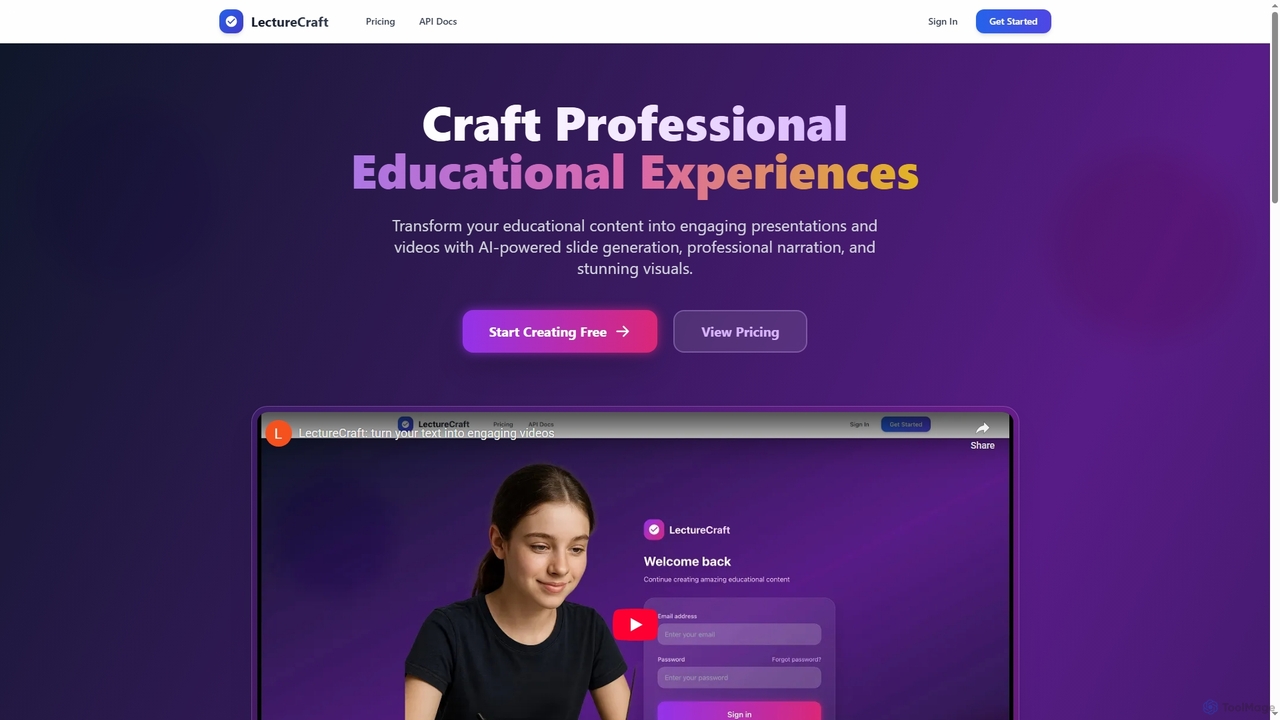
LectureCraft is an AI-powered platform designed for educators and content creators to transform text into engaging educational videos and presentations. It automates slide generation, provides natural voice-overs, and creates stunning visuals, significantly streamlining content creation in multiple languages.

Content Creation
Visits 5.4KFavorites 152Likes 156

About Teaching Aids

AI Teaching Aids are specialized tools that leverage artificial intelligence to help educators create, deliver, and manage educational content. These tools utilize technologies like natural language processing (NLP) and machine learning to automate the generation of lesson plans, quizzes, and interactive presentations. Their primary value lies in significantly reducing preparation time for teachers, enabling personalized learning paths for students, and increasing classroom engagement. As a key component of the Productivity category, they focus specifically on streamlining the educational workflow.

Core Features

  • Automated Content Generation: Instantly create lesson plans, quizzes, study guides, and presentations from source materials like text or videos.
  • Personalized Learning Paths: Adapt educational content and difficulty levels based on individual student performance and learning pace.
  • Interactive Presentations: Build dynamic and engaging slideshows with embedded polls, quizzes, and real-time feedback mechanisms.
  • Automated Assessment: Automatically grade assignments, provide instant feedback on student work, and track progress over time.

Use Cases

These tools are widely used across K-12 education, higher education, and corporate training. For instance, a high school teacher can generate a differentiated worksheet in minutes, while a university professor can create an interactive lecture to maintain student attention. Corporate trainers use them to develop scalable and consistent onboarding materials.

How to Choose

When selecting an AI Teaching Aid, consider its integration capabilities with your existing Learning Management System (LMS). Evaluate the range and quality of content it can generate for your specific subject area. Also, assess the user-friendliness for both educators and students, and review the platform's data privacy and security policies.

Teaching Aids use cases

1

Automated Quiz Generation for History Class

A high school history teacher needs to create a quiz for a chapter on the American Revolution. Instead of spending hours writing questions, they upload the chapter text or a link to a relevant article into an AI Teaching Aid. The tool analyzes the content and instantly generates a variety of questions, including multiple-choice, short-answer, and true/false formats. The teacher can review, edit, and select the questions they want, creating a comprehensive assessment in under 15 minutes, freeing up time to focus on lesson delivery and student support.

2

Creating Interactive Science Presentations

A university biology professor wants to make their lectures on cellular respiration more engaging. Using an AI presentation tool, they can create slides that include interactive elements. For example, they can embed a real-time poll asking students to predict the outcome of a metabolic process, or include an interactive diagram where students can click on different parts of a mitochondrion to learn their functions. This transforms a passive lecture into an active learning experience, helping to improve student comprehension and retention of complex topics.

3

Developing Personalized Math Practice for Students

An elementary school teacher notices that students in their class have varying levels of understanding of fractions. Using an AI Teaching Aid, the teacher can create personalized practice worksheets. The AI analyzes each student's past performance on quizzes and homework to identify specific areas of weakness, such as comparing fractions or adding fractions with unlike denominators. It then generates a unique set of problems for each student, targeting these areas. This ensures that every student receives the focused practice they need to master the concept, rather than a one-size-fits-all worksheet.

4

Designing a Corporate Onboarding Module

An HR manager is tasked with creating a new onboarding program for remote employees. They use an AI teaching tool to quickly build an interactive training module. They can upload company policy documents, product guides, and video messages from leadership. The AI tool helps structure this information into a logical course, suggests key learning objectives, and generates knowledge-check questions after each section. The final module can be accessed on-demand by new hires, ensuring a consistent and comprehensive onboarding experience for everyone, regardless of their location.

5

Generating Lesson Plans for Language Learning

A private language tutor wants to create a structured curriculum for a new student learning Spanish. Instead of starting from scratch, the tutor inputs the student's level (beginner) and learning goals (conversational fluency) into an AI tool. The AI generates a series of lesson plans, each with clear objectives, vocabulary lists, grammar points (e.g., verb conjugations), interactive activities, and homework suggestions. This provides a solid framework for the tutor, saving significant planning time and ensuring the lessons are progressive and aligned with the student's goals.

6

Providing Automated Feedback on Student Essays

An English literature teacher is overwhelmed with a large pile of essays to grade. They use an AI tool to provide initial, formative feedback. Students upload their drafts to the platform, and the AI analyzes them for common issues such as grammatical errors, awkward phrasing, and structural problems. It provides instant, constructive suggestions for improvement. This allows students to revise their work before final submission, and it enables the teacher to focus their grading time on higher-order concerns like argument strength and critical analysis, rather than repetitive grammatical corrections.

Teaching Aids FAQ

What are AI Teaching Aids?

AI Teaching Aids are software tools designed to assist educators by automating and enhancing various teaching tasks. They use artificial intelligence to perform functions like generating lesson plans, creating quizzes from source material, building interactive presentations, and providing automated feedback on student assignments. The primary goal is to save teachers' time on administrative and preparatory work, allowing them to focus more on direct student interaction and personalized instruction. These tools are part of a broader trend of using technology to make education more efficient and effective.

How to choose the right AI Teaching Aid?

Choosing the right AI Teaching Aid depends on your specific needs. Consider the following factors:

  • Subject and Grade Level: Ensure the tool is optimized for the subject matter and age group you teach. Some tools excel at humanities, while others are better for STEM.
  • LMS Integration: Check if it integrates smoothly with your school's or institution's Learning Management System (e.g., Canvas, Moodle, Google Classroom) for easy content sharing and grade syncing.
  • Ease of Use: The tool should have an intuitive interface for both you and your students. A steep learning curve can be a barrier to adoption.
  • Feature Set: Determine which features are most important to you. Do you need a quiz generator, a lesson planner, an interactive presentation builder, or all of the above?
  • Data Privacy: Review the tool's privacy policy to understand how student data is collected, used, and protected.
What's the difference between AI Teaching Aids and a Learning Management System (LMS)?

The key difference lies in their primary function. An LMS (like Canvas or Moodle) is a platform for managing and delivering education. It hosts courses, tracks student progress, manages enrollments, and serves as a central hub for communication. In contrast, an AI Teaching Aid is a tool for creating and enhancing educational content. It helps teachers generate materials like quizzes, lesson plans, and presentations that are then often delivered *through* an LMS. Think of an LMS as the classroom and an AI Teaching Aid as the smart assistant that helps you prepare the materials for that classroom.

Can AI Teaching Aids replace teachers?

No, AI Teaching Aids are not designed to replace teachers. They are intended to be powerful assistants that augment a teacher's abilities. By automating time-consuming tasks like grading, lesson planning, and content creation, these tools free up educators to focus on what humans do best: mentoring, inspiring, providing emotional support, and facilitating complex, nuanced discussions. The goal is a collaborative relationship where AI handles the repetitive work, and teachers focus on high-impact, personalized student engagement.

Who can benefit from using AI Teaching Aids?

A wide range of educators and professionals can benefit from these tools. Key users include:

  • K-12 Teachers: For creating differentiated learning materials, generating quizzes, and saving time on lesson planning.
  • University Professors and Lecturers: To build engaging presentations for large lectures and automate the grading of formative assessments.
  • Corporate Trainers and HR Professionals: For quickly developing standardized and scalable onboarding and training modules.
  • Online Course Creators: To structure curriculum, generate content ideas, and create assessments for their digital courses.
  • Private Tutors: To create personalized learning plans and practice materials tailored to individual student needs.