
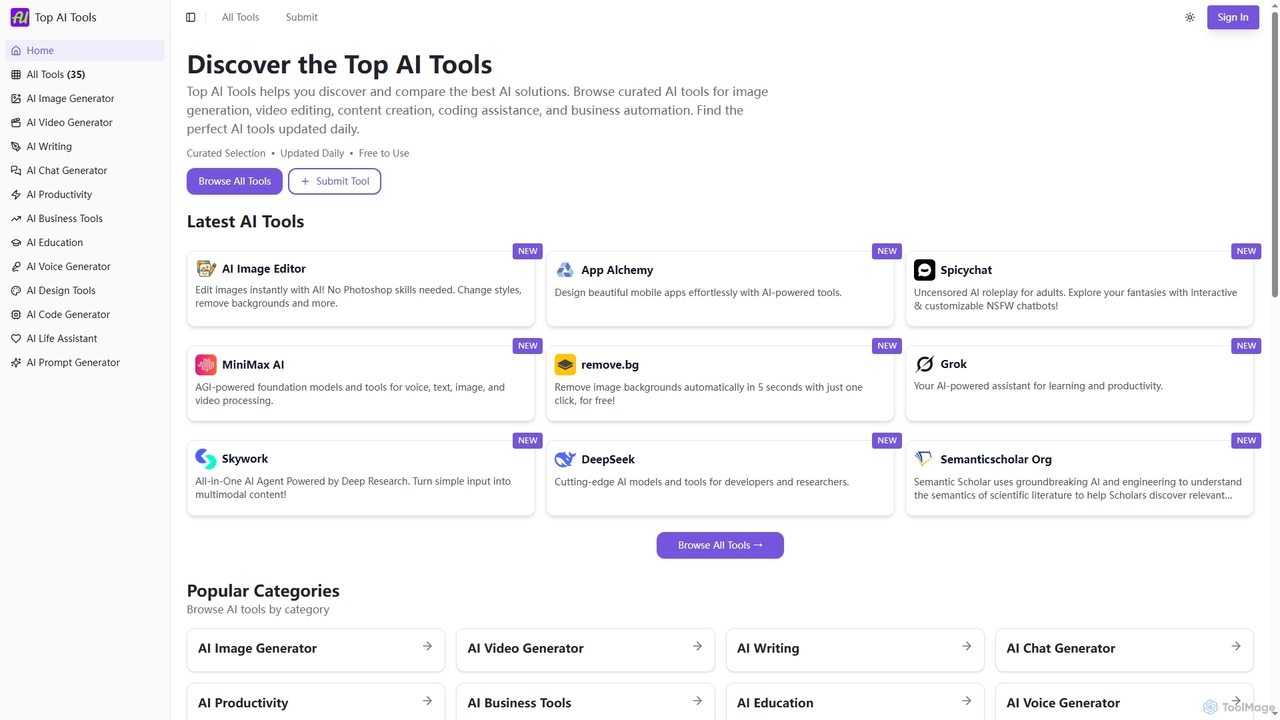
Top AI Tools
Top AI Tools is a comprehensive, free-to-use directory that helps users discover, compare, and explore the best AI-powered …
Top AI Tools is a comprehensive, free-to-use directory that helps users discover, compare, and explore the best AI-powered software solutions across various categories. It provides curated listings, detailed information on features and pricing, and daily updates to simplify the search for the perfect AI tool for any need.
About Tool Comparison
Tool Comparison platforms are specialized services that use data aggregation and AI to help users evaluate and select software or products. They systematically gather information on features, pricing, and user reviews, presenting it in a structured, side-by-side format. This approach significantly reduces research time and enables more informed decision-making, directly enhancing productivity. These platforms often employ natural language processing to summarize qualitative feedback, providing insights beyond simple feature checklists.
Core Features
- Side-by-Side Matrix: Visually compare features, specifications, and limits across multiple tools in a structured table.
- Aggregated User Reviews: Consolidate and analyze feedback from various sources to identify common pros and cons.
- Pricing Model Analysis: Deconstruct complex pricing tiers and calculate estimated costs based on user-defined parameters.
- Feature Filtering & Search: Narrow down options based on specific functionalities, integrations, or platform compatibility.
Applicable Scenarios
These tools are ideal for business decision-makers, IT managers, and marketing teams selecting new software such as CRM or marketing automation platforms. They are also valuable for individual creators, developers, and freelancers choosing tools for their specific workflows, from project management to design software.
Selection Criteria
When selecting a tool comparison platform, consider the breadth and depth of its database and the recency of the data. Evaluate the objectivity of its analysis, the clarity of its user interface, and whether it covers your specific industry or tool category in sufficient detail.
Tool ComparisonUse Cases
Selecting a CRM for a Small Business
A startup founder needs to choose a Customer Relationship Management (CRM) system to manage sales leads and customer interactions. Using a tool comparison platform, they can directly compare options like HubSpot, Salesforce, and Zoho. The platform presents a clear matrix showing feature availability in free vs. paid tiers, pricing per user, and integration capabilities with their existing email marketing tool. AI-powered review summaries highlight which CRM is consistently praised for its ease of use, a critical factor for a small team without a dedicated IT department.
Choosing a Marketing Automation Platform
A marketing manager is tasked with selecting a platform to automate email campaigns and user journeys. The decision involves comparing Mailchimp, ConvertKit, and ActiveCampaign. A comparison tool is used to filter platforms based on essential features like A/B testing, advanced segmentation, and native e-commerce integrations. The pricing analysis feature is particularly useful, as it can calculate the total cost for their specific contact list size (e.g., 50,000 contacts), revealing hidden costs or scaling issues not immediately obvious on the pricing pages.
Comparing Cloud Providers for a Web App
A development team is launching a new web application and needs to choose a cloud provider. They compare AWS, Google Cloud, and Azure. A specialized tool comparison platform helps them analyze not just the cost of virtual machines, but also the pricing and features of related services like managed databases, serverless functions, and content delivery networks (CDNs). The comparison highlights differences in data egress fees and sustained use discounts, which are crucial for cost projection. This allows the team to model their expected monthly bill more accurately and avoid vendor lock-in surprises.
Evaluating Video Editing Software for Creators
A content creator wants to upgrade their video editing software. They are considering Adobe Premiere Pro, Final Cut Pro, and DaVinci Resolve. A comparison platform allows them to focus on features critical for their workflow, such as multi-cam editing, color grading capabilities, motion graphics templates, and plugin ecosystems. The platform also compares system requirements and performance benchmarks on different operating systems (macOS vs. Windows). User reviews aggregated by the platform provide real-world insights into each software's learning curve and stability, helping the creator make a choice that fits both their creative needs and technical skills.
Sourcing an Applicant Tracking System (ATS)
An HR manager needs to implement an Applicant Tracking System (ATS) to streamline the hiring process. They use a comparison platform to evaluate Greenhouse, Lever, and Workday Recruiting. The platform allows them to filter by must-have features like automated interview scheduling, integration with their existing HRIS, and compliance with data privacy regulations (like GDPR). Side-by-side comparisons of reporting and analytics capabilities help the manager understand which system provides better insights into hiring metrics, such as time-to-hire and cost-per-hire, facilitating a data-driven decision.
Picking a Personal Project Management Tool
A freelancer needs a tool to manage projects for multiple clients. They are deciding between Trello, Asana, and Monday.com. Using a comparison site, they can quickly see the limitations of the free tiers for each tool, such as the number of users, projects, or storage allowed. The comparison focuses on visualization options (Kanban boards vs. lists vs. Gantt charts) and the quality of the mobile app, which is crucial for managing tasks on the go. This structured overview prevents the freelancer from investing time setting up a tool only to discover a critical limitation later.