ToolMage
Sign in

Best 3 Tool Directory AI tools for Productivity

Popular Tool Directory AI tools in Productivity include Powerusers AI, Compareaitools, and Toolbox AI, helping you work more efficiently.

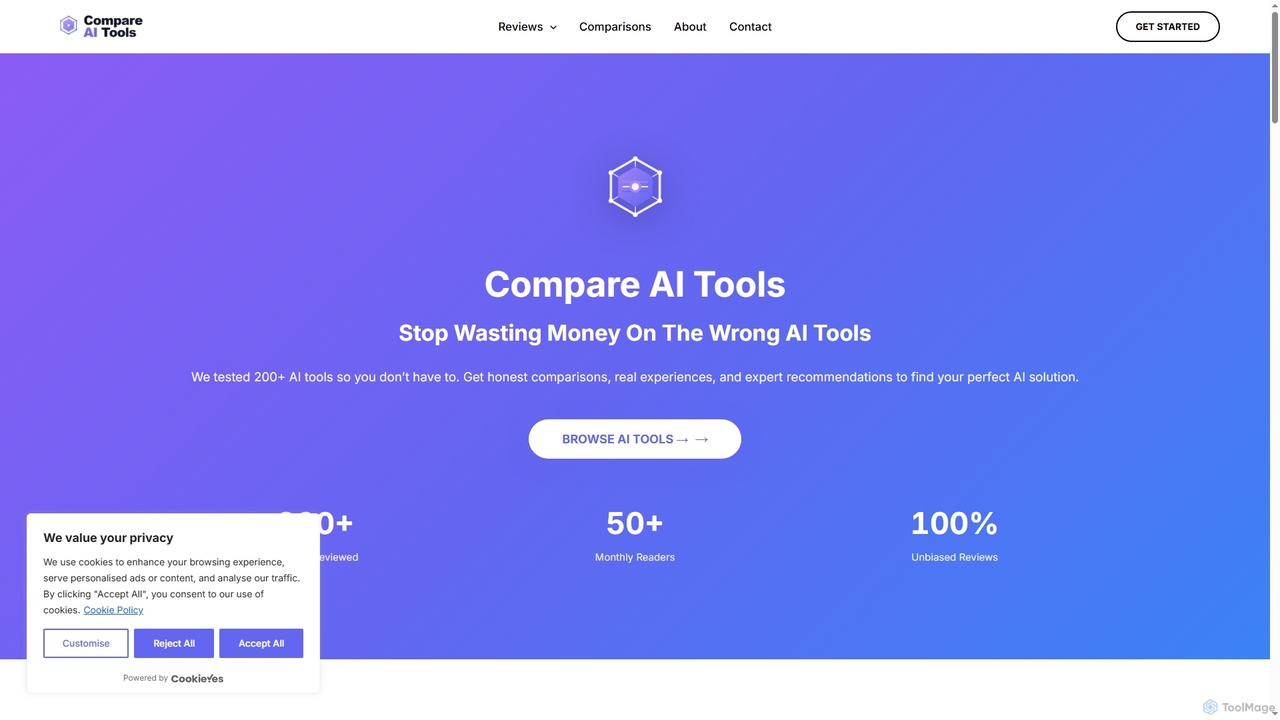
Compareaitools
Free

Compareaitools

An independent review platform offering honest, in-depth comparisons of over 200 AI tools. It helps users avoid costly mistakes by providing real-world testing, side-by-side analysis, and unbiased recommendations to find the perfect AI solution for their specific needs.

Review Platform
Visits 7.2KFavorites 120Likes 117
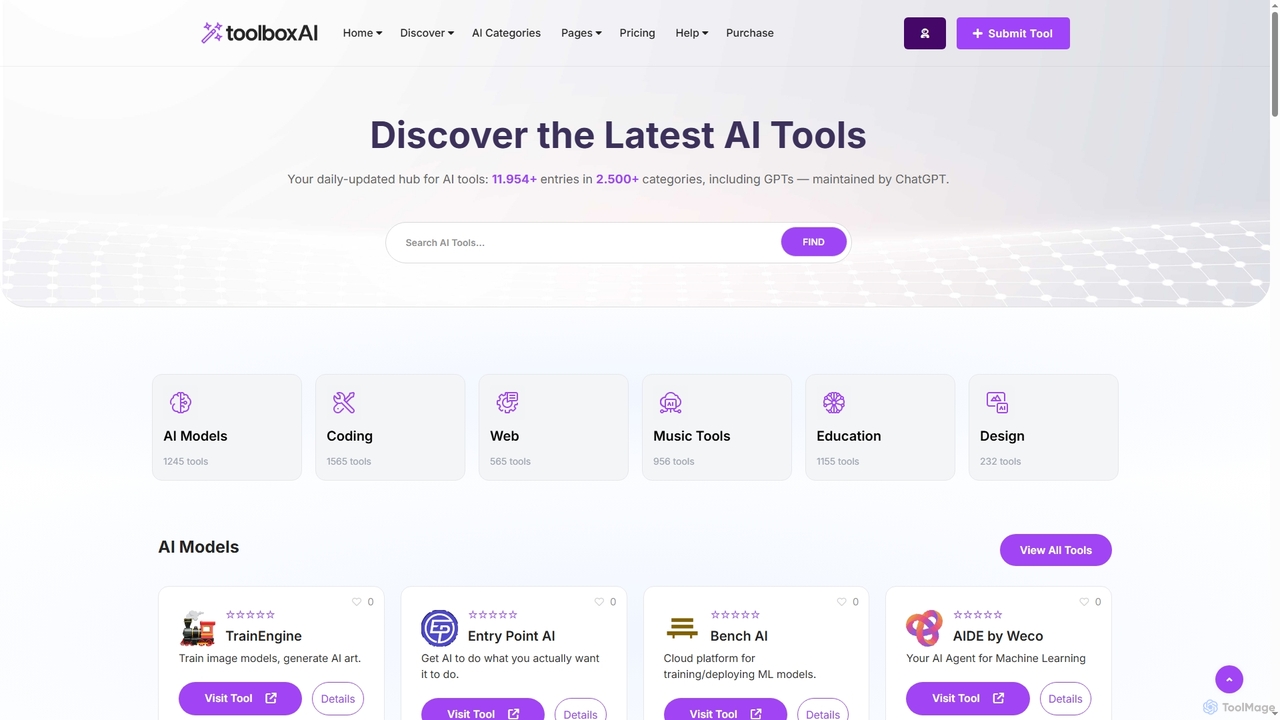
Toolbox AI
Freemium

Toolbox AI

A comprehensive, daily-updated directory for discovering and comparing over 11,954 AI tools across 2,500+ categories. It offers expert reviews, a tailored tool finder, and direct access to help professionals and businesses leverage the power of AI for their specific needs.

Resource
Visits 6.3KFavorites 164Likes 149
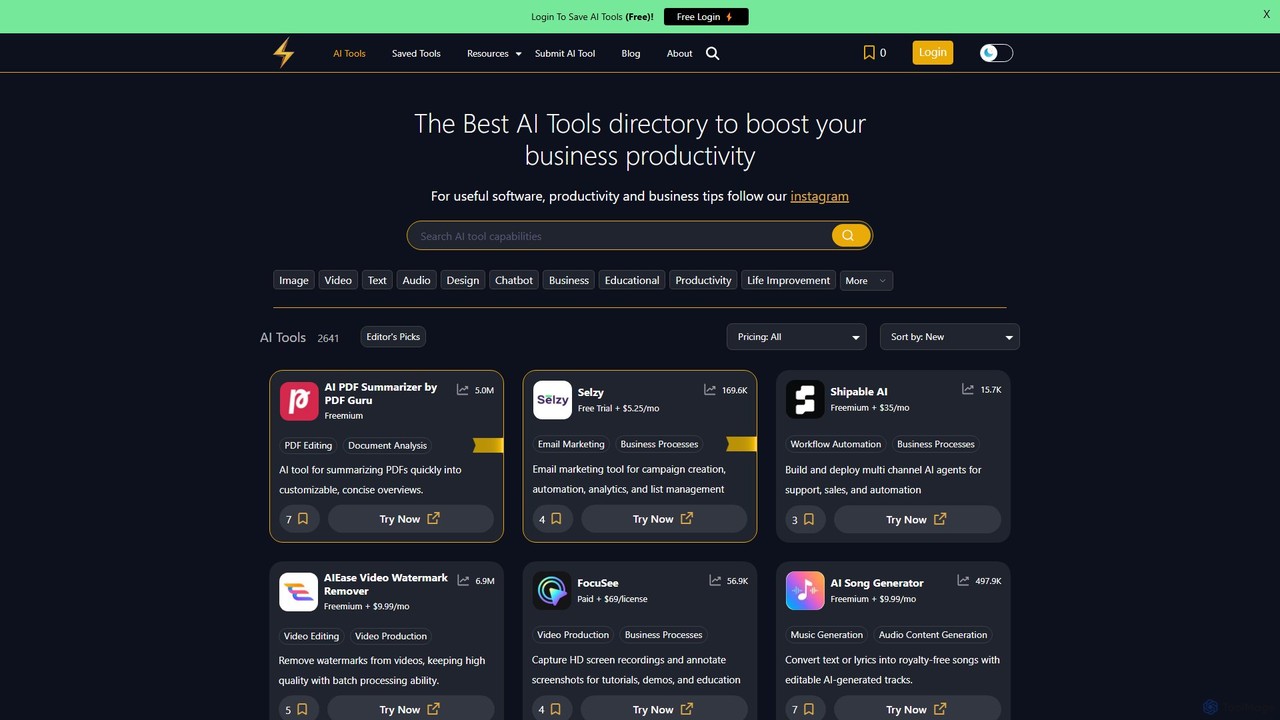
Powerusers AI
Free

Powerusers AI

Powerusers AI is a comprehensive directory featuring over 2,600 AI tools designed to enhance productivity for businesses and individuals. It offers curated lists, detailed filters, and user-saved collections to help you discover the best software for tasks like content creation, marketing, data analysis, and workflow automation. The platform also provides insightful blog posts and guides to keep users updated on the latest AI trends, making it a one-stop resource for leveraging artificial intelligence.

Productivity
Visits 94.4KFavorites 127Likes 123

About Tool Directory

An AI Tool Directory is a curated platform designed to help users discover, compare, and select software and AI tools. These directories aggregate vast amounts of information, organizing tools into structured categories with detailed attributes like features, pricing, and integrations. This significantly streamlines the research process, saving time and reducing the complexity of choosing the right solution. As a key productivity asset, a tool directory empowers users to efficiently build an effective and modern tech stack.

Core Features

  • Advanced Search & Filtering: Quickly find tools by category, function, pricing model, or integration compatibility.
  • Side-by-Side Comparison: Evaluate multiple tools based on standardized criteria to make informed decisions.
  • Curated Collections: Discover handpicked lists of tools for specific industries, roles, or tasks, such as 'Top AI Writers for Marketers'.
  • User Reviews and Ratings: Access authentic feedback and real-world insights from a community of users.
  • Detailed Tool Profiles: View comprehensive information on each tool, including key features, alternatives, and official links.

Use Cases

Tool Directories are invaluable for professionals across various fields. Marketers use them to build their tech stack, developers to find specific APIs or libraries, and startup founders to select foundational business software. They are also essential for researchers seeking data analysis tools and content creators looking for the latest productivity aids.

How to Choose

When selecting a Tool Directory, consider its coverage and curation quality—ensure it's comprehensive and up-to-date for your niche. Evaluate the granularity of its search and filtering capabilities. A robust comparison feature is crucial for detailed analysis, and an active community with trustworthy reviews provides invaluable social proof for your decision-making.

Tool Directory use cases

1

Building a Marketing Tech Stack

A marketing manager at a startup needs to select tools for SEO, social media management, and email marketing within a specific budget. Using a tool directory, they can filter options by category ('SEO Tools'), pricing model ('Freemium'), and integration capabilities ('HubSpot compatible'). They then use the comparison feature to evaluate the top three contenders in each category based on user reviews and feature sets. This structured approach allows them to build a cohesive and cost-effective marketing stack in hours, a task that would otherwise take days of manual research across countless websites.

2

Finding a Specific API for a Development Project

A software developer is building an application that requires a text-to-speech API with support for multiple languages and a pay-as-you-go pricing model. Instead of sifting through generic search engine results, they use a tool directory to search specifically for 'Text-to-Speech API'. They apply filters for 'multilingual support' and 'usage-based pricing'. The directory presents a curated list of matching APIs, complete with links to documentation and developer reviews. This targeted discovery process helps them identify and integrate the best API for their needs in a fraction of the time.

3

Evaluating Alternatives to an Existing Tool

A project manager finds their current project management tool is becoming too expensive and lacks key automation features. They locate their current tool within a directory and navigate to its 'alternatives' section. This provides a direct list of competitors. They then use the comparison tool to create a side-by-side view of their current tool against three top-rated alternatives, focusing on pricing tiers, integration with Slack, and automation capabilities. This data-driven approach allows them to prepare a clear, evidence-based proposal for their team to switch to a more suitable and cost-effective solution.

4

Discovering Niche Tools for a Specific Workflow

A content creator specializing in video podcasts needs a tool that can automatically generate transcripts, show notes, and social media clips from a single video file. A general web search yields overwhelming results. By using a tool directory and browsing the 'Video Podcasting' or 'Content Repurposing' categories, they can quickly find a curated list of specialized tools designed for this exact workflow. Reading user reviews from other podcasters helps them choose a tool that is highly regarded for its accuracy and ease of use, optimizing their content production pipeline.

5

Equipping a New Team with Foundational Software

An operations manager is tasked with outfitting a newly formed remote team with essential software for communication, project tracking, and file sharing. Instead of starting from scratch, they consult a tool directory's curated collections like 'Remote Work Essentials' or 'Startup Starter Pack'. These lists provide a vetted starting point. They can then compare the all-in-one platforms (like Notion or ClickUp) against a combination of best-in-class individual tools (like Slack, Asana, and Google Drive) to determine the most effective and scalable setup for their team's needs and budget.

6

Researching Tools for Academic or Market Analysis

A market analyst needs to find software for data visualization and statistical analysis to prepare a comprehensive industry report. They use a tool directory to explore the 'Data Analysis' and 'Business Intelligence' categories. By filtering for tools that support 'statistical modeling' and offer 'interactive dashboards', they narrow down the options significantly. Reading detailed profiles and user reviews from other analysts helps them understand the learning curve and specific strengths of each tool, enabling them to select the most powerful software for their research, thereby enhancing the quality and impact of their final report.

Tool Directory FAQ

What is an AI Tool Directory?

An AI Tool Directory is a specialized, curated online platform that aggregates and organizes information about various software and AI tools. Unlike a general search engine, it provides structured data, allowing users to search, filter, and compare tools based on specific criteria like features, pricing, and user ratings. Its primary purpose is to simplify the tool discovery and evaluation process, helping users make informed decisions efficiently.

How is a Tool Directory different from a search engine like Google?

A Tool Directory offers structured, curated, and comparable data, whereas a search engine provides broad, unstructured results. Key differences include:

  • Curation: Directories vet and categorize tools, ensuring relevance and quality.
  • Structured Data: You can filter by specific features (e.g., 'API access') and pricing models, which is not possible on a standard search engine.
  • Direct Comparison: Directories often feature side-by-side comparison tables to evaluate alternatives based on the same criteria.
  • Niche Focus: They are built specifically for the task of tool selection, providing a more focused and efficient user experience.

What are the main benefits of using a Tool Directory?

Using a Tool Directory offers several key advantages for anyone making a software decision. The primary benefits include:

  • Time Savings: It drastically reduces the hours spent on manual research by consolidating information in one place.
  • Informed Decisions: Structured data and comparison features allow for evidence-based choices rather than guesswork.
  • Discovery of New Tools: Users can uncover niche or new tools they might not find through conventional searches.
  • Risk Reduction: Access to user reviews and ratings helps in avoiding tools with poor performance or support.

How can I choose the best Tool Directory for my needs?

To choose the right Tool Directory, evaluate it based on these factors:

  • Coverage & Specialization: Does the directory focus on the industry or tool type you're interested in (e.g., AI, marketing, development)? A specialized directory often has more depth.
  • Data Quality & Freshness: Check if the information is accurate, detailed, and regularly updated. Outdated information is a major drawback.
  • Search & Filtering Power: The best directories offer granular filters that let you narrow down choices based on your specific requirements.
  • Community and Reviews: A directory with an active user base providing honest reviews is more trustworthy and valuable for decision-making.

Who should use a Tool Directory?

Tool Directories are valuable for a wide range of users. This includes:

  • Business Professionals: Marketers, sales teams, and operations managers looking to build or optimize their technology stack.
  • Developers and Engineers: Individuals seeking specific APIs, libraries, or development platforms.
  • Startup Founders: Entrepreneurs who need to select foundational software for their new ventures efficiently.
  • Content Creators and Freelancers: Individuals looking for tools to enhance productivity, creativity, and workflow automation.
  • Researchers and Students: Anyone needing to find specialized software for data analysis, writing, or academic research.