Nexus AI
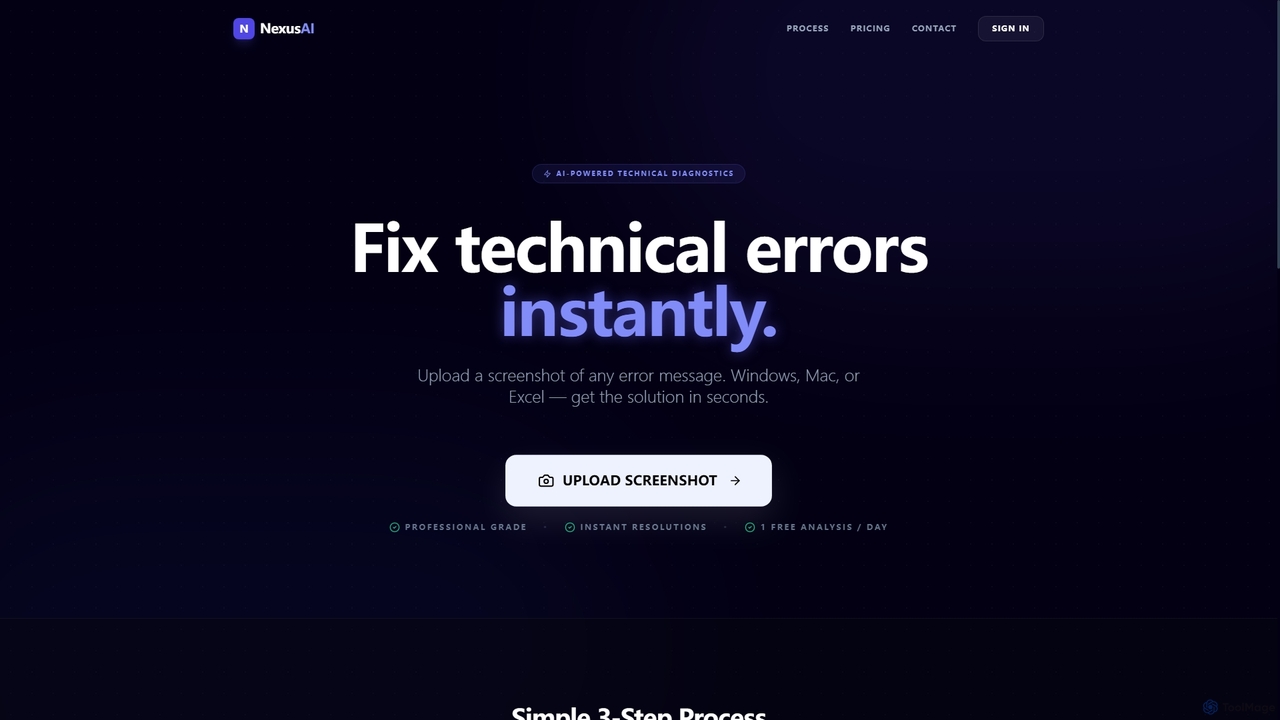
Nexus AI is an AI-powered diagnostic tool designed to instantly resolve technical errors. Users can upload screenshots of …
Nexus AI is an AI-powered diagnostic tool designed to instantly resolve technical errors. Users can upload screenshots of error messages, broken code, or problematic Excel cells from Windows, Mac, or Excel. The platform analyzes the visual data and provides clear, step-by-step instructions or ready-to-use code snippets to fix the issue in seconds, offering both a free starter plan and a professional subscription.
techxperts.tech
An AI-powered co-pilot for developers and IT professionals, designed to accelerate technical problem-solving. It provides instant diagnostics, intelligent …
An AI-powered co-pilot for developers and IT professionals, designed to accelerate technical problem-solving. It provides instant diagnostics, intelligent solution generation, and code analysis to resolve complex technical issues efficiently.
About Troubleshooting
AI Troubleshooting tools are a specialized category of software designed to diagnose, analyze, and resolve technical problems using artificial intelligence. These tools leverage machine learning models, natural language processing (NLP), and vast knowledge bases to understand issue descriptions, identify root causes, and provide actionable solutions. By automating complex diagnostic processes, they significantly reduce downtime and empower users to solve issues that would typically require expert intervention. This targeted approach to problem-solving makes them a powerful asset for boosting productivity in technical environments.
Core Features
- Automated Diagnostics: Automatically analyzes system logs, error messages, and performance data to pinpoint anomalies.
- Root Cause Analysis (RCA): Moves beyond symptoms to identify the fundamental source of a technical failure.
- Guided Resolution: Provides interactive, step-by-step instructions to guide users through the repair process.
- Predictive Issue Detection: Uses historical data to forecast potential system failures before they impact users.
- Natural Language Input: Allows users to describe problems in plain language, which the AI interprets to begin diagnosis.
Applicable Scenarios
These tools are invaluable for IT support teams, software developers, DevOps engineers, and customer service departments. They are commonly used for diagnosing network connectivity problems, debugging complex code, resolving software configuration conflicts, and guiding customers through product issues. Their application spans across industries from technology and manufacturing to telecommunications.
Selection Criteria
When choosing an AI Troubleshooting tool, consider its integration capabilities with your existing systems like ticketing or monitoring platforms. Evaluate the depth and relevance of its knowledge domain—whether it specializes in software, hardware, or networks. Assess the accuracy of its diagnostic engine and the clarity of its resolution guidance. Finally, consider the user interface and whether it is suitable for the technical level of your team.

TroubleshootingUse Cases
Automating IT Help Desk Responses
An IT support specialist is tasked with resolving a high volume of employee tickets. When an employee reports a 'slow Wi-Fi' issue, the specialist inputs the user's description into an AI troubleshooting tool. The tool automatically queries network logs, checks the device's configuration, and analyzes router performance data. Within seconds, it identifies a channel conflict with a nearby network as the root cause and provides step-by-step instructions for the specialist to guide the employee through changing their Wi-Fi channel, resolving the issue in minutes instead of hours.
Accelerating Software Bug Diagnosis
A software developer encounters a critical bug in a production environment that is difficult to replicate. Instead of manually sifting through thousands of lines of logs, they feed the error stack trace and relevant log files into an AI troubleshooting platform. The AI analyzes patterns leading up to the crash, cross-references the code with a database of common programming errors, and highlights the specific function causing a memory leak. This pinpoints the problem's origin, saving the developer significant time in the debugging process.
Guiding Field Technicians in Equipment Repair
A field service technician is sent to repair a complex piece of industrial machinery they have not worked on before. Using a tablet with an AI troubleshooting app, the technician describes the machine's symptoms, such as 'unusual vibration and overheating.' The AI asks clarifying questions and guides them through diagnostic tests. Based on the results, it identifies a failing bearing, displays a 3D model of the component's location, and provides the exact repair manual procedure, reducing repair time and the need for remote expert assistance.
Proactive Cloud Infrastructure Monitoring
A DevOps engineer is responsible for maintaining the reliability of a large-scale cloud application. An AI troubleshooting tool integrated with their monitoring system continuously analyzes performance metrics. The tool detects a subtle, growing latency in database queries that precedes a known type of system failure. It proactively alerts the engineer, identifies the inefficient query as the root cause, and suggests an optimized version. This allows the team to fix the issue before it impacts customers and causes an outage.
Empowering Customer Self-Service Support
A customer of a SaaS product is facing an account syncing error. Instead of creating a support ticket and waiting, they interact with an AI troubleshooting chatbot on the company's website. The customer describes the problem in their own words. The AI guides them through a series of targeted questions and automated checks on their account settings. It identifies a misconfigured permission setting and provides a direct link to the correct settings page with instructions, allowing the customer to resolve their own issue instantly, 24/7.
Resolving Complex Network Connectivity Issues
A network administrator for a large corporation receives reports of intermittent connectivity issues from a branch office. The problem is elusive and disappears during manual checks. The administrator deploys an AI troubleshooting agent on the network. The agent monitors traffic patterns, device configurations, and performance data over time. It eventually captures the event, correlates it with a faulty switch port that intermittently drops packets under heavy load, and recommends replacing the hardware, solving a persistent and costly problem.