ToolMage
Sign in

Best 1 Visual Thinking AI tools for Productivity

Popular Visual Thinking AI tools in Productivity include Visual AI, helping you work more efficiently.

Visual AI

Visual AI

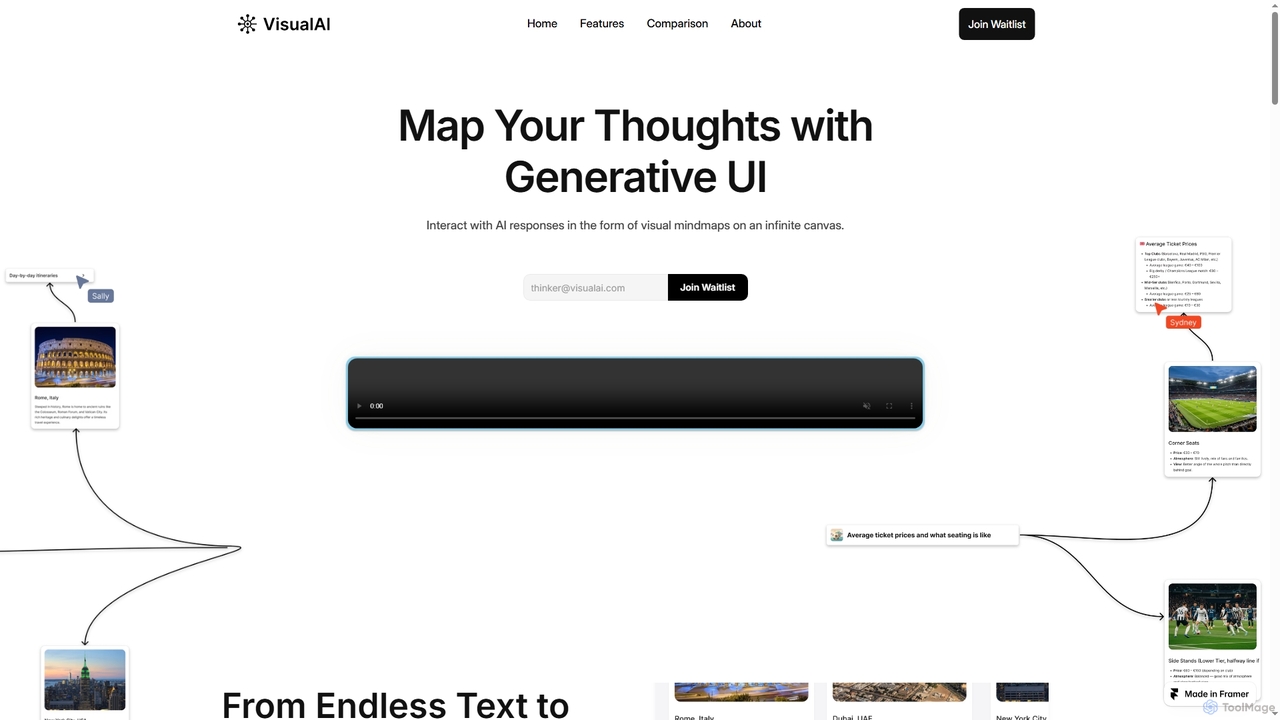
Visual AI is an innovative platform that transforms linear AI text responses into dynamic, visual clarity. It automatically structures information into interconnected nodes, enriching data with relevant visuals to enhance understanding and retention. Designed for non-linear thinkers, it offers an infinite collaborative workspace for brainstorming, prototyping, and evolving ideas.

Brainstorming
Visits 11.5KFavorites 168Likes 173

About Visual Thinking

Visual Thinking tools are AI-powered applications that help users organize, analyze, and communicate complex ideas through visual representations. These tools leverage artificial intelligence to convert textual information into diagrams, mind maps, flowcharts, and other visual formats, or to enhance existing visual content. They significantly enhance clarity, foster creativity, and improve collaboration in various professional and educational settings by automating the visualization process.

Core Features

  • AI-powered Diagram Generation: Automatically creates flowcharts, mind maps, and concept maps directly from text inputs or data.
  • Smart Layout & Organization: Intelligently arranges visual elements for optimal clarity, readability, and aesthetic appeal.
  • Visual Brainstorming & Ideation: Facilitates collaborative idea generation with real-time visual feedback and structured organization.
  • Data Visualization Simplification: Transforms complex data sets into easy-to-understand charts, graphs, and infographics.
  • Content Summarization & Structuring: Extracts key information from documents and presents it visually for quick comprehension.

Applicable Scenarios

Professionals across various fields utilize Visual Thinking tools to streamline complex tasks. Project managers use them to map out project timelines and dependencies, while content creators develop visual outlines for presentations and articles. Business analysts leverage these tools to visualize complex problems, aiding in solution identification and informed decision-making.

How to Choose

When selecting a Visual Thinking AI tool, consider the range of visualization types it supports, such as mind maps, flowcharts, or data charts, to match your specific needs. Evaluate its AI automation capabilities for generating and organizing visuals, as well as its collaboration and sharing features. Finally, assess its integration potential with your existing productivity and design software.

Visual Thinking use cases

1

Streamlining Project Planning & Workflow Mapping

Project managers and team leads can input project briefs or meeting notes into Visual Thinking AI tools. The AI then automatically generates detailed flowcharts or Gantt-like diagrams, visually outlining project phases, tasks, dependencies, and resource allocation. This process creates a clear, shareable project roadmap, significantly reducing planning time and improving team alignment.

2

Brainstorming & Idea Structuring

Marketing teams use AI-powered whiteboards to capture diverse ideas during brainstorming sessions. The AI automatically clusters related concepts, identifies emerging themes, and suggests logical structures, transforming chaotic input into an organized visual map for further development, saving hours of manual sorting.

3

Enhancing Brainstorming & Idea Generation Sessions

Innovation teams and product designers utilize these tools to capture and organize ideas during collaborative brainstorming sessions. Participants input keywords or short phrases, and the AI instantly structures them into dynamic mind maps or concept clusters. This results in a more organized and comprehensive idea repository, fostering creative connections and accelerating the ideation process.

4

Project Workflow Visualization

Project managers input project tasks, deadlines, and dependencies into a visual thinking tool. The AI automatically generates a comprehensive flowchart or Gantt chart, highlighting critical paths and potential bottlenecks. This provides a clear, actionable visual overview, improving planning accuracy and team coordination.

5

Simplifying Complex Data Presentation for Reports

Business analysts and researchers transform raw data or statistical findings into easily digestible visual reports. By uploading data sets or inputting key metrics, the AI suggests and generates appropriate charts, graphs, or infographics. This makes reports more engaging and understandable for non-technical stakeholders, facilitating quicker insights and improving decision-making speed.

6

Complex Information Simplification

Consultants or researchers dealing with extensive reports and data use these tools to distill key insights. By inputting text, the AI generates concept maps or infographics that visually represent relationships and hierarchies, making complex information digestible for stakeholders and aiding in clearer presentations.

7

Creating Engaging Educational Content & Study Guides

Educators, students, and corporate trainers develop visual aids for teaching complex subjects or summarizing study material. Inputting lecture notes or textbook chapters allows the AI to generate concept maps, timelines, or summary diagrams. This improves learning retention and comprehension for students, while saving educators considerable time in material preparation.

8

Meeting Facilitation & Action Item Tracking

During team meetings, an AI visual thinking tool can transcribe discussions and automatically identify key decisions, action items, and responsible parties. It then organizes this information into a visual summary or task board in real-time, ensuring all participants are aligned and follow-ups are clear, boosting meeting productivity.

9

Developing Marketing & Presentation Storyboards

Marketing specialists and content creators visually plan the flow and key messages of presentations, videos, or marketing campaigns. By inputting a presentation outline or campaign brief, the AI assists in structuring content into a visual storyboard with key slides or scenes. This ensures cohesive and impactful presentations or campaigns, maintaining consistent messaging and visual appeal.

10

Software Design & System Architecture

Software architects and developers leverage AI visual thinking tools to design system architectures or user interaction flows. By describing components and interactions, the AI generates detailed diagrams like UML or sequence diagrams, helping to visualize complex systems, identify design flaws early, and streamline development processes.

11

Educational Content Creation

Educators and trainers use AI visual thinking tools to transform dense curriculum materials into engaging and easy-to-understand visual aids. The AI can generate interactive mind maps, concept diagrams, or study guides from lecture notes, helping students grasp complex subjects more effectively and improving knowledge retention.

12

Facilitating Problem Solving & Decision Tree Analysis

Strategists and problem solvers use Visual Thinking tools to map out complex problems, potential solutions, and their consequences. Inputting problem statements and possible actions enables the AI to assist in building decision trees or root cause analysis diagrams. This provides a clear visualization of options and outcomes, leading to more informed and strategic decisions.

Visual Thinking FAQ

What are Visual Thinking AI tools?

Visual Thinking AI tools are applications that leverage artificial intelligence to transform abstract ideas, data, and textual information into structured visual formats. These include mind maps, flowcharts, concept maps, and various diagrams. They use AI to automate layout, suggest connections, and enhance overall clarity, helping users better understand, organize, and communicate complex information efficiently.

What are AI Visual Thinking tools?

AI Visual Thinking tools are applications that use artificial intelligence to assist in creating, organizing, and understanding visual representations of information. They go beyond traditional drawing tools by offering features like automatic diagram generation from text, intelligent concept clustering, and AI-driven layout suggestions, transforming raw data or ideas into structured, comprehensible visuals.

How do Visual Thinking tools differ from traditional diagramming software?

Traditional diagramming software typically requires manual drawing, dragging, and arranging of elements. In contrast, Visual Thinking AI tools automate much of this process. They can generate visuals directly from text prompts or data, intelligently organize elements, and suggest improvements or connections, significantly speeding up creation and making advanced visualization accessible to users without design expertise.

How do AI Visual Thinking tools enhance productivity?

These tools significantly boost productivity by automating tedious aspects of visual creation, such as drawing shapes, connecting elements, and arranging layouts. They help users quickly transform abstract thoughts into clear diagrams, facilitate faster brainstorming by organizing ideas on the fly, and improve communication by making complex information easier to grasp, ultimately saving time and reducing cognitive load.

What's the difference between traditional visual tools and AI Visual Thinking tools?

Traditional visual tools (like basic drawing apps or manual whiteboards) require users to manually create and arrange all visual elements. AI Visual Thinking tools, however, integrate artificial intelligence to actively assist in the creation process. This includes generating diagrams from text, suggesting connections between ideas, automatically organizing content, and providing smart summarization, making the process faster and more intelligent.

Who benefits most from using Visual Thinking AI tools?

Professionals in fields such as project management, education, marketing, business analysis, and product development benefit significantly. Anyone who needs to organize thoughts, explain complex concepts, brainstorm ideas, plan strategies, or present data visually can leverage these tools to improve clarity, foster collaboration, and enhance decision-making across various roles and industries.

What are the key features to look for in a Visual Thinking AI tool?

When evaluating Visual Thinking AI tools, look for robust AI-powered generation capabilities that can create visuals from diverse inputs (text, data). Essential features include support for various visualization types (mind maps, flowcharts, charts), intuitive editing and customization options, strong real-time collaboration features, and seamless integration with other common productivity and design software.

Who can benefit most from using AI Visual Thinking tools?

A wide range of professionals can benefit, including project managers for workflow planning, educators for creating engaging learning materials, consultants for simplifying complex reports, content creators for brainstorming and outlining, and software developers for system design. Anyone who regularly deals with complex information and needs to organize, understand, or communicate it visually will find these tools invaluable.

What should I look for when selecting an AI Visual Thinking tool?

When choosing, consider the specific visual formats you need (e.g., mind maps, flowcharts, whiteboards). Evaluate the sophistication of its AI features, such as automatic generation, smart organization, and summarization capabilities. Check for seamless integration with your existing productivity suite, robust real-time collaboration features for team use, and an intuitive user interface that supports both novice and advanced users.

Can Visual Thinking AI tools help with creativity and innovation?

Absolutely. By externalizing and structuring ideas visually, these tools reduce cognitive load, allowing users to focus more deeply on creative problem-solving and ideation. They can help reveal new connections between concepts, identify gaps in thinking, and present information from different perspectives, fostering innovation during brainstorming sessions and strategic planning phases.