Nextbrowser
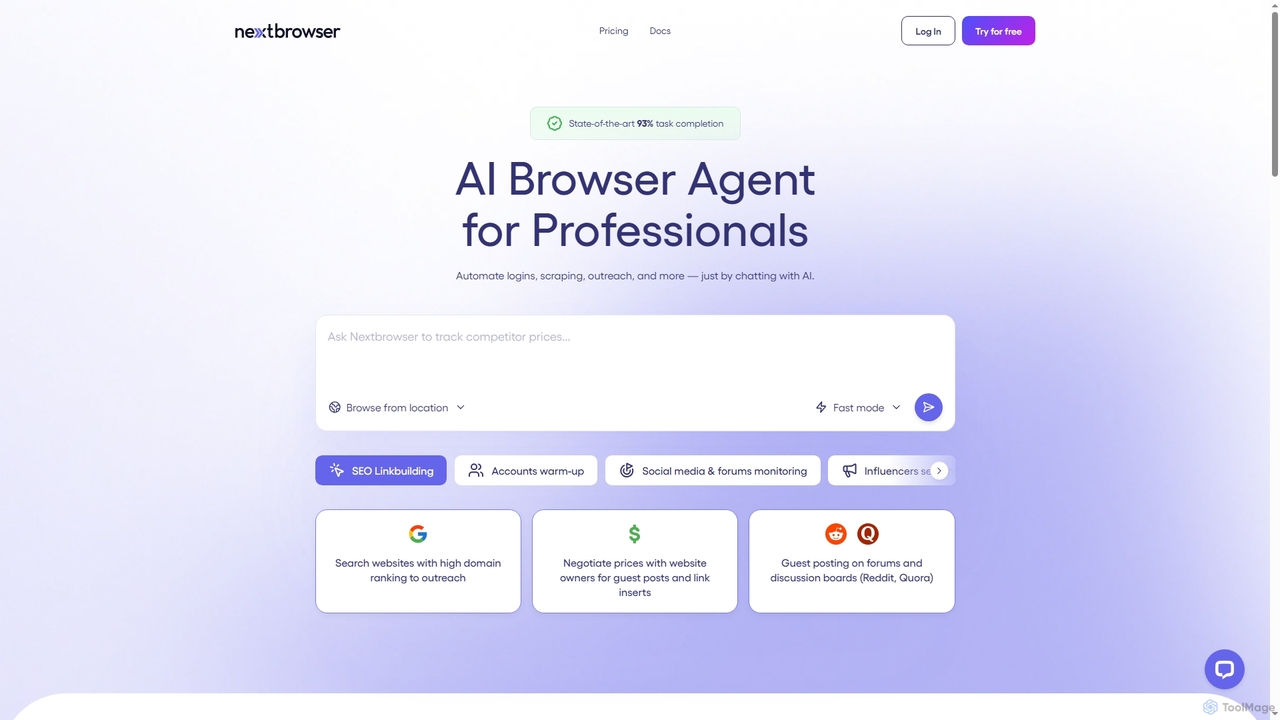
Nextbrowser is an AI-powered browser agent designed for sales and marketing professionals. It automates complex web tasks like …
Nextbrowser is an AI-powered browser agent designed for sales and marketing professionals. It automates complex web tasks like logins, data scraping, SEO link building, and influencer outreach through simple chat commands. Operating in the cloud with human-like interaction and geo-control, it streamlines repetitive workflows, manages multiple accounts, and schedules tasks, significantly boosting efficiency and reducing operational costs.
About Web Automation
Web Automation tools are applications that use AI-powered bots to perform repetitive tasks within a web browser. These tools work by identifying and interacting with web elements like buttons, forms, and text, enabling them to navigate websites, input data, and extract information just like a human user. This automates critical workflows such as data collection, form filling, and competitive monitoring, significantly boosting productivity for web-based tasks. Unlike general productivity apps, these tools specialize in direct browser interaction, often without needing complex API integrations.
Core Features
- Visual Workflow Builder: Design automation sequences using a drag-and-drop, no-code interface to map out tasks visually.
- Web Scraping & Data Extraction: Systematically extract structured data from web pages into formats like CSV or JSON for analysis.
- Automated Form Filling: Automatically populate web forms with data from spreadsheets, databases, or other sources.
- Scheduled & Triggered Execution: Run automation tasks at specific times, on a recurring schedule, or in response to specific events.
- Browser Interaction Simulation: Accurately mimic human actions such as clicks, scrolls, hovers, and keyboard inputs to navigate dynamic websites.
Use Cases
Web Automation tools are widely used by marketing teams for social media monitoring, e-commerce managers for price tracking and inventory updates, and data analysts for market research and lead generation. They are also valuable for quality assurance teams to automate user interface testing and for individuals looking to streamline personal tasks like online bill payments or information gathering.
How to Choose
When selecting a Web Automation tool, consider the technical skill required—whether you need a no-code, low-code, or script-based solution. Evaluate its robustness in handling complex, dynamic websites and its ability to bypass basic anti-bot measures. Also, assess its integration capabilities with other applications in your workflow, such as Google Sheets or a CRM, and its scalability for running multiple tasks in the cloud.

Web AutomationUse Cases
Automate E-commerce Competitor Price Monitoring
An e-commerce manager needs to stay competitive by tracking the prices of key products across multiple rival websites. Using a web automation tool, they build a bot that visits a list of competitor URLs daily. The bot navigates to specific product pages, extracts the current price and stock status, and logs this data into a Google Sheet with a timestamp. This process, which would manually take hours, is completed automatically in minutes, providing the manager with actionable data to adjust their pricing strategy and maximize sales.
Streamline Lead Generation by Scraping Online Directories
A sales development representative is tasked with building a list of potential leads from a professional networking site. Instead of manually copying and pasting hundreds of profiles, they configure a web automation bot. The bot performs a search for specific job titles in a target industry, then systematically visits each profile in the search results to extract the person's name, company, and job title. The collected data is neatly organized into a CSV file, creating a high-quality lead list in a fraction of the time and eliminating human error.
Automate Social Media Content Posting Across Platforms
A social media manager handles multiple accounts and needs to post content consistently. They use a web automation tool to create a workflow that logs into different social media platforms (like Twitter, LinkedIn, and Facebook) and posts pre-written content from a spreadsheet. The bot can be scheduled to run at optimal engagement times throughout the day. This ensures a consistent online presence without the manager having to manually log in and post on each platform, freeing up their time for strategy and community engagement.
Perform Automated Regression Testing for Web Applications
A Quality Assurance (QA) engineer needs to ensure that new code changes don't break existing functionality in a web application. They use a web automation tool to create test scripts that simulate user journeys, such as user registration, logging in, adding items to a cart, and checking out. Before each new deployment, these automated scripts are run to test the entire workflow. The tool reports any failures or errors, allowing developers to fix bugs before they reach production. This significantly speeds up the testing cycle and improves application reliability.
Aggregate News and Content for a Daily Briefing
A market analyst needs to compile a daily report on industry news from various online sources. They set up a web automation bot to visit a predefined list of news websites, blogs, and forums each morning. The bot scrapes the headlines and summaries of the top articles related to specific keywords. It then compiles all the gathered information into a single document or email draft. This automation saves the analyst over an hour of manual browsing each day and ensures no critical news is missed, allowing them to focus on analysis rather than collection.
Automate Data Entry from Invoices into a Web-Based Accounting System
An accounts payable clerk regularly receives invoices as PDF files and must manually enter the data (invoice number, amount, date) into the company's online accounting software. Using a web automation tool combined with an OCR (Optical Character Recognition) component, they automate this process. The tool extracts data from the PDFs, then the web automation bot logs into the accounting portal, navigates to the 'new invoice' page, and fills in the fields with the extracted data. This eliminates tedious manual data entry, reduces errors, and accelerates the payment cycle.