ToolMage
Sign in

Best 2 System Analysis AI tools for Utilities

Popular System Analysis AI tools in Utilities include Bottleneck Calculator and bottleneck_calculator, helping you work more efficiently.

Bottleneck Calculator
Free

Bottleneck Calculator

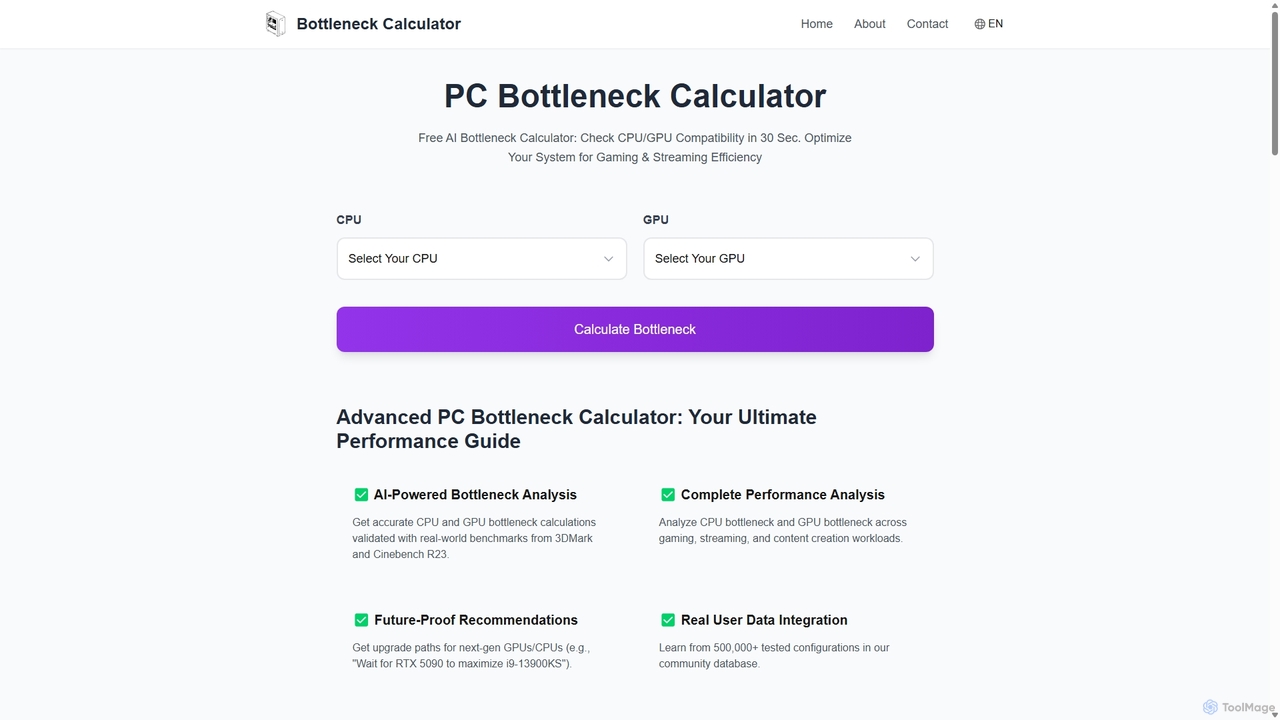
An AI-powered tool that instantly analyzes your PC's CPU and GPU compatibility to identify performance bottlenecks. Get accurate calculations, future-proof upgrade recommendations, and optimization tips for gaming, streaming, and content creation, all validated by real-world benchmarks and a database of over 500,000 user configurations.

Hardware
Visits 3.9KFavorites 121Likes 123
bottleneck_calculator
Free

bottleneck_calculator

A free online tool for PC builders, gamers, and professionals to diagnose performance bottlenecks. By selecting your CPU, GPU, RAM, and resolution, the calculator analyzes component compatibility and identifies performance limitations. It provides a detailed bottleneck percentage, personalized upgrade recommendations, and optimization advice to help you build a balanced system or upgrade your existing PC for maximum performance.

Pc Building
Visits 3.6KFavorites 99Likes 105

About System Analysis

AI System Analysis tools are a class of utilities that leverage machine learning to automatically monitor, diagnose, and optimize the performance and security of complex IT systems. By processing vast amounts of data from logs, metrics, and traces, these tools can identify anomalies, predict potential failures, and pinpoint root causes of issues without manual intervention. This enables organizations to proactively maintain system health, enhance reliability, and accelerate troubleshooting processes. Their core advantage lies in uncovering hidden patterns and correlations that are often invisible to traditional monitoring solutions.

Core Features

  • Automated Anomaly Detection: Uses machine learning to learn normal system behavior and automatically flag deviations that could indicate problems.
  • Predictive Analytics: Forecasts future system states, resource needs, and potential failures based on historical data trends.
  • Root Cause Analysis (RCA): Intelligently correlates events across different system components to identify the origin of a failure or performance issue.
  • Log Pattern Recognition: Applies NLP to unstructured log data to cluster messages, detect error patterns, and extract meaningful insights.
  • Security Threat Identification: Analyzes system activity and network traffic to detect signatures of known vulnerabilities or suspicious behavior patterns.

Use Cases

These tools are essential for DevOps engineers, Site Reliability Engineers (SREs), and IT operations teams managing large-scale cloud applications, microservices architectures, and enterprise IT infrastructure. They are commonly used in sectors like e-commerce for ensuring uptime during peak traffic, in finance for securing transaction systems, and in SaaS companies for maintaining service level agreements (SLAs).

How to Choose

When selecting an AI System Analysis tool, consider the following: the breadth of its data source integrations (e.g., cloud providers, databases, application frameworks), the sophistication of its machine learning models for anomaly detection and RCA, its scalability to handle your data volume, and its ease of integration into existing CI/CD pipelines and incident management workflows.

Featured tool rankings

System Analysis use cases

1

Automated Root Cause Analysis for Application Crashes

A Site Reliability Engineer (SRE) is alerted to a critical application failure during peak hours. Instead of manually sifting through millions of log lines from dozens of microservices, they use an AI System Analysis tool. The tool automatically ingests and correlates logs, metrics, and deployment data. Within minutes, its machine learning model identifies a specific code deployment as the root cause, highlighting a memory leak introduced in a new function. This reduces the Mean Time To Resolution (MTTR) from hours to under 15 minutes, minimizing revenue loss and user impact.

2

Proactive Performance Bottleneck Detection

A DevOps team manages a large e-commerce platform. To prevent slowdowns during an upcoming sales event, they use an AI analysis tool to monitor the staging environment under simulated load. The tool's predictive analytics model identifies a potential bottleneck in the database query processing, forecasting that response times will degrade significantly once user traffic exceeds a certain threshold. It provides specific recommendations, such as indexing a particular table. The team implements the fix proactively, ensuring a smooth user experience during the actual sale and preventing potential revenue loss.

3

Identifying Sophisticated Security Threats

A security analyst at a financial institution is tasked with monitoring for advanced persistent threats (APTs). Traditional rule-based systems fail to detect subtle, low-and-slow attacks. The analyst employs an AI System Analysis tool that builds a baseline of normal user and system behavior. The tool flags a series of seemingly unrelated, low-priority events: a login from an unusual location, minor data access on a non-critical server, and a small outbound data transfer. The AI correlates these events, identifies them as a pattern consistent with an APT, and raises a high-priority alert, allowing the security team to intervene before a major data breach occurs.

4

Optimizing Cloud Resource Allocation

An IT operations manager is concerned about rising cloud computing costs. The team uses an AI System Analysis tool to analyze historical resource utilization patterns across their entire server fleet. The tool's predictive model forecasts future demand with high accuracy, identifying servers that are consistently over-provisioned and others that will require scaling up during specific times. Based on these insights, the manager implements an automated scaling policy and right-sizes the virtual machine instances. This leads to a 25% reduction in monthly cloud spending without compromising application performance.

5

Streamlining Log Management and Analysis

A software developer is debugging a complex issue in a distributed system that generates millions of log entries per hour. Manually searching and filtering this data is time-consuming and inefficient. By feeding the logs into an AI System Analysis tool, the developer can leverage its NLP capabilities. The tool automatically clusters similar log messages, identifies rare error patterns, and allows for natural language queries like "show me all authentication errors for user X in the last hour." This transforms log data from a raw, overwhelming stream into a structured, searchable knowledge base, accelerating the debugging cycle significantly.

6

Predictive Maintenance for IT Infrastructure

An IT administrator for a large enterprise is responsible for maintaining hundreds of physical and virtual servers. To avoid unexpected hardware failures, they deploy an AI System Analysis tool that monitors key health indicators like CPU temperature, disk I/O rates, and memory usage patterns. The tool's machine learning algorithm learns the normal operating parameters for each server and predicts when a component, such as a hard drive, is likely to fail based on subtle performance degradation. This allows the administrator to schedule maintenance proactively, replace hardware before it fails, and prevent costly downtime.

System Analysis FAQ

What are AI System Analysis tools?

AI System Analysis tools are advanced software utilities that use machine learning and data analytics to monitor, diagnose, and optimize IT systems. Unlike traditional tools that rely on predefined rules and thresholds, these tools learn the normal behavior of a system and can automatically detect anomalies, predict failures, and identify the root cause of complex problems. They process large volumes of data like logs, metrics, and traces to provide deep, actionable insights for improving system performance, reliability, and security.

How do AI System Analysis tools differ from traditional monitoring tools?

The key difference lies in their intelligence and proactivity. Traditional monitoring tools are typically reactive, alerting you when a predefined threshold (e.g., CPU usage > 90%) is crossed. AI System Analysis tools are proactive and context-aware. They learn what's 'normal' for your specific system and can detect subtle anomalies that don't trigger fixed thresholds. Key differences include:

  • Proactive vs. Reactive: AI tools predict issues, while traditional tools report them after they happen.
  • Dynamic Baselining vs. Static Thresholds: AI adapts to changing system behavior, reducing false alarms.
  • Root Cause Analysis: AI tools can correlate data from multiple sources to pinpoint a root cause, a task that is manual and difficult with traditional tools.
  • Unstructured Data Handling: AI tools use NLP to analyze logs, which traditional tools often treat as simple text.

Who should use AI System Analysis tools?

These tools are most beneficial for technical roles responsible for the health and performance of IT infrastructure and applications. Key users include:

  • DevOps Engineers and SREs: For automating monitoring, accelerating troubleshooting in CI/CD pipelines, and ensuring service reliability.
  • IT Operations Teams: For proactive infrastructure management, capacity planning, and predictive maintenance to prevent outages.
  • Security Analysts: For detecting advanced threats, analyzing suspicious behavior patterns, and speeding up incident response.
  • Software Developers: For debugging complex performance issues in distributed systems and understanding application behavior in production.
Essentially, any team managing complex, dynamic, and large-scale systems can gain significant value from the automated insights provided by these tools.

What are the key features to look for in an AI System Analysis tool?

When choosing a tool, focus on features that deliver actionable insights and integrate well with your workflow. Key features include:

  • Broad Data Integration: The ability to ingest data from diverse sources like cloud platforms (AWS, Azure, GCP), containers (Docker, Kubernetes), databases, and application code.
  • Automated Anomaly Detection: A sophisticated machine learning model that accurately identifies unusual patterns with a low rate of false positives.
  • Root Cause Analysis (RCA): The capability to correlate events across the entire IT stack to pinpoint the true source of a problem, not just symptoms.
  • Predictive Capabilities: The ability to forecast future trends, such as resource consumption or potential system failures, to enable proactive management.
  • Scalability and Performance: The tool must be able to handle the volume and velocity of data generated by your systems without impacting their performance.

Can these tools work with my existing cloud and on-premise infrastructure?

Yes, most modern AI System Analysis tools are designed to be highly flexible and work in hybrid environments. They typically offer a wide range of integrations, agents, and APIs to collect data from various sources. This includes major cloud providers like AWS, Microsoft Azure, and Google Cloud Platform, as well as on-premise data centers, virtual machines, and container orchestration platforms like Kubernetes. Before choosing a tool, it's important to verify that it specifically supports the key technologies and platforms in your IT stack to ensure seamless data collection and comprehensive analysis.