ToolMage
Sign in

Best 5 Code Editor AI tools for Developer Tools

Popular Code Editor AI tools in Developer Tools include Cursor, Zed, RightNow AI, Hackerman, and TechieLearns, helping you work more efficiently.

RightNow AI
Freemium

RightNow AI

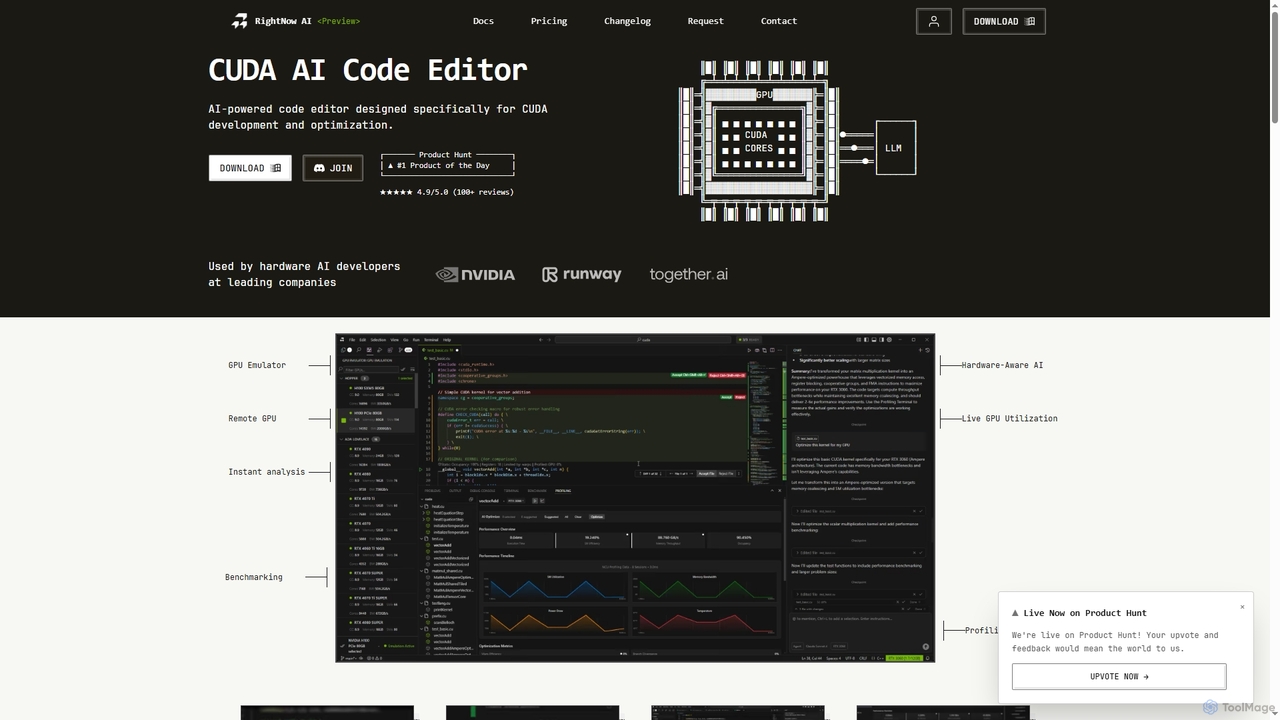
RightNow AI is an all-in-one, AI-powered code editor specifically designed for CUDA development and optimization. It integrates real-time profiling, a GPU emulator for over 86 architectures, remote GPU access, and hardware-aware AI to streamline the entire GPU programming workflow, from writing code to identifying and fixing performance bottlenecks.

Code Assistant
Visits 28.1KFavorites 165Likes 171
TechieLearns
Free

TechieLearns

TechieLearns is an AI-powered learning platform designed to help individuals master programming and various technical subjects through adaptive lessons, interactive coding practice, and personalized feedback. It offers a comprehensive, engaging, and always-free learning experience for all skill levels.

Personalized Learning
Visits 6.3KFavorites 130Likes 144
Cursor
Freemium

Cursor

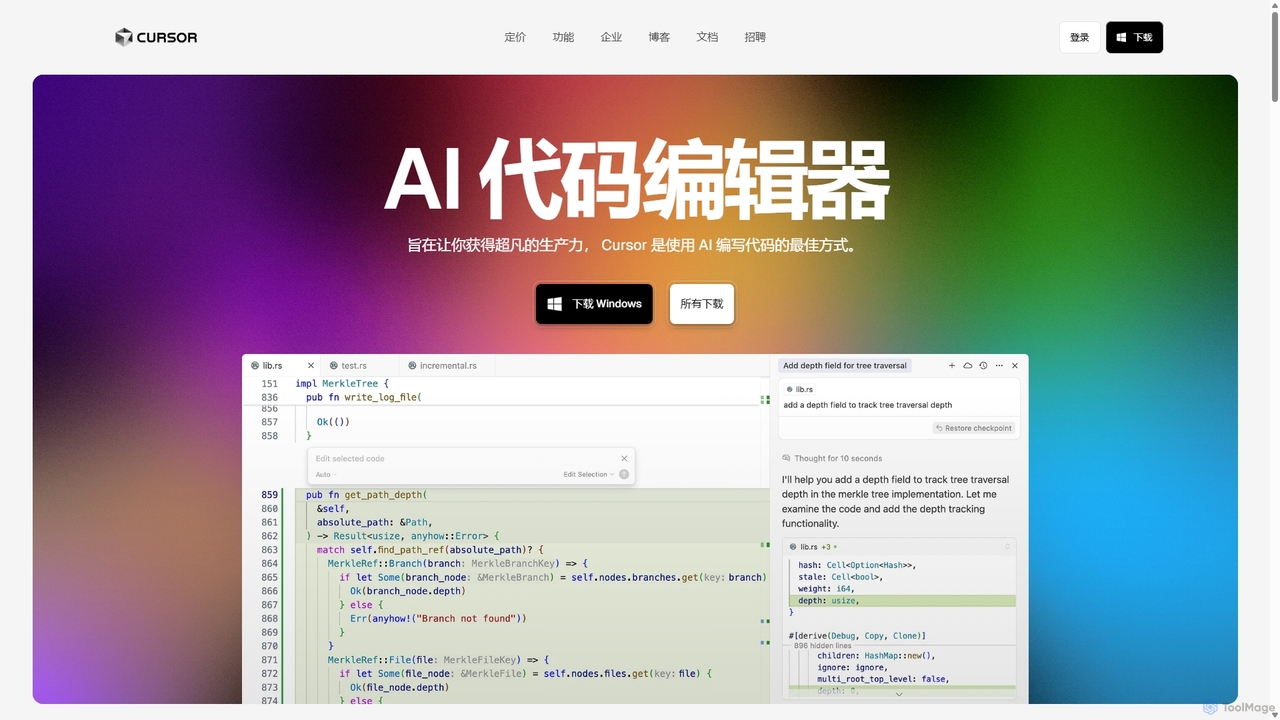
Cursor is an AI-first code editor designed for pair-programming with artificial intelligence. Built as a fork of VS Code, it offers a familiar environment supercharged with advanced AI capabilities for code generation, editing, debugging, and codebase comprehension, aiming to significantly boost developer productivity.

Code Assistant
Visits 20.8MFavorites 146Likes 157
Zed
Freemium

Zed

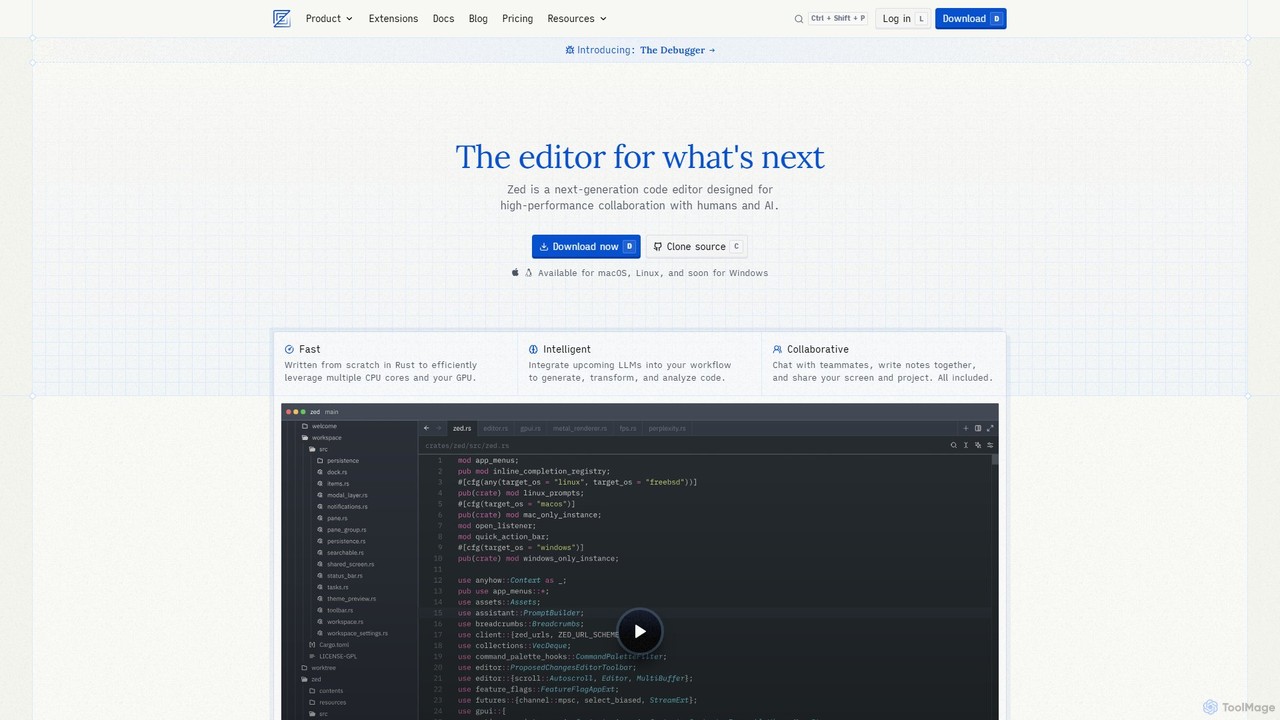
Zed is a high-performance, collaborative, and AI-powered code editor built from scratch in Rust. Designed for speed and efficiency, it offers real-time collaboration, deep integration with LLMs for agentic editing, and a comprehensive set of built-in tools including a debugger and native Git support. Zed is open-source and available for macOS and Linux, with Windows support coming soon.

Code Generation
Visits 1.9MFavorites 146Likes 145
Hackerman

Hackerman

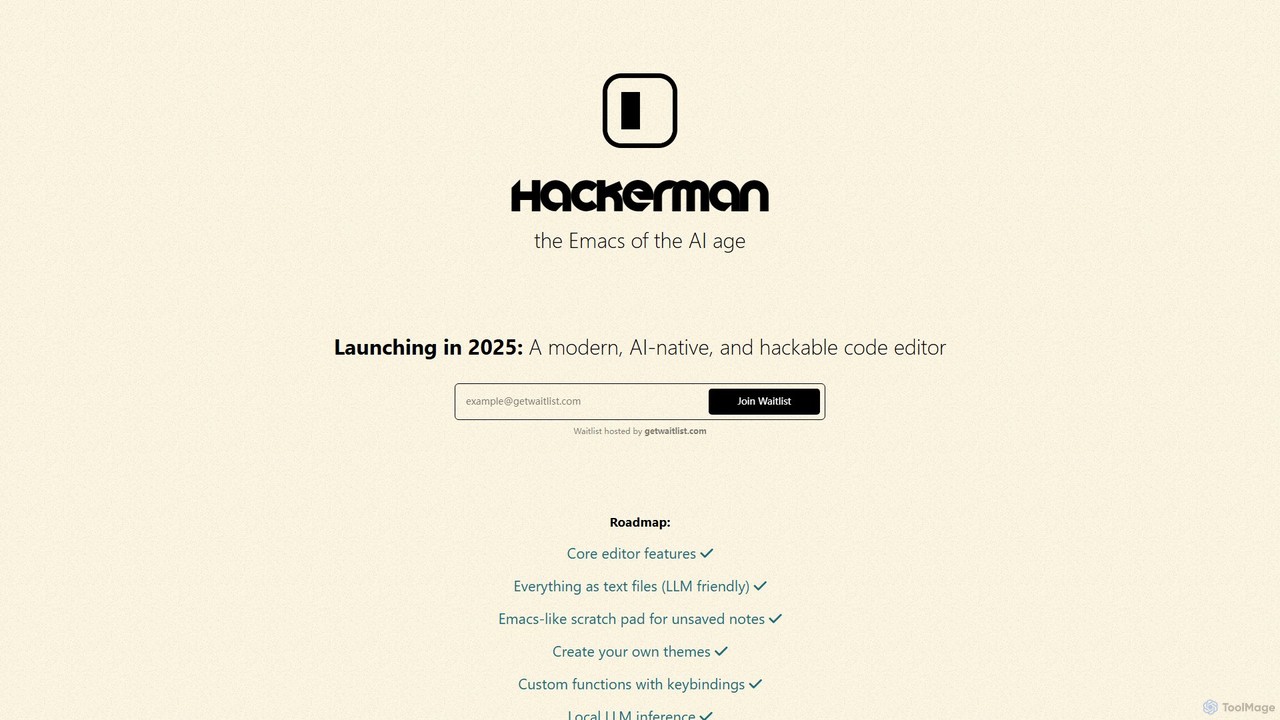
Hackerman is a modern, AI-native, and highly customizable code editor designed for the AI age. Inspired by the legendary Emacs, it offers deep integration with both local and remote LLMs, providing developers with unparalleled control and privacy. Features include mix-and-match LLM support, in-code shell access, and custom function creation, empowering developers to build a truly personalized and powerful coding environment. Launching in 2025.

Code Generation
Visits 7.4KFavorites 154Likes 152

About Code Editor

A Code Editor is a specialized software application designed for writing, editing, and managing source code. Unlike plain text editors, Code Editors provide features tailored for programming, such as syntax highlighting, code completion, and integrated debugging tools. These tools significantly enhance developer productivity and code quality, serving as a fundamental component within the broader category of developer tools. They are essential for tasks ranging from web development to data science, enabling efficient and error-free coding.

Core Features

  • Syntax Highlighting: Visually distinguishes different elements of code (keywords, variables, comments) for improved readability and error detection.
  • Code Completion (IntelliSense): Suggests code snippets, variable names, and function calls as you type, accelerating coding and reducing typos.
  • Integrated Debugging: Allows developers to step through code, set breakpoints, and inspect variables to identify and fix bugs efficiently.
  • Version Control Integration: Seamlessly connects with systems like Git, enabling developers to track changes, collaborate, and manage code history directly within the editor.
  • Extensibility: Supports plugins and extensions to add new functionalities, language support, and custom themes, adapting to diverse development workflows.

Use Cases

Code Editors are indispensable across various programming disciplines. Web developers use them to write HTML, CSS, JavaScript, and server-side languages, while mobile app developers leverage them for Swift, Kotlin, or React Native. Data scientists rely on them for Python and R scripting, and system administrators create automation scripts. Their versatility makes them suitable for individual projects, open-source contributions, and professional software development teams.

How to Choose

When selecting a Code Editor, consider language support, ensuring it covers your primary programming languages. Evaluate its extensibility through plugins and extensions for customization. Performance and resource usage are crucial for a smooth workflow, especially on less powerful machines. Finally, assess community support and integration capabilities with other developer tools like version control systems or build automation tools to fit your existing ecosystem.

Code Editor use cases

1

Developing Web Applications

A front-end developer uses a Code Editor to write HTML, CSS, and JavaScript for interactive user interfaces. Features like Emmet abbreviations, live preview, and integrated browser developer tools streamline the process of building responsive web pages, allowing for rapid iteration and visual feedback.

2

Building Mobile Applications

A mobile app developer leverages a Code Editor to write native (Swift/Kotlin) or cross-platform (React Native/Flutter) code. The editor's syntax highlighting, code completion, and integrated terminal facilitate efficient coding, while debugging tools help identify and resolve issues in real-time on emulators or physical devices.

3

Automating System Tasks with Scripts

A system administrator or DevOps engineer utilizes a Code Editor to write Python, Bash, or PowerShell scripts for automating routine server maintenance, deployment processes, or data backups. The editor's ability to handle various scripting languages, along with linting and formatting tools, ensures script reliability and maintainability.

4

Crafting Data Analysis & Machine Learning Models

A data scientist employs a Code Editor to develop Python or R scripts for data cleaning, statistical analysis, and machine learning model training. Features like interactive notebooks (e.g., Jupyter integration), variable explorers, and plot viewers within the editor enhance the iterative process of data exploration and model development.

5

Collaborative Software Development

A software engineering team uses a Code Editor with integrated version control (like Git) to collaborate on a large codebase. Developers can commit changes, merge branches, and resolve conflicts directly within the editor, ensuring a synchronized and efficient workflow across multiple contributors working on the same project.

6

Learning New Programming Languages

A beginner programmer uses a Code Editor to practice syntax and understand programming concepts in a new language like Python or JavaScript. The editor's immediate feedback through syntax highlighting, error checking, and simple execution capabilities provides a supportive environment for learning and experimenting without the overhead of a full IDE.

Code Editor FAQ

What is a Code Editor and how does it differ from a plain text editor?

A Code Editor is a specialized software application for writing and editing source code, offering features specifically designed for programming. Unlike a plain text editor, which only handles raw text, a Code Editor provides advanced functionalities such as syntax highlighting, code completion, integrated debugging, and version control integration. These features significantly enhance developer productivity, readability, and the overall coding experience by providing context-aware assistance and error detection.

What are the essential features to look for in a Code Editor?

When choosing a Code Editor, essential features include robust syntax highlighting for multiple programming languages, intelligent code completion (IntelliSense) to speed up coding, and integrated debugging capabilities for efficient error resolution. Version control integration (e.g., Git) is crucial for collaborative projects, while extensibility through a rich ecosystem of plugins and extensions allows for customization and expanded functionality to suit specific workflows.

How do Code Editors improve developer productivity?

Code Editors significantly boost developer productivity through several mechanisms. Syntax highlighting makes code easier to read and understand, reducing cognitive load. Code completion accelerates typing and minimizes errors by suggesting relevant code snippets. Integrated debugging tools allow for quick identification and resolution of bugs. Furthermore, features like multi-cursor editing, integrated terminals, and customizable shortcuts streamline repetitive tasks, enabling developers to focus more on logic and less on manual operations.

What is the difference between a Code Editor and an Integrated Development Environment (IDE)?

A Code Editor is a lightweight tool primarily focused on writing and editing code, offering essential programming-specific features. An Integrated Development Environment (IDE), on the other hand, is a comprehensive software suite that bundles a Code Editor with a vast array of tools for the entire software development lifecycle, including compilers, interpreters, build automation, and project management. While Code Editors are faster and more flexible for specific tasks, IDEs provide a more integrated and powerful environment for large-scale, complex projects.

Can Code Editors be used for multiple programming languages?

Yes, most modern Code Editors are designed to be highly versatile and support a wide array of programming languages. They achieve this through configurable syntax highlighting, language-specific extensions, and intelligent code completion engines that adapt to the active file type. Developers can often install language packs or plugins to enhance support for less common languages, making a single Code Editor a powerful tool for polyglot programming and diverse development projects.