ToolMage
Sign in

Best 6 Monitoring AI tools for It

Popular Monitoring AI tools in It include Releem, Botkube, Parny, KubeHA, Parity, and smallhours, helping you work more efficiently.

KubeHA
Paid

KubeHA

KubeHA is a GenAI-powered SaaS platform for Kubernetes, offering an all-in-one solution for Monitoring, Observability, Remediation, and Exploration (MORE). It unifies logs, metrics, traces, and events to provide AI-driven root cause analysis, smart fix suggestions, and 1-click remediation, eliminating tool sprawl and simplifying complex operations for SRE and DevOps teams.

Devops
Visits 8.3KFavorites 136Likes 149
Parny
Freemium

Parny

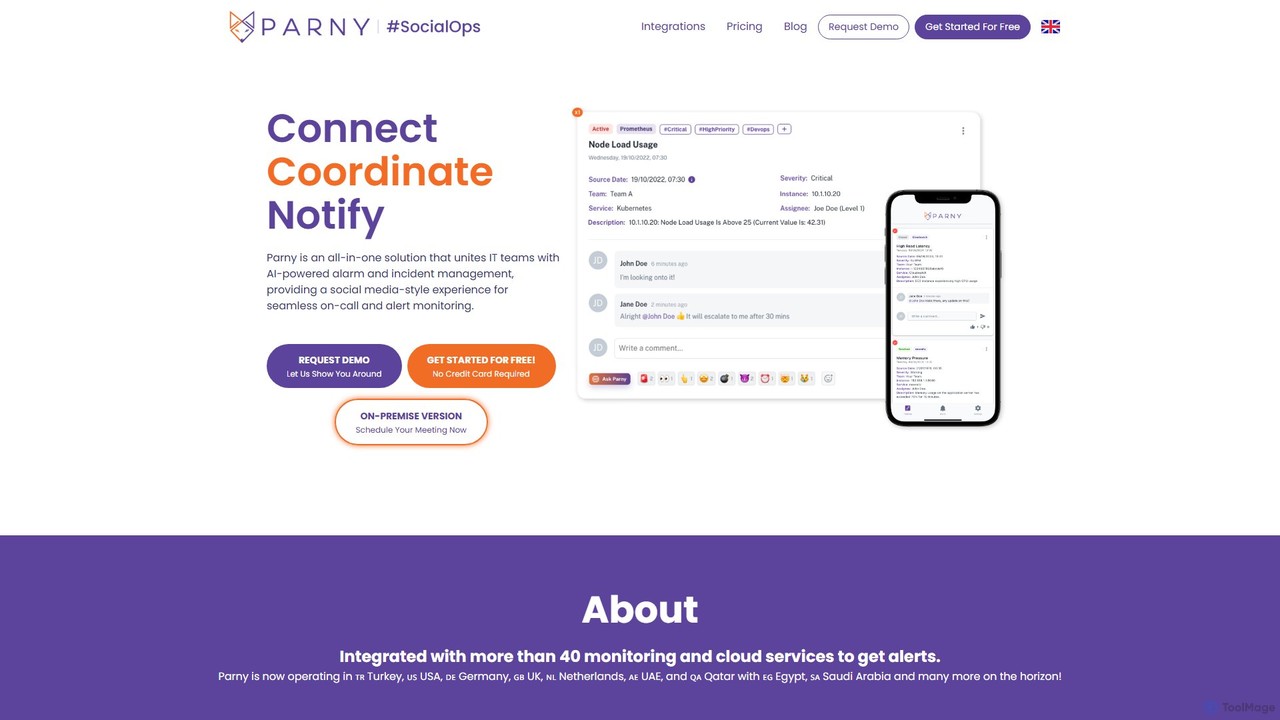
Parny is an all-in-one, AI-powered incident and on-call management platform. It unifies IT teams with a social media-style experience for seamless alert monitoring, smart scheduling, and insightful analytics, including DORA metrics. Parny serves as a powerful alternative to Opsgenie, offering advanced features like AI-driven recommendations and infrastructure mapping.

Incident Management
Visits 8.5KFavorites 152Likes 131
smallhours
Freemium

smallhours

smallhours is an AI-powered platform for developers that automates root cause analysis (RCA) 24/7. It integrates with your stack via OpenTelemetry to monitor systems, diagnose issues using your codebase and runbooks as context, and accelerates resolution time by 10x, minimizing downtime and streamlining on-call duties.

Debugging
Visits 5.8KFavorites 152Likes 143
Botkube
Free

Botkube

Botkube is an open-source, collaborative AI assistant for Kubernetes. It integrates directly into your chat platforms like Slack and Microsoft Teams, centralizing real-time monitoring, alerting, and troubleshooting. It empowers developers to manage their applications independently and streamlines DevOps workflows by bringing K8s management into your daily communication tools.

Devops
Visits 9.8KFavorites 141Likes 132
Parity
Paid

Parity

Parity is an AI-powered Site Reliability Engineer (SRE) designed for incident response in Kubernetes environments. It automates investigations, performs rapid root cause analysis, and executes runbooks, allowing on-call teams to resolve issues faster and reduce operational workload.

Devops
Visits 5.9KFavorites 138Likes 157
Releem
Freemium

Releem

Releem is an AI-powered MySQL performance tuning tool designed to automate database management. It automatically detects performance bottlenecks, provides optimized server configurations, and suggests improvements for SQL queries and indexes. Ideal for developers, DBAs, and hosting providers, Releem simplifies complex database tasks, enhances application speed, and reduces infrastructure costs through a user-friendly dashboard and continuous health monitoring.

Database
Visits 28.1KFavorites 102Likes 106

About Monitoring

AI Monitoring tools are a class of software that use machine learning to automatically observe and analyze the health and performance of IT systems. They go beyond traditional threshold-based alerts by learning normal operational patterns to intelligently detect anomalies, predict potential failures, and identify root causes. This enables IT operations teams to proactively resolve issues before they impact users, significantly reducing downtime and improving system reliability. These tools are a core component of modern AIOps (AI for IT Operations) strategies.

Core Features

  • Intelligent Anomaly Detection: Identifies deviations from normal system behavior without pre-defined rules.
  • Predictive Analytics: Forecasts future performance issues or resource shortages based on historical data.
  • Automated Root Cause Analysis (RCA): Correlates events across different data sources to pinpoint the origin of a problem.
  • Dynamic Thresholding: Automatically adjusts alert thresholds based on changing system loads and patterns.
  • Alert Noise Reduction: Groups related alerts and filters out irrelevant notifications to focus on critical incidents.

Use Cases

AI Monitoring tools are primarily used by IT Operations, DevOps, and Site Reliability Engineering (SRE) teams in technology-driven industries. For example, an e-commerce platform uses them to predict traffic spikes and prevent server overloads during a sales event. A software company can leverage these tools to identify performance bottlenecks in their application code before a new release, ensuring a smooth user experience.

How to Choose

When selecting an AI Monitoring tool, consider its integration capabilities with your existing tech stack (e.g., cloud providers, databases, CI/CD pipelines). Evaluate the sophistication of its machine learning models for anomaly detection and RCA. Also, assess the clarity of its dashboards, the flexibility of its alerting system, and its pricing model, which could be based on hosts, data volume, or users.

Monitoring use cases

1

Proactive E-commerce Outage Prevention

An SRE team at an online retail company uses an AI Monitoring tool to ensure high availability during a major sales event. The tool analyzes real-time transaction data, server metrics, and user behavior. It detects a subtle, unusual latency pattern in the payment gateway that traditional monitors would miss. By correlating this with a slight increase in database query times, the AI predicts a potential database overload within the next hour. It automatically alerts the team with the specific root cause, allowing them to scale database resources proactively and prevent a site-wide outage that could have cost millions in lost revenue.

2

Automated Application Performance Debugging

A DevOps engineer for a SaaS company pushes a new code update to production. Shortly after, the AI Monitoring tool detects a spike in API error rates and a gradual increase in memory consumption on a specific microservice. Instead of generating hundreds of separate alerts, it correlates logs, traces, and metrics to pinpoint the exact function in the new code that is causing a memory leak. The engineer receives a single, context-rich incident report that reduces the mean time to resolution (MTTR) from hours of manual log sifting to just a few minutes of targeted debugging.

3

Cloud Cost Optimization through Anomaly Detection

A cloud infrastructure team manages a sprawling multi-cloud environment. The AI Monitoring tool continuously analyzes resource utilization patterns. It identifies a cluster of virtual machines that were provisioned for a temporary project but were never de-provisioned, now sitting idle and incurring costs. It also flags an auto-scaling group that consistently over-provisions resources due to misconfigured scaling policies. By flagging these cost anomalies, the tool helps the team save over 20% on their monthly cloud bill without impacting service performance.

4

Early Detection of Security Threats

A Security Operations (SecOps) team integrates an AI Monitoring tool with their security information and event management (SIEM) system. The tool establishes a baseline of normal network traffic and user activity. It then flags a low-and-slow data exfiltration attempt, where a compromised account is exporting small amounts of data over a long period to avoid detection. The AI identifies this anomalous behavior, which would be invisible to rule-based security alerts, and triggers a high-priority incident, allowing the SecOps team to contain the breach before significant data loss occurs.

5

Predictive Maintenance for IoT Devices

A manufacturing company deploys thousands of IoT sensors on its factory floor. An AI Monitoring platform ingests telemetry data from these sensors, such as temperature, vibration, and pressure. By analyzing historical data, the AI model learns the failure patterns of specific machine components. It predicts that a critical motor is 85% likely to fail within the next 72 hours due to abnormal vibration signatures. This predictive alert allows the maintenance team to schedule a replacement during non-operational hours, preventing costly unplanned downtime and production loss.

6

Improving Digital Experience with Business Context

A financial services firm uses an AI Monitoring tool to track the performance of its online banking platform. The tool is configured to understand business KPIs, such as 'successful loan applications' or 'completed fund transfers'. When it detects a drop in the loan application completion rate, it automatically correlates this business metric with underlying IT performance data. It discovers that the drop is linked to a specific slow-running API call in the identity verification service. This allows the IT team to prioritize the fix based on direct business impact, rather than just technical severity.

Monitoring FAQ

What are AI Monitoring tools?

AI Monitoring tools are advanced software solutions that use machine learning and data science to automate the oversight of IT infrastructure, applications, and services. Unlike traditional tools that rely on static, manually-set thresholds, AI monitoring tools learn the normal behavior of a system and can automatically detect anomalies, predict future issues, and help diagnose the root cause of problems. They are a key component of AIOps (AI for IT Operations), designed to handle the complexity and scale of modern IT environments.

How is AI Monitoring different from traditional monitoring?

The key difference lies in their approach to detecting issues. Traditional monitoring is reactive; it relies on pre-defined, static rules and thresholds (e.g., 'alert if CPU usage exceeds 90%'). This often leads to alert fatigue from false positives or missed incidents if thresholds are set incorrectly. AI Monitoring is proactive; it uses machine learning to establish a dynamic baseline of what is 'normal' for every metric. It then detects deviations from this baseline, allowing it to spot complex, unknown issues and predict problems before they occur, all with significantly less manual configuration and noise.

Who should use AI Monitoring tools?

AI Monitoring tools are most beneficial for organizations with complex, dynamic, and large-scale IT environments. Key users include:

  • DevOps and SRE Teams: To ensure the reliability and performance of microservices and cloud-native applications.
  • IT Operations (ITOps) Teams: To manage hybrid cloud infrastructure, reduce alert noise, and automate incident response.
  • Application Developers: To gain deeper insights into application performance and identify code-level bottlenecks.
  • Security Teams (SecOps): To detect anomalous user behavior or network traffic that could indicate a security threat.
What are the key features to look for in an AI Monitoring tool?

When evaluating AI Monitoring tools, focus on these core capabilities:

  • Automated Anomaly Detection: The ability to learn normal patterns and flag deviations without manual rule-setting.
  • Root Cause Analysis (RCA): Features that correlate data from multiple sources (logs, metrics, traces) to pinpoint the source of an issue.
  • Predictive Analytics: The capacity to forecast trends, such as resource exhaustion or performance degradation, before they impact users.
  • Broad Integrations: Compatibility with your existing technology stack, including cloud platforms, databases, and CI/CD tools.
  • Contextual Alerting: The ability to reduce alert noise by grouping related events and providing rich context for faster troubleshooting.
Can AI Monitoring tools help with cloud cost management?

Yes, absolutely. AI Monitoring tools can be highly effective for cloud cost optimization. By continuously analyzing resource utilization metrics, they can identify waste and inefficiencies that are difficult to spot manually. For example, they can pinpoint over-provisioned servers or databases, detect idle resources that were never de-provisioned, and provide recommendations for rightsizing instances based on actual usage patterns. This data-driven approach helps organizations reduce their cloud spending without negatively impacting application performance.