ToolMage
Sign in

Best 1 All In One Workspace AI tools for Productivity

Popular All In One Workspace AI tools in Productivity include Macro, helping you work more efficiently.

Macro

Macro

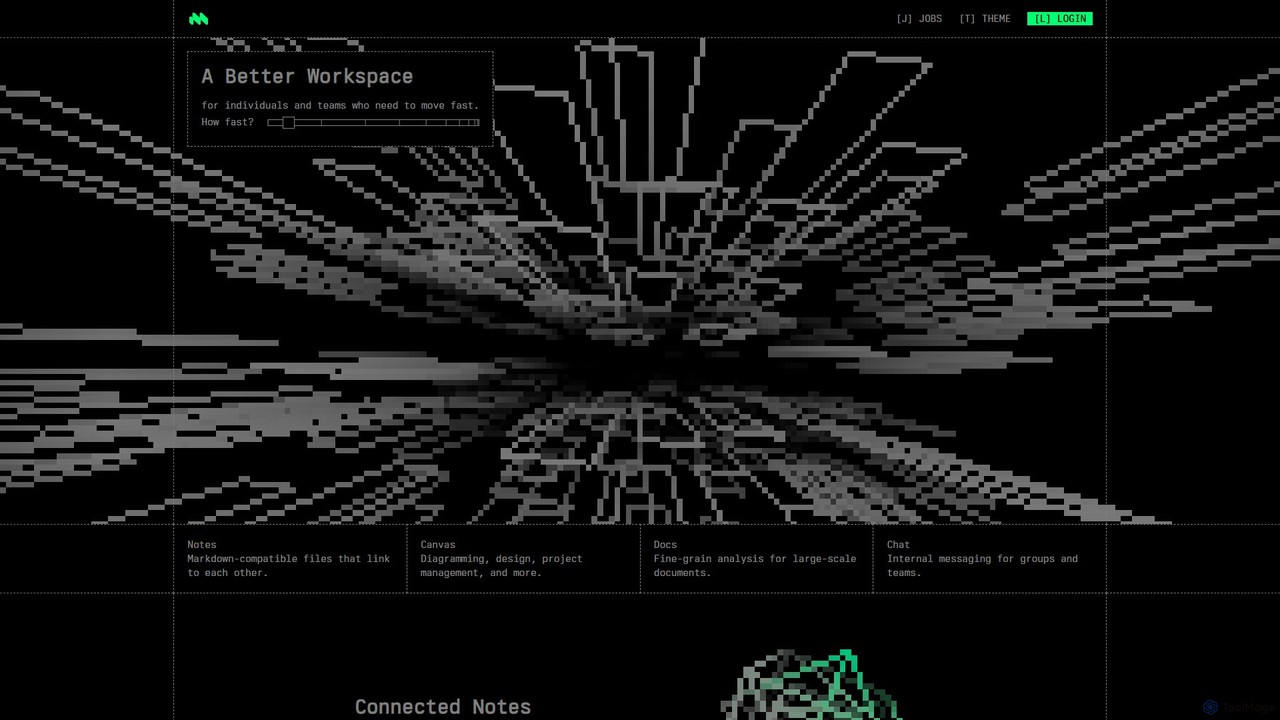
Macro is an AI-powered, unified workspace designed for speed and collaboration. It integrates linkable notes, an infinite canvas for brainstorming, intelligent document analysis, and threaded team chat into a single, secure, and enterprise-ready platform.

Ai Document Analysis
Visits 77.5KFavorites 127Likes 149

About All In One Workspace

All In One Workspace tools are AI-powered platforms designed to centralize diverse productivity applications into a single, unified interface. These solutions leverage artificial intelligence to streamline workflows, automate routine tasks, and provide intelligent assistance across project management, communication, document creation, and data organization. By integrating essential tools, they significantly reduce context switching and enhance overall team collaboration and individual efficiency.

Core Features

  • Integrated Task & Project Management: Centralized dashboards for tracking tasks, projects, deadlines, and team progress, often with AI-driven prioritization.
  • Unified Communication Hub: Combines chat, video conferencing, and email within the platform, facilitating seamless team interaction.
  • Smart Document & Knowledge Management: AI-assisted creation, organization, search, and retrieval of documents, notes, and knowledge bases.
  • Automated Workflow Creation: Tools to design and automate multi-step processes, from data entry to report generation, reducing manual effort.
  • Personalized AI Assistant: Offers intelligent suggestions, summarizes information, drafts content, and answers queries across all integrated applications.

Use Cases

These platforms are particularly valuable for remote teams needing a cohesive digital environment, project managers overseeing complex initiatives, and small businesses aiming to consolidate their tech stack. They enable seamless transitions between different work functions, from brainstorming to execution, all within one ecosystem.

How to Choose

When selecting an All In One Workspace, consider the breadth of integrated features (e.g., CRM, HR, finance), the level of AI automation offered, its scalability for team growth, and the ease of integration with existing external tools. Evaluate user interface intuitiveness, security protocols, and pricing models to ensure it aligns with your team's specific needs and budget.

All In One Workspace use cases

1

Streamlining Remote Team Collaboration

For distributed teams, an All In One Workspace provides a central hub where members can manage projects, communicate via chat or video, share documents, and track progress in real-time. This eliminates the need to switch between multiple apps, ensuring everyone stays aligned and productive, regardless of location, significantly reducing communication overhead and improving project delivery timelines.

2

Centralizing Project Management for Agencies

Marketing or creative agencies often juggle multiple client projects simultaneously. An integrated workspace allows project managers to assign tasks, monitor deadlines, share creative assets, and gather client feedback within a single platform. AI features can help prioritize tasks, identify potential bottlenecks, and even draft initial project briefs, leading to more efficient project execution and client satisfaction.

3

Enhancing Small Business Operations

Small businesses with limited resources can leverage an All In One Workspace to consolidate essential functions like CRM, task management, internal communication, and document storage. This reduces software subscription costs and simplifies employee onboarding. AI can automate customer support responses, generate marketing content, or summarize daily reports, freeing up staff for higher-value activities.

4

Accelerating Content Creation Workflows

Content creators and marketing teams can utilize these platforms to manage their entire content lifecycle. From brainstorming ideas and drafting articles with AI assistance, to scheduling social media posts and tracking performance, everything is integrated. This ensures a consistent brand voice, faster content production cycles, and better organization of digital assets, leading to increased output and reach.

5

Optimizing Personal Productivity for Freelancers

Freelancers often manage client communications, project tasks, invoicing, and personal notes across various tools. An All In One Workspace allows them to consolidate these functions, creating a personalized dashboard for all their work. AI can help summarize client meetings, draft proposals, or organize research, enabling freelancers to maximize their billable hours and maintain better work-life balance.

6

Facilitating Knowledge Management for Enterprises

Large organizations can deploy an All In One Workspace to build a comprehensive, searchable knowledge base accessible to all employees. This includes internal wikis, training materials, and company policies. AI-powered search and summarization capabilities ensure employees can quickly find relevant information, reducing time spent searching and improving internal support efficiency.

All In One Workspace FAQ

What are All In One Workspace tools?

All In One Workspace tools are integrated AI-powered platforms that combine various productivity applications—such as project management, communication, document creation, and task tracking—into a single, unified interface. They aim to streamline workflows, reduce context switching, and enhance collaboration by providing a central hub for all work-related activities, often leveraging AI for automation and intelligent assistance.

How do All In One Workspace tools differ from traditional productivity suites?

Traditional productivity suites typically offer a collection of standalone applications (e.g., word processor, spreadsheet, presentation software) that may or may not be tightly integrated. All In One Workspace tools, however, are designed from the ground up for deep integration across diverse functions, often incorporating AI to automate tasks, provide smart suggestions, and offer a more cohesive, intelligent workflow experience beyond simple file compatibility.

Who benefits most from using an All In One Workspace?

Teams and individuals seeking to consolidate their digital tools and improve workflow efficiency benefit most. This includes remote and hybrid teams needing a central collaboration hub, project managers overseeing complex initiatives, small businesses looking to reduce software costs, and freelancers managing multiple client projects. Essentially, anyone looking to reduce app-switching and enhance productivity through integration and AI assistance.

What key features should I look for in an All In One Workspace?

Key features to consider include robust project and task management capabilities, integrated communication tools (chat, video), comprehensive document and knowledge management, and workflow automation. Look for strong AI capabilities like intelligent search, content generation, summarization, and task prioritization. Also, evaluate customization options, third-party integrations, security features, and scalability to match your team's specific requirements.

Can All In One Workspace tools integrate with my existing software?

Many All In One Workspace tools offer varying degrees of integration with popular external software, though the extent can differ significantly between platforms. Common integrations include calendar apps, CRM systems, cloud storage services, and specific communication tools. It's crucial to check the platform's integration capabilities to ensure compatibility with your essential existing software, minimizing disruption during adoption.