ToolMage
Sign in

Best 1 Automated Scheduling AI tools for Productivity

Popular Automated Scheduling AI tools in Productivity include Soon, helping you work more efficiently.

Soon
Freemium

Soon

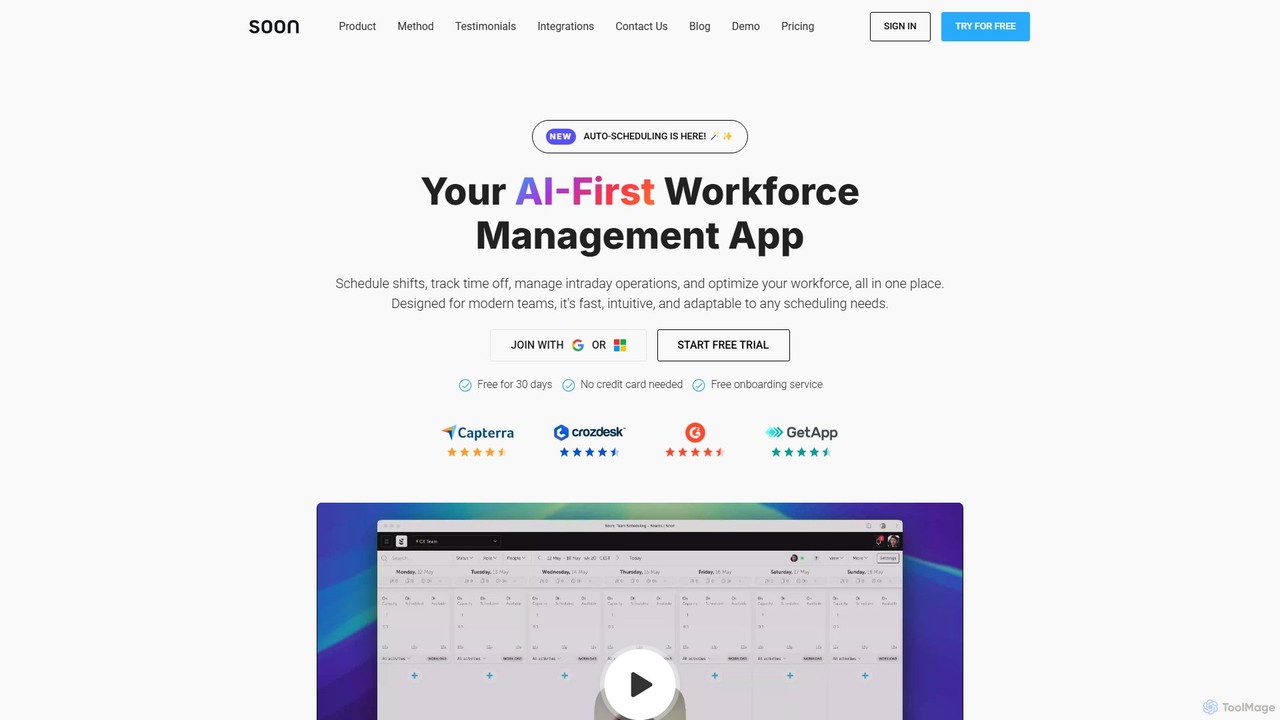
Soon is an AI-first workforce management platform designed to automate and optimize team operations. It simplifies shift scheduling, time-off tracking, and intraday task management through intelligent automation. Built for modern teams, Soon uses AI to generate optimal schedules from simple text prompts, forecast staffing needs, and provide actionable insights, all within an intuitive, user-friendly interface.

Human Resources
Visits 18.9KFavorites 148Likes 143

About Automated Scheduling

Automated Scheduling tools are AI-powered solutions designed to intelligently manage and optimize appointments, tasks, and resource allocation without manual intervention. They leverage advanced algorithms to analyze availability, preferences, and constraints, streamlining complex coordination processes. This technology significantly reduces administrative overhead, minimizes scheduling conflicts, and enhances overall operational efficiency within the broader Productivity category.

Core Features

  • Smart Calendar Sync: Automatically integrates with multiple calendars to identify real-time availability.
  • Conflict Resolution: Proactively detects and suggests solutions for overlapping appointments or resource clashes.
  • Automated Reminders & Follow-ups: Sends personalized notifications to participants, reducing no-shows and ensuring timely communication.
  • Resource Optimization: Intelligently allocates rooms, equipment, or personnel based on specific requirements and availability.
  • Predictive Scheduling: Uses historical data and AI to anticipate optimal times for future events or tasks.

Applicable Scenarios

Automated Scheduling tools are invaluable for service-based businesses, large organizations with distributed teams, and project managers. They excel in environments requiring frequent coordination, such as client consultations, internal team meetings across time zones, and complex project timelines where resources need precise allocation.

How to Choose

When selecting an Automated Scheduling tool, consider its integration capabilities with your existing CRM, calendar, and communication platforms. Evaluate the level of customization for scheduling rules, user permissions, and branding. Assess its scalability to accommodate your team's growth and the complexity of your scheduling needs, alongside user-friendliness and support for various device types.

Automated Scheduling use cases

1

Automate Client Appointment Booking

Service providers, such as consultants, therapists, or salon owners, can use automated scheduling tools to allow clients to book appointments directly online. The AI system checks staff availability, room capacity, and service duration, then confirms the booking and sends automated reminders to both parties, significantly reducing manual coordination and no-shows.

2

Optimize Internal Team Meeting Coordination

For distributed teams working across multiple time zones, finding a suitable meeting time can be a significant challenge. Automated scheduling tools analyze team members' calendars, consider their preferred working hours, and suggest optimal slots that minimize disruption for everyone. This ensures higher attendance and more productive meetings without endless email chains.

3

Streamline Project Task Scheduling and Resource Allocation

Project managers can leverage automated scheduling to assign tasks and allocate resources more efficiently. The AI considers task dependencies, team member skills, availability, and project deadlines to create an optimized schedule. If a team member's availability changes, the system can automatically adjust the schedule, ensuring projects stay on track and resources are utilized effectively.

4

Automate Event and Webinar Registration

Event organizers can use automated scheduling tools to manage registrations for webinars, workshops, or conferences. The system handles attendee sign-ups, sends confirmation emails with calendar invites, and distributes pre-event information. It can also manage capacity limits and waitlists, ensuring a smooth registration process and maximizing attendance without manual oversight.

5

Efficiently Schedule Academic Advising Sessions

Universities and colleges can implement automated scheduling for student advising sessions. Students can view advisor availability, book slots that fit their academic timetable, and receive automated reminders. This reduces the administrative burden on academic staff, ensures equitable access to advising, and minimizes scheduling conflicts during peak periods like course registration.

6

Manage Field Service Dispatch and Route Optimization

Companies with field service technicians can use automated scheduling to dispatch personnel and optimize routes. The AI considers technician skills, location, urgency of service requests, and traffic conditions to create the most efficient schedule and route. This minimizes travel time, improves response rates, and ensures technicians are assigned to jobs where their expertise is best utilized.

Automated Scheduling FAQ

What are Automated Scheduling tools?

Automated Scheduling tools are AI-powered software solutions that intelligently manage and optimize appointments, tasks, and resource allocation. They go beyond basic calendar functions by using algorithms to analyze complex factors like availability, preferences, and dependencies, then automatically generate and adjust schedules. This technology aims to minimize manual effort, reduce conflicts, and enhance efficiency in various professional and personal contexts.

How does AI enhance scheduling beyond traditional methods?

AI enhances scheduling by introducing intelligence and automation that traditional methods lack. While manual scheduling relies on human input and basic calendar functions, AI-powered tools can process vast amounts of data, learn from past patterns, and make predictive decisions. They can dynamically resolve conflicts, optimize resource allocation based on real-time changes, and personalize scheduling experiences, leading to more efficient and adaptable outcomes.

What are the key benefits of using Automated Scheduling tools?

The primary benefits of Automated Scheduling tools include significant time savings by eliminating manual coordination, reduced human error leading to fewer conflicts and missed appointments, and improved resource utilization through intelligent allocation. They also enhance user experience by providing easy self-service booking options, increase transparency in scheduling, and offer valuable insights through analytics, ultimately boosting overall productivity and operational efficiency.

How do I choose the best Automated Scheduling tool for my needs?

To choose the best Automated Scheduling tool, first identify your specific needs: individual, team, or enterprise. Look for seamless integration with your existing calendars (Google, Outlook) and CRM systems. Evaluate its customization options for scheduling rules, branding, and user permissions. Consider scalability, pricing models (free, subscription, enterprise), and the quality of customer support. Finally, prioritize tools with an intuitive user interface and robust conflict resolution features.

Can Automated Scheduling tools integrate with my existing calendar and CRM?

Yes, most modern Automated Scheduling tools are designed with robust integration capabilities. They typically offer direct connections with popular calendar services like Google Calendar, Outlook Calendar, and Apple Calendar to check availability and add events. Many also integrate with CRM platforms (e.g., Salesforce, HubSpot) to sync client data, track interactions, and streamline workflows, ensuring a cohesive and efficient operational ecosystem.