ToolMage
Sign in

Best 1 Code Assistance AI tools for Productivity

Popular Code Assistance AI tools in Productivity include Visual Studio Marketplace, helping you work more efficiently.

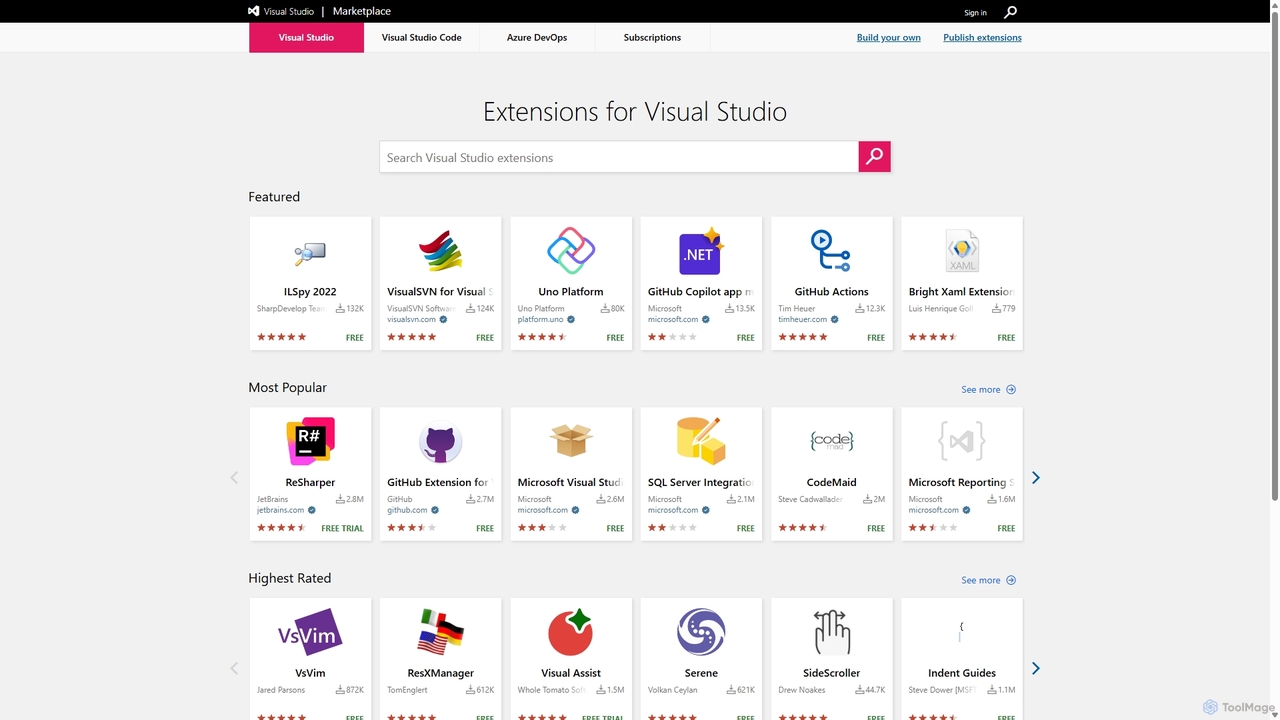
Visual Studio Marketplace
Freemium

Visual Studio Marketplace

The official marketplace for discovering and installing thousands of extensions for the Visual Studio family of products, including Visual Studio, VS Code, and Azure DevOps. Enhance productivity, add new features, and customize your development environment with tools from Microsoft and the community.

Machine Learning
Visits 5MFavorites 133Likes 127

About Code Assistance

Code Assistance tools are AI-powered co-pilots for developers that accelerate the software development lifecycle. They leverage large language models (LLMs) trained on vast code repositories to provide real-time, context-aware suggestions directly within a code editor. These tools go beyond simple autocompletion, helping to generate code, find bugs, refactor complex logic, and even write documentation. By automating repetitive tasks and reducing cognitive load, they empower developers to focus on high-level problem-solving and innovation.

Core Features

  • Intelligent Code Completion: Suggests entire lines or blocks of code based on the current context and programming patterns.
  • Natural Language to Code: Generates functional code snippets, algorithms, or boilerplate from plain English descriptions.
  • Automated Debugging & Explanation: Identifies potential errors, suggests fixes, and explains complex code or error messages.
  • Code Refactoring & Optimization: Recommends improvements to enhance code readability, maintainability, and performance.
  • Documentation Generation: Automatically creates comments, docstrings, and explanations for functions and classes.

Use Cases

These tools are widely used by software developers, data scientists, and students across all industries. They are invaluable for rapid prototyping, learning new frameworks, maintaining legacy systems, and automating the creation of unit tests. Their integration into popular IDEs makes them a seamless part of the daily development workflow.

How to Choose

When selecting a Code Assistance tool, consider its language and framework support, the quality of its IDE integration, and its privacy policies regarding your code. Also evaluate the model's performance, the relevance of its suggestions, and whether its pricing model aligns with your individual or team needs.

Featured tool rankings

Code Assistance use cases

1

Accelerate New Feature Development

A software developer is tasked with building a new data processing module. Instead of writing every line from scratch, they use an AI Code Assistance tool. By writing a comment like "// function to parse CSV and return a JSON object", the tool generates the complete function body. It also provides real-time suggestions for API calls and error handling, reducing development time by an estimated 30-50% and minimizing syntax errors.

2

Simplify Learning a New Language

A Python developer needs to learn Go for a new project. They use an AI assistant to translate familiar Python concepts into Go syntax. When stuck, they can ask "how to create a concurrent web server in Go" directly in the editor. The tool provides code examples and explanations, acting as an interactive tutor and accelerating the learning curve significantly compared to traditional documentation searching.

3

Automate Unit Test Generation

A quality assurance engineer needs to increase test coverage for a critical user authentication service. They select a complex function and prompt the AI tool to "write unit tests for this function, covering edge cases like null inputs and invalid credentials". The tool generates a comprehensive test suite, which the engineer can then review and refine, saving hours of manual test case creation.

4

Modernize Legacy Codebases

A maintenance team is responsible for a large, aging application with poorly documented code. They use an AI Code Assistance tool to understand complex functions by asking it to "explain what this code does". The tool provides a natural language summary. It also helps refactor outdated patterns into modern, more efficient equivalents, improving maintainability and performance without introducing breaking changes.

5

Streamline Data Science Scripting

A data scientist is exploring a new dataset. They use an AI assistant to speed up the creation of Jupyter Notebook scripts. They can write prompts like "load the 'sales_data.csv' and plot monthly revenue using matplotlib". The tool generates the necessary Python code with Pandas and Matplotlib libraries, allowing the scientist to focus on analysis and interpretation rather than boilerplate coding.

6

Master Complex API Integration

A mobile app developer needs to integrate a third-party payment gateway API. The documentation is extensive and complex. Using an AI Code Assistance tool, they can get context-aware code completions for the API's specific functions and parameters. They can also ask for examples, such as "show me how to create a payment intent with this API", receiving a ready-to-use snippet that follows best practices.

Code Assistance FAQ

What is AI Code Assistance?

AI Code Assistance refers to tools that use artificial intelligence, primarily large language models, to help developers write, debug, and understand code more efficiently. Unlike traditional tools, they provide context-aware, generative suggestions for entire code blocks, explain complex logic in natural language, and can even generate code from a simple description. They act as an intelligent pair programmer within the development environment.

How do I choose the right AI Code Assistance tool?

To choose the right tool, evaluate these key factors:

  • Language & Framework Support: Ensure it excels in the programming languages and frameworks you use daily.
  • IDE Integration: A seamless, non-intrusive integration into your preferred code editor (like VS Code, JetBrains IDEs) is crucial for workflow.
  • Code Privacy & Security: Check their policies on how your code is used, especially for enterprise projects. Some offer on-premise or private cloud options.
  • Suggestion Quality: Assess the relevance, accuracy, and helpfulness of the code suggestions through a trial period.
What's the difference between AI Code Assistance and traditional linters?

The primary difference is their function: proactive generation versus reactive analysis. A linter is a static analysis tool that checks code for stylistic errors, potential bugs, and adherence to conventions after it's written. In contrast, an AI Code Assistance tool is a generative partner that proactively suggests and writes code with you, helping to prevent errors and build logic from the ground up. Linters correct, while AI assistants create.

Can AI Code Assistance tools write a complete application?

Currently, AI Code Assistance tools cannot write a complete, complex application from a single prompt. They excel at generating smaller, self-contained components like functions, classes, algorithms, and configuration files. They are powerful assistants that handle specific coding tasks, but the overall architecture, system design, and integration of components still require the expertise of a human developer.

Who benefits most from AI Code Assistance tools?

A wide range of technical professionals benefit from these tools. Junior developers can accelerate their learning and write more idiomatic code. Senior developers can automate repetitive tasks and focus on complex architectural decisions. Data scientists can speed up scripting for analysis and modeling. Even students and hobbyists can use them to quickly prototype ideas and learn programming concepts more effectively.