ToolMage
Sign in

Best 3 Curation AI tools for Productivity

Popular Curation AI tools in Productivity include Swipefy, findcity, and Maroofy, helping you work more efficiently.

findcity
Freemium

findcity

findcity is an exclusive, invitation-only travel marketplace connecting users with unique itineraries from 50 of the world's top travel creators. It uses AI to personalize recommendations, helping you discover hidden gems and authentic experiences you won't find anywhere else. For creators, it offers an 80% revenue share on every sale.

Personalized Recommendations
Visits 7.7KFavorites 121Likes 137
Maroofy
Freemium

Maroofy

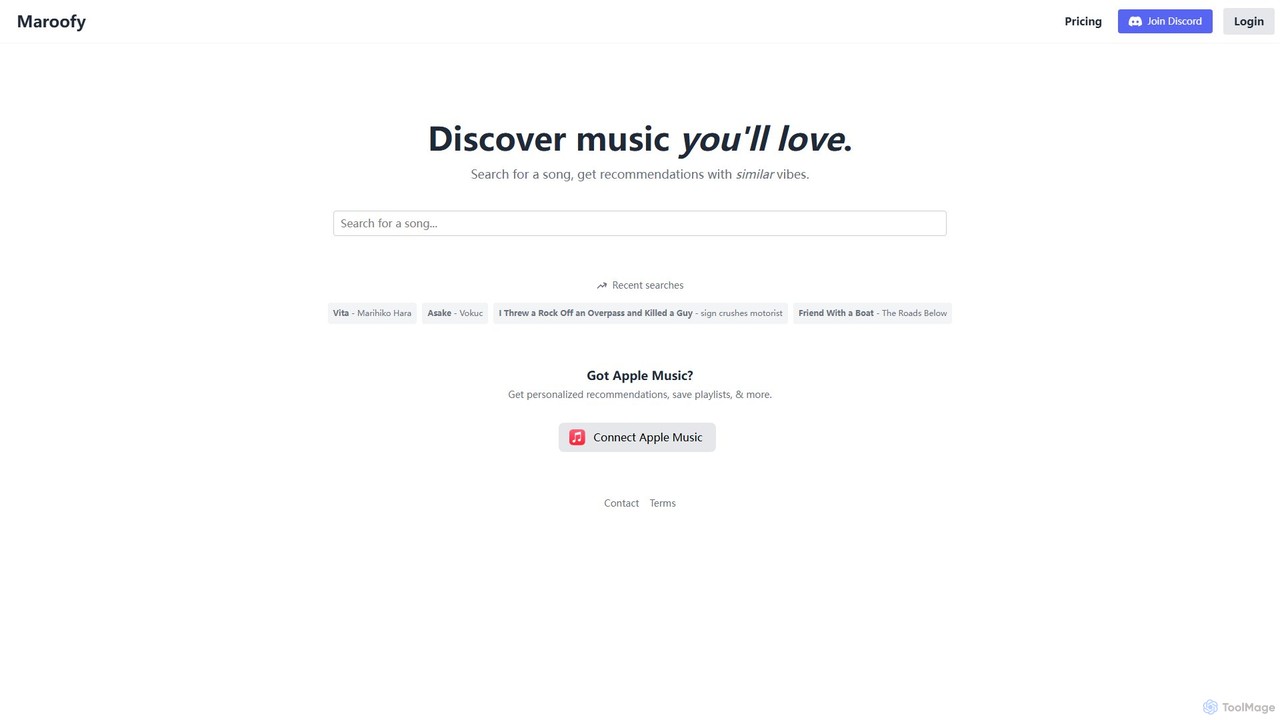
Maroofy is an AI-powered music discovery tool that helps you find new songs based on the vibe of a song you already love. Simply search for a track, and Maroofy's AI will analyze its sonic characteristics to recommend a list of similar-sounding music, expanding your musical horizons effortlessly.

Music
Visits 4.5KFavorites 110Likes 103
Swipefy
Freemium

Swipefy

Swipefy is an AI-powered music discovery app that revolutionizes how you find new songs. By connecting to your Spotify or Apple Music account, it learns your taste and presents 30-second song previews in a fun, Tinder-style interface. Swipe right to like and build playlists effortlessly.

Streaming
Visits 29.2KFavorites 107Likes 105

About Curation

AI Curation tools are a specialized category of productivity software that uses artificial intelligence to automate the discovery, filtering, and organization of digital content. These platforms leverage machine learning and natural language processing (NLP) to analyze vast amounts of information from various sources, identifying the most relevant and valuable items. Their primary purpose is to help users combat information overload, build structured knowledge bases, and uncover key insights efficiently. By automating the manual work of sifting through data, these tools enable users to focus on analysis and strategy.

Core Features

  • AI-Powered Discovery: Automatically suggests relevant articles, posts, and media from across the web based on user interests and existing collections.
  • Intelligent Filtering: Uses semantic analysis to remove irrelevant content, duplicates, and low-quality information from feeds and search results.
  • Automated Tagging & Categorization: Applies relevant tags and sorts content into predefined categories, creating an organized knowledge repository.
  • Content Summarization: Generates concise summaries of long articles, reports, or videos to enable rapid review and comprehension.
  • Trend & Pattern Recognition: Analyzes curated content to identify emerging topics, recurring themes, and key patterns within a specific domain.

Use Cases

AI Curation tools are widely used by market researchers, content strategists, academic researchers, and corporate intelligence teams. For instance, a marketing team can use them to monitor industry trends and competitor activities, while a research group can accelerate literature reviews by automatically organizing and summarizing scientific papers.

How to Choose

When selecting an AI Curation tool, consider the variety of supported content sources (e.g., websites, social media, RSS, APIs), the sophistication of its AI features like recommendation and summarization accuracy, collaboration capabilities for team use, and integration options with other productivity platforms like Notion or Slack.


Featured tool rankings

Curation use cases

1

Automate Market Intelligence Gathering

A business analyst is tasked with tracking competitor movements and industry trends. Instead of manually scouring dozens of news sites, blogs, and reports daily, they use an AI Curation tool. They set up feeds for specific companies and keywords. The AI automatically pulls in relevant articles, filters out marketing fluff and duplicates, and generates daily summaries of the most critical developments. This process reduces daily research time from over two hours to just 20 minutes, allowing the analyst to focus on strategic analysis rather than data collection.

2

Fuel Content Strategy with Data-Driven Ideas

A content marketing team needs fresh, relevant ideas for their blog and social media channels. They use an AI Curation tool to monitor top publications and influencers in their niche. The tool not only collects high-performing content but also analyzes it to identify trending topics, popular formats (e.g., listicles, case studies), and recurring keywords. This provides the team with a data-backed foundation for brainstorming, ensuring their content calendar is aligned with what the audience is actively interested in, thereby increasing engagement rates.

3

Accelerate Academic Literature Reviews

A postgraduate researcher is conducting a literature review and needs to analyze hundreds of academic papers. Using an AI Curation tool, they import papers from various databases. The AI automatically extracts key information like methodology, sample size, and conclusions, and applies relevant tags. The researcher can then quickly filter papers based on specific criteria (e.g., 'qualitative studies from the last 5 years') and view AI-generated summaries to decide which papers require a full read. This transforms a process that could take weeks into a matter of days.

4

Build a Personal Knowledge Management System

A professional aiming for continuous learning wants to build a personal knowledge base. They use an AI Curation tool to save articles, podcasts, and videos they find interesting. The tool automatically transcribes audio/video content, making it searchable, and tags all content based on its subject matter. Over time, this creates a rich, interconnected digital library. When they start a new project, they can search their curated knowledge base to instantly find all the relevant information they have previously saved, helping them connect ideas and learn more effectively.

5

Create a Team Knowledge Sharing Hub

A remote engineering team struggles with knowledge silos. They implement an AI Curation tool as a central hub for technical articles, documentation, and tutorials. When a team member finds a useful resource, they add it to the shared collection. The AI automatically categorizes it (e.g., 'Python Best Practices', 'AWS Security') and notifies relevant team members. When someone faces a problem, they can search the hub first, often finding a solution curated by a colleague. This fosters a culture of shared learning and reduces repetitive questions on team chat channels.

6

Curate Engaging Third-Party Social Media Content

A social media manager needs to supplement their original content with high-quality, relevant articles and videos from other sources. They use an AI Curation tool to discover engaging content related to their industry. The AI recommends articles that are gaining traction on social media and aligns with their brand's tone. The manager can quickly review summaries, select the best pieces, and schedule them for posting directly from the tool. This saves significant time in content discovery and helps maintain an active, valuable social media presence for their audience.

Curation FAQ

What are AI Curation tools?

AI Curation tools are applications that use artificial intelligence to automate the process of finding, filtering, organizing, and summarizing digital content. Unlike simple bookmarking tools, they actively help users manage information overload. Key features often include AI-powered content recommendations, automatic tagging based on content, duplicate removal, and generating summaries of articles or videos. They are designed for anyone who needs to process large amounts of information, such as researchers, marketers, and lifelong learners, turning chaotic data streams into structured knowledge.

How to choose the right AI Curation tool?

Choosing the right AI Curation tool depends on your specific needs. Consider the following factors:

  • Source Integration: Does it support the sources you rely on, such as specific websites, social media platforms, RSS feeds, or newsletters?
  • AI Feature Quality: Evaluate the accuracy of its recommendations, the relevance of its automatic tagging, and the quality of its content summaries.
  • Workflow and UI: Is the user interface intuitive? Does it fit into your existing workflow? Look for features like browser extensions and mobile apps.
  • Collaboration: If you work in a team, check for features like shared collections, commenting, and integrations with tools like Slack or Microsoft Teams.
  • Export and Integration: Can you easily export your curated content or integrate it with other knowledge management systems like Notion, Roam Research, or Obsidian?
What's the difference between AI Curation and an RSS reader?

The primary difference lies in intelligence and selectivity. An RSS reader is a passive tool that simply aggregates all content from predefined sources into a single feed, often leading to a high volume of unorganized information. An AI Curation tool is an active partner in managing that information. It goes beyond aggregation by using AI to:

  • Discover new, relevant content you might have missed.
  • Filter out noise, duplicates, and low-value posts.
  • Organize content automatically with tags and categories.
  • Summarize long articles for quick insights.

In short, an RSS reader gives you a raw stream of data; an AI Curation tool helps you turn that stream into structured, actionable knowledge.

Who can benefit from using AI Curation tools?

A wide range of professionals and individuals can benefit from AI Curation tools. Key user groups include:

  • Researchers & Academics: To accelerate literature reviews and stay updated on new research in their field without being overwhelmed.
  • Content Marketers & Strategists: To discover content ideas, monitor industry trends, and curate third-party content for social media.
  • Business Analysts & Strategists: To track competitors, gather market intelligence, and identify emerging business opportunities.
  • Consultants & Coaches: To build a knowledge base of industry best practices and share relevant insights with clients.
  • Lifelong Learners: To create personal knowledge management (PKM) systems that help them learn more effectively and connect ideas across different topics.
How does AI improve the traditional curation process?

AI fundamentally transforms curation from a manual, time-consuming task into a semi-automated, intelligent process. It improves upon traditional methods in several key ways:

  • Scale: AI can monitor and analyze thousands of sources simultaneously, a task impossible for a human. This ensures broader coverage and reduces the chance of missing critical information.
  • Speed: AI automates the most tedious parts of curation, such as filtering, tagging, and summarizing. This frees up human curators to focus on higher-level tasks like analysis, adding context, and strategic decision-making.
  • Relevance: By learning from a user's behavior and feedback, AI algorithms can deliver increasingly personalized and relevant content suggestions over time, moving beyond simple keyword matching.
  • Insight Generation: Some advanced tools can analyze a collection of curated content to spot trends, identify key themes, or highlight influential authors, turning a simple collection into a source of strategic insight.