ToolMage
Sign in

Best 1 Desktop App for Productivity

Popular Desktop App in Productivity include WhisperUI, helping you work more efficiently.

WhisperUI
Freemium

WhisperUI

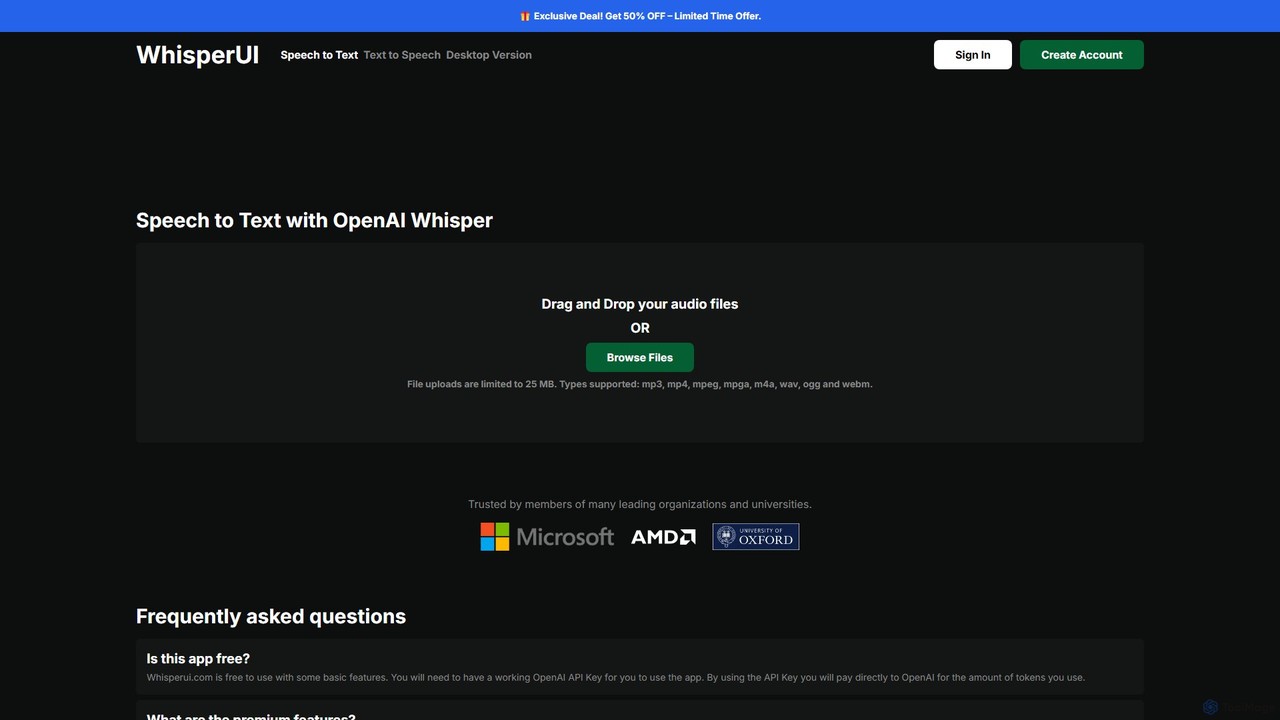
WhisperUI is a versatile AI-powered suite for speech-to-text and text-to-speech conversion. It offers a web-based interface using your OpenAI API key for affordable transcriptions and voice generation, and a dedicated desktop app for unlimited, private, local processing on Windows and macOS with GPU support.

Text To Speech
Visits 27.8KFavorites 136Likes 140

About Desktop App

Desktop App AI tools are applications designed to run directly on a user's computer, leveraging local processing power for AI functionalities. Unlike cloud-based solutions, these tools often offer enhanced performance, offline capabilities, and superior data privacy by keeping sensitive information on the user's device. They integrate deeply with the operating system, providing a seamless and responsive user experience for various productivity tasks. This category within Productivity tools empowers users with robust, dedicated AI assistance without constant internet dependency, making them ideal for professionals requiring high security or stable performance.

Core Features

  • Offline Functionality: Perform AI tasks without an internet connection, ensuring continuous workflow.
  • Local Data Processing: Process sensitive data directly on the device, enhancing privacy and security.
  • System Integration: Deeply integrate with the operating system for seamless file access and workflow automation.
  • Optimized Performance: Leverage local hardware for faster processing and more responsive AI model execution.
  • Customization & Control: Offer extensive settings and local model management for tailored AI experiences.

Applicable Scenarios

Desktop AI apps are widely used by graphic designers for local image enhancement, writers for offline grammar checking, and developers for code analysis without uploading proprietary code to the cloud. They are also crucial for professionals handling confidential data, ensuring compliance and security in sectors like legal and finance.

Selection Criteria

When selecting a Desktop AI App, consider its offline capabilities and the extent of local data processing for privacy. Evaluate its system resource requirements and compatibility with your operating system. Look for specific AI features that align with your workflow, such as advanced image editing, natural language processing, or code generation, and assess the ease of integration with other desktop applications you use.

Desktop App use cases

1

Offline Legal Document Analysis for Professionals

Legal professionals often handle highly sensitive client documents that cannot be uploaded to cloud services. A desktop AI app allows them to perform tasks like contract review, clause extraction, and case summary generation directly on their local machine. This ensures data confidentiality, speeds up analysis by leveraging local processing power, and enables work in environments without internet access, significantly reducing review time and compliance risks.

2

Local AI-Powered Image Editing for Graphic Designers

Graphic designers frequently work with large, high-resolution image files and require rapid processing. Desktop AI image editing tools enable features like intelligent object removal, background generation, and style transfer using local GPU resources. This provides instant feedback, maintains full control over proprietary assets, and eliminates upload/download times, allowing designers to iterate faster and protect their creative work.

3

Secure Code Generation and Review for Developers

Software developers working on proprietary or sensitive projects need AI assistance without exposing their codebase. A desktop AI coding assistant can generate code snippets, suggest refactorings, and identify bugs by analyzing code locally. This maintains intellectual property security, integrates seamlessly with local IDEs, and provides immediate, context-aware suggestions, accelerating development cycles while safeguarding confidential algorithms.

4

Enhanced Writing and Research for Academics

Academics and researchers often deal with extensive literature and require robust tools for writing and analysis. Desktop AI writing assistants can provide advanced grammar checks, stylistic improvements, and even summarize research papers offline. This ensures the privacy of unpublished work, offers consistent performance regardless of internet availability, and helps refine complex arguments, making the research and publication process more efficient and secure.

5

Personalized Offline Language Learning and Practice

Language learners benefit from consistent practice and personalized feedback. Desktop AI language apps can offer interactive exercises, pronunciation analysis, and conversational practice using local speech recognition and synthesis. This allows learners to practice anytime, anywhere, without internet dependency, providing a private and focused learning environment tailored to their progress and specific needs, enhancing fluency and confidence.

6

Data Privacy-Focused Financial Analysis

Financial analysts handle highly confidential client data and market forecasts. Desktop AI tools for financial analysis can perform predictive modeling, risk assessment, and report generation using local datasets. This ensures strict compliance with data privacy regulations, prevents sensitive information from leaving the secure local environment, and provides rapid, accurate insights for critical decision-making without compromising security.

Desktop App FAQ

What are Desktop AI Apps?

Desktop AI Apps are software applications that run directly on your computer's operating system, utilizing its local processing power to execute artificial intelligence tasks. Unlike web-based AI tools, they do not require a constant internet connection for core functionalities and process data on your device. This offers advantages in terms of data privacy, security, and often, performance. They are designed for deep integration with your local files and system resources, providing a dedicated and responsive AI experience for various productivity needs.

How do Desktop AI Apps differ from Cloud-based AI tools?

The primary difference lies in where the AI processing occurs. Desktop AI Apps perform computations locally on your device, offering enhanced data privacy, offline functionality, and potentially faster performance due to direct hardware access. Cloud-based AI tools, conversely, send your data to remote servers for processing, requiring an internet connection. While cloud tools offer scalability and accessibility from any device, desktop apps provide greater control over data, better security for sensitive information, and reliability in environments with limited connectivity.

What are the main advantages of using Desktop AI Apps?

Desktop AI Apps offer several key advantages. Firstly, enhanced data privacy and security as your data remains on your local machine. Secondly, offline functionality, allowing you to work without an internet connection. Thirdly, superior performance by leveraging your computer's dedicated hardware (like GPUs) for faster AI model execution. Lastly, they provide deeper system integration and often more extensive customization options, giving users greater control over their AI workflows and data management.

Who benefits most from using Desktop AI Apps?

Professionals and individuals who prioritize data privacy, security, and offline capabilities benefit most. This includes legal professionals, financial analysts, graphic designers, software developers, and academics who handle sensitive or proprietary information. Users in remote locations or those with unreliable internet access also find desktop AI apps invaluable. Essentially, anyone needing robust, dedicated AI power with maximum control over their data and workflow will find these tools highly advantageous for productivity.

Can Desktop AI Apps integrate with other software?

Yes, many Desktop AI Apps are designed for seamless integration with other desktop software and operating system functionalities. They can often interact directly with local files, integrate into existing creative suites (like Adobe products), or work alongside development environments (IDEs). Some offer APIs or plugins for extended functionality, allowing users to incorporate AI capabilities directly into their preferred workflows. This deep integration enhances productivity by streamlining tasks and reducing the need to switch between multiple applications.