ChatWise
ChatWise is a high-performance, privacy-focused desktop application that provides a unified interface for interacting with various LLMs like …
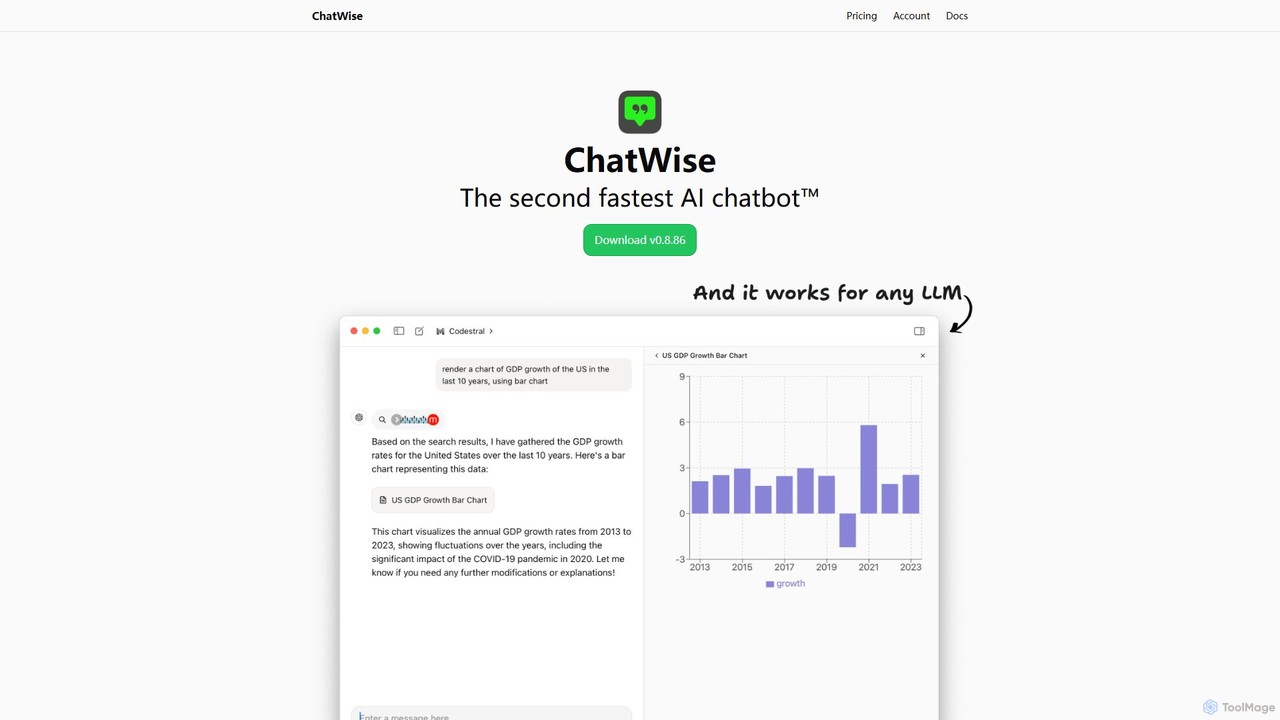
ChatWise is a high-performance, privacy-focused desktop application that provides a unified interface for interacting with various LLMs like ChatGPT, Claude, Gemini, and Llama. It supports multi-modal inputs, web search, and tool integration, storing all your data locally.
About Desktop Application
AI Desktop Applications are software programs installed directly onto a computer's operating system to leverage local hardware for AI tasks. Unlike web-based tools, they offer enhanced performance, offline capabilities, and greater data privacy by processing information locally. This makes them suitable for resource-intensive tasks like video editing, data analysis, and running large models without constant internet dependency. They provide deep integration with the local file system and other native software, creating a seamless and efficient workflow within a user's existing productivity environment.
Core Features
- Local Processing: Utilizes the computer's CPU and GPU for faster, more responsive AI computations and reduced latency.
- Offline Functionality: Core features can operate without an active internet connection, ensuring productivity anywhere.
- Enhanced Data Security: Processes and stores sensitive data on the local machine, minimizing exposure to cloud-based vulnerabilities.
- Deep OS Integration: Seamlessly interacts with the file system, notifications, and other desktop applications for a unified experience.
Use Cases
These applications are ideal for creative professionals, developers, and researchers who handle large files or sensitive data. Common scenarios include AI-powered video rendering, local code generation assistants that don't send proprietary code to the cloud, and offline analysis of confidential research data.
How to Choose
When selecting an AI desktop application, consider its operating system compatibility (Windows, macOS, Linux) and hardware requirements (GPU, RAM). Evaluate the balance between offline features and those requiring an internet connection. Also, review the data privacy policy to understand how your information is handled, and check for integrations with other essential desktop software you use.

Desktop ApplicationUse Cases
High-Resolution AI Video Upscaling
A video editor needs to upscale 1080p archival footage to 4K for a modern documentary. Using a desktop AI application, they can leverage their computer's powerful GPU to process the video files locally. This avoids the slow process of uploading terabytes of data to a cloud service and waiting in a render queue. The application's AI models analyze and enhance each frame, generating crisp 4K output directly on their machine, significantly speeding up the post-production workflow and keeping the source material secure.
Local Code Completion and Analysis
A software developer working on a proprietary enterprise application needs an AI coding assistant. For security reasons, they cannot send their source code to a third-party cloud service. They use a desktop AI tool that integrates with their IDE. The tool runs a large language model locally on their machine, providing intelligent code completions, bug detection, and function generation without any data leaving their computer. This ensures compliance with strict data privacy policies while still boosting development productivity.
Offline AI-Powered Note-Taking
A researcher is attending a conference in a location with unreliable Wi-Fi. They use a desktop AI note-taking application to transcribe lectures in real-time, organize notes, and create knowledge graphs. Because all processing happens locally, they are not dependent on an internet connection. The app can instantly link new notes to existing research stored on their hard drive, identify key themes across all documents, and generate summaries, ensuring they can capture and structure insights effectively, regardless of connectivity.
Batch Image Editing with AI Models
A professional photographer needs to process a wedding photoshoot with over a thousand RAW images. Using a desktop AI photo editor, they can apply complex edits—such as AI-powered skin retouching, background enhancement, and consistent color grading—to the entire batch simultaneously. The local processing power of their workstation handles these resource-intensive tasks far more quickly than a web-based editor could, without the need to upload and re-download huge files. This allows for a faster turnaround time for clients and greater creative control.
Secure Document Analysis for Enterprises
A legal team needs to analyze hundreds of sensitive contracts for specific clauses. Using a cloud-based AI tool would violate client confidentiality agreements. Instead, they use a desktop AI application for document analysis. They can feed all the documents into the software on their local, air-gapped network. The AI extracts relevant information, identifies risks, and summarizes key points without any data ever being transmitted externally. This ensures maximum security and compliance while leveraging AI to accelerate the due diligence process.
AI-Assisted Music Composition
A music producer is working against a tight deadline and needs inspiration for a new track. They use an AI music composition application on their desktop. The software, leveraging local processing for real-time audio synthesis, can generate complex chord progressions, drum patterns, and melodic ideas based on simple inputs. Because it runs natively, it integrates directly with their Digital Audio Workstation (DAW) via plugins, allowing for a seamless workflow without the latency issues often found with web-based music generators. This accelerates the creative process while keeping all project files local.