ToolMage
Sign in

Best 1 Text Formatting AI tools for Productivity

Popular Text Formatting AI tools in Productivity include chatgpttextformatter, helping you work more efficiently.

chatgpttextformatter
Free

chatgpttextformatter

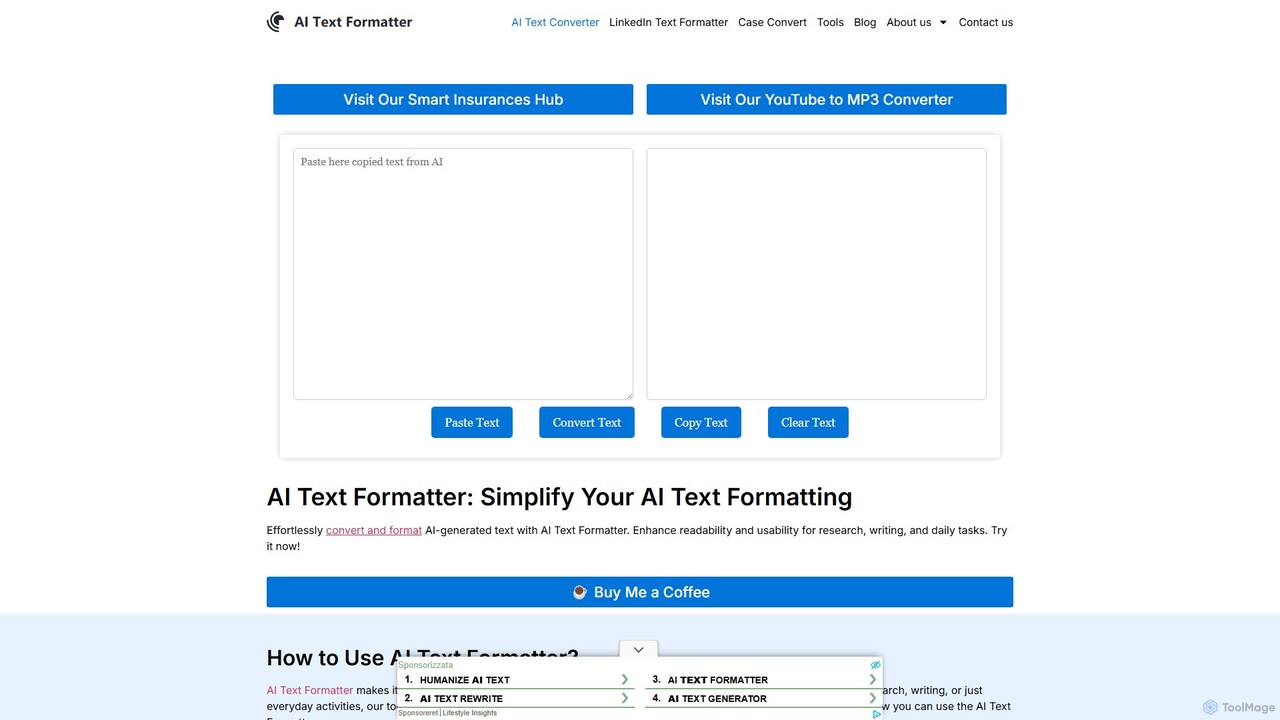
A free online tool designed to instantly clean and reformat text copied from AI chatbots like ChatGPT. It removes unwanted background colors, code block styling, and inconsistent spacing, providing clean, ready-to-use text for documents, emails, and presentations. Enhance your productivity by simplifying your AI-to-document workflow.

Text Formatting
Visits 9.8KFavorites 84Likes 91

About Text Formatting

Text Formatting tools are AI-powered applications designed to automate and significantly enhance the presentation, style, and structural integrity of written content. Leveraging advanced natural language processing (NLP) and machine learning algorithms, these tools move beyond basic spell-checking and grammar correction. Their primary function is to ensure consistency, improve readability, and enforce adherence to specific stylistic guidelines across a wide array of documents, from professional reports to creative articles. By intelligently analyzing text, they streamline the often tedious process of preparing content for various platforms and audiences, thereby boosting efficiency within the broader productivity landscape.

Core Features

  • Style Consistency Enforcement: These tools automatically detect and apply a uniform style, tone, and vocabulary throughout a document. This includes ensuring consistent capitalization, hyphenation, number formatting, and adherence to specific brand or academic style guides, eliminating manual review for stylistic errors.
  • Advanced Grammar & Punctuation Correction: Going beyond simple error detection, AI text formatters identify and suggest corrections for complex grammatical structures, nuanced punctuation usage, and stylistic inconsistencies that traditional checkers often miss. They can understand context to provide more accurate and relevant suggestions.
  • Layout & Structure Optimization: AI-driven formatting can intelligently adjust paragraph breaks, heading hierarchies, list styles, and even sentence flow to improve the visual appeal and logical coherence of a document. This ensures content is well-organized and easy to navigate for the reader.
  • Readability Enhancement: By analyzing sentence complexity, word choice, and paragraph length, these tools provide actionable recommendations to make text more accessible and engaging. They can suggest simpler synonyms, break down long sentences, or rephrase awkward constructions to improve overall comprehension.
  • Cross-Platform & Output Adaptation: A key capability is the ability to format content to meet the specific technical and stylistic requirements of different publishing platforms (e.g., web, print, e-book) or document types (e.g., legal briefs, marketing copy, academic papers). This ensures optimal presentation regardless of the final medium.

Use Cases

AI text formatting tools are indispensable for a diverse range of professionals, including content creators, marketing specialists, academic researchers, and technical writers. They are extensively used to prepare blog posts for publication, ensuring SEO-friendly and reader-engaging formats; to standardize corporate communications, maintaining a consistent brand voice across all external and internal documents; and to meticulously format academic papers according to specific style manuals like APA, MLA, or Chicago, saving countless hours of manual adjustment.

How to Choose

When selecting an AI text formatting tool, it is crucial to consider its integration capabilities with your existing writing and content management software, ensuring a seamless workflow. Evaluate the depth of its customization options for specific style guides, as this determines its adaptability to your unique needs. Assess its accuracy in handling complex linguistic nuances and its support for multiple languages. Finally, consider the user interface and the level of control it offers over automated suggestions, ensuring it enhances rather than hinders your editing process.

Featured tool rankings

Text Formatting use cases

1

Automating Blog Post Formatting for SEO

Content creators can utilize AI text formatting tools to automatically apply consistent headings (H1, H2, H3), paragraph styles, bullet points, and internal linking structures to blog posts. This ensures optimal readability, enhances user experience, and improves search engine optimization (SEO) compliance before publication. The AI streamlines the process, saving significant manual editing time and ensuring a professional online presence.

2

Ensuring Consistent Brand Voice in Marketing

Marketing teams leverage these tools to enforce a uniform brand voice, tone, and terminology across all marketing materials. This includes social media updates, ad copy, email campaigns, and website content. The AI identifies and corrects deviations from established style guides, maintaining a cohesive and professional brand image that resonates consistently with the target audience.

3

Adhering to Complex Academic Style Guides

Academic writers, researchers, and students utilize AI formatters to automatically adjust citations, bibliographies, headings, footnotes, and general document layout to meticulously comply with specific academic style guides such as APA, MLA, Chicago, or Harvard. This drastically reduces the potential for errors, saves countless hours of manual adjustment, and ensures papers meet rigorous submission standards.

4

Standardizing Technical Documentation and Code

Technical writers and software developers employ AI text formatting tools to ensure consistency in code comments, user manuals, API documentation, and internal wikis. The AI can enforce specific syntax highlighting, uniform formatting for code snippets, and consistent terminology, significantly improving clarity, maintainability, and ease of understanding for both developers and end-users.

5

Formatting Legal Documents for Precision and Compliance

Legal professionals use AI text formatting to ensure contracts, briefs, pleadings, and other critical legal documents adhere to strict legal formatting standards. This includes specific numbering schemes, clause structures, citation formats, and consistent terminology. The automation minimizes human error, ensures compliance with regulatory requirements, and enhances the overall professionalism and clarity of legal texts.

6

Preparing Manuscripts for Professional Publication

Publishers and authors can significantly benefit from AI tools when preparing manuscripts for print or digital publication. The AI automatically adjusts typography, margins, chapter headings, table of contents, and other layout elements. This ensures a professional, aesthetically pleasing, and consistent layout across the entire book, journal, or e-book, streamlining the pre-press process.

Text Formatting FAQ

What are AI Text Formatting tools?

AI Text Formatting tools are sophisticated applications that harness artificial intelligence, particularly natural language processing (NLP) and machine learning, to automatically analyze, modify, and significantly enhance the presentation and structural integrity of written content. Unlike basic grammar checkers, these tools delve deeper by applying complex stylistic rules, ensuring consistency across large documents, and optimizing text for superior readability and adherence to specific output requirements. They aim to automate the often-laborious process of preparing text for various professional and academic contexts.

How do AI text formatting tools differ from traditional word processors?

Traditional word processors provide a suite of manual formatting options, requiring users to actively select and apply styles, correct errors, and adjust layouts themselves. AI text formatting tools, conversely, leverage their intelligence to *understand* the content's context and intent. They can automatically suggest or apply complex stylistic rules, enforce consistency across entire documents, and adapt formatting based on predefined guidelines or learned patterns. This intelligent automation drastically reduces manual effort, minimizes human error, and ensures a higher level of consistency and compliance than manual methods.

What are the main benefits of using AI for text formatting?

The primary benefits of integrating AI into text formatting workflows are multifaceted. Users experience significant time savings by automating tedious and repetitive manual formatting tasks, allowing them to focus on content creation. These tools ensure unparalleled consistency in style, tone, and structure across all documents, which is crucial for brand identity and professional communication. Furthermore, they improve overall content quality through enhanced readability, precise adherence to specific style guides, and a substantial reduction in human errors, leading to more polished and impactful written output.

Can AI text formatting tools adapt to custom style guides?

Yes, many advanced AI text formatting tools are designed with robust customization capabilities to meet diverse user needs. Users typically have the option to upload or define their own specific style guides, brand voice rules, academic formatting requirements (e.g., specific citation styles), or even industry-specific terminology. The AI then learns and applies these custom rules consistently across all processed text, ensuring that the output is not only perfectly formatted but also precisely aligned with personalized or organizational standards, offering unparalleled flexibility and precision.

Who can benefit most from using AI text formatting tools?

A broad spectrum of professionals and organizations can derive immense value from AI text formatting tools. This includes content creators (bloggers, journalists), marketing and communications specialists, academic researchers and students, technical writers, legal professionals, and publishing houses. Essentially, anyone who regularly produces large volumes of text that demands strict adherence to style, consistency, and a high level of professional presentation will find these tools invaluable for boosting efficiency, maintaining quality, and ensuring compliance across their written output.