Data Best in category 3 results Spreadsheets AI Tool

Popular AI tools in the Spreadsheets field of Data include Tablize、Metatable、Chatsheet, etc., helping you quickly improve efficiency.

Chatsheet

Chatsheet

Chatsheet is an AI-powered spreadsheet platform that automates research, content creation, and data analysis. Using a familiar spreadsheet …

2.3K
Metatable

Metatable

Metatable is an AI-powered data assistant that revolutionizes how you interact with spreadsheets and tabular data. Simply use …

2.3K
Tablize

Tablize

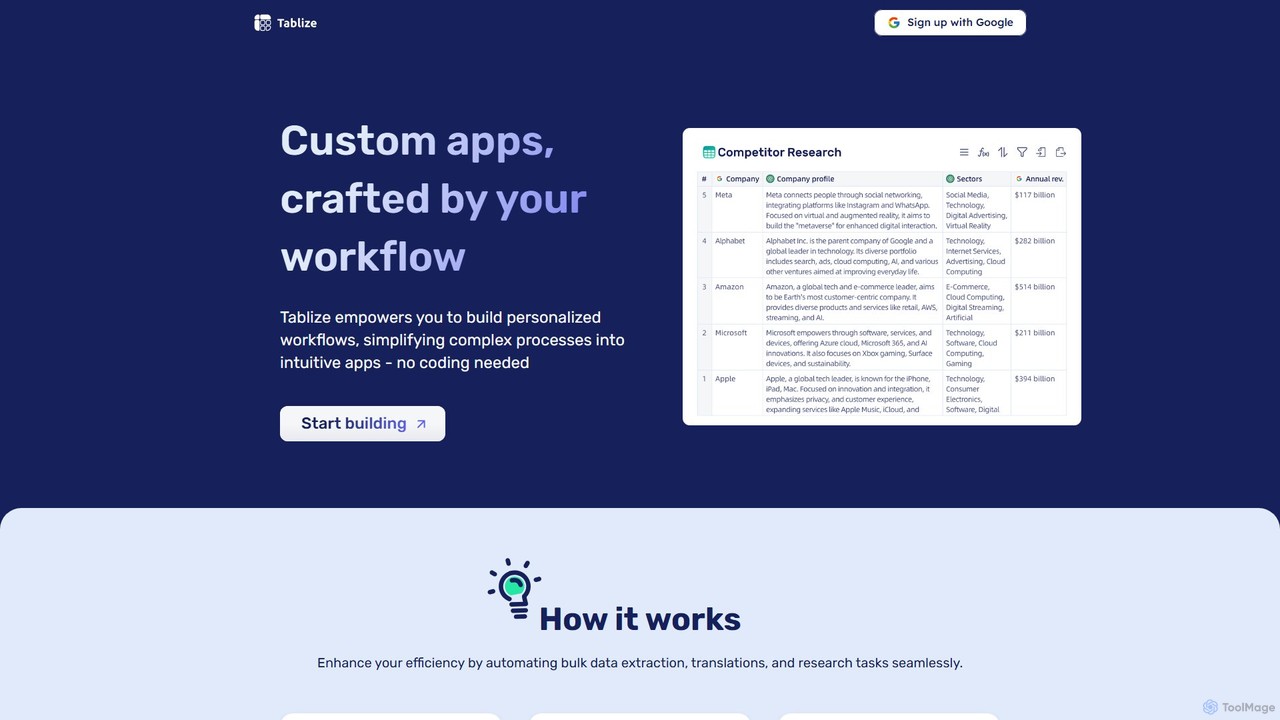
Tablize is a no-code AI platform that transforms complex tasks into simple, automated workflows. Using a familiar spreadsheet …

2.8K

About Spreadsheets

AI Spreadsheets are tools that embed artificial intelligence directly into the familiar spreadsheet interface to automate data analysis and manipulation. They utilize natural language processing (NLP) and machine learning to interpret text commands, clean data, identify patterns, and generate forecasts without complex formulas. This makes sophisticated data analysis accessible to users without specialized technical skills, transforming spreadsheets from static grids into interactive analytical partners. These tools significantly accelerate tasks that traditionally require manual effort, such as data preparation and report generation.

Core Features

  • Natural Language Commands: Generate formulas, create charts, or summarize data by typing instructions in plain English.
  • Automated Data Cleaning: Intelligently detect and correct inconsistencies, duplicates, and formatting errors in datasets.
  • Predictive Forecasting: Build and apply forecasting models to historical data with a single click to predict future trends.
  • Automatic Insight Generation: Automatically analyze data to highlight key trends, correlations, and anomalies that might be missed.
  • Generative Table Creation: Create structured tables and templates based on simple text descriptions of the desired layout and content.

Use Cases

AI Spreadsheets are widely used across various business functions. In finance, they automate financial modeling and budget variance analysis. Marketing teams use them to quickly analyze campaign performance data and segment customers. Sales departments leverage them for lead scoring and sales forecasting, while operations managers use them for inventory prediction and supply chain optimization.

How to Choose

When selecting an AI Spreadsheet tool, consider its integration capabilities with existing platforms like Google Sheets or Excel. Evaluate the power and accuracy of its AI features, particularly for your specific needs like forecasting or data cleaning. Assess the user interface for ease of use, especially for non-technical team members. Finally, review the pricing model to ensure it aligns with your usage volume and budget.

SpreadsheetsUse Cases

1

Automated Sales Forecasting for Small Businesses

A sales manager at a small e-commerce company needs to create a reliable sales forecast for the next quarter but lacks a dedicated data analyst. Instead of manually building complex models in Excel, they use an AI Spreadsheet tool. They upload the past two years of sales data and simply type the prompt: 'Forecast sales for the next quarter based on this data, showing month-over-month growth trends.' The AI instantly generates a new sheet with the forecast, a data table, and a line chart visualizing the projection. This saves hours of work and provides a data-driven basis for inventory and marketing budget decisions.

2

Rapid Marketing Campaign Analysis

A marketing specialist has just concluded a multi-channel digital campaign and needs to report on its performance. The raw data from Google Ads, Facebook, and email platforms is exported into a single sheet, but it's messy and inconsistent. Using an AI Spreadsheet, they first use the 'auto-clean' feature to standardize date formats and fix typos in campaign names. Then, they ask, 'Which campaign had the highest ROI? Create a pivot table summarizing cost, conversions, and CPA by channel.' The tool instantly processes the data and presents a clean, insightful summary, allowing the specialist to prepare their report in minutes instead of hours.

3

Generating Structured Project Plans from Notes

A project manager has just finished a brainstorming session and has a list of unstructured notes for a new product launch. To quickly turn these notes into a formal plan, they use an AI Spreadsheet. They type a prompt like: 'Create a project plan table with columns for Task, Owner, Start Date, End Date, and Status. Populate it with the following tasks: Design mockups, Develop feature A, Write marketing copy, and Launch beta.' The AI generates a perfectly formatted table, which the manager can then easily share with the team and start tracking progress. This bridges the gap between unstructured ideas and actionable project plans.

4

Analyzing Customer Feedback at Scale

A product manager receives thousands of responses from a customer satisfaction survey. Manually reading and categorizing each comment is impractical. They import the raw survey data, including open-ended text feedback, into an AI Spreadsheet. They then use a natural language function by asking, 'Analyze the sentiment of the feedback column and categorize each comment into themes like Pricing, Feature Request, or Bug Report.' The tool processes all the text, adds new columns for sentiment (Positive, Negative, Neutral) and theme, and creates a summary chart showing the distribution of feedback. This provides actionable insights in minutes, highlighting the most urgent issues to address.

5

Automating Financial Reconciliation

An accountant for a growing startup needs to reconcile monthly bank statements with internal expense records. The data formats are different, and there are often minor discrepancies in transaction descriptions. They load both datasets into an AI Spreadsheet. The tool's AI capabilities help identify matching transactions even with slight variations in text. They use a prompt like 'Match transactions between Sheet1 and Sheet2 based on date and amount, and highlight any records that do not have a match.' The AI performs the fuzzy matching and reconciliation in seconds, identifying potential errors or missing entries that would have taken hours to find manually.

6

Optimizing Inventory with Demand Prediction

A retail store manager wants to avoid stockouts of popular items and reduce overstocking of slow-moving products. They compile historical sales data by product SKU and date in a spreadsheet. Using an AI Spreadsheet tool, they select the data and use a built-in forecasting function. They ask, 'Predict the demand for each SKU for the next 30 days based on historical sales and seasonality.' The AI analyzes past trends, identifies seasonal patterns (e.g., higher sales on weekends), and generates a demand forecast for each product. This allows the manager to make more accurate purchasing orders, optimizing cash flow and improving customer satisfaction.

SpreadsheetsFrequently Asked Questions