
Freemium
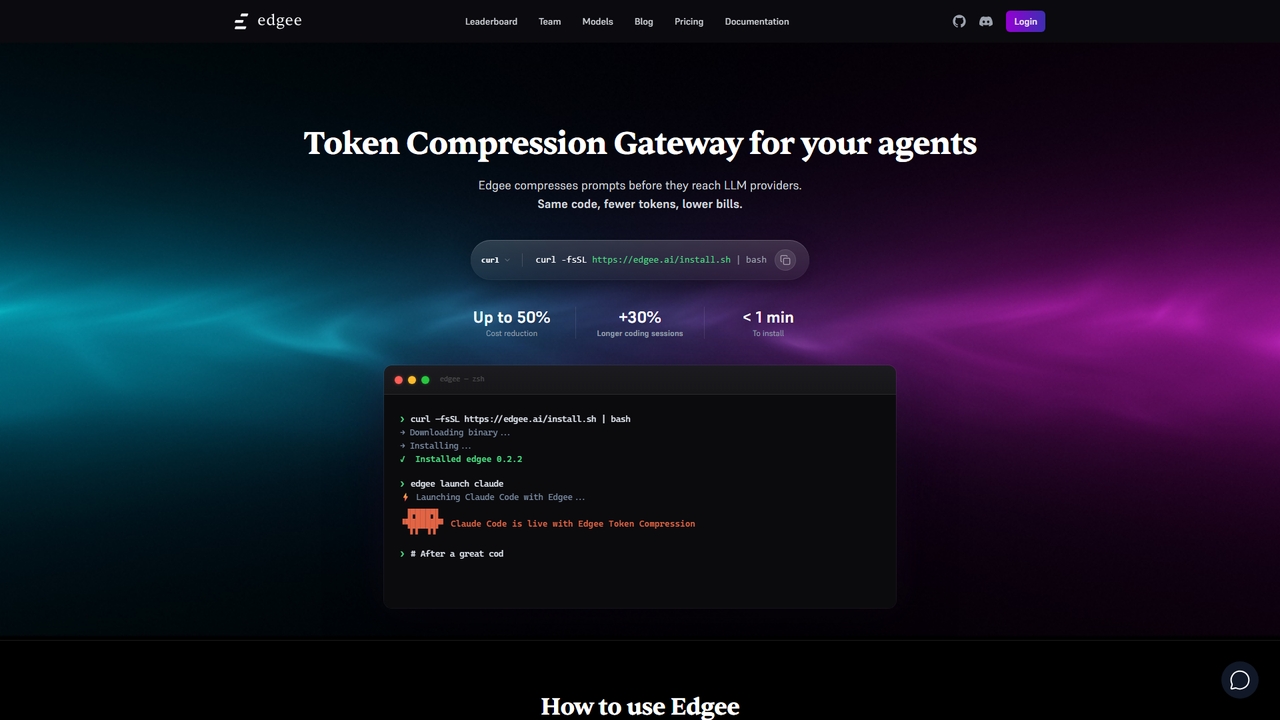
Edgee
Edgee is a token compression gateway that reduces LLM prompt costs by up to 50%. Works transparently with coding agents like Claude, Codex, and Cursor.
Llm GatewayVisits 11.3KFavorites 47Likes 48
Popular Development Tools in Productivity include Edgee, SwiftAI Boilerplate, Runexo, and PluginLyzer, helping you work more efficiently.
Edgee is a token compression gateway that reduces LLM prompt costs by up to 50%. Works transparently with coding agents like Claude, Codex, and Cursor.
Llm Gateway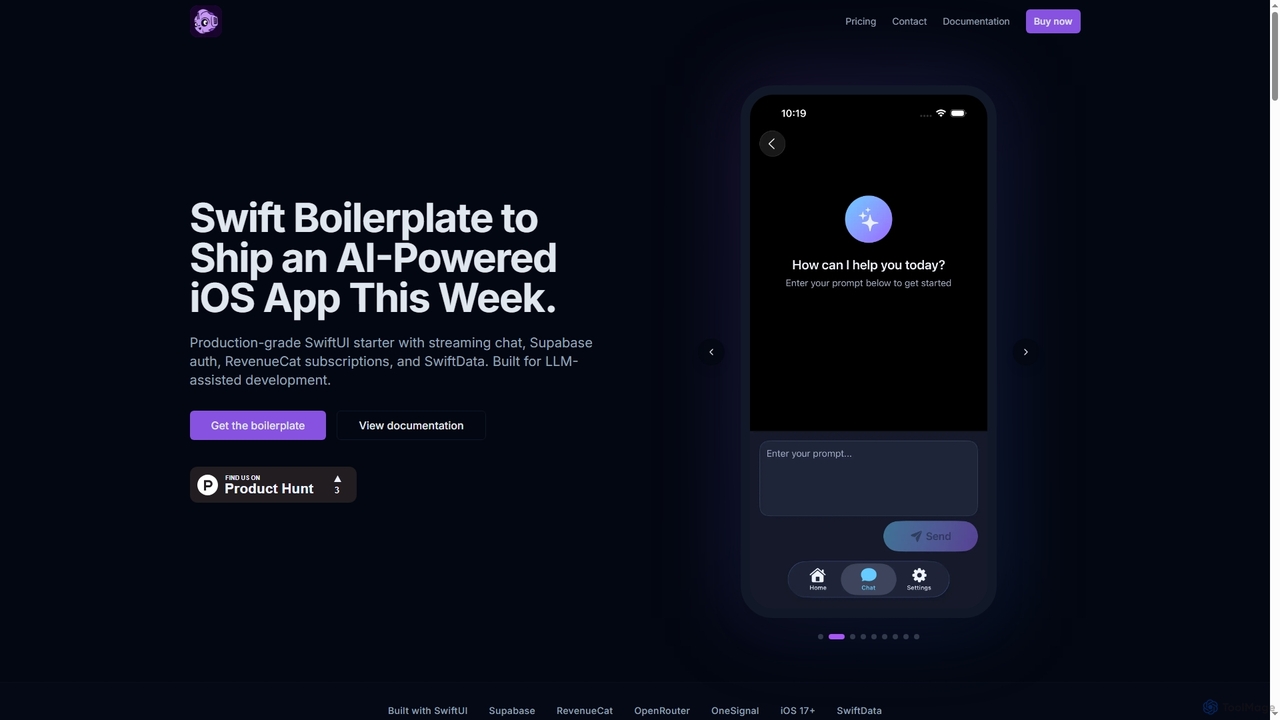
SwiftAI Boilerplate is a production-grade SwiftUI starter kit designed to accelerate the development of AI-powered iOS applications. It provides pre-built modules for streaming AI chat, secure authentication (Supabase), subscriptions (RevenueCat), and robust data persistence (SwiftData), saving developers months of integration and setup time.
Ai Development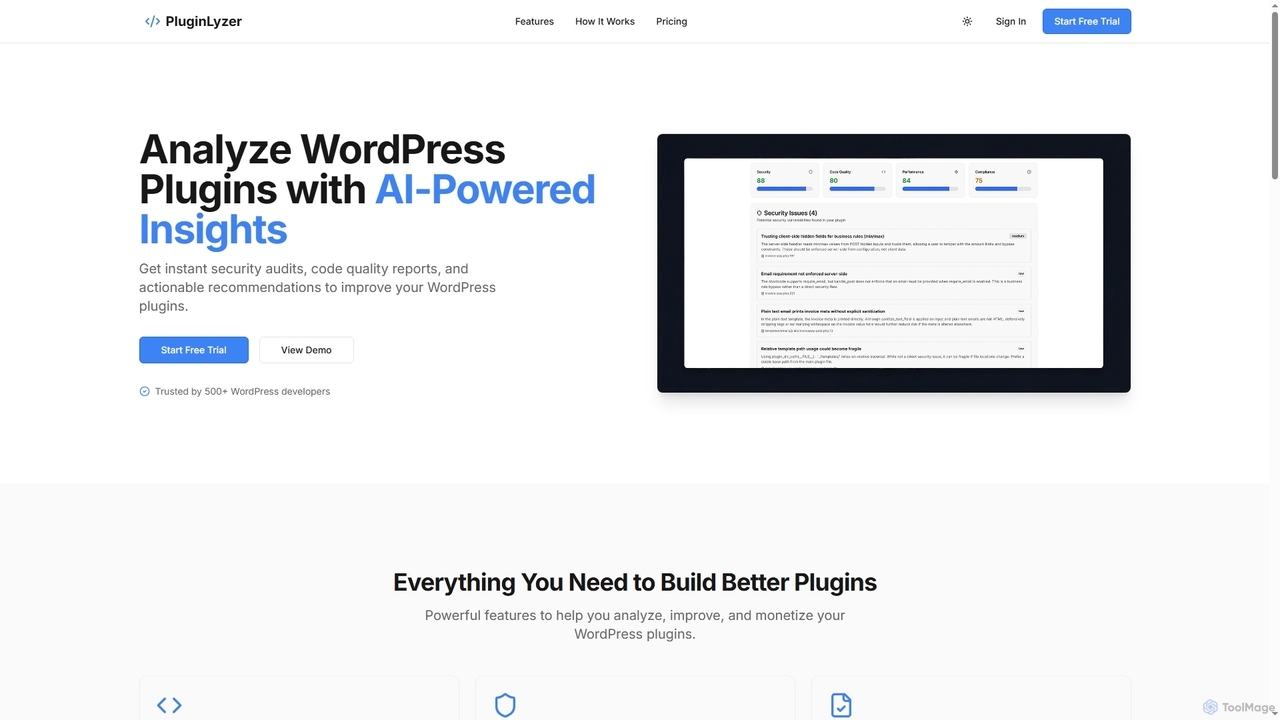
PluginLyzer is an AI-powered platform designed for WordPress developers to analyze, improve, and monetize their plugins. It provides instant security audits, comprehensive code quality reports, performance optimization recommendations, and ensures compliance with WordPress coding standards, helping developers build better and more secure plugins efficiently.
Monetization Strategy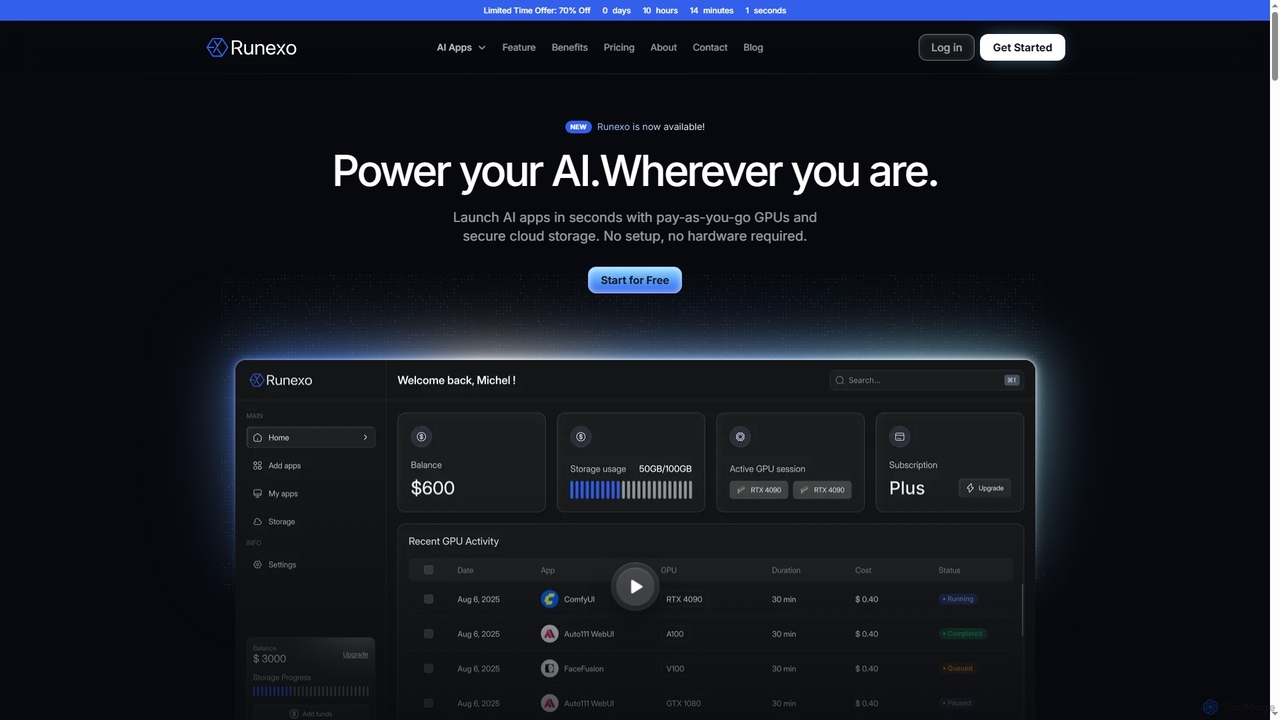
Runexo is a cloud GPU platform designed to empower AI development, training, and inference. It offers instant access to high-performance, pay-as-you-go GPUs and secure cloud storage, enabling developers, researchers, and enterprises to launch AI applications like Stable Diffusion, ComfyUI, and Fooocus in seconds without setup or hardware requirements.
Gpu As A ServiceDevelopment Tools are AI-powered software applications designed to assist developers throughout the entire software development lifecycle. These tools leverage machine learning, natural language processing, and advanced algorithms to automate repetitive tasks, enhance code quality, and accelerate project delivery. They significantly boost developer productivity by providing intelligent code suggestions, automated testing, and smart debugging capabilities, making the coding process more efficient and less error-prone.
AI Development Tools are indispensable for individual developers, software engineering teams, and enterprises aiming to streamline their development workflows. They are widely used in agile development environments, for rapid prototyping, maintaining large codebases, and ensuring high code quality across diverse projects.
When selecting AI Development Tools, consider their integration capabilities with your existing IDEs and version control systems, the breadth of programming languages supported, and the accuracy of AI suggestions. Evaluate security features, data privacy policies, and the tool's ability to adapt to your team's coding standards and specific project requirements. Scalability and pricing models are also crucial factors for long-term adoption.
For software engineers and developers, AI development tools can automatically generate common boilerplate code, such as class definitions, function stubs, or API endpoints, based on natural language descriptions or existing code patterns. This drastically reduces manual coding effort and ensures consistency across projects, allowing developers to focus on complex logic rather than repetitive setup tasks.
Quality assurance teams and individual developers can utilize AI development tools to automatically scan codebases for potential bugs, security vulnerabilities, and performance issues. These tools not only highlight problematic areas but also suggest specific code changes or refactorings to resolve them, significantly reducing the time spent on manual debugging and improving overall code reliability before deployment.
For developers needing to ensure code robustness, AI development tools can analyze existing functions and automatically generate comprehensive unit tests. By understanding the function's logic and potential edge cases, these tools create test cases that cover various scenarios, saving significant time compared to writing tests manually and helping maintain high code quality and stability.
Software architects and senior developers can leverage AI tools to identify areas in large codebases that could benefit from refactoring or optimization. These tools analyze code complexity, redundancy, and performance bottlenecks, then suggest and even automatically apply refactoring patterns to improve code maintainability, readability, and execution speed, ensuring a healthier and more efficient codebase over time.
For development teams managing complex APIs, AI development tools can automatically generate comprehensive and up-to-date API documentation directly from the source code. By analyzing function signatures, comments, and code structure, these tools create clear, consistent, and accurate documentation, saving technical writers and developers countless hours and ensuring that API consumers have reliable resources.
For organizations undergoing technology stack migrations or needing to integrate systems written in different languages, AI development tools can assist in translating code from one programming language to another. While not always perfect, these tools provide a strong starting point for migration, converting syntax and common patterns, thereby significantly reducing the manual effort and potential errors involved in large-scale code porting projects.
AI Development Tools are software applications that integrate artificial intelligence, primarily machine learning and natural language processing, to assist and automate various stages of the software development process. They aim to enhance developer productivity, improve code quality, and accelerate project timelines by providing intelligent code suggestions, automated testing, and smart debugging capabilities. These tools often work alongside traditional IDEs, offering features like code completion, bug detection, and even generating entire code blocks from high-level descriptions.
Choosing the right AI Development Tool involves evaluating several key factors. First, consider its compatibility with your existing development environment, including IDEs, programming languages, and version control systems. Assess the accuracy and relevance of its AI-powered suggestions and automations. Security features, data privacy policies, and the tool's ability to adapt to your team's specific coding standards are also crucial. Finally, compare pricing models, scalability options, and the quality of community support or documentation available.
Traditional Integrated Development Environments (IDEs) provide a comprehensive environment for coding, debugging, and compiling, relying on predefined rules and user input. AI Development Tools, however, leverage machine learning to understand context, predict developer intent, and generate dynamic, intelligent suggestions or code. While IDEs offer static analysis, AI tools can perform more advanced semantic analysis, learn from vast codebases, and adapt to coding styles, offering proactive assistance beyond rule-based checks. They augment, rather than replace, the core functionalities of an IDE.
The support for programming languages in AI Development Tools varies widely depending on the specific tool. Many popular tools offer broad support for widely used languages like Python, JavaScript, Java, C, Go, and TypeScript, as these languages have extensive open-source libraries and communities that fuel AI model training. Some specialized tools may focus on niche languages or frameworks. It's essential to check the documentation of each tool for a definitive list of supported languages and frameworks to ensure compatibility with your project needs.
Integrating AI into development offers several significant benefits. It dramatically increases developer productivity by automating repetitive coding tasks, generating boilerplate code, and assisting with debugging. AI tools enhance code quality by proactively identifying errors, suggesting optimizations, and ensuring adherence to coding standards. They also accelerate project timelines through faster code generation, automated testing, and streamlined documentation processes. Ultimately, AI in development leads to more efficient workflows, reduced costs, and higher-quality software products.