ToolMage
Sign in

Best 49 Presentation AI tools for Productivity

Popular Presentation AI tools in Productivity include Canva, Baidu AI Search, Prezi, Mentimeter, Typecast, Presentations.AI, AutoDraw, Animaker, LTX Studio, and Storylane, helping you work more efficiently.

OI Avatar
Freemium

OI Avatar

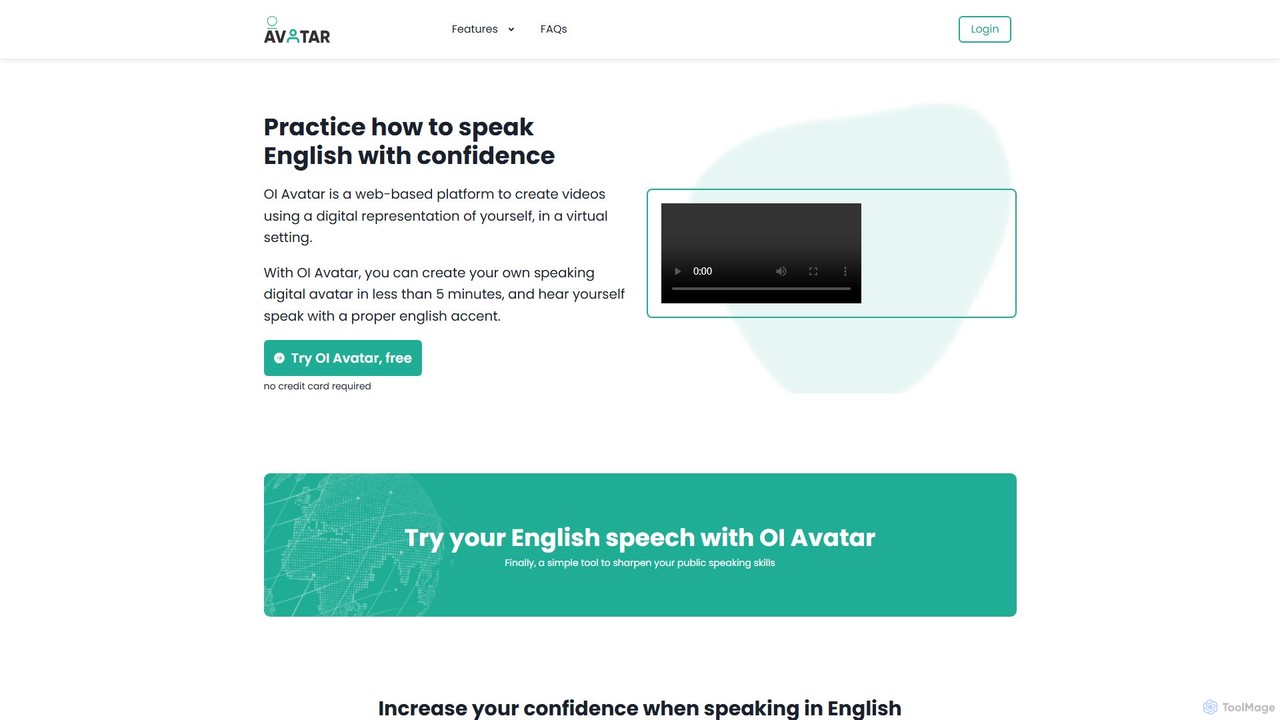
OI Avatar is an AI-powered platform that helps you practice and improve your English speaking skills with confidence. By creating a realistic digital avatar of yourself in minutes, you can input any text and hear your avatar speak it with a perfect British or American accent, allowing you to refine your pronunciation and public speaking abilities in a personalized, self-paced environment.

Language Learning
Visits 5.5KFavorites 125Likes 132

About Presentation

AI Presentation tools are a class of software that leverages artificial intelligence to automatically generate and design professional-quality slides. These tools typically use generative models to transform simple text prompts, outlines, or existing documents into complete, visually structured presentations. They significantly reduce the time and design effort required, allowing users to focus on the core message and narrative. This automation makes creating compelling presentations for business, education, or marketing more accessible than ever.

Core Features

  • Prompt-to-Deck Generation: Creates a full presentation, including text and images, from a single descriptive prompt or outline.
  • Automated Design & Layout: Intelligently selects fonts, colors, and layouts to ensure visual consistency and appeal.
  • AI Content Assistance: Offers features to rewrite, summarize, or expand text on slides for better clarity and impact.
  • Smart Media Integration: Automatically sources or generates relevant images, icons, and charts to complement the content.
  • Interactive Elements: Allows for the embedding of dynamic content such as videos, web pages, or interactive polls.

Use Cases

These tools are widely used by business professionals for creating sales pitches and internal reports, marketers for developing webinar content, and educators for preparing lecture materials. Startups also use them to rapidly prototype investor decks, while students can efficiently create high-quality project presentations.

How to Choose

When selecting an AI Presentation tool, consider the input flexibility (text prompts, documents, URLs), the level of design customization and branding control, integration capabilities with other platforms (like data sources), and available export options (e.g., PDF, PPTX, or online sharing).

Featured tool rankings

Presentation use cases

1

Create a Sales Pitch Deck in Minutes

A sales manager needs to create a customized pitch deck for a new high-value client with a tight deadline. Instead of spending hours designing slides in traditional software, they input a prompt detailing the client's needs, key product benefits, and a proposed solution. The AI presentation tool instantly generates a 15-slide deck with a professional design, relevant visuals, and structured content. The manager makes minor edits and has a client-ready presentation in under 30 minutes, saving over 80% of the usual creation time.

2

Generate Academic Lecture Materials from an Outline

An educator is preparing a new course on digital marketing and needs to create lecture slides for ten different topics. They provide the AI tool with a detailed outline for the first lecture on 'SEO Fundamentals'. The tool expands each point in the outline into a full slide, suggests relevant diagrams to explain concepts like keyword research, and finds appropriate case study images. This process transforms a simple text outline into a visually engaging and informative lecture deck, allowing the educator to produce high-quality course materials much faster.

3

Transform a Business Report into a Summary Presentation

A project manager needs to present the key findings of a lengthy 50-page quarterly report to the executive team. Instead of manually extracting data and creating charts, they upload the report document to an AI presentation tool. The AI analyzes the document, identifies key metrics, summaries, and conclusions, and automatically generates a concise 10-slide presentation. It includes auto-generated charts visualizing the data and bullet points highlighting the main takeaways, making complex information easy to digest for a high-level audience.

4

Develop Marketing Webinar Content Quickly

A marketing team is launching a new product and needs to create a presentation for a promotional webinar. They use an AI tool and provide a link to the product's landing page. The AI scrapes the content, understands the key features and value propositions, and structures a compelling narrative for the webinar. It generates slides covering the problem, solution, product features, customer testimonials, and a call-to-action, complete with branding and relevant stock imagery. This accelerates content creation, allowing the team to focus on promotion and delivery.

5

Prototype an Investor Pitch Deck for a Startup

A startup founder needs to create a compelling pitch deck to secure seed funding. They input their core business idea, target market, problem statement, and proposed solution into an AI presentation maker. The tool generates a standard investor pitch deck structure, including slides for the team, market size, business model, and financial projections. This allows the founder to quickly create a first draft, gather feedback from advisors, and iterate on the narrative and data points multiple times without getting bogged down in slide design.

6

Create Student Project Presentations Efficiently

A university student has a final project presentation due and lacks advanced design skills. They gather their research notes and key findings into a simple text document. By uploading this document to an AI presentation tool, they receive a well-structured and visually appealing presentation in minutes. The AI organizes the content logically, adds relevant academic-style icons and images, and ensures a consistent design. This allows the student to focus on practicing their delivery and mastering the content, rather than struggling with slide formatting.

Presentation FAQ

What are AI Presentation tools?

AI Presentation tools are applications that use artificial intelligence to automate the creation of slide decks. Unlike traditional software where you manually design each slide, these tools can generate an entire presentation from a simple text prompt, an outline, or an existing document. They handle design, layout, content structuring, and even image selection, allowing users to produce professional-looking presentations in a fraction of the time.

How do AI Presentation tools differ from PowerPoint or Google Slides?

The main difference is automation versus manual control. Traditional tools like PowerPoint provide a blank canvas and a set of manual tools for you to build slides from scratch. AI Presentation tools act as a creative partner; they generate the initial content, structure, and design for you based on an input. You then refine and customize the AI-generated draft. Essentially, AI tools automate the first 80% of the creation process, while traditional tools require you to handle 100% of it manually.

What are the key features to look for in an AI Presentation tool?

When evaluating AI Presentation tools, look for these key features:

  • Flexible Input Options: The ability to generate presentations from various inputs like text prompts, documents (PDF, DOCX), or even website URLs.
  • Design Customization: Strong control over templates, color palettes, fonts, and the ability to apply your own branding.
  • Content Editing & AI Assistance: Tools to easily edit text, as well as AI features to rewrite, shorten, or expand content.
  • Media Libraries: Access to high-quality stock photos, icons, and the ability to generate unique images with AI.
  • Export and Sharing: Options to export to common formats like PDF or PPTX, and to share a live, interactive web link.
Who can benefit from using AI Presentation makers?

A wide range of users can benefit from AI presentation makers. This includes:

  • Business Professionals: For quickly creating sales pitches, client updates, and internal reports.
  • Marketers: To develop content for webinars, product launches, and social media campaigns.
  • Educators and Trainers: To convert lesson plans and research into engaging lecture slides.
  • Students: For creating high-quality presentations for class projects and assignments without needing design expertise.
  • Startup Founders: To rapidly prototype and iterate on investor pitch decks.
How do I choose the right AI Presentation tool for my needs?

To choose the right tool, first identify your primary use case. If you need to turn long documents into summaries, prioritize tools with strong document import and analysis features. If visual branding is critical, look for one with advanced customization and template options. Consider your technical comfort level; some tools are simpler while others offer more complex features. Finally, evaluate the pricing models—whether a subscription or pay-per-use model fits your budget and frequency of use better.