ToolMage
Sign in

Best 4 Proofreading AI tools for Productivity

Popular Proofreading AI tools in Productivity include Scribbr, cmd_c, imgproof, and prodream, helping you work more efficiently.

Scribbr
Freemium

Scribbr

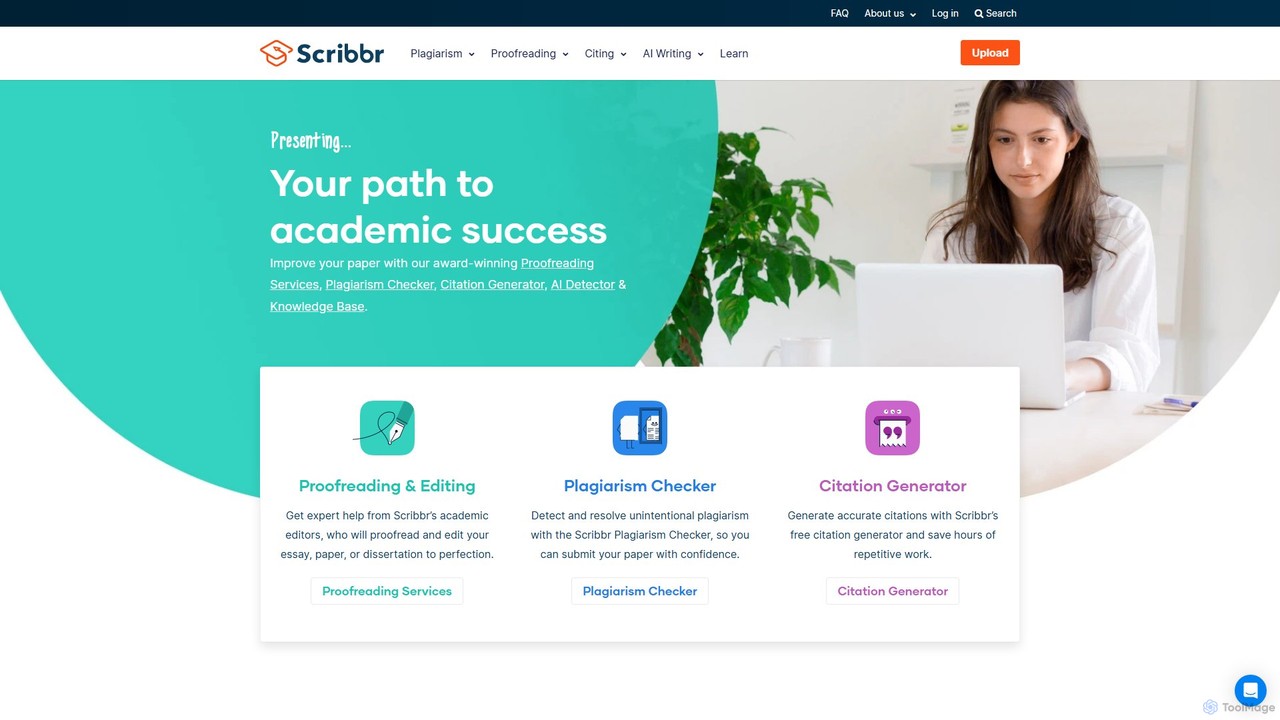
Scribbr is an all-in-one academic writing platform designed for students and researchers. It offers expert human proofreading, a reliable plagiarism checker powered by Turnitin, and a free, accurate citation generator. Scribbr combines AI technology with human expertise to help users improve their writing, ensure originality, and achieve academic success.

Academic Writing
Visits 7.3MFavorites 118Likes 113
imgproof
Freemium

imgproof

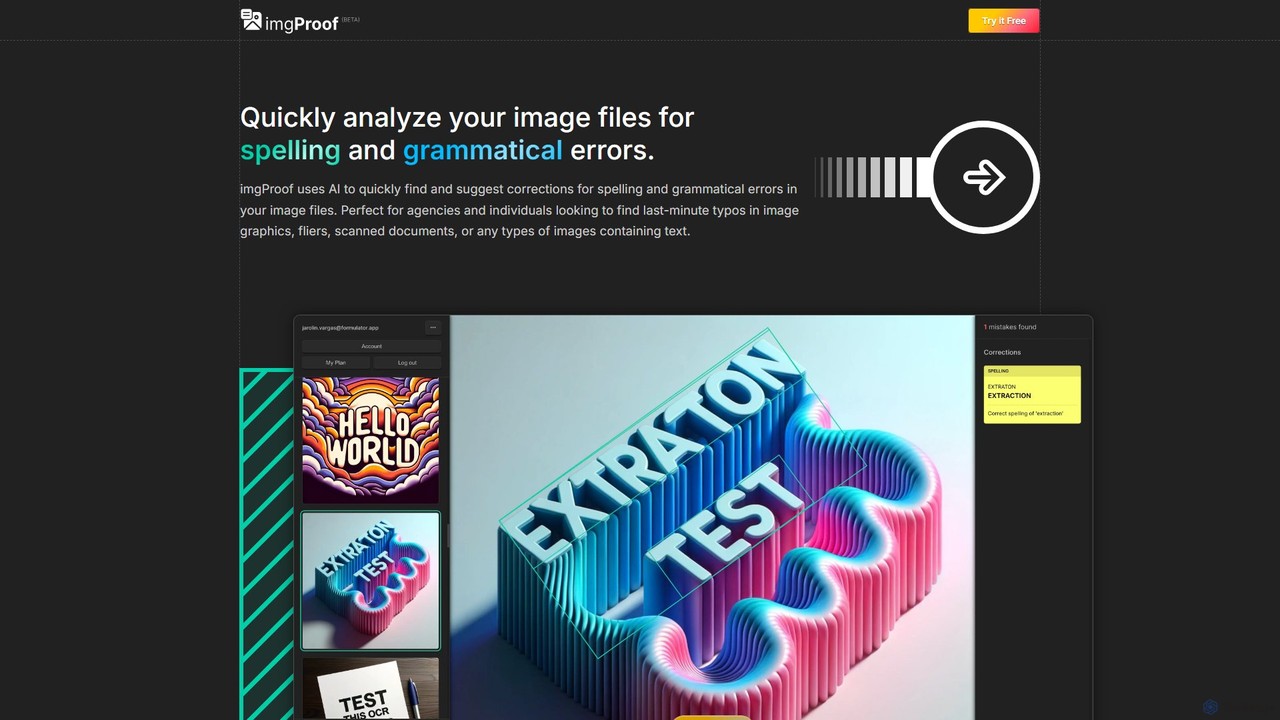
imgproof is an AI-powered image proofreader that automatically scans images for spelling and grammar errors. Using advanced OCR, it detects text in various formats (JPEG, PNG, WEBP) and languages, providing instant corrections. Ideal for designers, marketers, and agencies to ensure visual content is error-free.

Image Editing
Visits 3.6KFavorites 93Likes 98
prodream
Freemium

prodream

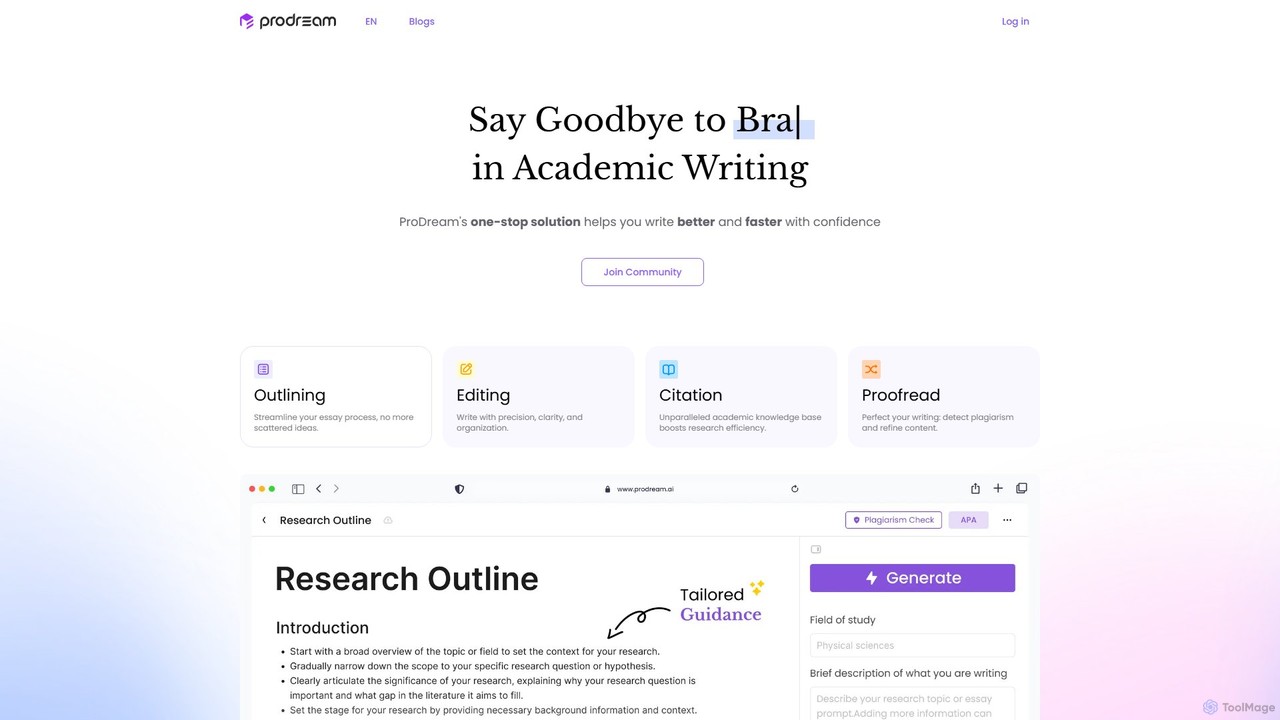
prodream is an AI-powered academic writing assistant designed to help students and researchers write better and faster. It offers a one-stop solution for outlining, editing, citation, and proofreading. With features like an AI co-pilot, plagiarism checker, and access to over 200 million scholarly sources, prodream streamlines the entire essay and paper writing process, ensuring high-quality, original work.

Research
Visits 3.5KFavorites 98Likes 94
cmd_c
Freemium

cmd_c

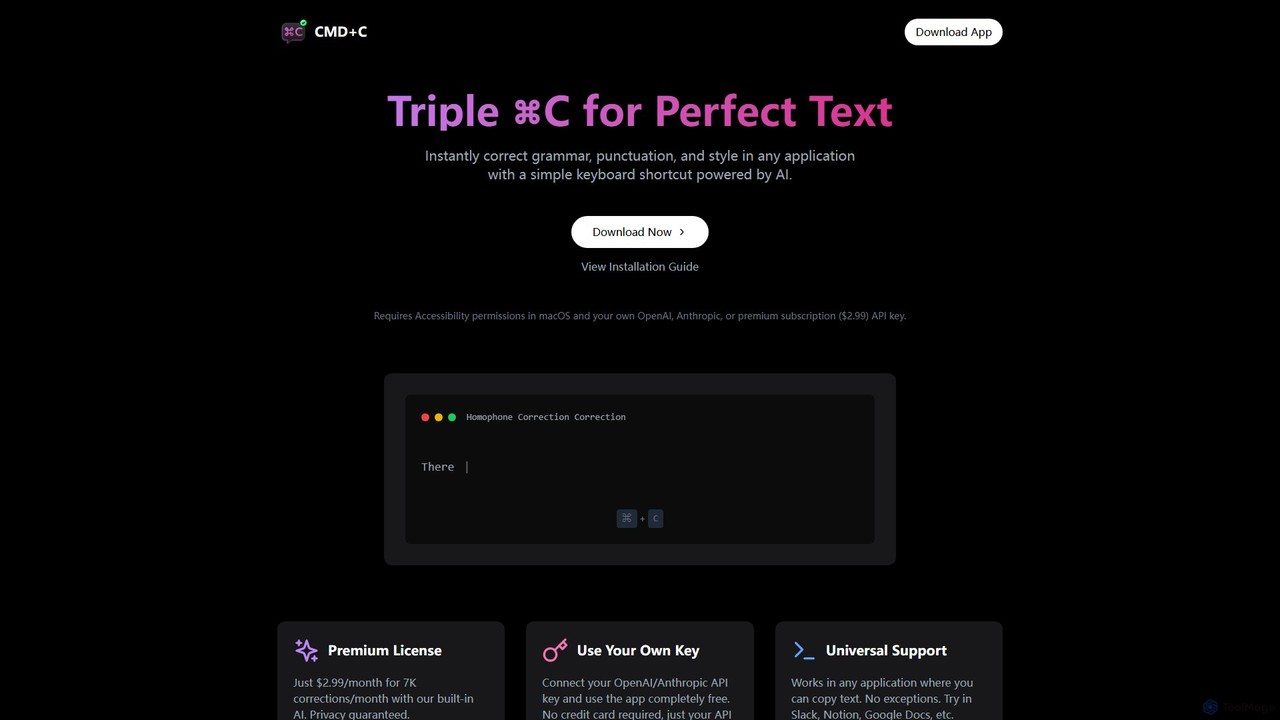
A native macOS app that provides instant, AI-powered text correction for grammar, punctuation, and style in any application. Simply select text and press Command+C three times to perfect your writing. It works universally and offers a free plan using your own API key or a premium subscription.

Proofreading
Visits 3.9KFavorites 97Likes 109

About Proofreading

AI Proofreading tools are AI-powered applications designed to meticulously review written text, identifying and correcting errors in grammar, spelling, punctuation, and style. These tools leverage advanced natural language processing (NLP) and machine learning algorithms to analyze text contextually, offering suggestions that go beyond basic spell-checking. They are invaluable for anyone seeking to refine their writing, ensuring clarity, professionalism, and adherence to specific linguistic standards before publication or submission.

Core Features

  • Advanced Grammar Correction: Detects and suggests fixes for complex grammatical errors, including subject-verb agreement, tense consistency, and sentence structure issues.
  • Contextual Spelling Check: Identifies misspelled words and offers context-aware suggestions, differentiating between homophones (e.g., 'their' vs. 'there').
  • Punctuation & Capitalization Review: Ensures correct usage of commas, periods, semicolons, apostrophes, and proper capitalization throughout the text.
  • Style & Readability Enhancements: Provides recommendations for improving sentence flow, conciseness, word choice, and overall readability, often aligning with specific style guides.
  • Tone & Clarity Analysis: Evaluates the emotional tone of the writing and suggests adjustments to ensure the message is conveyed as intended, enhancing clarity and impact.

Applicable Scenarios

AI Proofreading tools are widely adopted across various fields. Students and academics use them to polish research papers and dissertations, ensuring academic rigor. Business professionals rely on them for error-free emails, reports, and presentations, maintaining a high level of corporate communication. Content creators, including bloggers and marketers, utilize these tools to refine articles, social media posts, and website copy, enhancing engagement and credibility.

How to Choose

When selecting an AI Proofreading tool, consider its accuracy and comprehensiveness in detecting various error types, including advanced grammar and style issues. Evaluate its language support and whether it caters to specific dialects or academic styles. Check for seamless integration with your existing writing platforms (e.g., word processors, browsers). Finally, assess its customization options, such as the ability to create personal dictionaries or adhere to specific style guides, to ensure it meets your unique workflow needs.

Featured tool rankings

Proofreading use cases

1

Refining Academic Papers for Submission

University students and researchers utilize AI proofreading tools to meticulously review their essays, theses, and research papers. By automatically identifying and suggesting corrections for grammatical errors, punctuation mistakes, and stylistic inconsistencies, these tools help ensure academic rigor and professionalism. This process significantly reduces the time spent on manual proofreading, allowing students to focus more on content development while submitting error-free, high-quality work.

2

Polishing Professional Emails and Reports

Business professionals leverage AI proofreading tools to ensure their daily communications, such as emails, client proposals, and internal reports, are flawless. These tools catch embarrassing typos, grammatical blunders, and awkward phrasing that could undermine credibility or lead to misunderstandings. By quickly refining text, professionals can maintain a polished image, convey messages clearly, and boost overall productivity in their written interactions, ensuring every document reflects high standards.

3

Optimizing Blog Posts and Web Content

Content creators, including bloggers, journalists, and digital marketers, use AI proofreading tools to enhance the quality and readability of their online content. These tools help eliminate errors that could distract readers or negatively impact search engine optimization (SEO). By ensuring grammatically correct and stylistically consistent articles, blog posts, and website copy, creators can improve user engagement, build authority, and present a professional brand image to their audience.

4

Reviewing Marketing Copy and Advertisements

Marketing teams and copywriters employ AI proofreading tools to scrutinize advertising copy, brochures, social media ads, and website landing pages. Even minor errors in marketing materials can damage brand perception and reduce conversion rates. These tools ensure that all public-facing text is persuasive, error-free, and consistent with brand voice and style guides, helping to maintain a professional brand image and maximize the effectiveness of marketing campaigns.

5

Preparing Book Manuscripts for Publication

Authors, independent publishers, and editorial teams integrate AI proofreading tools into their workflow for preparing book manuscripts. While human editors are crucial, AI tools act as an initial or supplementary layer of error detection, catching overlooked typos, grammatical inconsistencies, and formatting issues across thousands of pages. This significantly streamlines the editing process, reduces costs, and ensures a higher quality final product before it reaches readers, enhancing the author's reputation.

6

Ensuring Consistency in Multilingual Content

Global businesses and translation agencies utilize AI proofreading tools to maintain linguistic consistency and accuracy across multilingual content. After translation, these tools can quickly scan documents in various languages to catch grammatical errors, stylistic deviations, and ensure adherence to specific terminology or brand glossaries. This is crucial for global communication, ensuring that messages are conveyed accurately and professionally to diverse international audiences, thereby preserving brand integrity and clarity.

Proofreading FAQ

What are AI Proofreading Tools?

AI Proofreading Tools are software applications that use artificial intelligence, specifically natural language processing (NLP) and machine learning, to analyze written text for errors. They go beyond basic spell checkers to identify and suggest corrections for grammar, punctuation, style, and even tone. Their primary goal is to help users produce polished, error-free, and effective written communication across various contexts, from academic papers to professional reports and creative content.

How do AI Proofreading Tools differ from basic spell checkers?

AI Proofreading Tools offer a significantly more comprehensive analysis than basic spell checkers. While spell checkers primarily focus on identifying misspelled words, AI proofreaders leverage advanced algorithms to understand the context of sentences. This allows them to detect complex grammatical errors (e.g., subject-verb agreement, tense shifts), punctuation mistakes, stylistic inconsistencies, and even suggest improvements for clarity, conciseness, and tone. They act as a virtual writing assistant, not just a dictionary lookup.

What types of errors can AI Proofreading Tools detect?

AI Proofreading Tools are capable of detecting a wide array of errors. These include fundamental issues like spelling mistakes and typos, as well as more complex grammatical errors such as subject-verb agreement, incorrect verb tenses, pronoun agreement, and sentence fragments. They also identify punctuation errors (e.g., misplaced commas, incorrect apostrophe usage), stylistic inconsistencies, redundancy, and can even offer suggestions for improving sentence structure, word choice, and overall readability to enhance the clarity and impact of your writing.

Who benefits most from using AI Proofreading Tools?

A wide range of individuals and professionals can significantly benefit from AI Proofreading Tools. This includes students and academics who need to ensure their papers are flawless, business professionals drafting critical communications, and content creators (bloggers, marketers, journalists) aiming for high-quality online content. Non-native English speakers or those writing in a second language also find these tools invaluable for improving accuracy and fluency. Essentially, anyone who writes regularly and values clear, error-free communication will find these tools highly advantageous.

How to choose the best AI Proofreading Tool for my needs?

Choosing the best AI Proofreading Tool involves considering several factors. First, assess its accuracy and the range of errors it detects, especially for advanced grammar and style. Second, check its language support and whether it caters to specific dialects or academic/professional styles relevant to you. Third, evaluate its integration capabilities with your preferred writing platforms (e.g., Microsoft Word, Google Docs, browser extensions). Finally, consider customization options, such as personal dictionaries or style guide adherence, and the pricing model to ensure it aligns with your budget and specific workflow requirements.