ToolMage
Sign in

Best 3 Reference Management AI tools for Research

Popular Reference Management AI tools in Research include Samwell, Petal, and Markwise, helping you work more efficiently.

Samwell
Freemium

Samwell

Samwell is an AI-powered academic writing assistant designed for students, researchers, and academics. It generates high-quality essays and research papers complete with accurate citations from credible sources. Key features include an AI detection bypass, plagiarism checking, a literature review generator, and a powerful editor to refine and enhance your work, streamlining the entire academic writing process.

Academic Writing
Visits 128.7KFavorites 99Likes 88
Petal
Freemium

Petal

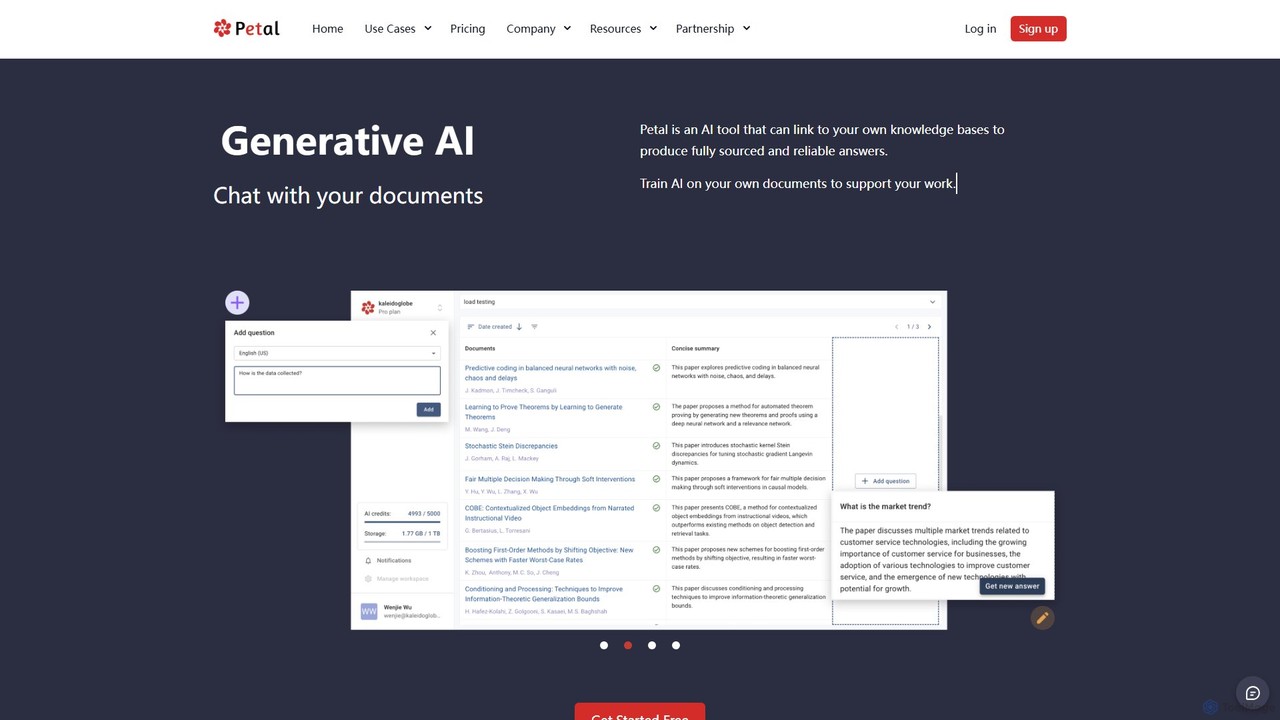
Petal is an AI-powered document analysis platform that transforms your documents into an interactive knowledge base. Chat with your research papers, reports, and books to get instant, sourced answers. Ideal for researchers, academics, and students, it features a reference manager, collaboration tools, and a secure cloud drive.

Chat
Visits 27.4KFavorites 131Likes 133
Markwise
Freemium

Markwise

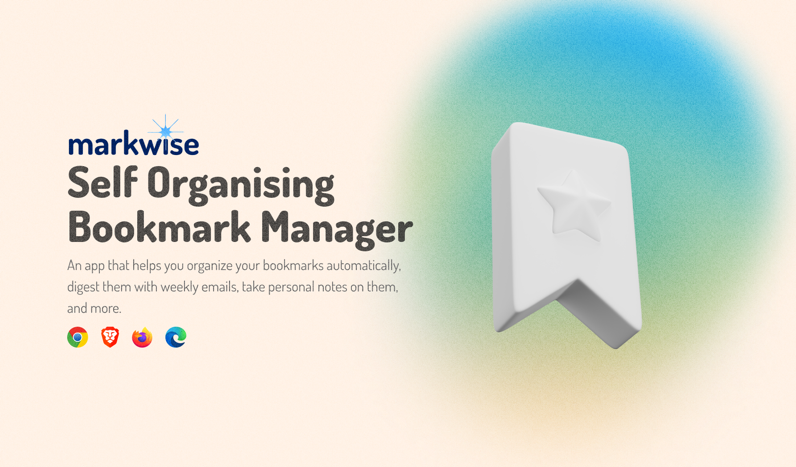
Markwise is an AI-powered knowledge manager that helps you save, organize, and recall bookmarks, notes, and ideas. It automatically categorizes and summarizes your content, allowing you to build a personal, searchable knowledge base. With features like semantic search, project-based Spaces, and a browser extension, it streamlines research and boosts productivity for professionals, students, and creatives.

Bookmarking
Visits 6.8KFavorites 101Likes 119

About Reference Management

Reference Management tools are specialized applications designed to help researchers, academics, and writers collect, organize, cite, and share bibliographic data. These tools automate the creation of citations and bibliographies in various formatting styles, integrating directly with word processors to streamline the writing process. Their primary value lies in ensuring accuracy, consistency, and efficiency in academic and professional writing, forming a critical component of the broader research workflow. Many modern tools also leverage AI to suggest relevant papers or extract metadata automatically.

Core Features

  • Reference Collection: Capture bibliographic data from academic databases, websites, and PDFs using browser extensions or direct import.
  • Library Organization: Organize sources using folders, tags, and notes, creating a searchable personal research database.
  • Automatic Citation Formatting: Generate in-text citations and bibliographies in thousands of styles like APA, MLA, Chicago, and Vancouver.
  • Word Processor Integration: Seamlessly insert and manage citations directly within Microsoft Word, Google Docs, and other writing software.
  • Collaboration and Sharing: Share reference libraries with colleagues for group projects, ensuring consistent sourcing and formatting.

Applicable Scenarios

These tools are essential for anyone engaged in formal writing and research. Academics and students use them for theses, dissertations, and research papers. Scientists and medical researchers rely on them for publishing articles and conducting literature reviews. Legal professionals also use them to manage case law and legal citations for briefs and filings.

Selection Criteria

When choosing a Reference Management tool, consider its compatibility with your operating system and word processor. Evaluate the range of supported citation styles, the storage capacity for attached files like PDFs, and the quality of its collaboration features. Also, assess the ease of importing references from your most-used databases and the intuitiveness of the user interface.

Featured tool rankings

Reference Management use cases

1

Writing an Academic Thesis or Dissertation

A PhD candidate is managing hundreds of sources for their dissertation. Using a reference management tool, they import citations directly from databases like JSTOR and PubMed. They organize articles into chapters using folders and apply tags like 'methodology' or 'key_theory'. While writing in Microsoft Word, they use the tool's plugin to insert in-text citations. The tool automatically builds the bibliography at the end of the document, which can be instantly reformatted from APA 7th to Chicago style with a single click, saving dozens of hours and preventing formatting errors.

2

Collaborating on a Research Paper

A team of scientists across different universities is co-authoring a paper. They create a shared group library in their reference management software. As each member finds relevant articles, they add them to the shared library, along with notes and annotations on the attached PDFs. This ensures everyone works from the same set of sources. When they merge their written sections, the citations are automatically harmonized, preventing duplicate entries and ensuring the final bibliography is consistent and correctly formatted according to the journal's specific guidelines.

3

Conducting a Systematic Literature Review

A medical researcher is performing a systematic review that requires screening thousands of articles. They use a reference management tool to import all search results from multiple databases, and the tool helps identify and remove duplicates. The researcher then uses a tagging system to mark articles for inclusion, exclusion, or further review based on title and abstract screening. This structured approach within the software provides a clear audit trail and simplifies the process of filtering down to the final set of studies for in-depth analysis, making the entire review process more manageable and transparent.

4

Creating an Annotated Bibliography

An undergraduate student is tasked with creating an annotated bibliography for a history course. They use a reference management tool to collect sources from the university library's online catalog and academic databases. For each source, they use the 'notes' field to write a concise summary and a critical evaluation of the work. When finished, they select a citation style that includes annotations and the software generates a perfectly formatted document with each citation followed by its corresponding annotation, ready for submission. This keeps the research and writing process organized in one place.

5

Managing Legal Citations for a Court Brief

A paralegal is preparing a legal brief that requires precise citation of case law, statutes, and journal articles according to the Bluebook style. They use a reference management tool with specialized legal style support. The tool allows them to capture case details from legal databases like Westlaw or LexisNexis. As they draft the brief, they insert citations that are automatically formatted with correct abbreviations, page numbers, and court information. This not only ensures compliance with strict court formatting rules but also significantly reduces the risk of manual citation errors that could undermine the brief's credibility.

6

Building a Personal Knowledge Base

A content creator and lifelong learner uses a reference management tool as a central repository for all interesting articles, e-books, and reports they encounter online. Using the browser extension, they save items with a single click. They organize this personal library with custom tags like 'AI_ethics', 'marketing_strategy', or 'productivity'. When they need to write a blog post or create a presentation, they can quickly search their curated database to find relevant, reliable sources and their own notes, turning a chaotic collection of bookmarks and downloads into a structured and valuable knowledge base.

Reference Management FAQ

What is a Reference Management tool?

A Reference Management tool is a software application designed to help users collect, store, organize, and cite sources for academic papers, articles, and other research-based writing. Its core function is to automate the creation of bibliographies and in-text citations in various styles (like APA, MLA, Chicago). These tools typically include a browser extension for capturing sources from the web, a library for organizing references with tags and folders, and a plugin for word processors like Microsoft Word or Google Docs to insert citations directly while writing.

How do I choose the right Reference Management software?

To choose the right software, consider these factors:

  • Compatibility: Ensure it works with your operating system (Windows, macOS, Linux) and word processor (Microsoft Word, Google Docs, Scrivener).
  • Citation Styles: Check if it supports the specific citation styles required by your institution or target journals (e.g., APA, MLA, Bluebook).
  • Collaboration: If you work in a team, look for features like shared libraries and collaborative annotation.
  • Storage: Consider the amount of cloud storage offered for PDFs and other attachments, especially if you work with a large volume of sources.
  • Ease of Use: Evaluate the user interface and the simplicity of importing sources and generating citations. Many offer free trials to test the workflow.
What's the difference between Reference Management tools and note-taking apps like Notion or Evernote?

The primary difference is specialization. Reference Management tools are purpose-built for the academic citation workflow. They have structured fields for bibliographic data (author, year, journal, DOI) and are designed to automatically format this data into thousands of citation styles. Their key feature is deep integration with word processors for generating bibliographies. Note-taking apps are general-purpose tools for capturing and organizing unstructured information like text, images, and to-do lists. While you can store links in them, they lack the specialized citation formatting and automation capabilities essential for formal research writing.

Can AI-powered Reference Management tools help me find new research papers?

Yes, many modern reference management tools incorporate AI features to enhance the research process. One common feature is a recommendation engine. Based on the articles already in your library, the AI can analyze keywords, authors, and topics to suggest new, relevant papers you might have missed. Some tools also use AI to improve search functionality within your library or to automatically find and attach the full-text PDF for a reference you've saved. These features help accelerate literature discovery and keep you updated on the latest research in your field.

Who benefits most from using Reference Management tools?

While anyone who writes with sources can benefit, these tools are most valuable for:

  • Students (Undergraduate and Graduate): For managing sources for essays, research papers, theses, and dissertations, ensuring correct citation and avoiding plagiarism.
  • Academics and Researchers: For organizing vast libraries of literature, collaborating with co-authors, and formatting manuscripts for journal submission.
  • Scientists and Medical Professionals: For conducting systematic reviews, writing grant proposals, and publishing findings in fields with strict citation standards.
  • Legal Professionals: For managing and citing case law, statutes, and other legal documents with precision.

In essence, they are crucial for anyone in a field that requires rigorous, consistent, and accurate citation of sources.