ToolMage
Sign in

Best 51 Ai Assistant for Productivity

Popular Ai Assistant in Productivity include Baidu, Bing, Crocoblock, Cici, Raccoon AI, Pokee AI, arvin, SiteSell, CodeBanana, and GB1, helping you work more efficiently.

Blue
Freemium

Blue

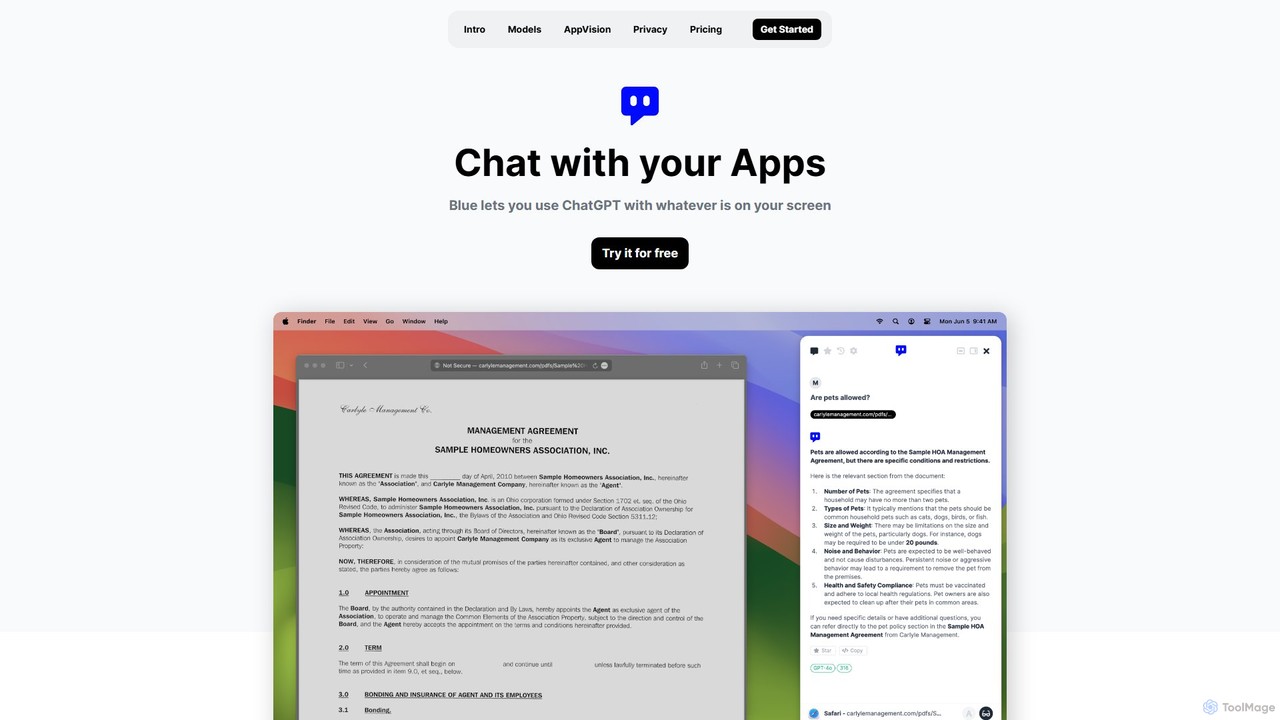
Blue is a native macOS AI assistant that integrates ChatGPT and other advanced AI models directly into your workflow. Featuring unique screen context awareness (AppVision) and a strong focus on privacy, it allows you to analyze, summarize, or create content in any app with a simple keyboard shortcut, boosting productivity for professionals.

Coding Assistant
Visits 6.6KFavorites 142Likes 121
Helly
Freemium

Helly

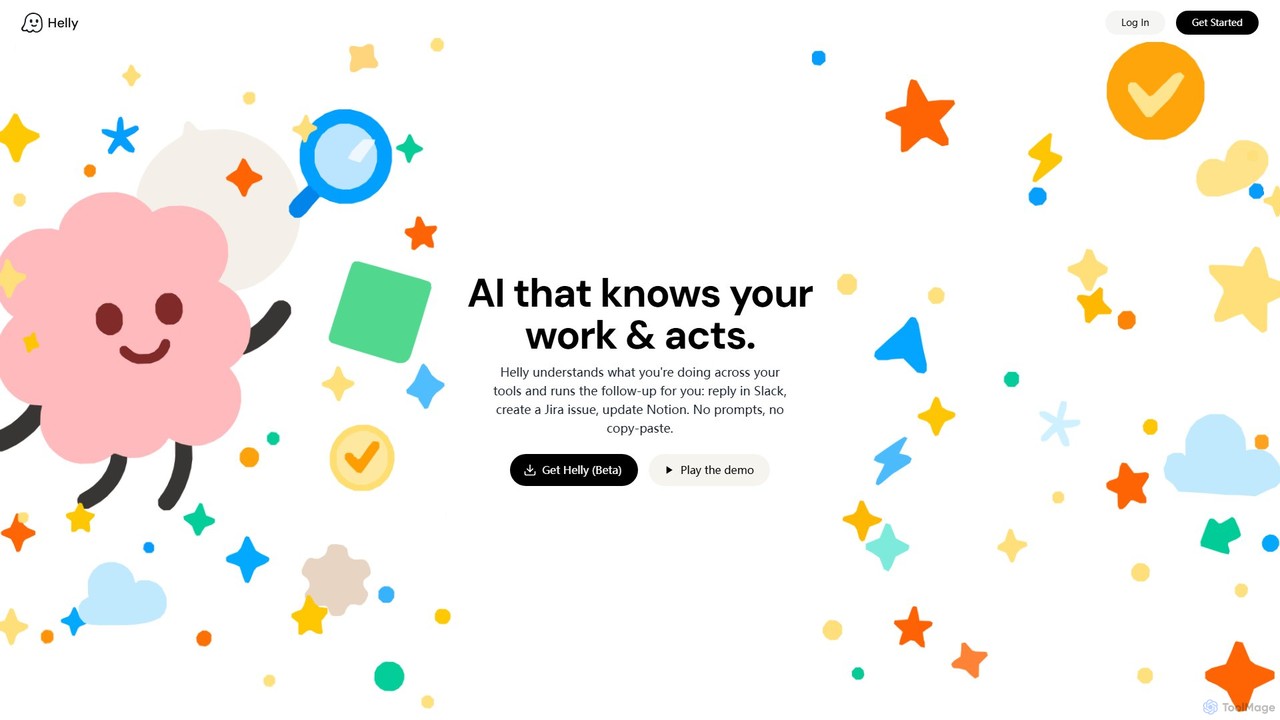
Helly is a proactive AI assistant that acts as your second brain across all your applications. It understands your work context and automates follow-up tasks like replying in Slack, creating Jira issues, or updating Notion, all without prompts or copy-pasting.

Ai Assistant
Visits 6KFavorites 139Likes 152
Bing
Freemium

Bing

Bing is an AI-powered search engine by Microsoft, integrated with Copilot to provide direct answers, content creation, and image generation. It goes beyond traditional search by offering conversational AI to help users research, write, plan, and create, all in one place.

Generative Ai
Visits 1.4BFavorites 138Likes 131

About Ai Assistant

AI Assistants are intelligent software tools designed to perform tasks and provide services to streamline personal and professional workflows. Leveraging natural language processing (NLP) and machine learning, they understand commands, automate repetitive actions, and retrieve information on demand. Their primary value lies in augmenting human productivity by handling administrative, research, and organizational tasks, freeing up users to focus on more strategic work. Unlike single-purpose automation tools, AI Assistants often offer a conversational interface and learn from user interactions to provide increasingly personalized support.

Core Features

  • Natural Language Understanding: Interprets and processes requests made in everyday human language.
  • Workflow Automation: Executes multi-step tasks like scheduling meetings, managing emails, or updating records.
  • Personalized Assistance: Learns user preferences and context to provide proactive and relevant suggestions.
  • Cross-App Integration: Connects with various applications (calendars, CRMs, communication tools) to centralize tasks.

Use Cases

AI Assistants are widely used by professionals such as executives for managing complex schedules, sales teams for automating CRM entries, and developers for code assistance. In content creation, they help with research and drafting, while in academic settings, they assist in summarizing articles and organizing notes.

How to Choose

When selecting an AI Assistant, evaluate its integration capabilities with your existing software stack. Consider the complexity of tasks it can automate and its level of customizability. Also, assess the platform's security protocols for handling sensitive data and its availability across your preferred devices (desktop, mobile, web).

Featured tool rankings

Ai Assistant use cases

1

Automating Meeting Scheduling and Follow-ups

For busy managers and executives, coordinating schedules for meetings is a time-consuming task. An AI Assistant integrates with calendars of all participants, identifies mutual availability, and sends out invitations automatically based on a simple command like "Schedule a 30-minute review with the marketing team next week." After the meeting, it can transcribe the audio, generate a concise summary with action items, and distribute the notes to attendees, ensuring accountability and saving hours of administrative work each week.

2

Streamlining Sales CRM Data Entry

Sales representatives often spend significant time on manual data entry, updating customer relationship management (CRM) systems after calls and meetings. An AI Assistant can connect to their communication tools and CRM. It automatically logs call details, transcribes conversations, summarizes key points, and updates the relevant contact and deal records in the CRM. This reduces administrative burden, improves data accuracy, and allows sales teams to focus more on building relationships and closing deals.

3

Accelerating Content Research and Creation

Content creators, marketers, and researchers need to gather and synthesize large amounts of information. An AI Assistant acts as a powerful research partner. A user can ask it to find statistics on a specific topic, summarize lengthy articles, or generate a structured outline for a blog post or report. This dramatically speeds up the initial research phase, helps overcome writer's block, and provides a solid foundation for creating high-quality, well-informed content.

4

Enhancing Developer Productivity with Code Assistance

Developers can use specialized AI Assistants integrated into their coding environment (IDE). These assistants provide intelligent code completions, suggest solutions for bugs, and generate boilerplate code from natural language descriptions. For example, a developer could ask it to "write a Python function to fetch data from this API." This reduces time spent on routine coding tasks and looking up documentation, allowing developers to concentrate on complex logic and software architecture.

5

Organizing Academic Research and Study Notes

Students and academics deal with numerous research papers, articles, and lecture notes. An AI Assistant can help organize this information efficiently. Users can upload documents and ask the assistant to summarize key findings, extract important quotes, or create flashcards for studying. It can also answer specific questions based on the provided material, acting as a personal tutor and helping to consolidate knowledge for exams or thesis writing.

6

Managing Personal Daily Tasks and Information

Beyond professional settings, AI Assistants excel at managing personal life. They can be used to set reminders for appointments, create and manage shopping lists, control smart home devices, and quickly answer everyday questions. By integrating with email and messaging apps, they can help draft quick replies or summarize unread messages. This centralizes the management of daily logistics, making personal organization simpler and more efficient.

Ai Assistant FAQ

What is an AI Assistant?

An AI Assistant is a software program that uses artificial intelligence, particularly natural language processing, to understand user requests and perform tasks. Unlike simple automation scripts, they can handle conversational queries, learn from interactions, and execute complex actions across multiple applications. They act as a personal or professional aid to manage information and automate workflows.

How do I choose the right AI Assistant?

To choose the right AI Assistant, first identify the primary tasks you want to automate (e.g., scheduling, email management, research). Then, evaluate these key factors:

  • Integrations: Ensure it connects seamlessly with your essential tools like calendars, email clients, and CRMs.
  • Platform: Check if it's available on your preferred devices (desktop, web, mobile).
  • Customization: Look for the ability to create custom workflows and commands.
  • Security: Verify its data privacy and security policies, especially for business use.

What's the difference between an AI Assistant and a standard chatbot?

The primary difference lies in their scope and capability. A standard chatbot typically operates on pre-defined rules and scripts to answer specific questions within a narrow domain, like customer support FAQs. An AI Assistant is more proactive and versatile; it integrates with other software, learns user preferences, and can perform a wide range of tasks like managing schedules, sending emails, and conducting research, acting as a broader productivity tool.

What kinds of tasks can an AI Assistant automate?

AI Assistants can automate a wide variety of tasks, ranging from simple to complex. Common examples include: scheduling meetings, managing and prioritizing emails, setting reminders, transcribing audio from meetings, summarizing long documents or articles, performing web research, updating CRM records, and even drafting initial versions of reports or social media posts.

Are AI Assistants secure for handling sensitive company data?

Security varies significantly between different AI Assistant tools. Reputable providers, especially those designed for enterprise use, implement robust security measures like end-to-end encryption, compliance with standards (e.g., SOC 2, GDPR), and clear data handling policies. Before using an assistant with confidential information, it is crucial to review its security documentation and privacy policy to ensure it meets your organization's compliance requirements.